
Pocketbird: Expense Tracker
Budget, Split Bills & Receipts
Designed for iPhone, iPad
- Age rating4+
- CategoryFinance
- DeveloperNattapong Pallawal
- LanguagesEnglish+ 1 more
- Size91.9 MB
Links to the official App Store page
Download.org hosts no file of Pocketbird: Expense Tracker. The button opens its official App Store page, published by Nattapong Pallawal. Listing last checked on Nov 22, 2026.
Screenshots



About
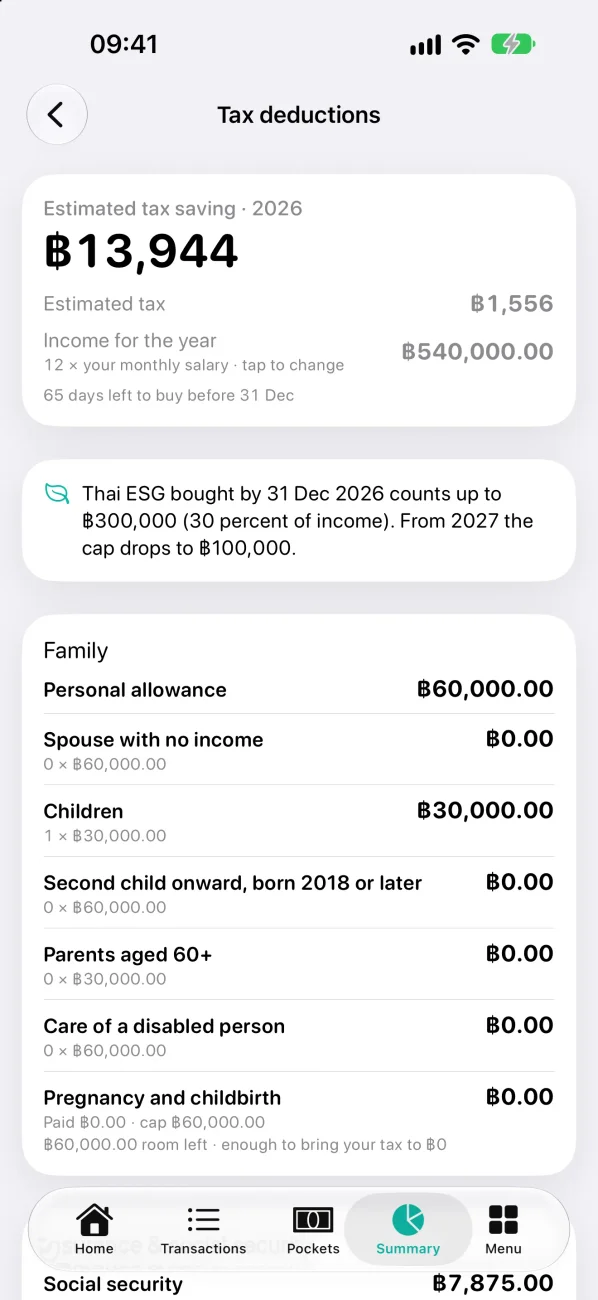
Pocketbird is a private, offline-first money tracker that keeps your everyday finances sorted — built for Thailand and the baht (฿).
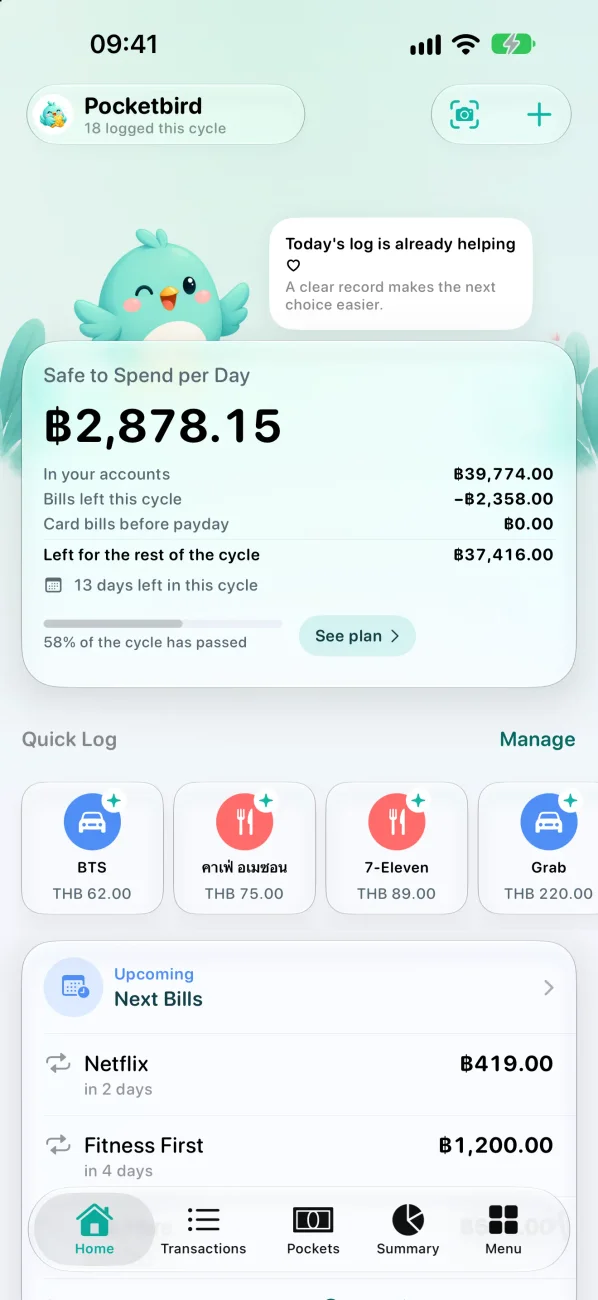
Log income and expenses in seconds, see exactly where your money goes, and know your daily safe-to-spend at a glance. Your data lives on your device first; cloud sync is optional and only happens with your consent.
WHY POCKETBIRD
• Offline-first — after you sign in once, it works without a connection; your financial data stays on your phone
• Private by design — built around Thailand's PDPA, with consent you control
• Bilingual — full Thai and English
• iPhone and iPad — on iPad, lists and details can sit side by side, with pointer and keyboard support
TRACK EVERY BAHT
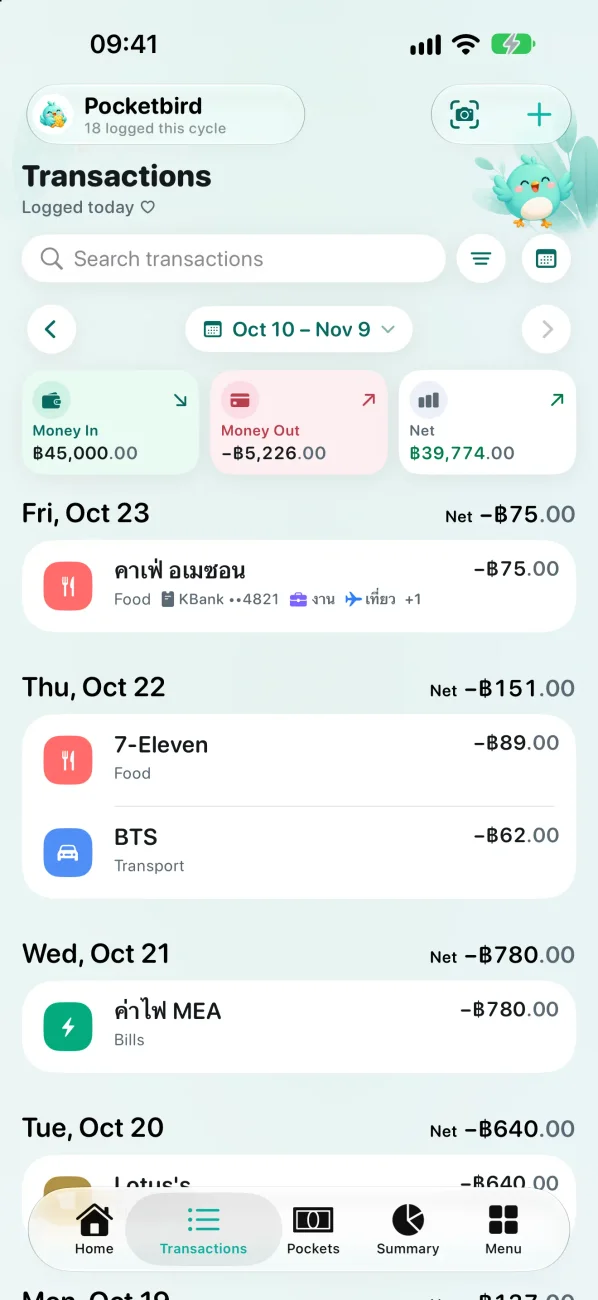
• Fast income & expense logging with categories and subcategories
• Daily safe-to-spend so you always know what's left
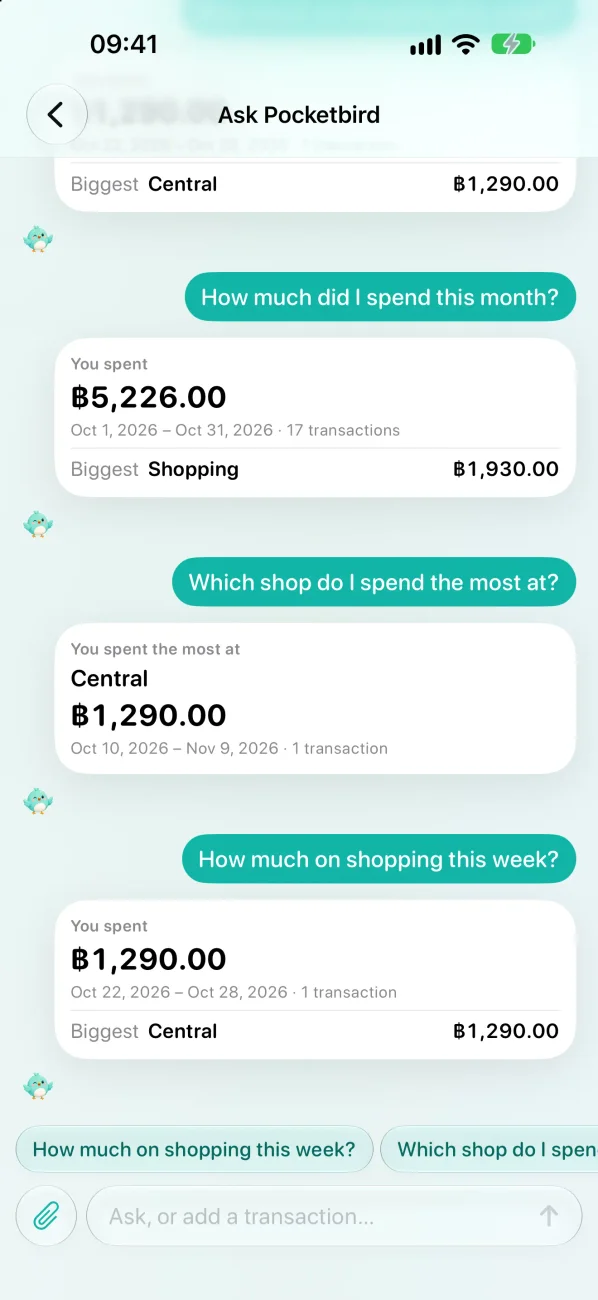
• Clear summaries and spending insights
PLAN AHEAD
• Set category budgets and get gentle nudges before you overspend
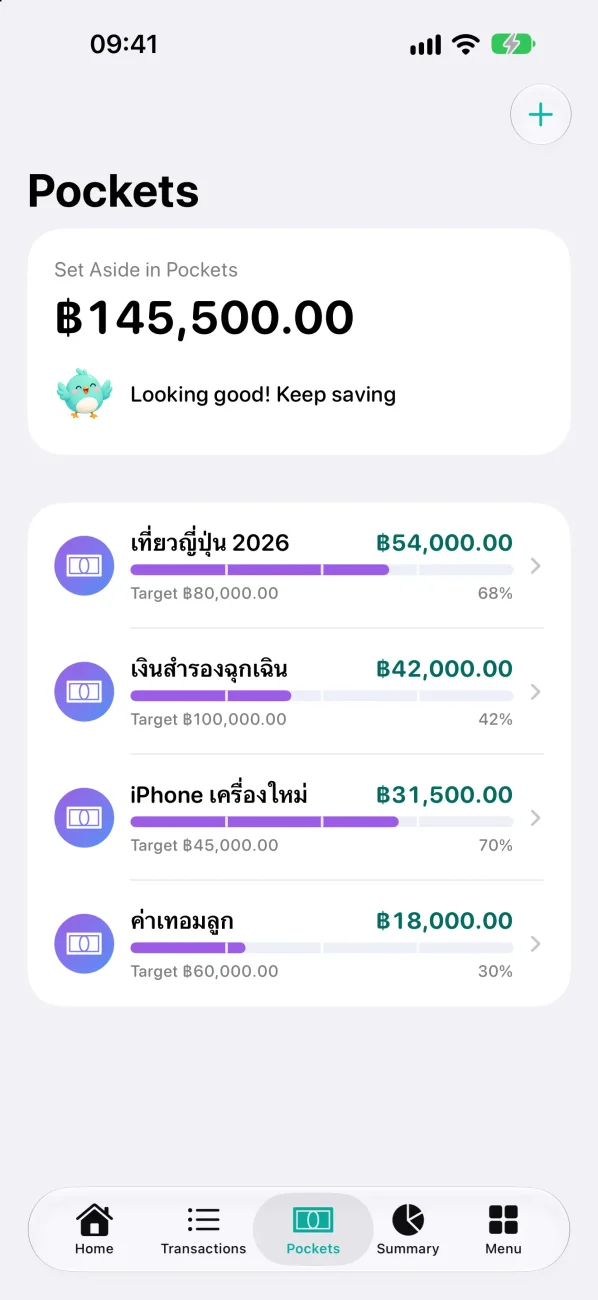
• Savings pockets to set money aside for goals
• Track debts and watch them shrink
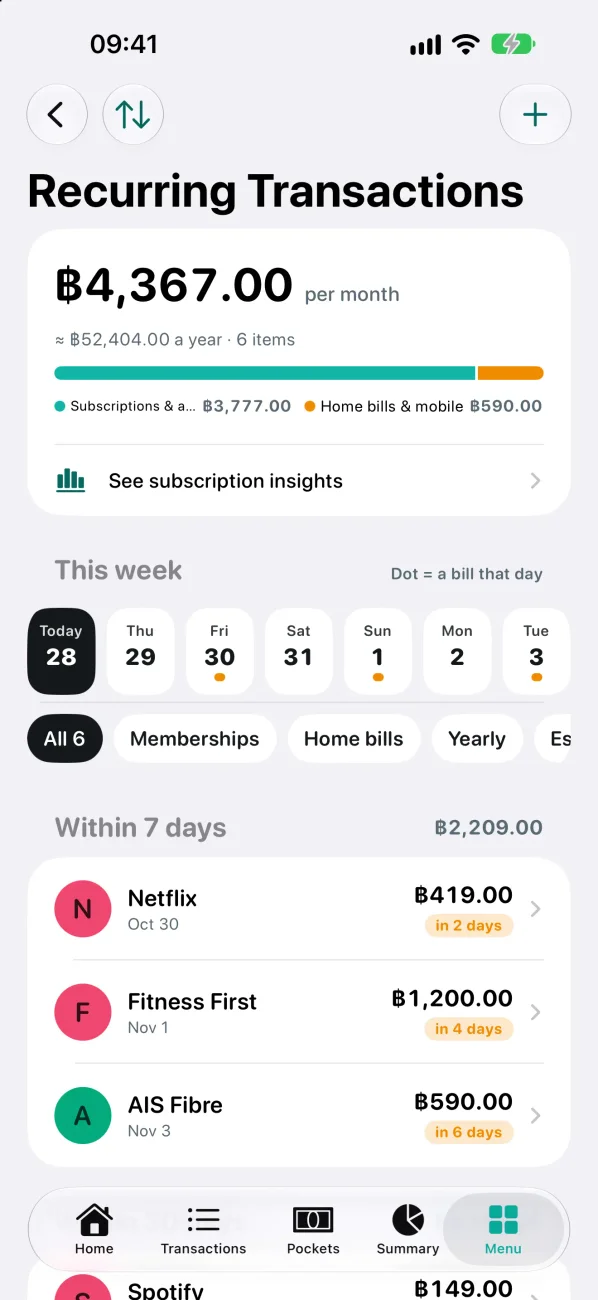
• Recurring rules for bills and regular income
• When can I buy it? — see the month a car, a home or anything else becomes affordable, estimated from your own income and spending
LESS TYPING
• Scan payment slips with your camera — amounts are read on-device
• Import transactions from CSV files (bank statement exports) — Settings › Import from CSV
• Compare an account with a statement file you choose — CSV, or a supported bank's PDF (password-protected too), read on your device
• Add expenses hands-free with Siri
• Home and Lock Screen widgets for your balance and safe-to-spend
SHARE THE BILL
• Split bills with friends and settle up in groups
• Save toward a shared goal — each member plans their own share
STAY SECURE
• Lock the app with Face ID
• Optional encrypted cloud sync to back up and restore across your devices
Download Pocketbird and get your money sorted — one baht at a time.
What’s new
Version 1.10.0 · Nov 10, 2026
Reports: the new Reports tab gathers every analysis in one place: spending by category, tag, merchant and place, income and cash flow, budgets and bills, accounts, cards and debts, net worth and your year so far. Every report shares one period, compare and filter, and can be pinned, shared as a picture, PDF or CSV, or set to alert you. Summary is still there: add it back from tab customisation. Reports are on the web too.
A quicker transaction form: the item sits under the amount, date and time share one card, and Add more chips replace the old dialog. Paid with shows your balances and warns when an account is short; tags, category and payee open as sheets with suggestions.
Link, discount and check a slip: link an entry you already saved to a recurring bill or a debt, even for a past month. Record the full price and the discount, and when a slip photo disagrees with the form, Pocketbird shows both and lets you choose.
Up to 10 photos on a receipt: keep every page of a long bill and its slip together. Pick several at once; only the photos you mark as a slip are read, and photos upload faster. The receipt page is redesigned, with item rows you edit in place.
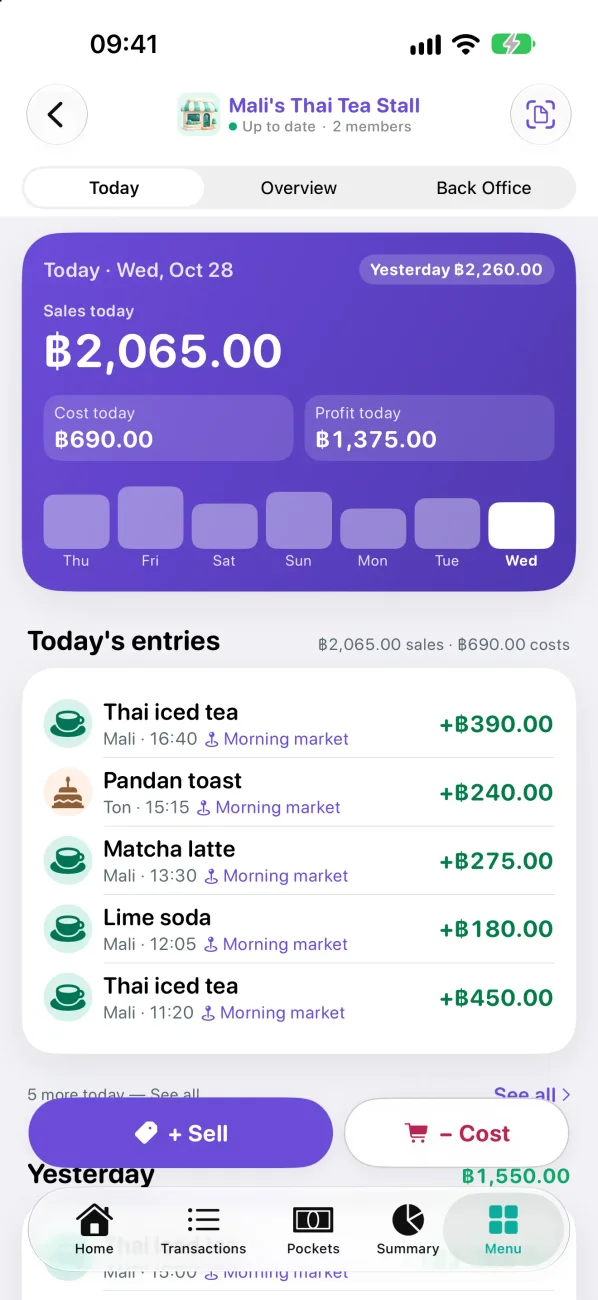
Pin a shop to Home: see today's sales and costs, the week's profit and one-tap buttons to log a sale or a cost. Pinning works on the web too.
Supplier bills as one bill: a supplier bill with several items shows as one bill in your shop, with its photo and every line. A connected AI assistant can fix or delete shop entries, merge duplicate customers and suppliers, check profit by day, sale point or supplier, and close the day.
The form and its pickers are tuned for light mode and large text, and on iPad each picker opens in a column beside the form.
App privacy
What Nattapong Pallawal declares on the App Store about how this app handles data.
-
Data linked to you
May be collected and linked to your identity.
- Financial info
- Location
- Contact info
- User content
- Identifiers
- Usage data
- Diagnostics
-
Data not linked to you
May be collected but is not linked to your identity.
- Diagnostics
Privacy practices may vary, for example with the features you use or your age.
Information
- Seller
- Nattapong Pallawal
- Category
- Finance
- Version
- 1.10.0
- Updated
- Nov 10, 2026
- Released
- Jul 28, 2026
- Size
- 91.9 MB
- Requires
- iOS 26.0 or later
- Age rating
- 4+
- Languages
- English, Thai
- Copyright
- © 2026 Nattapong Pallawal
You might also like
-
 JodWai: Money TrackerTrack spending and budgets
-
 MeAom: Budget & ExpenseExpense & Budget Tracker
-
 Budgy: Expense Tracker, BudgetScan slips, AI chat, savings
-
 DooSpend: Expense TrackerSnap a receipt, AI logs it
-
 Money Melon: Expense TrackerTrack expenses & budget
-
 BillBuddyFinance
-
 MoneyTag: Income & ExpensesProjects · Tags · Report