
Pocketo: Collect & Keep
Save links, photos & files
Designed for iPhone, iPad
Free · In-app purchases
- Age rating4+
- CategoryUtilities
- Developer承金 洪
- LanguagesEnglish+ 1 more
- Size116.1 MB
Links to the official App Store page
Download.org hosts no file of Pocketo: Collect & Keep. The button opens its official App Store page, published by 承金 洪. Listing last checked on Nov 12, 2026.
Screenshots


About
Keep the content you want to hold onto all in one place.
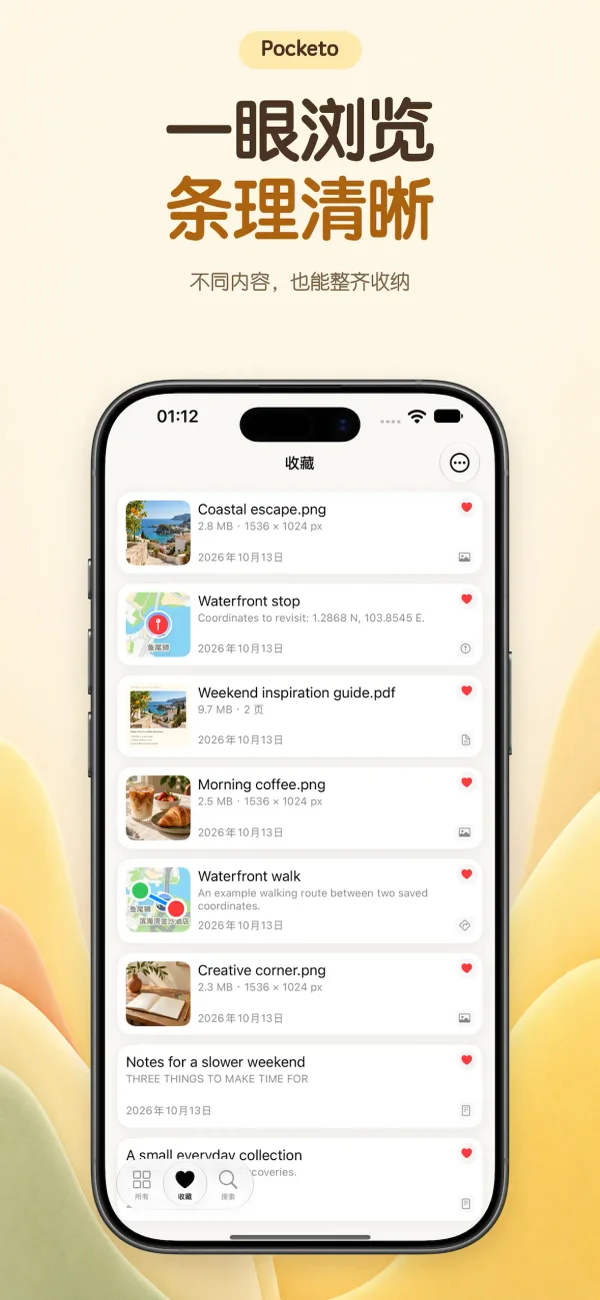
Useful links, favorite images, and spur-of-the-moment inspirations no longer need to be scattered across your browser, photo albums, and chat logs. Pocketo helps you centralize text, links, images, and files, making them easy to organize and retrieve.
【Capture on the Go】
Save content directly from the system share menu, or create notes, import images and files, and record audio within the app. It supports everything from reading materials and creative assets to everyday references.
【Organize Your Way】
Categorize items using folders and mark frequently used content as favorites. Switch between a chat-style list and an image grid to choose the browsing view that suits you best.
【Search Anytime】
Search through saved content and filter by type or folder. Thanks to OCR (Optical Character Recognition) for images, you can even find saved items by searching for text contained within the images themselves.
【Browse Anytime】
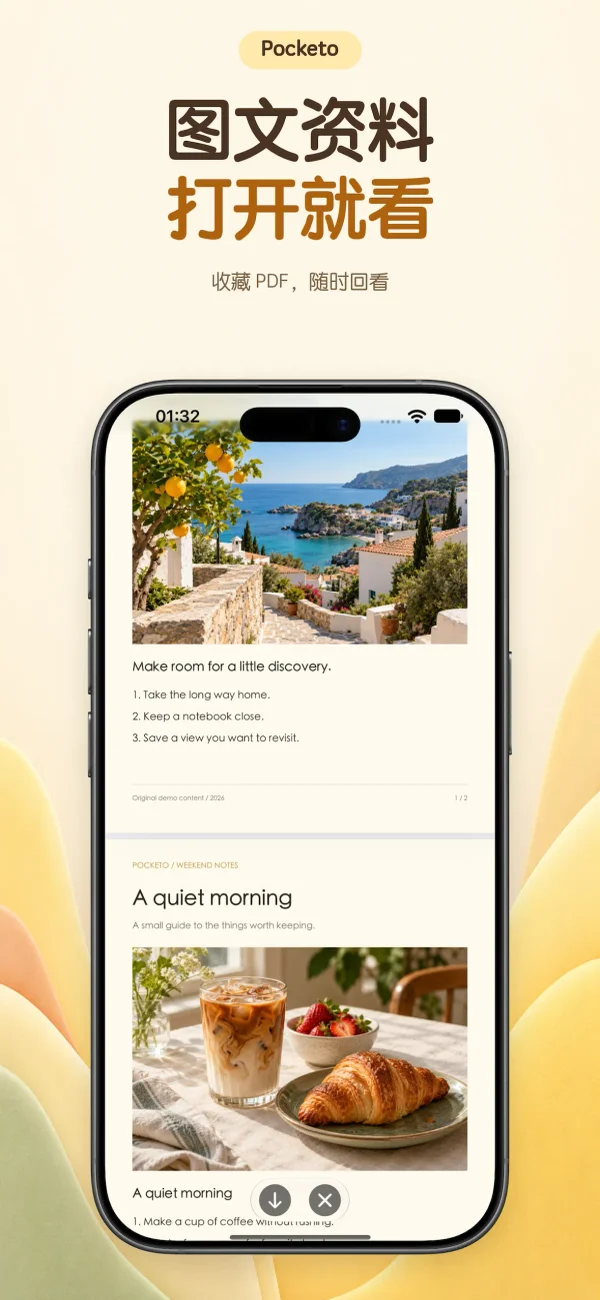
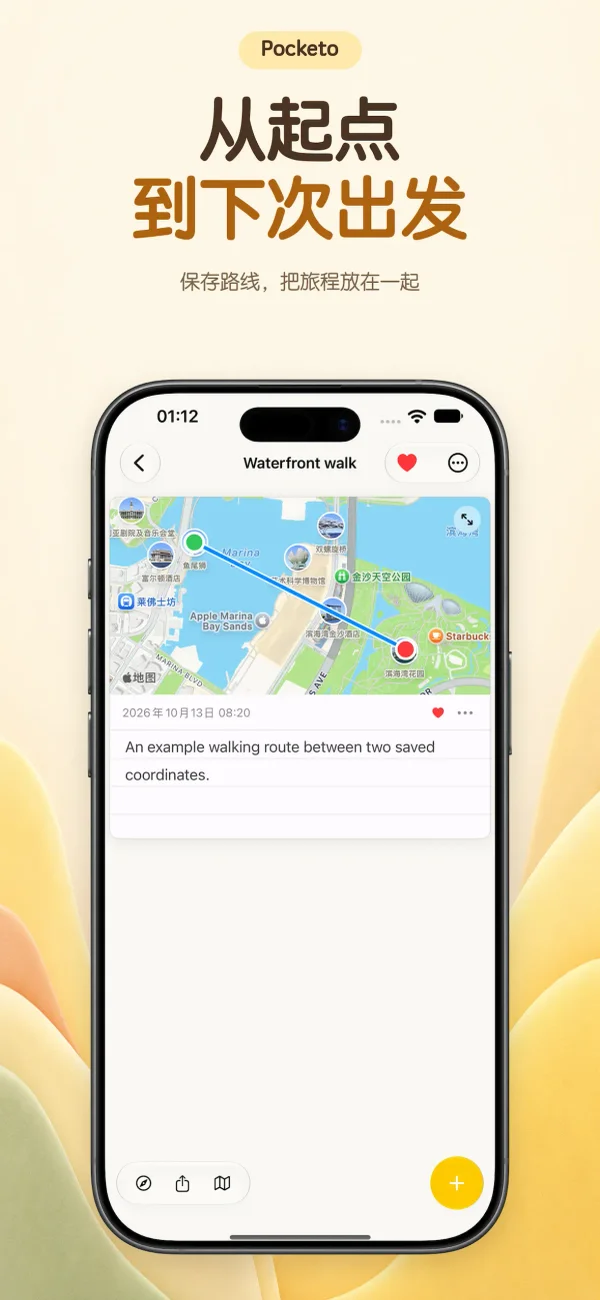
Preview images, documents, audio, and video directly within the app. Save offline snapshots of supported web pages for later viewing; locations and routes can also be saved alongside other materials.
【Privacy & Backup】
Content is stored locally; you can export backup files and restore them whenever needed.
【Subscription Cancellation】
1. Subscriptions auto-renew; the fee is charged to the user's iTunes account upon purchase confirmation.
2. The system automatically charges the account and extends the membership by one month within 24 hours prior to the current period's expiration.
3. To cancel, please manually disable auto-renewal at least 24 hours before the current subscription period ends.
4. Cancellation steps: Open iPhone "Settings" > Go to "iTunes Store & App Store" > Tap "Apple ID" > Select "View Apple ID" > Tap "Subscriptions" under "Account Settings" > Find and cancel the subscription. "Privacy Policy & Terms of Service"
- Privacy Policy: https://logspot.hocgin.top/6806934348/?active=privacy-policy
- Terms of Service: https://logspot.hocgin.top/6806934348/?active=terms-of-service
What’s new
Version 1.1.0 · Nov 2, 2026
Good finds deserve another look.
• Browse your collection at a glance: grouped photos and app icons for App Store links make saved content easier to recognize.
• A refreshed detail view: explore notes, attachments and related saves in a card-based layout.
• Revisit saves by date: date groups in the chat-style list help you retrace your inspiration.
• Filter with ease: narrow your collection by folder and content type in one filter panel.
• Save places more easily: the map picker starts at your current location and fills in place names automatically.
App privacy
What 承金 洪 declares on the App Store about how this app handles data.
-
Data not linked to you
May be collected but is not linked to your identity.
- Diagnostics
Privacy practices may vary, for example with the features you use or your age.
Information
- Seller
- 承金 洪
- Category
- Utilities
- Version
- 1.1.0
- Updated
- Nov 2, 2026
- Released
- Oct 28, 2026
- Size
- 116.1 MB
- Requires
- iOS 18.0 or later
- Age rating
- 4+
- Price
- Free
- In-app purchases
- Yes
- Languages
- English, Simplified Chinese
- Copyright
- © 2025 hocgin.top
You might also like
-
 Almaniac: A Calendar ConverterMany calendars, one date
-
 Archi's Torch 3D ScannerLiDAR mesh capture
-
 Breef - write & highlightLock Screen, Widgets and More
-
 NewThing Widgets ProWidgets, Wallpapers & Themes
-
 sound meter for everyonemeasure sound
-
 Text Scanner AI: OCR & ScanScan, Translate & Export PDF
-
 RecallRoll: Photo CleanerRandom Photo Review & Cleanup
-
 ZipEazy: Multi-Format UnZipzip/rar/7zPassword Archives
-
 Voice Recorder · Audio MemosSound Recorder, Voice Notes
-
 LED Scrolling Text - GlowVoxBanner Sign, Megaphone & Voice