- Age rating4+
- CategoryGraphics & Design
- DeveloperAgrima Pandey
- LanguagesEnglish
- Size67.2 MB
Links to the official App Store page
Download.org hosts no file of Polish – Mockup Studio. The button opens its official App Store page, published by Agrima Pandey. Listing last checked on Nov 14, 2026.
Screenshots


About
Turn plain screenshots into share-ready visuals in seconds.
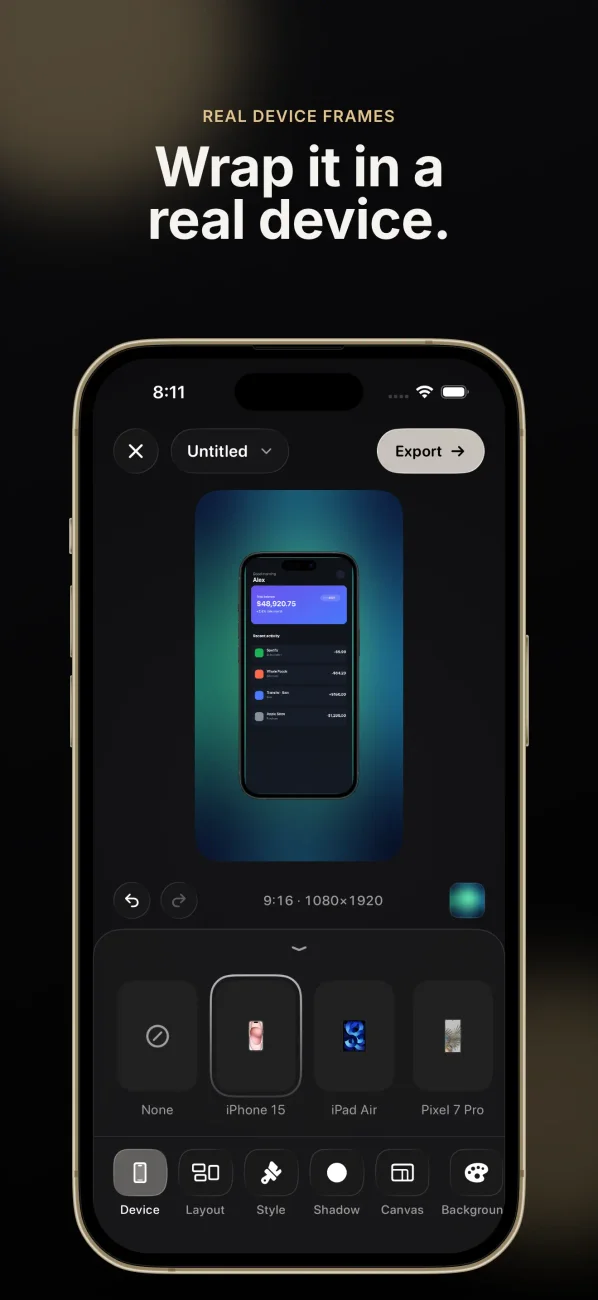
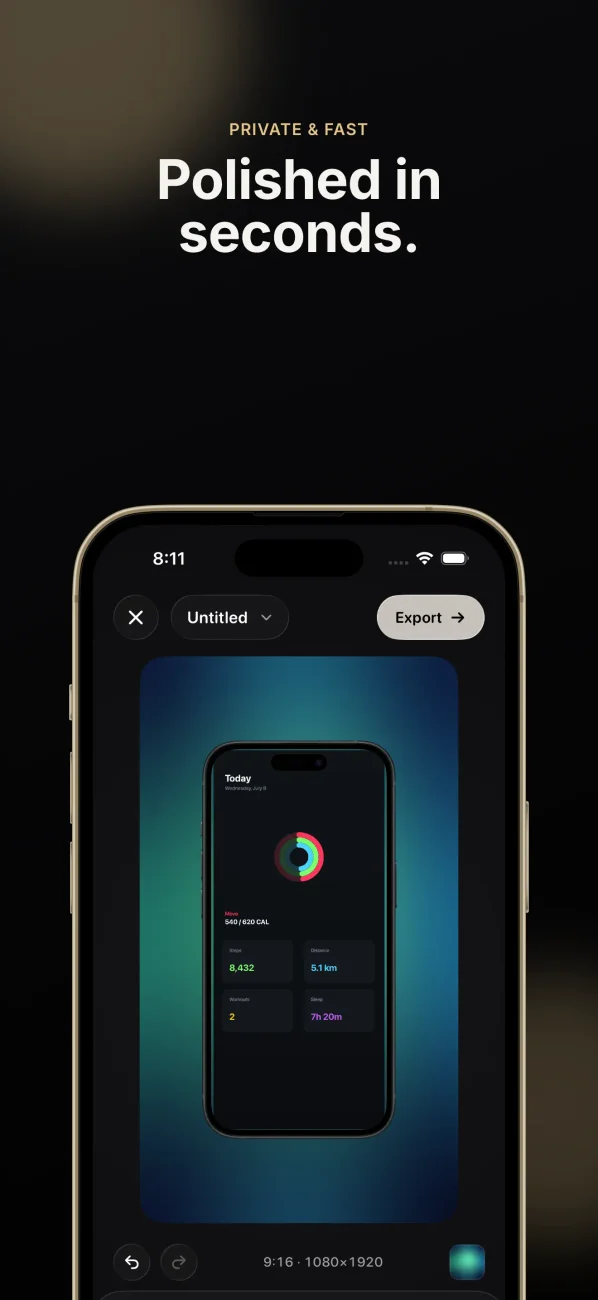
Polish is an editor-first studio for iPhone that wraps your screenshots and screen recordings in real device frames, drops them on gorgeous backdrops, and exports them at the exact size every platform wants — no design skills required.
WHY POLISH
• Editor-first and fast. Import a screenshot, pick a frame, choose a background, export. That's it.
• Real device frames. Show your app the way people actually hold it.
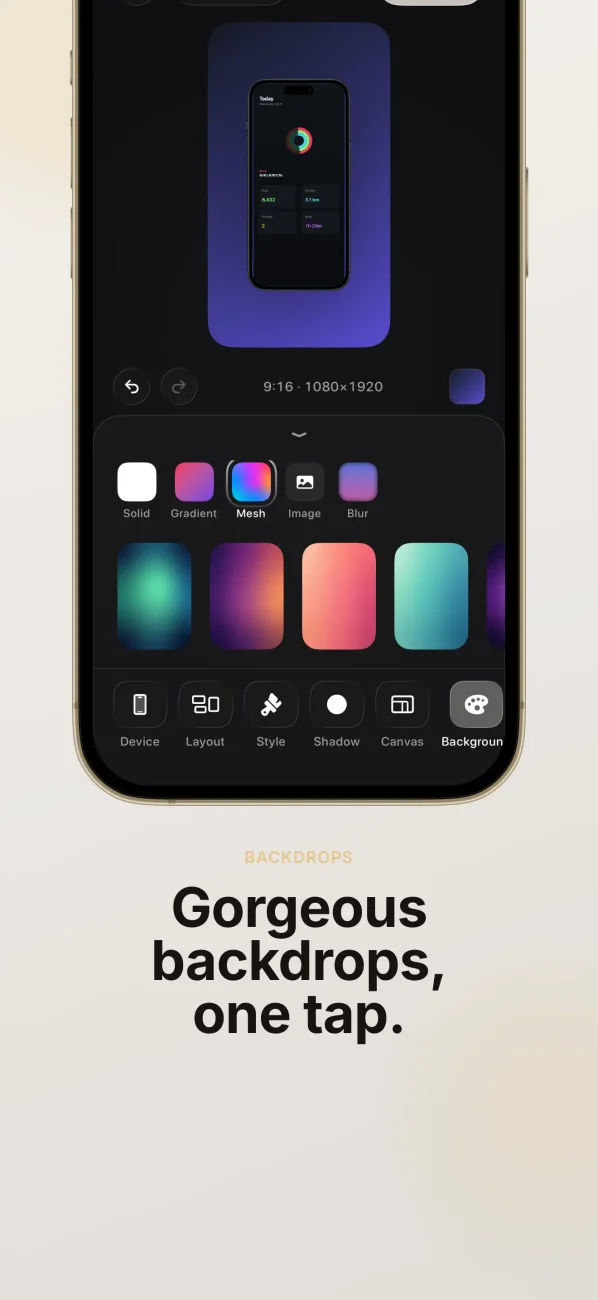
• Gorgeous backdrops. Mesh gradients, smooth gradients, solids, or your own image — one tap.
• Every platform size built in. Instagram, X, TikTok, YouTube, Pinterest, LinkedIn, App Store, Shopify, Etsy and more.
• Pixel-perfect export. What you see is exactly what you get — a crisp PNG, or MP4 for recordings.
MADE FOR
• Indie developers building App Store screenshots and press kits
• Founders and marketers posting product shots to social
• Designers who want a beautiful mockup without opening a heavy design tool
• Anyone who wants their screenshots to look intentional
FEATURES
• Import screenshots and screen recordings from Photos or Files
• Automatic Screenshot Pickup — your newest screenshot lands on the canvas
• Real device frames with multiple finishes
• Layout, shadow, corner radius, scale and position controls
• Direct-manipulation canvas: drag, pinch and rotate with snapping
• Mesh, gradient, solid, image and blurred backgrounds
• Canvas presets for every major platform
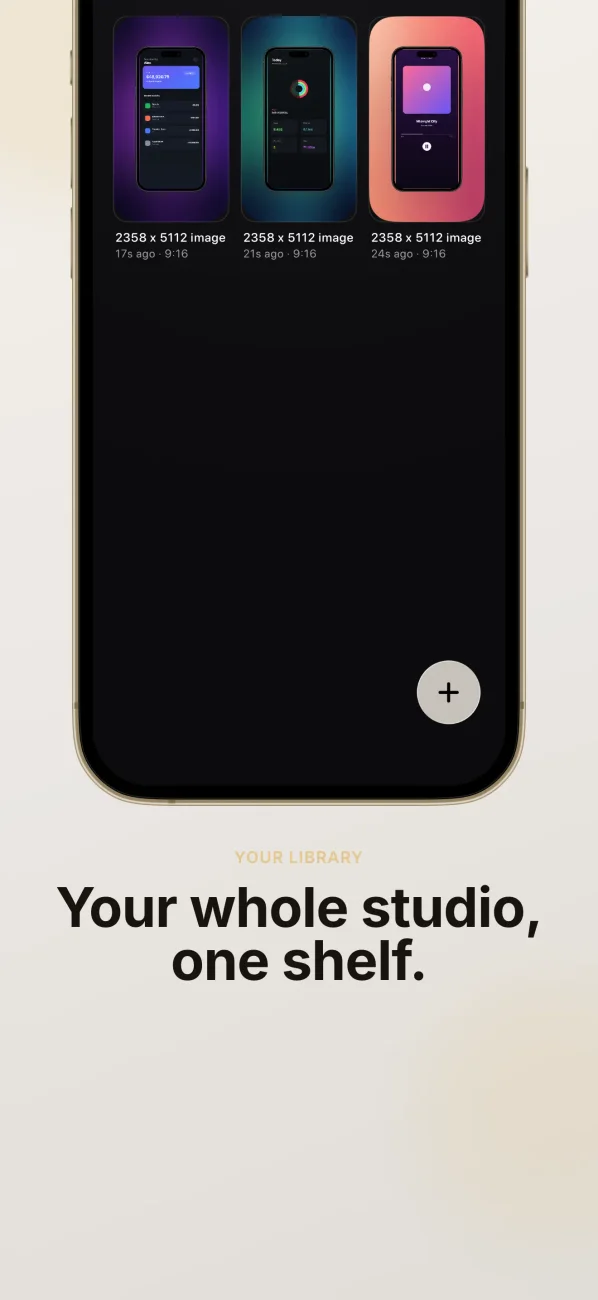
• Undo and redo, plus a project library that remembers your work
• Private by design — everything happens on your device. No account, no tracking, no analytics.
Polished in seconds. Privately.
Screenshots worth sharing start here.
What’s new
Version 1.0.2 · Oct 9, 2026
• 31 real device frames: iPhone 14 to iPhone 17 Pro Max and Air, iPad, MacBook, iMac, Pro Display XDR, Apple Watch, Pixel and Nothing Phone — with multiple finishes and landscape where available.
• One-tap Export: tap Export and your image or video saves straight to Photos — no extra steps.
• What you see is what you export: the canvas preview now matches the exported file exactly, at every canvas size.
• Cleaner Projects: every project card is the same size, with your design shown in full.
• Bug fixes and polish.
App privacy
What Agrima Pandey declares on the App Store about how this app handles data.
-
Data not collected
The developer does not collect any data from this app.
Privacy practices may vary, for example with the features you use or your age.
Information
- Seller
- Agrima Pandey
- Category
- Graphics & Design
- Version
- 1.0.2
- Updated
- Oct 9, 2026
- Released
- Jul 15, 2026
- Size
- 67.2 MB
- Requires
- iOS 26.2 or later
- Age rating
- 4+
- Price
- Free
- Languages
- English
- Copyright
- © 2026 Synonymy
You might also like
-
 Snap2Store: Store ScreenshotsGenerate store screenshot fast
-
 MockdropScreenshot Editor
-
 CanvasPrism - WhiteboardPrivate offline whiteboard
-
 Product Photo Maker: SellerKitBackground Remover & Editor
-
 AI Background Remover- RetouchRemove Objects, outline & blur
-
 Limitless PaintDraw& sketch on a giant canvas
-
 Lilacpane: Screenshot DesignPhoto Frames & Promo Graphics
-
 Edit Text In Photo - ForgeitAdd Text, Erase & Translate
-
 WatermarkX - Markup photos appBatch add watermark to picture
-
 FluxArt - AI Image GalleryCreate & Edit art