Pomodoro Timer - Deskmate
Block social apps, Focus Timer
Designed for iPhone, iPad, iPod touch
Free · In-app purchases
- Age rating4+
- CategoryProductivity
- Developerkosuke nagadori
- LanguagesEnglish+ 15 more
- Size254.1 MB
Links to the official App Store page
Download.org hosts no file of Pomodoro Timer - Deskmate. The button opens its official App Store page, published by kosuke nagadori. Listing last checked on Nov 28, 2026.
Screenshots




About
You decided to focus—and somehow ended up on social media or watching videos again.
Sound familiar?
It's not because you lack willpower.
Today's apps, social media above all, are designed to make you open them without thinking.
Instead of letting your time be spent on autopilot,
Deskmate helps you choose for yourself how to spend it.
Deskmate doesn't rely on willpower.
Just start the timer—
that's your "focus switch."
Open only the apps you want to focus on,
and let Deep Focus block the rest.
Protect your focus time with a system, not self-restraint.
Deskmate is an app that quietly helps you
choose how you spend your time.
— KEY FEATURES —
■ Landscape Digital Clock
Place it on your desk for a beautiful time display—your cue to get into focus mode.
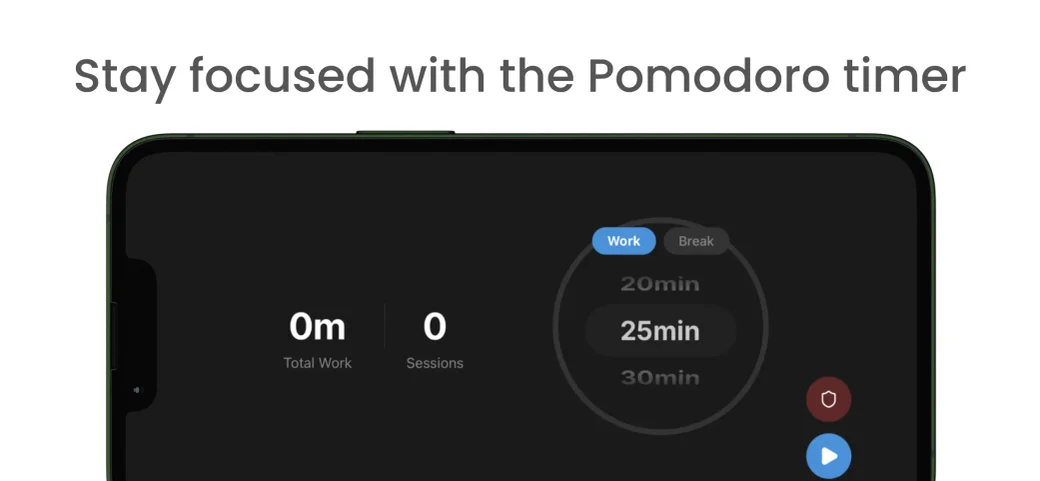
■ Pomodoro Timer
Automatically repeats a "25 minutes of focus + 5 minutes of break" cycle.
Work and break lengths are fully customizable.
■ Stopwatch
Simply track your study and work time.
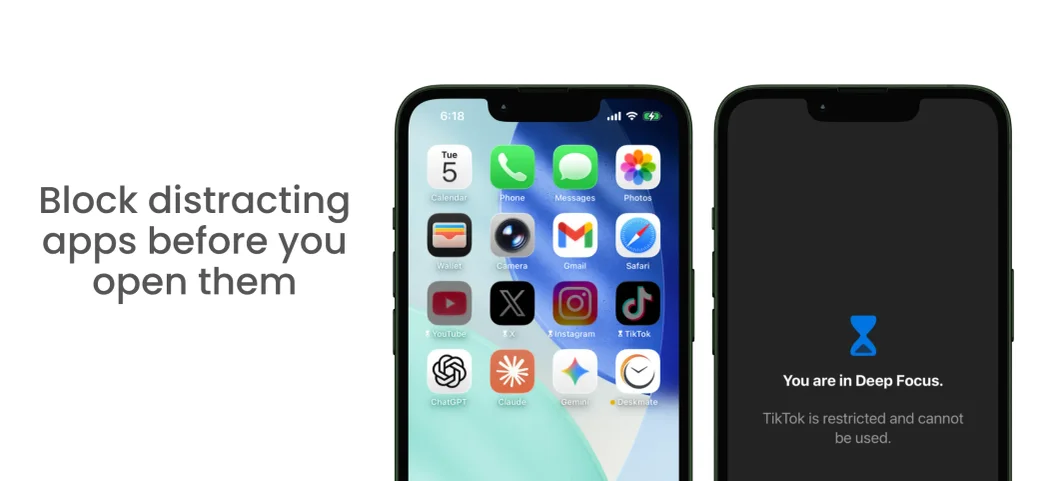
■ Deep Focus
Blocks the apps you choose, like social media and video apps, while you focus.
Protects your focus with a system, not willpower.
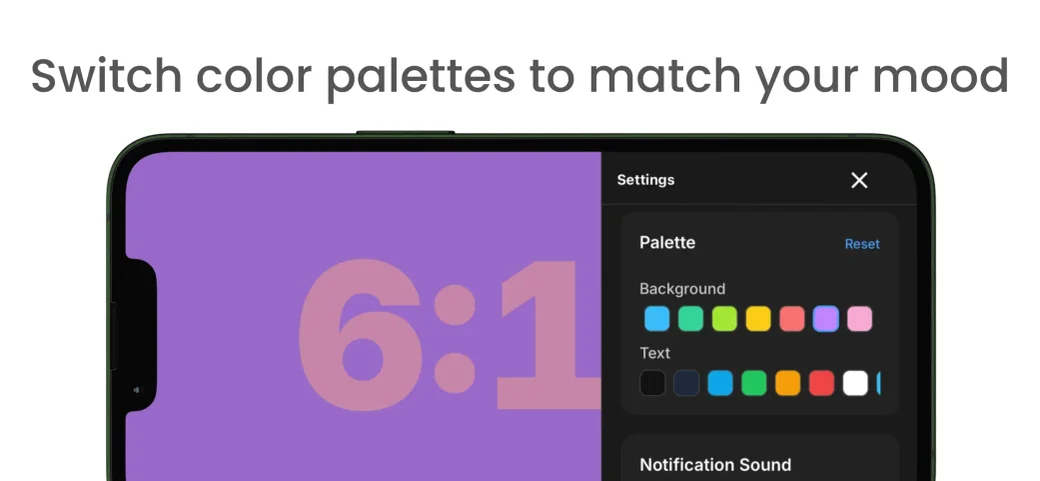
■ Moods (clock designs)
Clock designs like "Rainy Day" and "Midnight City" that change the atmosphere of your desk.
No ads, in any feature.
Deskmate never shows anything that gets in the way of your focus.
— PERFECT FOR —
• People who mean to focus but end up scrolling social media
• Anyone who wants to dive deep into study or work
• People working or studying from home who struggle to stay focused
• Anyone looking for a quiet, ad-free app
— CHANGE THE MOOD OF YOUR DESK —
Deskmate is designed for landscape mode.
No flashy decorations. No annoying ads.
A simple design that blends into your desk.
Before you know it, it's a permanent fixture there.
Your desk companion.
— STOP "MINDLESS SCROLLING" WITH A SYSTEM —
"I keep opening Instagram without thinking."
"Suddenly I'm watching YouTube."
That's where Deep Focus comes in.
While you focus, the apps you try to open simply won't launch.
No need to fight temptation with willpower.
Deskmate keeps you from getting sidetracked—so you don't have to.
Your focus time stays yours.
— PLANS —
■ Free
• All clock, Pomodoro timer, and stopwatch features
• Ambient sounds
• "Simple Digital" mood
• Deep Focus (up to 30 minutes per day)
■ LIGHT
• All moods
• Future content, including new moods
• Deep Focus (up to 30 minutes per day)
■ PRO
• Everything in LIGHT
• Unlimited Deep Focus
LIGHT and PRO are each available as a monthly or yearly subscription.
Prices vary by country and region, so please check the App Store for details.
New subscribers can try it free for 7 days.
— GET STARTED —
The clock, timer, and stopwatch are free to use, always.
You can also try Deep Focus free for up to 30 minutes a day.
A quiet companion for your desk—and your focus.
You decide how to spend your time.
— ABOUT SUBSCRIPTIONS —
• After the 7-day free trial, the price of your selected plan will be charged to your Apple Account automatically.
• Subscriptions renew automatically unless auto-renew is turned off at least 24 hours before the end of the current period.
• You can manage your subscription and turn off auto-renewal in your App Store account settings.
Terms of Use: https://sites.google.com/view/deskmate-termsofuse-en
Privacy Policy: https://sites.google.com/view/deskmate-privacypolicy-en
What’s new
Version 2.9 · Nov 16, 2026
You can now skip the break phase in Pomodoro
Minor UI improvements
App privacy
What kosuke nagadori declares on the App Store about how this app handles data.
-
Data linked to you
May be collected and linked to your identity.
- Purchases
- Contact info
- User content
- Identifiers
-
Data not linked to you
May be collected but is not linked to your identity.
- Location
- Identifiers
- Usage data
Privacy practices may vary, for example with the features you use or your age.
Information
- Seller
- kosuke nagadori
- Category
- Productivity
- Version
- 2.9
- Updated
- Nov 16, 2026
- Released
- Aug 10, 2025
- Size
- 254.1 MB
- Requires
- iOS 15.1 or later
- Age rating
- 4+
- Price
- Free
- In-app purchases
- Yes
- Languages
- English, Dutch, French, German, Indonesian, Italian, Japanese, Korean, Portuguese, Russian, Simplified Chinese, Spanish + 4 more
- Copyright
- © 2025 Kosuke Nagadori, Kensuke Yamasaki
You might also like
-
 PomodoroTimer+: Focus & StudyProductivity Timer & Breaks
-
 Lofi Pomodoro TimerLofi Pomodoro Study Timer
-
 Pomo: Pomodoro Study TimerFocus Timer & Study Tracker
-
 KeyHour: Clock & BlockerFullscreen, pomodoro & widgets
-
 My Little Pomodoro: FocusYou will make it. Focus here!!
-
 Pomodoro — Focus TimerProductivity
-
 Focus Timer - Time KeeperPomodoro Clock, Stopwatch
-
 ClockZ | Desk Clock & AlarmNight & Standby Display
-
 ChickFocus: Pomodoro TimerADHD Organizer & Productivity
-
 Flow: Focus & Pomodoro TimerConcentration for work & study