
Poolside Control
Pool & spa ScreenLogic control
Designed for iPhone, iPad, Mac
Free
- Age rating4+
- CategoryUtilities
- DeveloperDavid Jones
- LanguagesEnglish+ 2 more
- Size3.6 MB
Links to the official App Store page
Download.org hosts no file of Poolside Control. The button opens its official App Store page, published by David Jones. Listing last checked on Nov 16, 2026.
Screenshots
About
For Pentair EasyTouch and IntelliTouch systems with ScreenLogic
Your pool. Your spa. A little closer to the water.
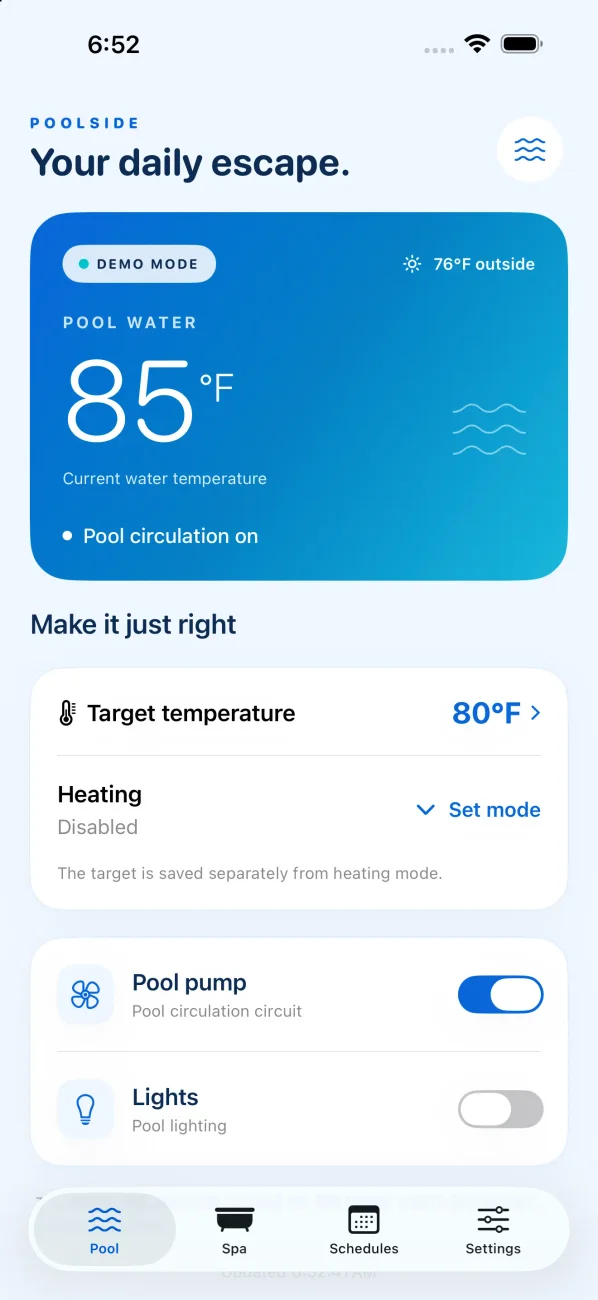
Poolside Control brings your pool and spa together in a clean, easy-to-use interface on iPhone, iPad and Apple Watch. Warm up the spa, turn on the lights, adjust the temperature and manage your equipment from home or away.
MAKE IT JUST RIGHT
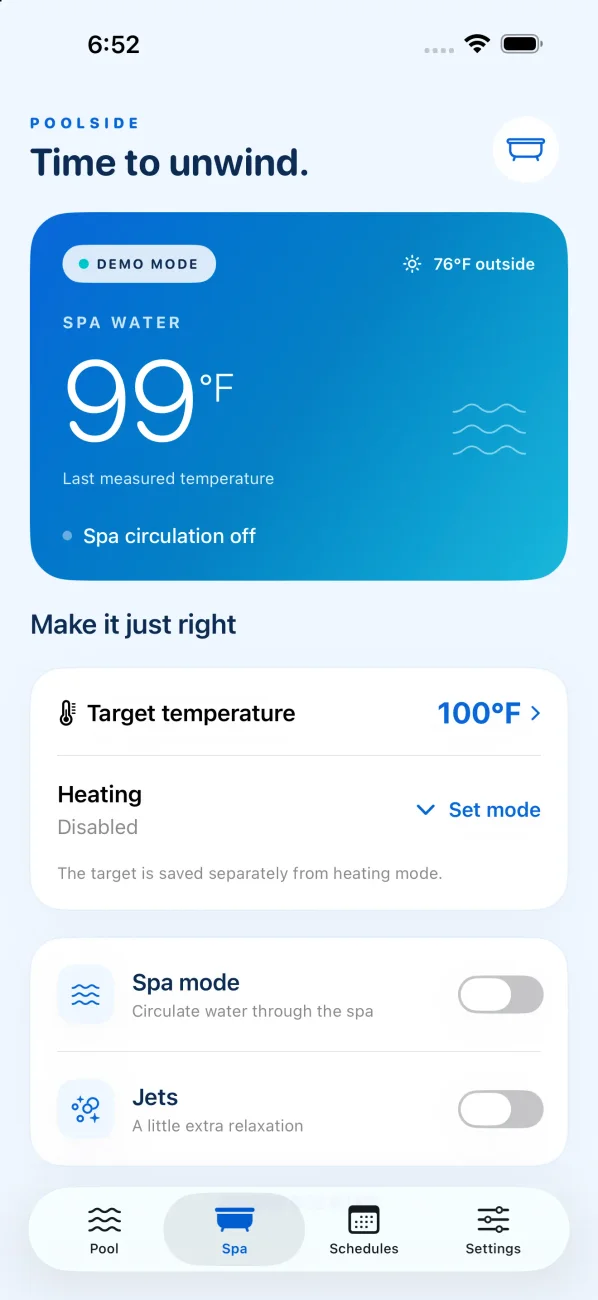
• See water temperatures, heating and equipment status at a glance.
• Adjust pool and spa temperature targets and supported heating modes.
• Turn pool circulation, Spa Mode, spa jets and pool lights on or off.
• Add controls for extra installed circuits and give them familiar names.
• Choose Fahrenheit, Celsius or your controller’s temperature units.
SCHEDULE YOUR POOL TIME
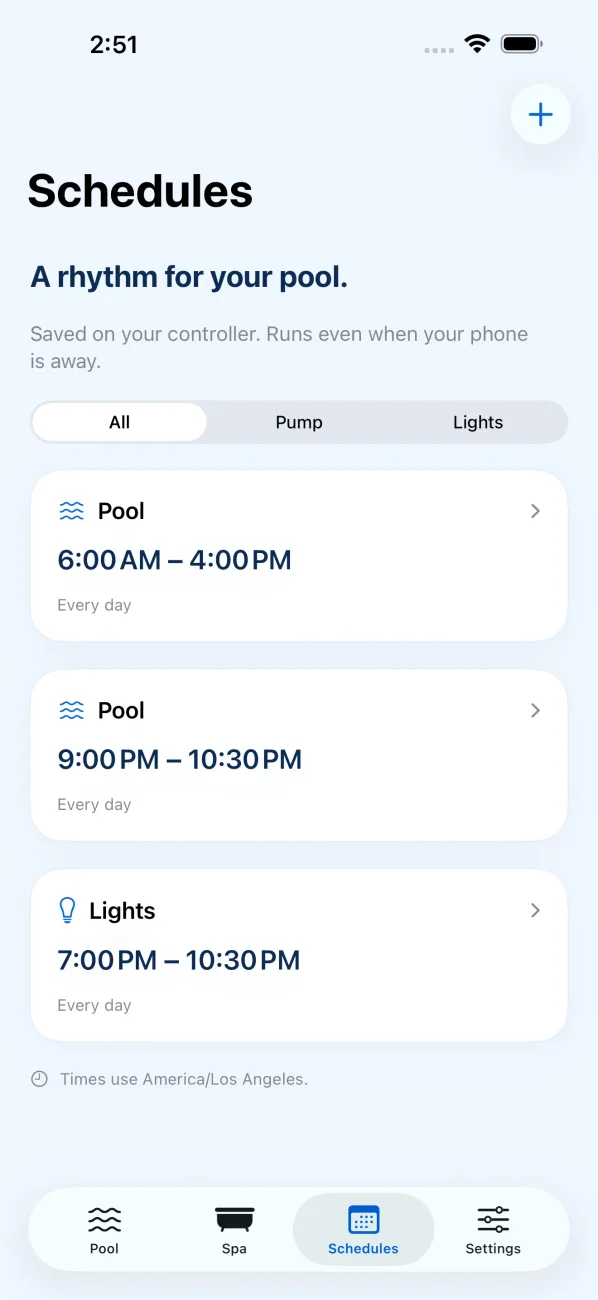
Create, edit and delete recurring schedules for supported pumps, lights and equipment. Schedules run on your controller, even when your phone is away. Keep the controller’s clock in sync automatically or set its date and time yourself. Special controller schedules are available to view only.
CONNECT AT HOME OR AWAY
Automatic connection tries your local ScreenLogic adapter first, then attempts a remote connection if the local adapter is unavailable. You can also choose local-only or remote-only access. Your saved remote password is protected by your device’s Keychain.
QUICK CONTROLS ON YOUR WRIST
Use Apple Watch to control lights, spa jets, pool circulation, temperatures, heating and selected extra circuits. Set up independent watch access on your paired iPhone to control your pool over Wi-Fi or cellular without keeping the iPhone app open.
A HELPFUL SPA REMINDER
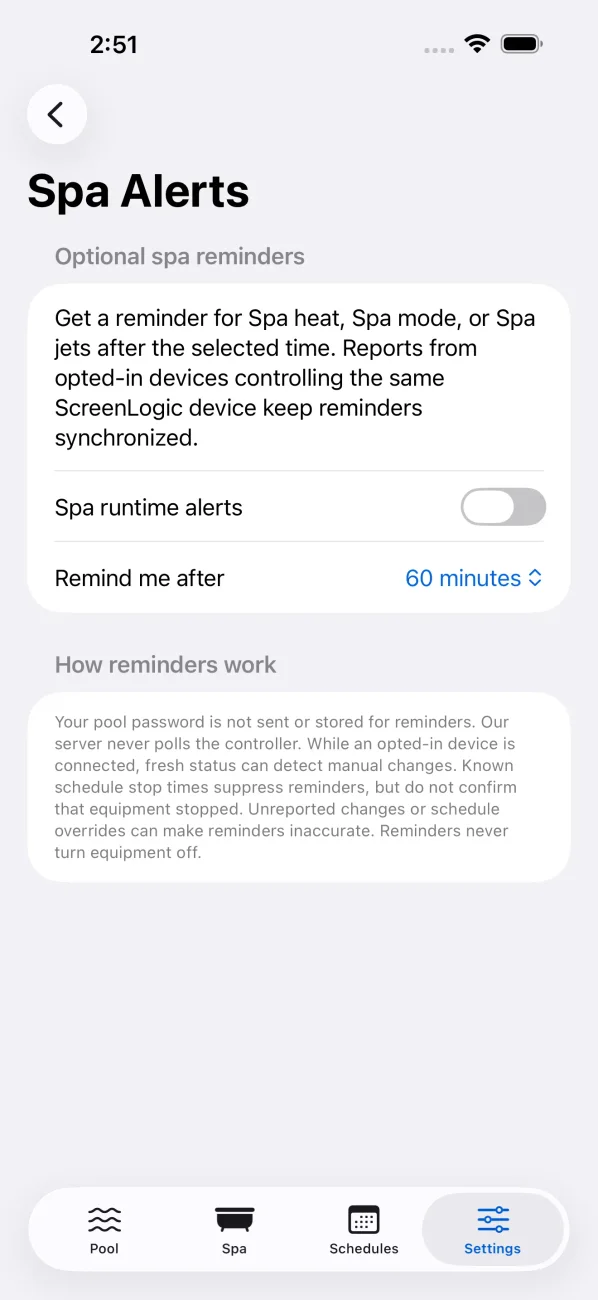
Choose optional reminders for Spa heat, Spa Mode and Spa jets after 15, 30, 45, 60 or 90 minutes, 2 hours or 3 hours.
Alerts are off by default.
Reminders use activity reported by the app and known schedules. Changes made elsewhere may not be reflected, so reminders cannot confirm continuous operation and do not turn equipment off.
CHECK COMPATIBILITY BEFORE DOWNLOADING
Requires a Pentair EasyTouch or IntelliTouch system with a working ScreenLogic protocol adapter. Poolside Control does not connect directly to IntelliCenter or standalone Wi-Fi pumps. Available controls depend on your installed equipment and controller settings.
Local access requires your adapter’s IP address and access to its network. Remote access requires configured ScreenLogic remote access and an internet connection. Independent Apple Watch access uses our secure online service.
Pentair, EasyTouch, IntelliTouch, and ScreenLogic are trademarks of their respective owners. Poolside Control is developed by an independent third-party developer and is not affiliated with, endorsed by, or associated with Pentair. Use Poolside Control at your own risk.
What’s new
Version 1.0.3 · Oct 20, 2026
Poolside is now available in English, French and Spanish, with translated controls, settings and schedules.
App privacy
What David Jones declares on the App Store about how this app handles data.
-
Data linked to you
May be collected and linked to your identity.
- User content
- Identifiers
- Usage data
- Other data
Privacy practices may vary, for example with the features you use or your age.
Information
- Seller
- David Jones
- Category
- Utilities
- Version
- 1.0.3
- Updated
- Oct 20, 2026
- Released
- Sep 18, 2026
- Size
- 3.6 MB
- Requires
- iOS 17.0 or later
- Age rating
- 4+
- Price
- Free
- Languages
- English, French, Spanish
- Copyright
- © 2026 David Jones
You might also like
-
 MyPool: For ScreenLogic PoolsEasy Connect & Smart Control
-
 ATL311 Mobile AppCity of Atlanta
-
 Noke Access for SmartStopUtilities
-
 Transcript & AI Video EditingCaptions, Audio, Editing Tool
-
 Celebright Cloudpermanent holiday lighting
-
 Pi-hole RemoteAd Blocker, Privacy & Control
-
 Race CommandIQUtilities
-
 Wall Monitor for TeslaMonitor Gen 3 Wall Connector
-
 ChargieSmart, Reliable EV Charging
-
 Digital scale to weight gramDigital weight scale machine