
PortfolioOS
Project Tracker & Focus Timer
Designed for iPhone, iPad, iPod touch
Free
- Age rating4+
- CategoryProductivity
- DeveloperAbdullah Aloyaydi
- LanguagesEnglish+ 1 more
- Size32.5 MB
Links to the official App Store page
Download.org hosts no file of PortfolioOS. The button opens its official App Store page, published by Abdullah Aloyaydi. Listing last checked on Nov 20, 2026.
Screenshots
About
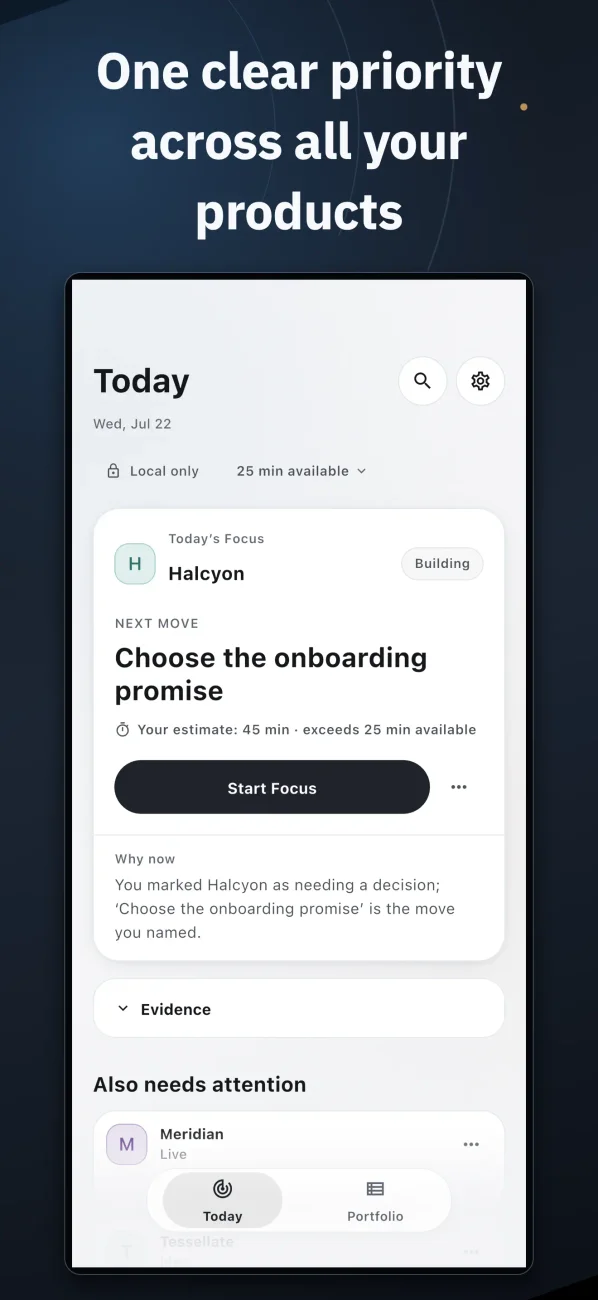
Your products do not all need attention at once. PortfolioOS gives technical founders and indie makers one private place to see what matters today, understand why, and start a realistic next move.
ONE CLEAR, EXPLAINABLE PRIORITY
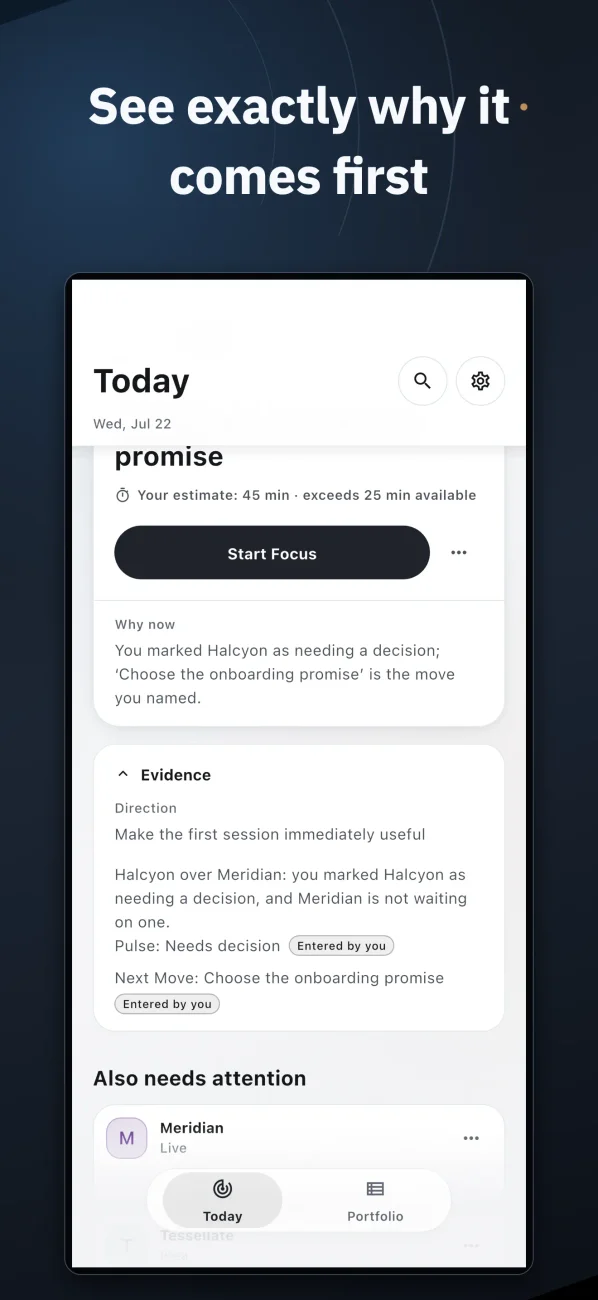
PortfolioOS uses each product's stage, pulse, direction, next move, recent activity, and commitments to create one clear daily recommendation. See exactly why it comes first, what evidence was used, and which product follows. No black-box AI.
FROM NEXT MOVE TO FOCUSED TIME
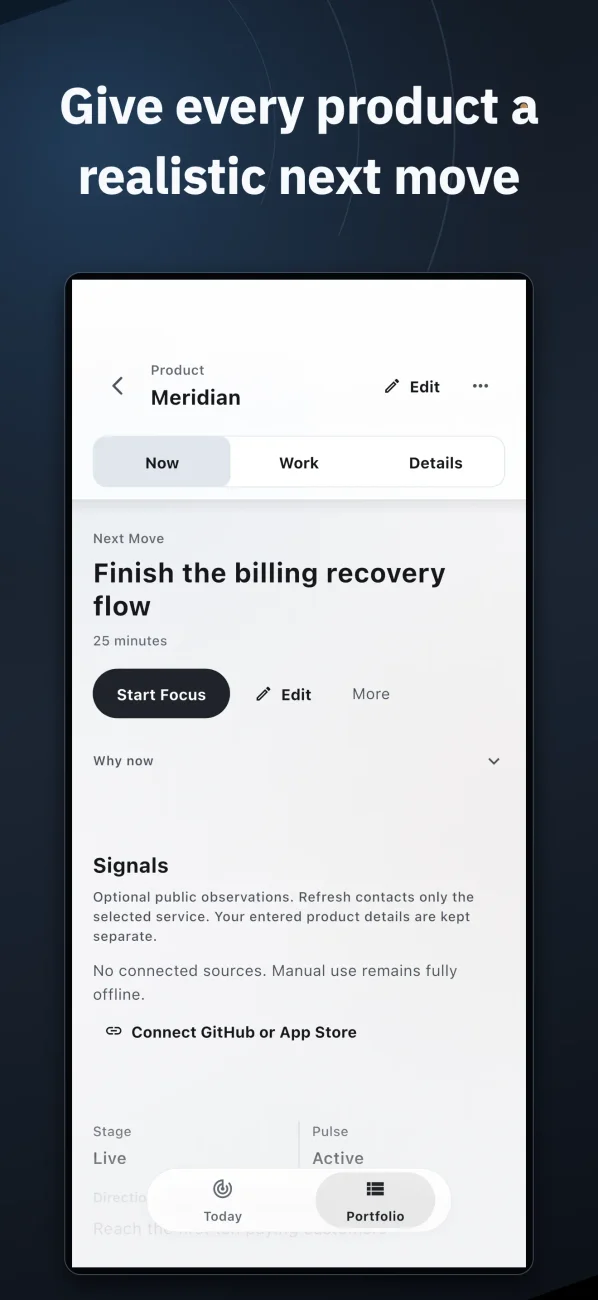
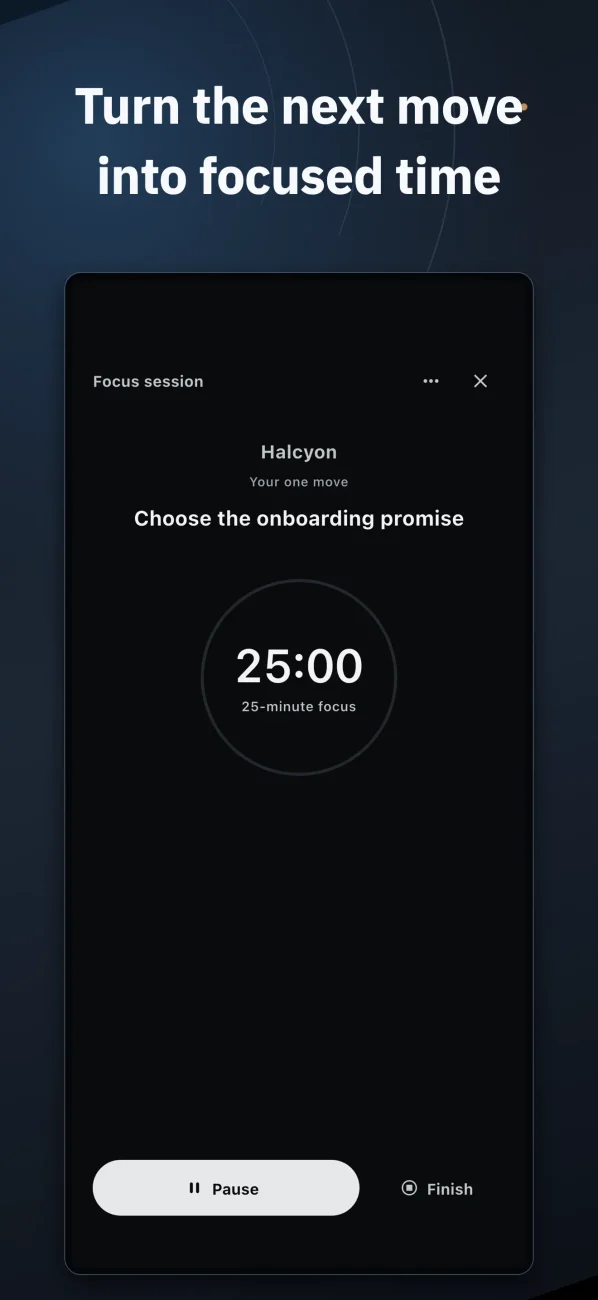
Choose 15, 25, 45, or 60 minutes, enter a distraction-free focus session, then record what happened. PortfolioOS tells you when the time is up even if you left the app to do the work, and when you finish it asks what comes next, so tomorrow's recommendation is already waiting. The decision and its outcome stay attached to the product.
START IN SECONDS
A short introduction explains how PortfolioOS decides, and you can load a small sample portfolio to see a real recommendation before entering anything of your own. Remove the samples with one tap whenever you are ready.
A CALM VIEW OF EVERY PRODUCT
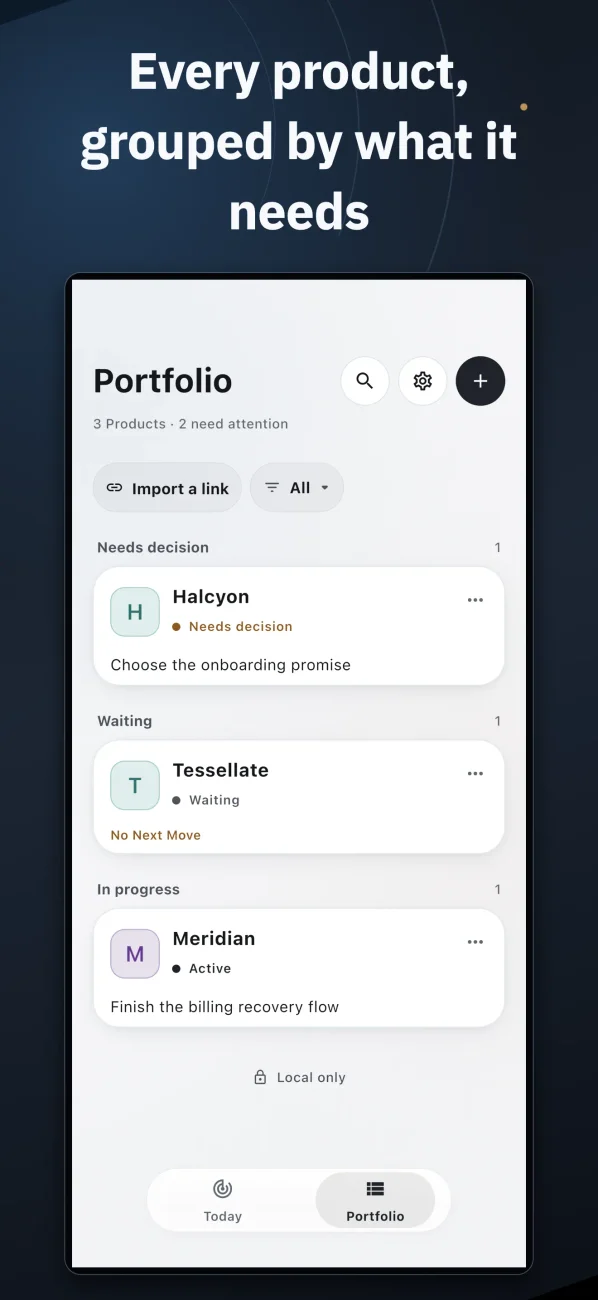
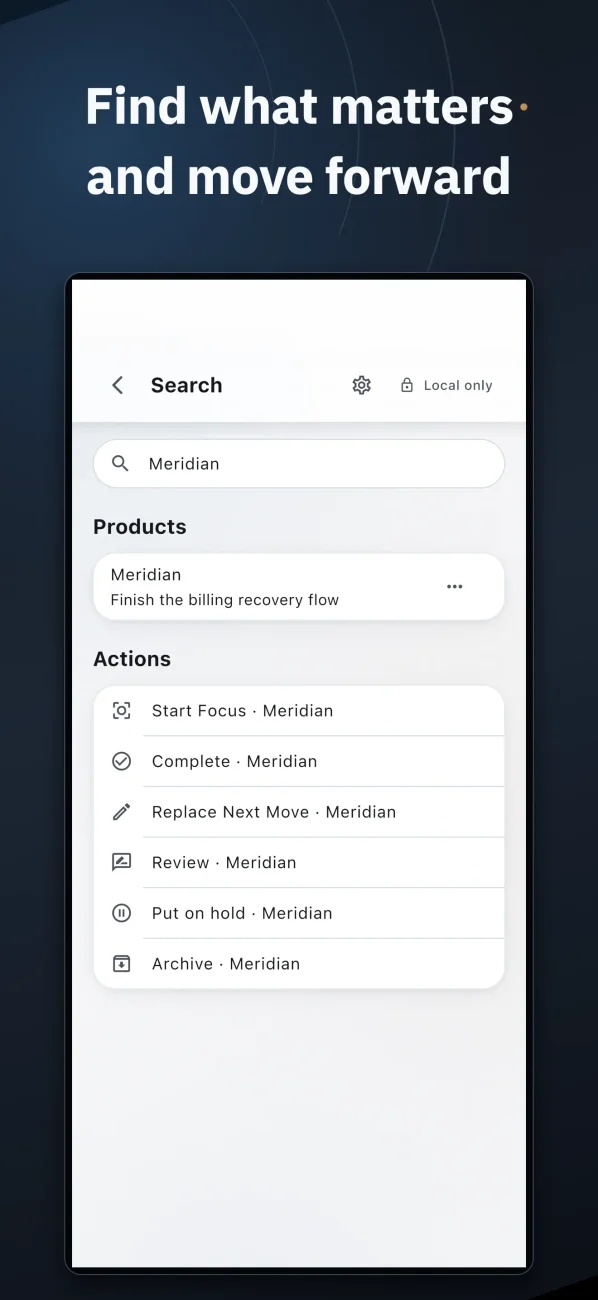
Group products by what they need: focused, waiting, blocked, missing a next move, or needing a decision. Open a product workspace for its current direction, tasks, decisions, timeline, costs, sources, links, and attachments.
ON YOUR HOME AND LOCK SCREEN
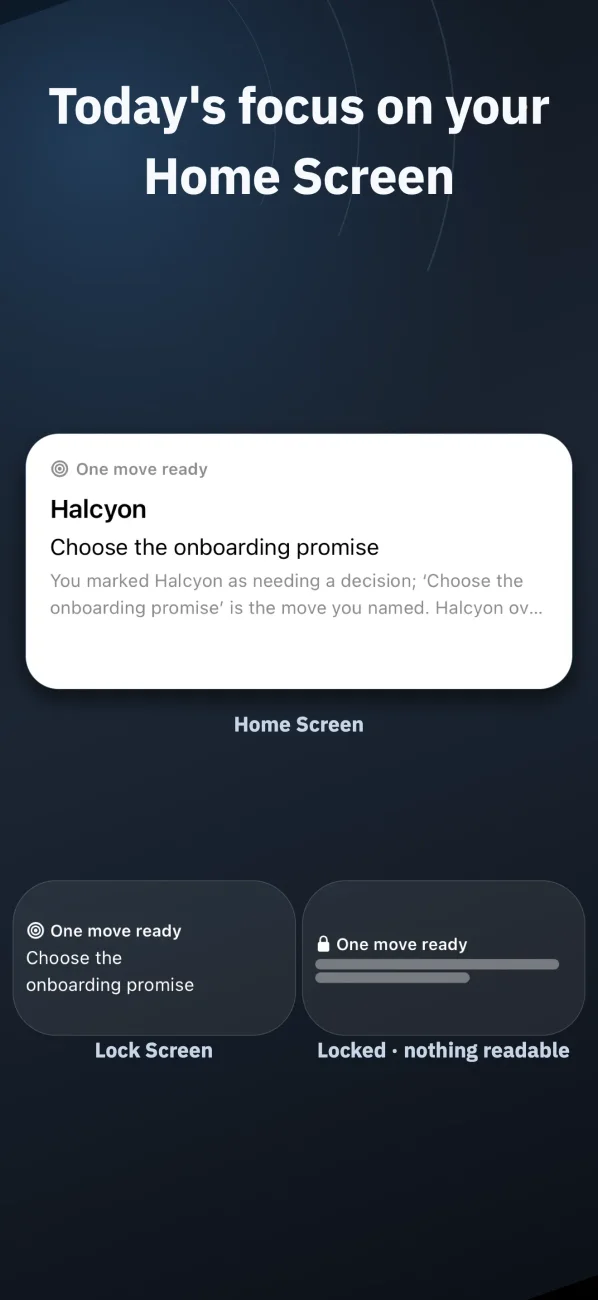
Add the PortfolioOS widget to keep today's product and its next move in view. On the Lock Screen the content stays deliberately hidden until you unlock, because your portfolio is not something a passer-by should read.
IMPORT WITH CONTROL
Start manually, or paste a link from where your product lives: its builder, host, repository, registry, or store. Preview and edit available metadata before anything is saved. Import is always user initiated.
PRIVATE BY DESIGN
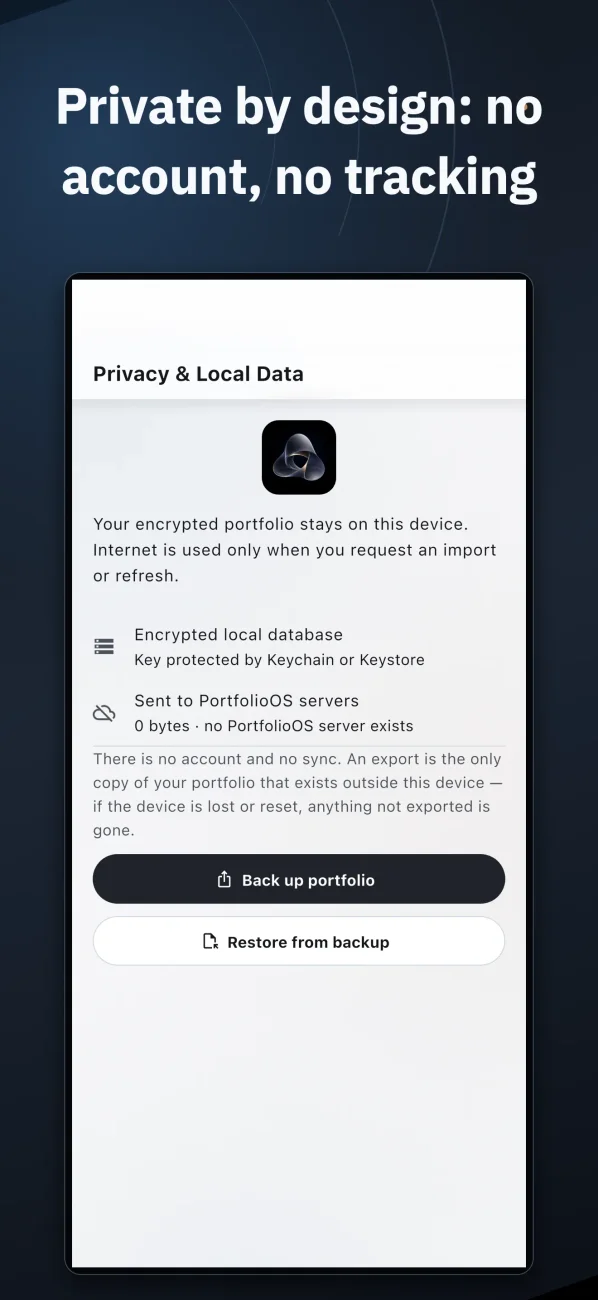
No PortfolioOS account. No analytics, ads, telemetry, or background sync. Your database is encrypted on your device, with its key protected by iOS Keychain. A backup carries your whole portfolio and your attached files, and is deliberately readable rather than locked away — so the app tells you exactly what it contains and that it is unencrypted before it writes one.
BUILT FOR ENGLISH AND ARABIC
Use the complete interface in English or العربية, including right-to-left layout.
PortfolioOS is a paid app with no recurring subscription.
What’s new
Version 1.4.0 · Oct 5, 2026
A calmer, clearer PortfolioOS.
Today opens on one Focus card: the product, its next move, and a wide Start Focus button, with the reason right below it. Headers are lighter, with a large title and just Search and Settings. The tour now lives in Settings.
Portfolio shows the state of your products at a glance, how many you run and how many need attention, and groups each one by what it needs.
The tab bar is now a compact floating bar, and pages scroll softly beneath it.
Your first product takes you straight to Today's recommendation. When a focus session ends, it stays in view while you name the next move, and the time estimate appears once there is a move to estimate.
Larger touch targets throughout, and full Arabic support is now listed on the App Store.
App privacy
What Abdullah Aloyaydi declares on the App Store about how this app handles data.
-
Data not collected
The developer does not collect any data from this app.
Privacy practices may vary, for example with the features you use or your age.
Information
- Seller
- Abdullah Aloyaydi
- Category
- Productivity
- Version
- 1.4.0
- Updated
- Oct 5, 2026
- Released
- Aug 27, 2026
- Size
- 32.5 MB
- Requires
- iOS 15.0 or later
- Age rating
- 4+
- Price
- Free
- Languages
- English, Arabic
- Copyright
- © 2026 Abdullah Aloyaydi
You might also like
-
 Wime: Where I Spend TimeAwareness of where time goes
-
 Talon AI (Ailigent)Productivity
-
 صياناتيProductivity
-
 AI Podcasts by SpeechifyCreate our own AI podcast
-
 HTML Viewer & Editor - CodeWrite, Edit & Run HTML Code
-
 HEY CalendarMake your day
-
 مدني خدماتProductivity
-
 Ashjar SpaceFlexible working space & rooms
-
 AI Writing - WritBotEmail Writer & Content Creator
-
 HUMAIN ChatYour personal AI assistant