
- Age rating4+
- CategoryTravel
- DeveloperPortside, Inc.
- Size357.0 MB
Links to the official App Store page
Download.org hosts no file of Portside Horizon. The button opens its official App Store page, published by Portside, Inc. Listing last checked on Nov 15, 2026.
Screenshots
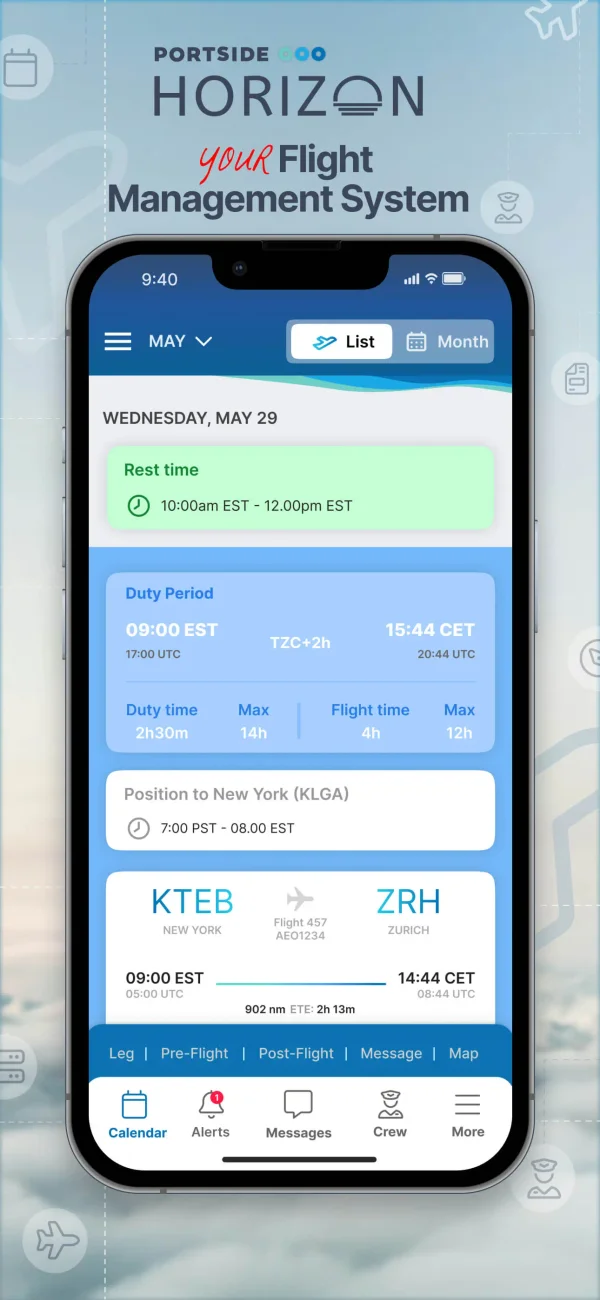
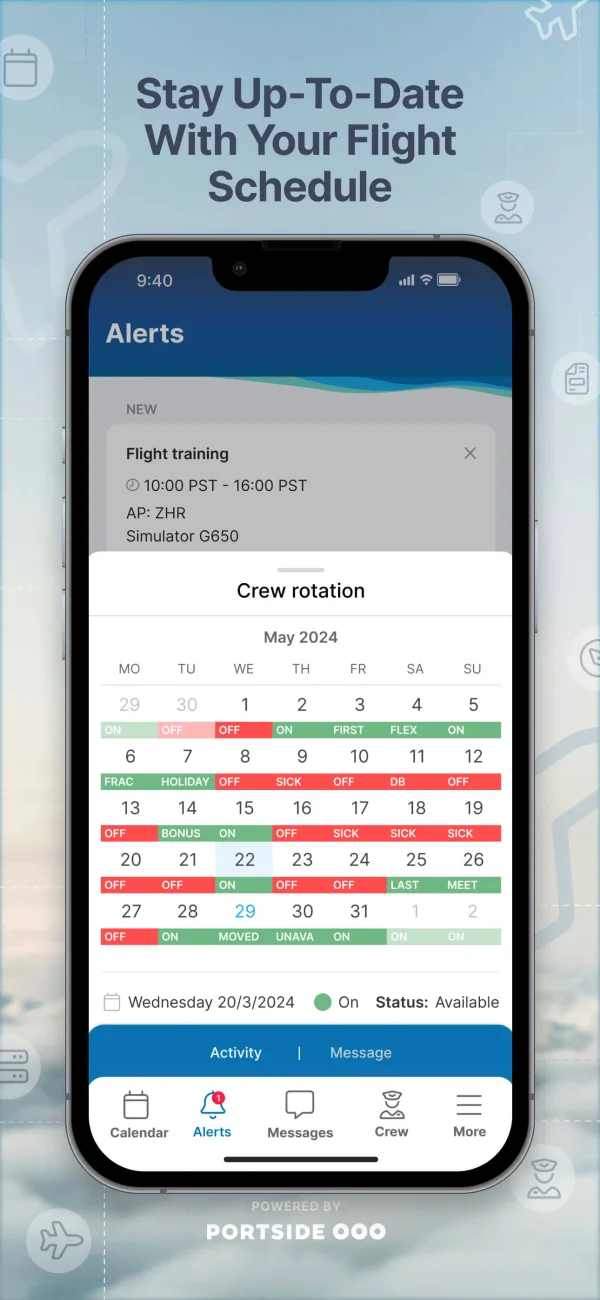

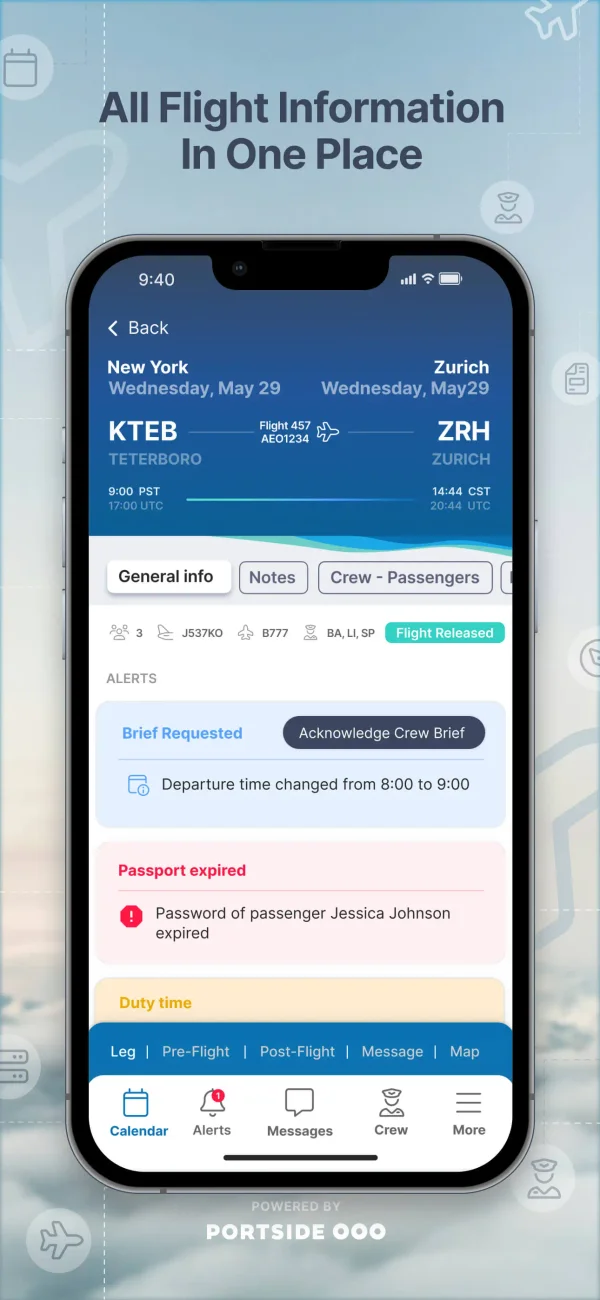
About
The Portside Horizon Crew App is a simple and user-friendly tool that's connected to the main Horizon App, but made just for crew members. With this app, you get an easy way to see your schedule, get reminders about duties and flights, and note down details after each flight. It also has a calendar and a duty schedule. Horizon is an efficient resource for managing tasks related to flight operations.
What’s new
Version 2.8.21 · Nov 5, 2026
SCHEDULE & CALENDAR
• Hide Cancelled Activities: new schedule filter toggle removes cancelled flights, aircraft events and crew activities. Your choice is saved.
• Layover/RON: layover days now appear as blue blocks in list and monthly views, with RON labeled in list view.
• Select All: calendar filter now includes Add All, and works for users without web access roles.
• Custom Sync Range: set how many days back and forward to sync under Settings > Sync Range (default 35 each).
• Flight Navigation: choose to swipe between flights on a trip or open only the selected flight (Settings > Preferences).
FLIGHT DETAILS
• TripAssist Fuel Orders: order fuel from a leg with the new + Fuel link, and edit existing orders.
• Trip Persons Contact: call, email or text trip persons from the Leg tab. Persons assigned to a specific flight now appear too.
• FBO Directions: new map button opens the FBO address in your default maps app.
• Expanded Documents: the Documents section now includes aircraft, passenger and crew documents, plus passport and visa attachments, grouped by type.
• Auto-Filled OOOI Times: Out, Off, On and In times now fill from flight tracking data when available. Saved times are never overwritten.
• Easier-to-Read Cards: passenger and crew cards are larger, each on its own row, with clearer passport details.
EMAIL & REQUIREMENTS
• Email Attachments: attach files and photos to emails sent from the app.
• Crew Requirements: admins can now hide requirements in the app or let crew sign off their own assigned items.
• Alerts: alert types set to not sync no longer appear on the Alerts tab.
App privacy
What Portside, Inc. declares on the App Store about how this app handles data.
-
Data not collected
The developer does not collect any data from this app.
Privacy practices may vary, for example with the features you use or your age.
Information
- Seller
- Portside, Inc.
- Category
- Travel
- Version
- 2.8.21
- Updated
- Nov 5, 2026
- Released
- Jun 17, 2024
- Size
- 357.0 MB
- Requires
- iOS 17.4 or later
- Age rating
- 4+
- Price
- Free
- Copyright
- © Portside, Inc.
You might also like
-
 FlightBridgePrivate aviation trip planning
-
 PFM Mobile App v2PFM Mobile App (Oct 27 2026)
-
 ARINCDirect MiniNavigation
-
 Feasibility-IQ®Trip Support Intelligence
-
 ARINCDirectNavigation
-
 Gogo DASH (Biz Av)by Gogo Business Aviation
-
 AirshareWe fit the way you fly private
-
 CrewBlastFlight Crew
-
 NaviGuardFlight GPS Anomaly Detector
-
 CAA Jet FuelNavigation