
- Age rating4+
- CategoryUtilities
- DeveloperMartin McLean
- LanguagesEnglish
- Size5.5 MB
Links to the official App Store page
Download.org hosts no file of PostCode - timecode calculator. The button opens its official App Store page, published by Martin McLean. Listing last checked on Nov 18, 2026.
Screenshots

About
PostCode is the timecode calculator & frame rate converter for video editors and post-production teams. Made by an editor, for editors.
Whether you're calculating durations, spotting VFX shots, converting frame rates for delivery, or totalling segments for a programme run time — PostCode handles the maths so you can handle the edit.
• Calculator
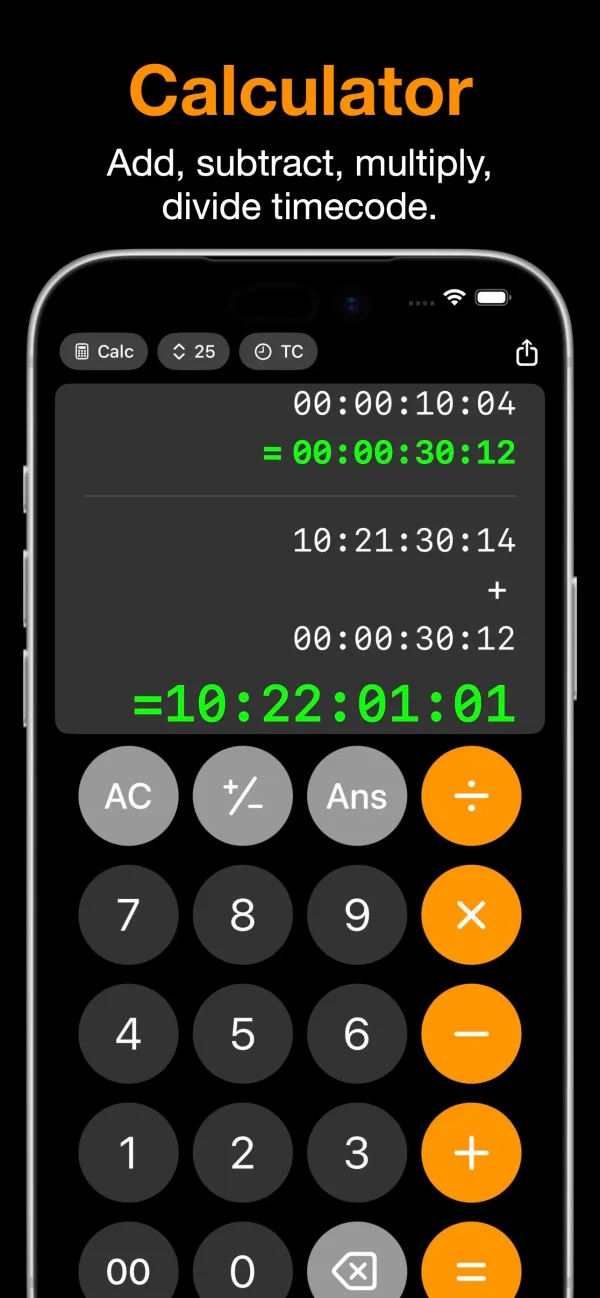
Add, subtract, multiply, and divide timecode. Your history is kept on the paper tape. Tap any line on the tape to drop its value back into the input. Touch and hold any line to copy or delete it. Supports negative values for pre-roll calculations.
• Total Run Time
Enter the In and Out points for multiple segments to calculate the total run time — like a simplified EDL. Reorder segments with drag-and-drop. Give segments an optional name. Set a target to see how far over or under you are.
• Frame Rate Converter
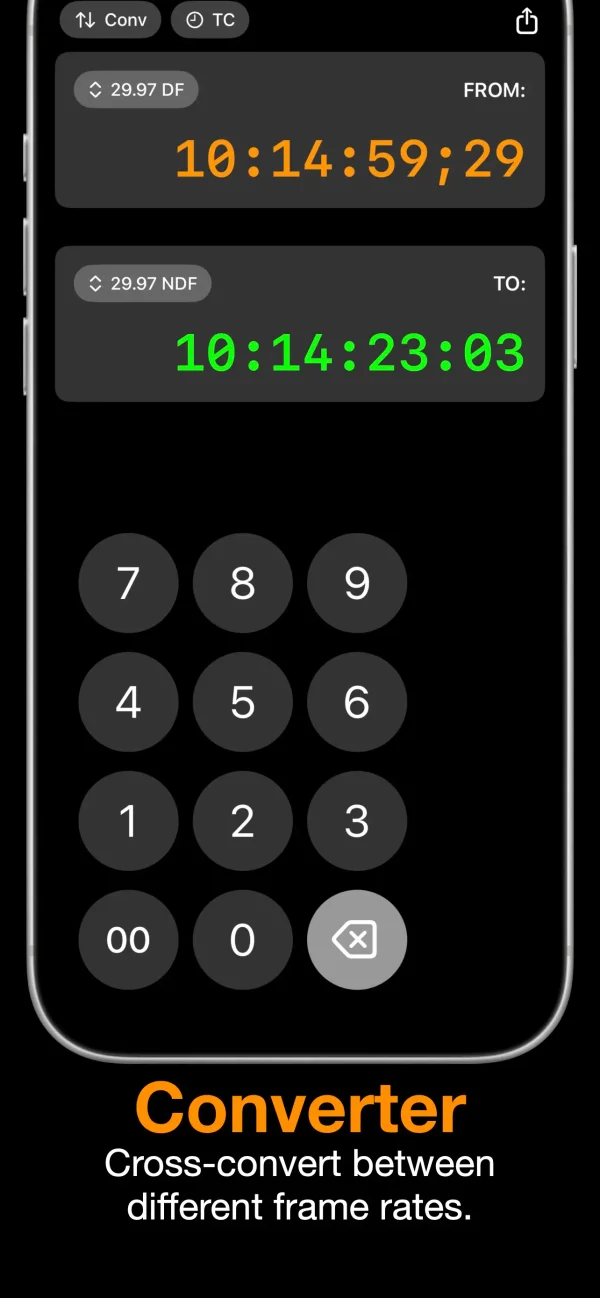
Convert timecode between any two frame rates instantly. Supports Drop Frame and Non-drop Frame, plus NTSC pull down.
• TC/FR
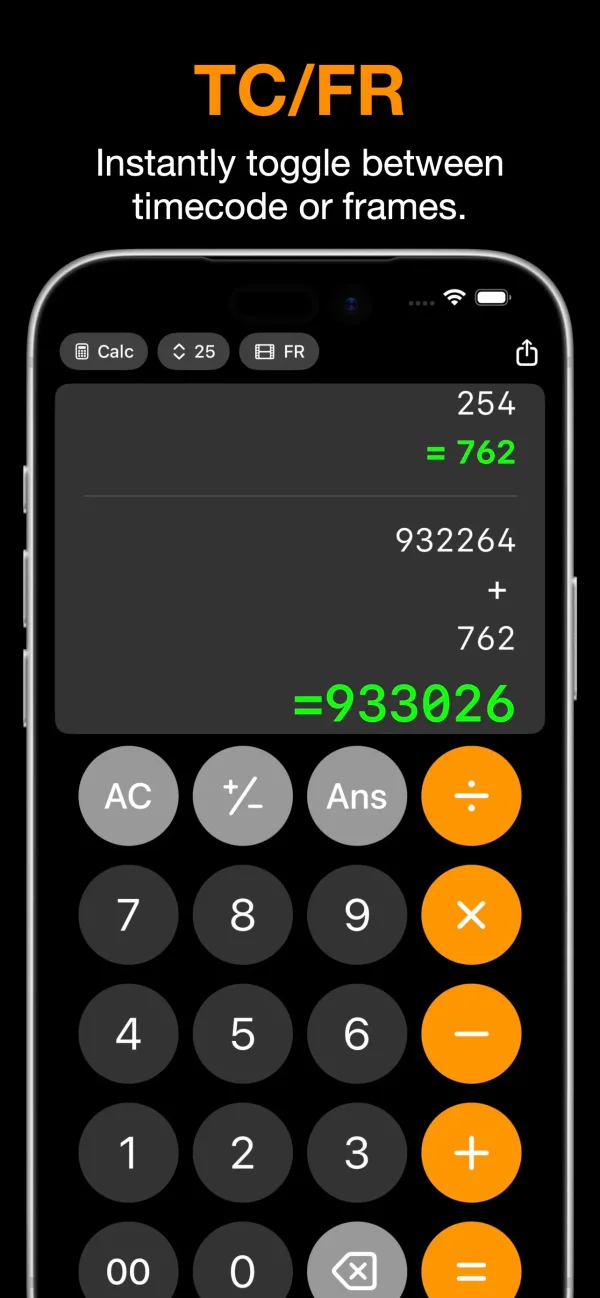
Toggle between timecode or frame count, anywhere in the app — perfect for VFX and animation workflows.
• Frame Rates
Supports all SMPTE standard frame rates — 23.976, 24, 25, 29.97 Non-drop Frame, 29.97 Drop Frame, 30, 50, 59.94 Non-drop Frame, 59.94 Drop Frame, 60 — as well as custom frame rates.
• Undo
Each mode keeps its own undo history. Shake your iPhone or press ⌘-Z to undo any destructive action.
• Copy and Paste
Touch and hold any value to copy and paste it as timecode or as frames. PostCode automatically validates and formats the timecode for you.
• Built for Pros
Hardware keyboard support on iPad and Mac. Dark mode optimised for edit suites and control rooms. Export calculations as TXT or CSV.
If PostCode has helped you, an App Store rating and review would be appreciated. Happy editing!
What’s new
Version 2.0 · Aug 5, 2026
• Control Centre and Lock Screen button.
• Set a Target Run Time, to see how far over or under you are.
• In Run Mode, tap a segment to adjust its In and Out points.
• Add an optional name to each segment.
• Tap any line on the calculator tape to drop its value back into the input.
• Fixes bug whereby a stray '0' could appear when starting a new calculation straight after a zero result.
• Fixes bug whereby frame count would corrupt if input was higher than a valid timecode.
• VoiceOver support for improved accessibility.
App privacy
What Martin McLean declares on the App Store about how this app handles data.
-
Data not collected
The developer does not collect any data from this app.
Privacy practices may vary, for example with the features you use or your age.
Information
- Seller
- Martin McLean
- Category
- Utilities
- Version
- 2.0
- Updated
- Aug 5, 2026
- Released
- Jan 29, 2026
- Size
- 5.5 MB
- Requires
- iOS 17.0 or later
- Age rating
- 4+
- Price
- $2.99
- Languages
- English
- Copyright
- © 2026 Martin McLean
You might also like
-
 Libraesva ESG 5Utilities
-
 Rug Identifier & ValueAntique & Persian Appraisal
-
 Vor MobileOverlay show info onto videos!
-
 FlutterTime Timezone ConverterWorld Clock Time Zone UTC GMT
-
 ROXX AppUtilities
-
 Colour Picker!Utilities
-
 Md Preview - Markdown ViewerLaTeX Math & Code Highlight
-
 date and time calculator appDate Calculator,Time and Date
-
 TREND AnyWARE™ CloudUtilities
-
 Time Calc - Time CalculatorTime Calculator hours minutes