PottyPro: Potty Training Timer
Calm toilet training tracker
Designed for iPhone, iPad
Free · In-app purchases
- Age rating4+
- CategoryHealth & Fitness
- DeveloperTristan Beasley
- LanguagesEnglish
- Size4.0 MB
Links to the official App Store page
Download.org hosts no file of PottyPro: Potty Training Timer. The button opens its official App Store page, published by Tristan Beasley. Listing last checked on Nov 21, 2026.
Screenshots

About
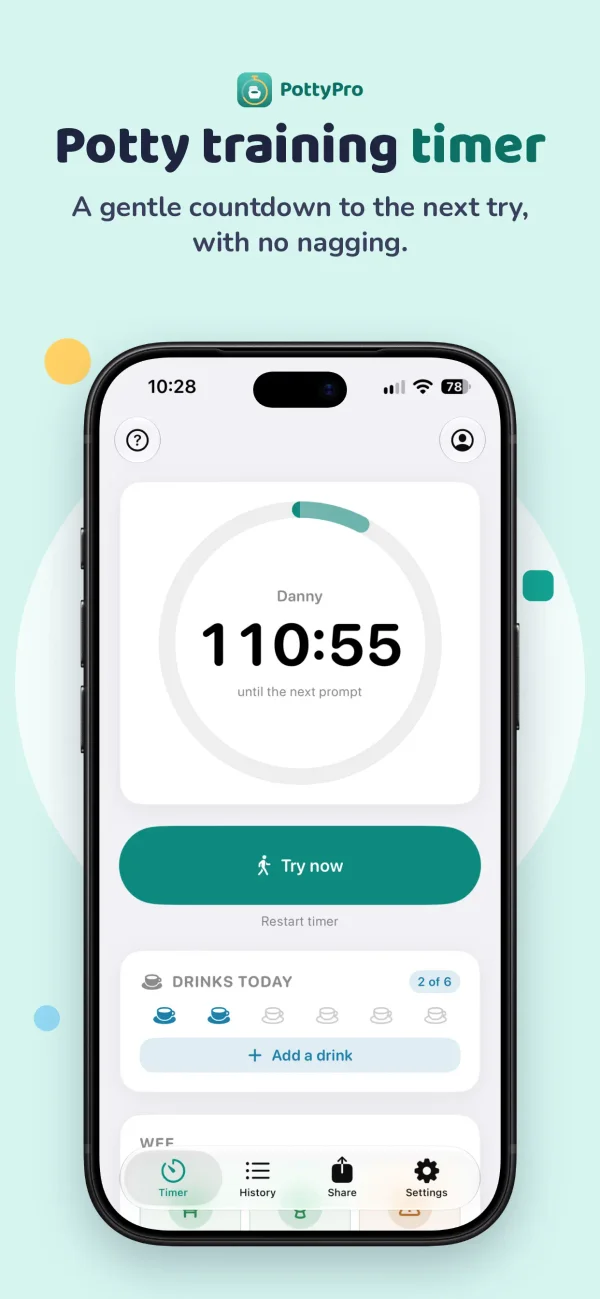
Potty training is short, messy and stressful. PottyPro keeps it calm: a quiet timer, an honest log, and advice that follows what pediatricians and children's health experts actually recommend.
ON YOUR WRIST, YOUR LOCK SCREEN AND YOUR HOME SCREEN
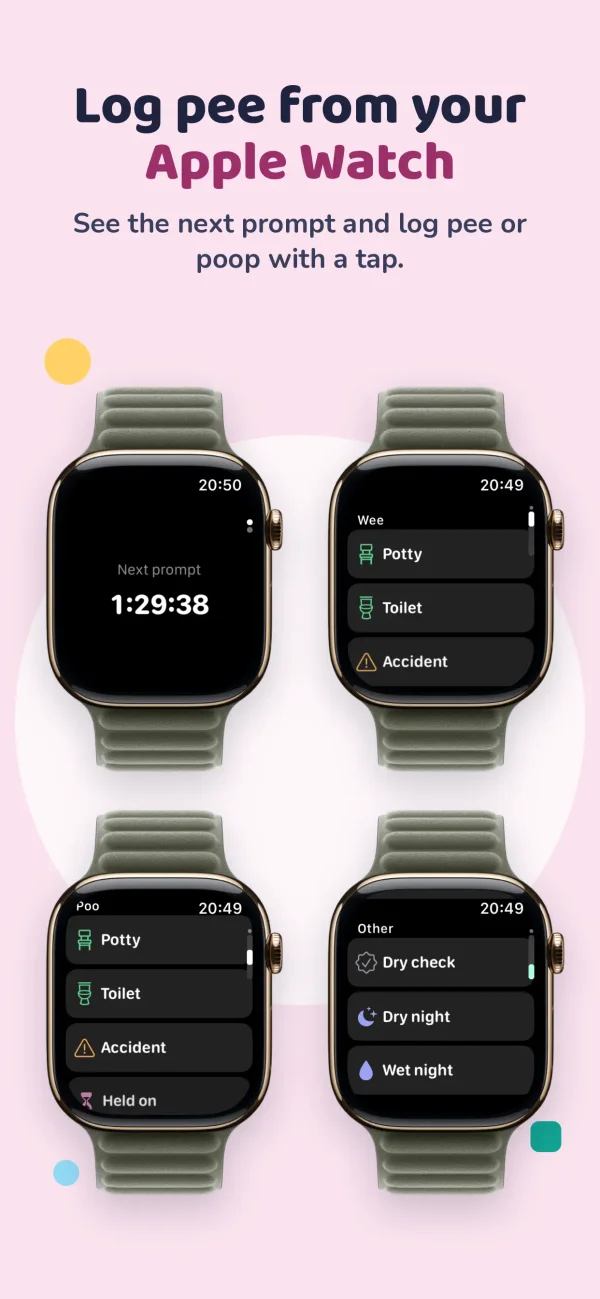
The Apple Watch app logs pee, poop or an accident in a tap, without finding your phone. Double Tap logs pee without touching the screen, and the countdown sits on your watch face.
On iPhone, log straight from Home Screen widget buttons, Lock Screen and Dynamic Island buttons, Control Center or the Action button, or just ask Siri: "Log a wee in PottyPro". A Live Activity keeps the countdown on your Lock Screen.
On iPad and iPhone Duo, the Timer tab puts the countdown and the log buttons side by side.
A GENTLE TIMER, NOT A NAGGING ONE
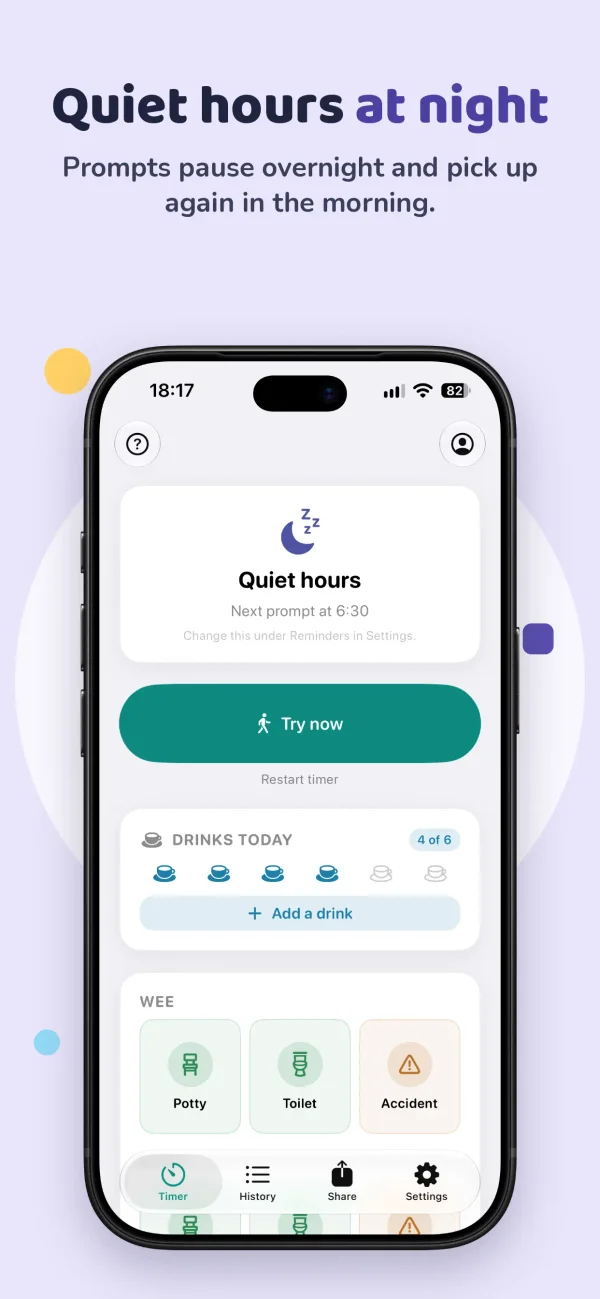
Set the gap between prompts and PottyPro counts down to the next one. Quiet hours mean it never goes off overnight: a prompt that falls due while everyone's asleep waits until morning. And if they sat with nothing to show for it, one tap tries again in fifteen minutes.
LOGGING THAT MATCHES REALITY
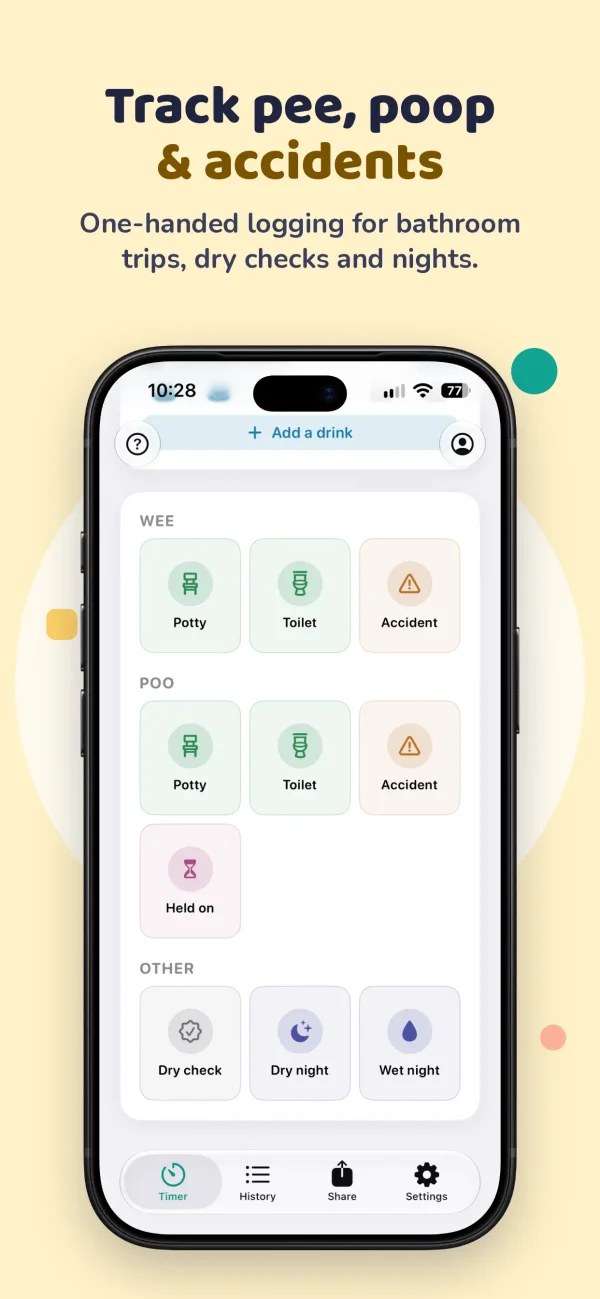
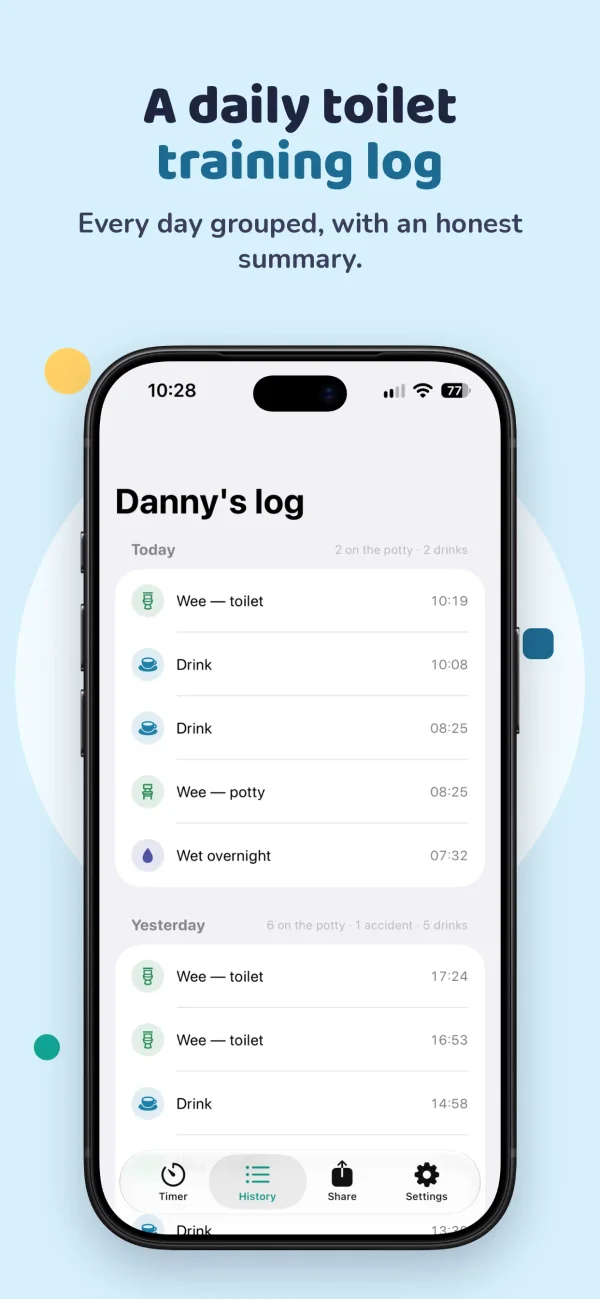
Pee and poop, on the potty, on the toilet, or an accident. Holding on. Dry checks. Dry and wet nights kept separate from daytime numbers, because a wet night isn't an accident. Made a mistake? Tap any entry to change it, or swipe to delete.
DRINKS, BECAUSE THEY MATTER MORE THAN PEOPLE THINK
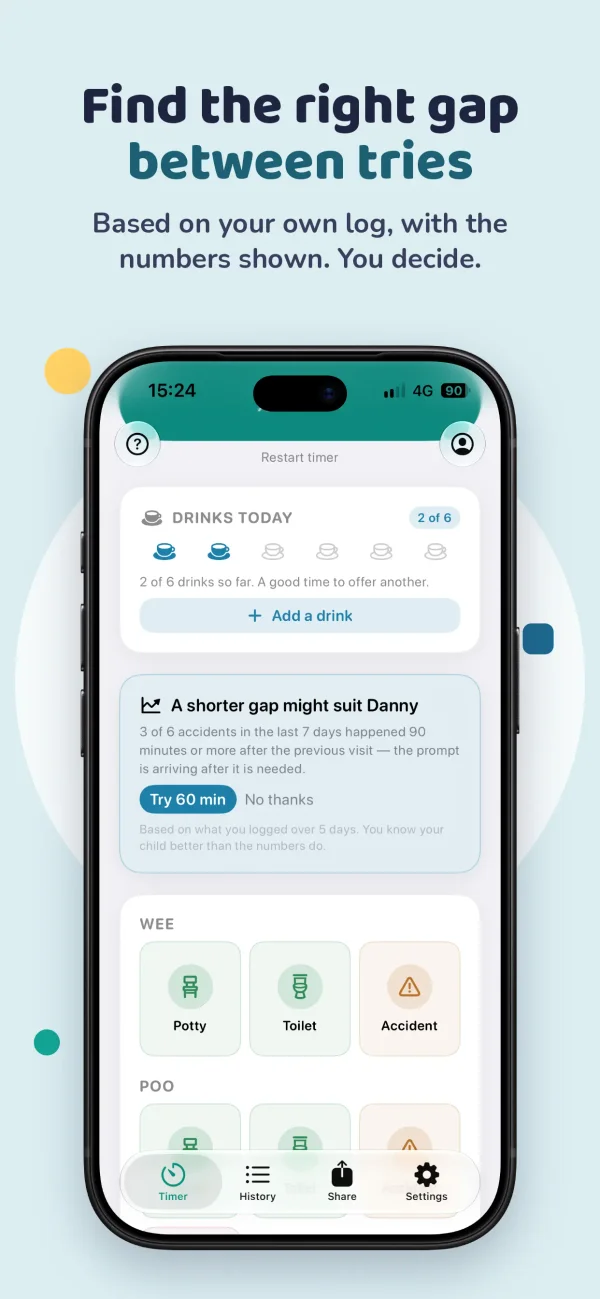
Children's bladder and bowel experts recommend six to eight drinks a day, and cutting fluids back to stop bedwetting isn't advised. PottyPro tracks the day's drinks against a target you set. It's drinking enough, not a dry night, that gets the celebration, because that's something your child can control.
PATTERNS, SHOWN HONESTLY
Once there's a week of entries, PottyPro suggests a gap that fits when your child actually goes, and shows the numbers behind it. If accidents pick up after a settled stretch, it suggests things worth checking. Nothing is presented as a prediction.
NIGHTS, TREATED AS DEVELOPMENT
Answer a morning dry check straight from the Lock Screen. Dry nights are noted, never rewarded, because staying dry overnight isn't something a child can be taught, and many five-year-olds still wet the bed. If wetting returns after months of dry nights, PottyPro says so and suggests talking to your pediatrician.
EVERYONE ON THE SAME PAGE
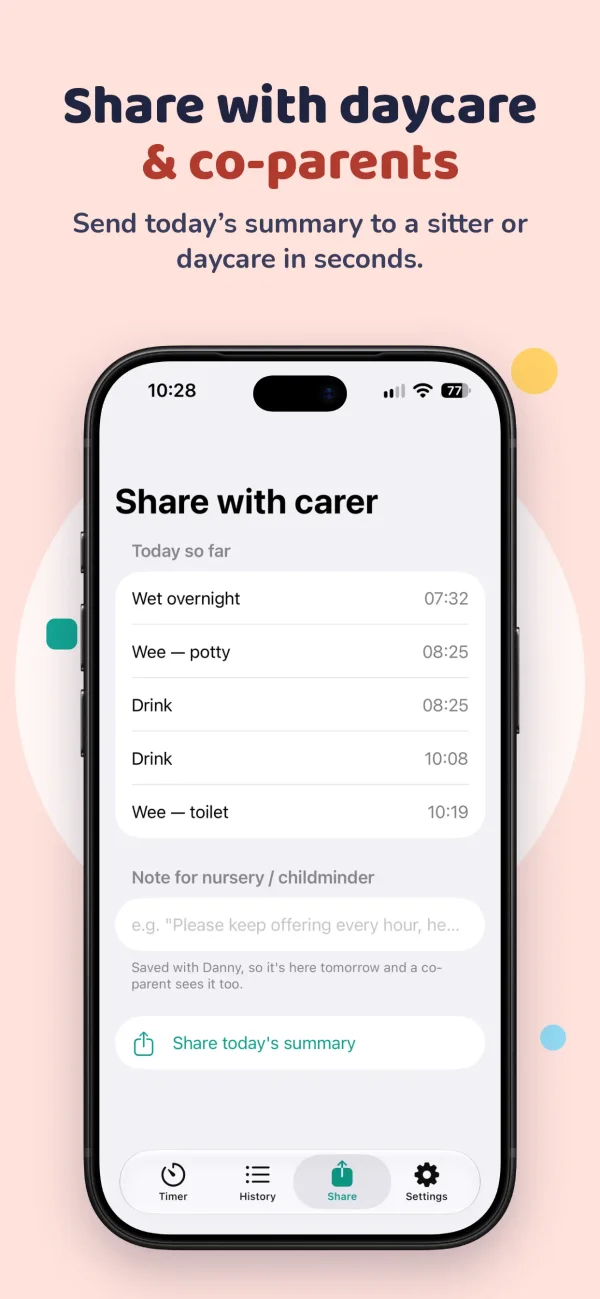
Invite a co-parent and they get the live log on their own phone. Each child has their own timer and history. Send daycare or a sitter a plain-text summary of the day plus your handoff note; they don't need anything installed. Hand over to daycare and prompts pause until pickup, then the countdown restarts by itself. Away-from-home mode marks entries made on an outing, so a diaper on a long car ride doesn't read as a step backward.
YOUR DATA IS YOURS
Everything stays on your device and in your own private iCloud. No accounts, no advertising, no analytics, nothing sold to anyone. Only people you invite can see your child's log.
PottyPro offers general prompts based on public guidance from the American Academy of Pediatrics (AAP), the NHS, NICE and ERIC. It can't diagnose anything, and it will always point you to your pediatrician where that's the right thing to do.
SUBSCRIPTION
Start with a 7-day free trial with everything unlocked. After the trial, a monthly or annual subscription keeps PottyPro going; both unlock everything, and there's no premium tier. One subscription can be shared with your family through Family Sharing. Prices are shown in the app before you subscribe. Payment is charged to your Apple Account when the trial ends, and the subscription renews automatically unless canceled at least 24 hours before the end of the trial or the current period. Manage or cancel anytime in your Apple Account settings. The free trial is for new subscribers.
Terms of Use (EULA): https://www.apple.com/legal/internet-services/itunes/dev/stdeula/
Privacy Policy: https://www.beasnet.com/pottypro-privacy.html
What’s new
Version 1.1.3 · Nov 21, 2026
A week to try it free, and made for iPhone Duo.
7 DAYS FREE
- PottyPro now starts with a 7-day free trial through the App Store. You'll see the price before you start, and you can cancel any time in your Apple Account settings.
- We'll remind you two days before your trial ends, so there's time to decide.
- Already on a free trial? It runs to the end as before, with a reminder the evening before your last day.
- When a trial ends, prompts stop but your log is kept, and you can still read it.
IPHONE DUO AND IPAD
- PottyPro runs natively on iPhone Duo. Unfold it and the Timer tab shows the countdown and the log buttons side by side. Folded, it works just like any iPhone.
- iPad gets the same side-by-side Timer tab.
LOCK SCREEN AND APPLE WATCH
- The Lock Screen timer now comes back on its own in the morning, even if your first log of the day is from your watch.
- Overnight, the Lock Screen timer shows quiet hours instead of an overdue countdown.
- The watch face complication now updates when you or a co-parent log on the phone.
FIXES
- A log from the watch can no longer undo something you've just done on the phone, such as stopping the timer or changing the gap.
- Deleting an older entry no longer moves the countdown.
- Siri asks again if it doesn't recognize a child's name, instead of logging it for a brother or sister.
- With one child, Quick Log now works during a daycare handover, and ends the handover.
- Pattern notes about accidents and wet nights now only look at what's happening now, not an old run.
- Settings has a new link to leave a review.
App privacy
What Tristan Beasley declares on the App Store about how this app handles data.
-
Data not collected
The developer does not collect any data from this app.
Privacy practices may vary, for example with the features you use or your age.
Information
- Seller
- Tristan Beasley
- Category
- Health & Fitness
- Version
- 1.1.3
- Updated
- Nov 21, 2026
- Released
- Oct 1, 2026
- Size
- 4.0 MB
- Requires
- iOS 26.0 or later
- Age rating
- 4+
- Price
- Free
- In-app purchases
- Yes
- Languages
- English
- Copyright
- © 2026 BeasNet
You might also like
-
 Glucose Logger AppBlood sugar log with context
-
 FeedWink: Baby Tracker & LogNewborn Feeding, Sleep, Diaper
-
 Track Record: Workout ProgressGym Log & Strength Training
-
 Baby Steps - Baby TrackerBaby Tracking App with AI Help
-
 Cradle LogBaby Feeding, Sleep & Diapers
-
 bodycare scaleWeight & Body Composition
-
 Lullaby: Baby & Bump TrackerPregnancy to toddler tracker
-
 Baby Tracker Newborn Log -GrowNewborn Tracker , Baby Daybook
-
 Slumbee: Baby Sleep TrackerWake Window & Nap Sound
-
 PrEPSexual health