
PowerDialer Pro
Smart CRM Dialer for Sales
Designed for iPhone, iPad, iPod touch
Free · In-app purchases
- Age rating4+
- CategoryUtilities
- DeveloperFoshan Qizhizhu Technology Co., Ltd.
- LanguagesEnglish+ 1 more
- Size28.6 MB
Links to the official App Store page
Download.org hosts no file of PowerDialer Pro. The button opens its official App Store page, published by Foshan Qizhizhu Technology Co., Ltd. Listing last checked on Nov 12, 2026.
Screenshots


About
All‑in‑One Smart Dialer – Boost Sales & Daily Productivity
AI‑assisted · Auto‑dial · CRM‑ready · Fully Customizable
Love a dialer that works as hard as you do? Whether you're in telemarketing, sales, or just want a smarter way to manage calls, this is your go‑to tool. Perfect for work, perfect for everyday use – and it looks great too.
Hot Features You’ll Love:
Smart Contact Match – Instantly loads call history with location‑based contact matching right after installation.
Lightning‑Fast T9 Search – Fully optimized pinyin/letter matching, now 2x faster – even with 10,000+ contacts, results appear in a snap.
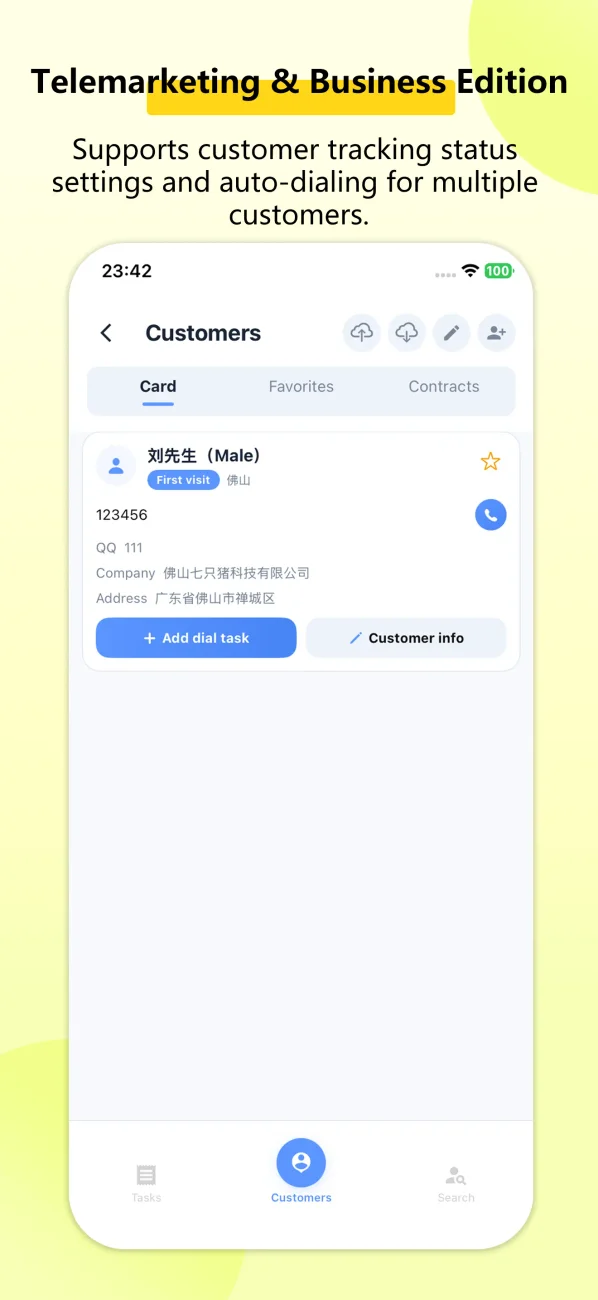
CRM‑Grade Customer Management – Ideal for outbound sales and customer follow‑up. Add detailed profiles (phone, address, status, tags, notes), track every customer’s interaction timeline, attach contracts, and batch‑select contacts into an auto‑dial queue for one‑tap sequential calling.
Group Address Book – Create groups and invite members via QR code. Everyone can upload their own contacts, while only the group creator has delete permissions – perfect for team collaboration.
Cloud Sync + Excel Import – Seamlessly sync your local contacts across devices, or bulk‑import from Excel (.xls/.xlsx). Also works with our PC Assistant – push Excel contacts directly from your computer to the phone’s auto‑dial queue wirelessly.
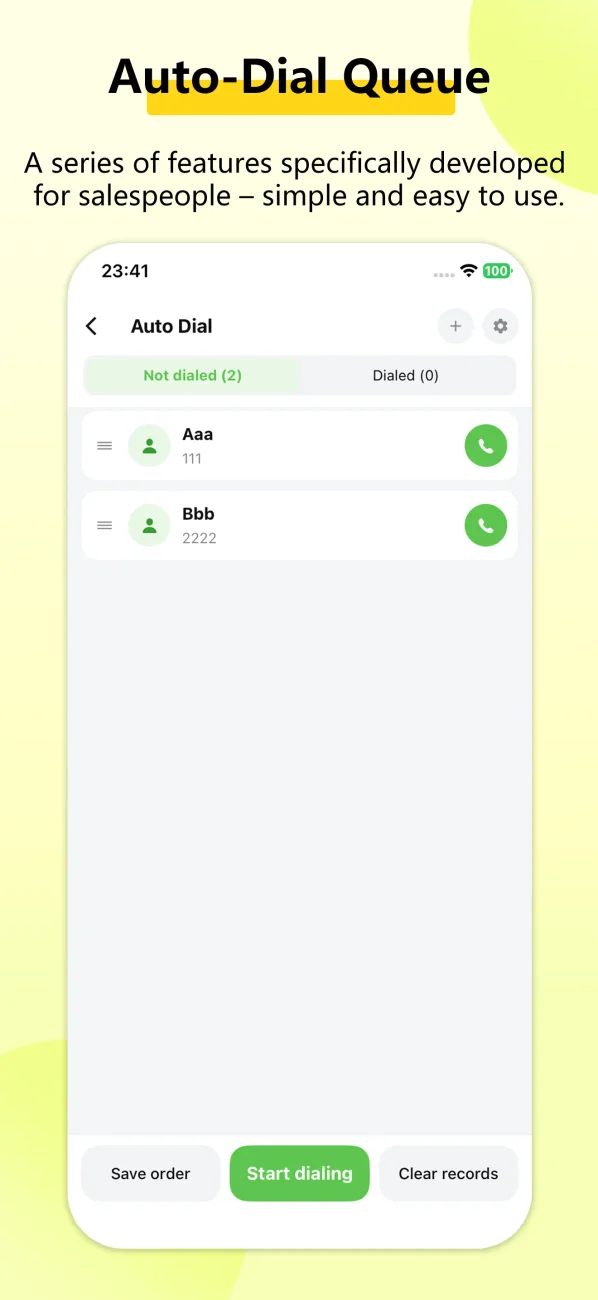
Auto‑Dial Queue – Load numbers from Excel or the PC assistant, and let the app dial automatically – hands‑free efficiency at its best.
Quick‑Swipe Dialing – Just swipe sideways on any contact to call instantly.
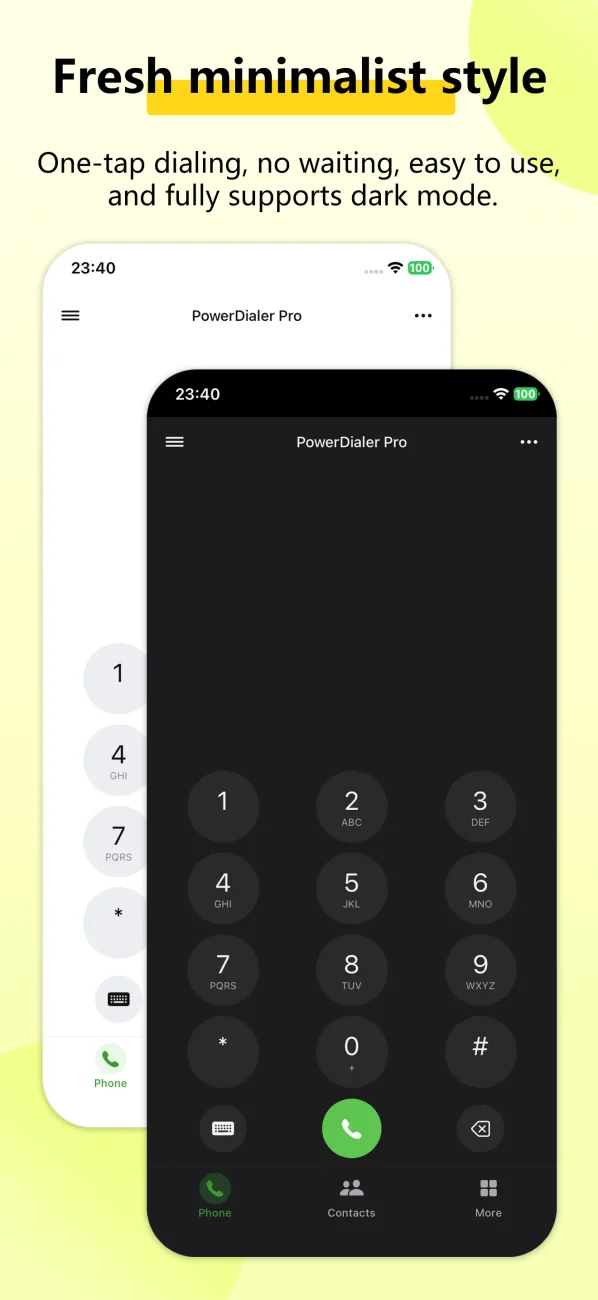
Custom Themes & Skins – Personalize the UI with your favorite colors and styles – make it truly yours.
Fake / Simulated Incoming Call (must‑have for graceful exits) – Set a custom audio file to play when “answered”, and choose between earpiece or speaker output.
And that’s not all – there are more surprises waiting for you. This is the dialer that actually gets things done. Try it now and feel the difference!
What’s new
Version 4.0.1 · Aug 24, 2026
Version 4.0.1
Major overhaul!
Brand new UI design for a more enjoyable experience.
Added support for syncing data with PC.
Added group address book.
Enhanced compatibility for importing Excel file formats.
Customer management now includes cloud backup and cloud sync.
Supports importing contacts via shared spreadsheet files.
Fixed multiple known issues.
App privacy
What Foshan Qizhizhu Technology Co., Ltd. declares on the App Store about how this app handles data.
-
Data used to track you
May be used to track you across apps and websites owned by other companies.
- Identifiers
-
Data not linked to you
May be collected but is not linked to your identity.
- Contacts
- Identifiers
Privacy practices may vary, for example with the features you use or your age.
Information
- Seller
- Foshan Qizhizhu Technology Co., Ltd.
- Category
- Utilities
- Version
- 4.0.1
- Updated
- Aug 24, 2026
- Released
- Feb 13, 2025
- Size
- 28.6 MB
- Requires
- iOS 15 or later
- Age rating
- 4+
- Price
- Free
- In-app purchases
- Yes
- Languages
- English, Simplified Chinese
- Copyright
- © 2024 Qizhizhu Inc.