Practice Video Notes
Timestamped video feedback
Designed for iPhone, iPad
Free · In-app purchases
- Age rating4+
- CategorySports
- DeveloperSeiya.k
- LanguagesEnglish+ 1 more
- Size14.5 MB
Links to the official App Store page
Download.org hosts no file of Practice Video Notes. The button opens its official App Store page, published by Seiya.k. Listing last checked on Nov 17, 2026.
Screenshots

About
“A bit more like this, right here” — and it doesn’t land.
You send a practice video, then follow up with a message: “the arm position around 30 seconds.” They reopen the video, scrub back and forth, and guess at which moment you meant. Half of what you wanted to say never arrives.
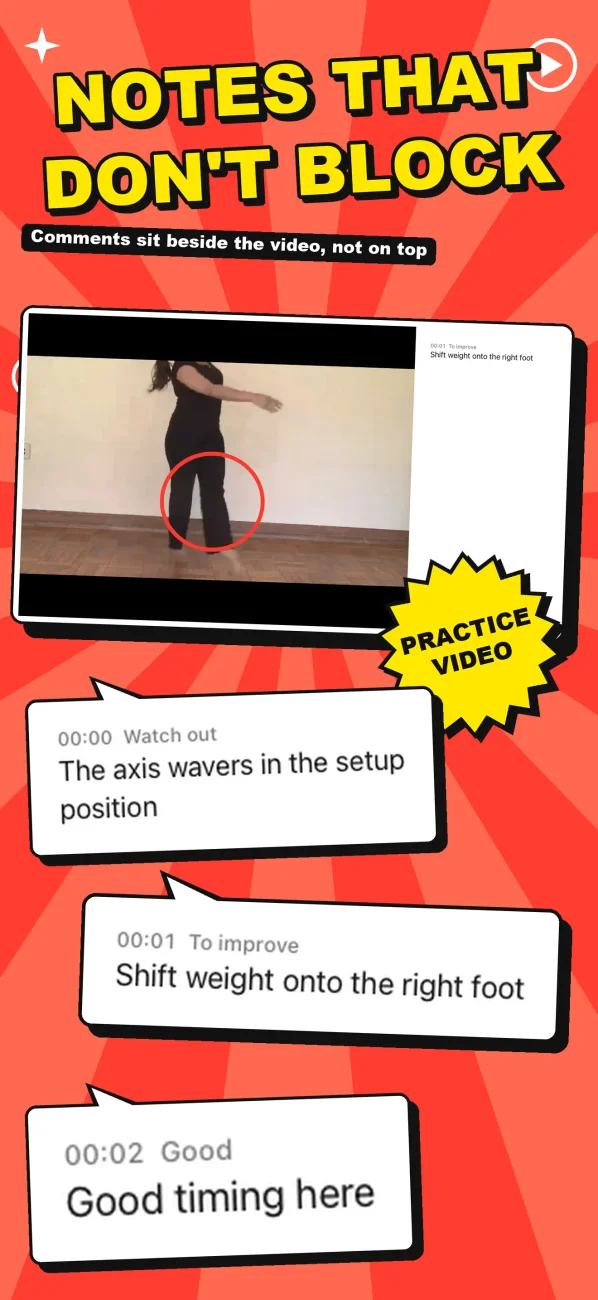
There are apps that burn captions onto the video, but then the movement itself is hidden behind the text. You want them to look at the posture, and a line of text is sitting on top of it.
Practice Video Notes solves both at once.
■ Comments live outside the video
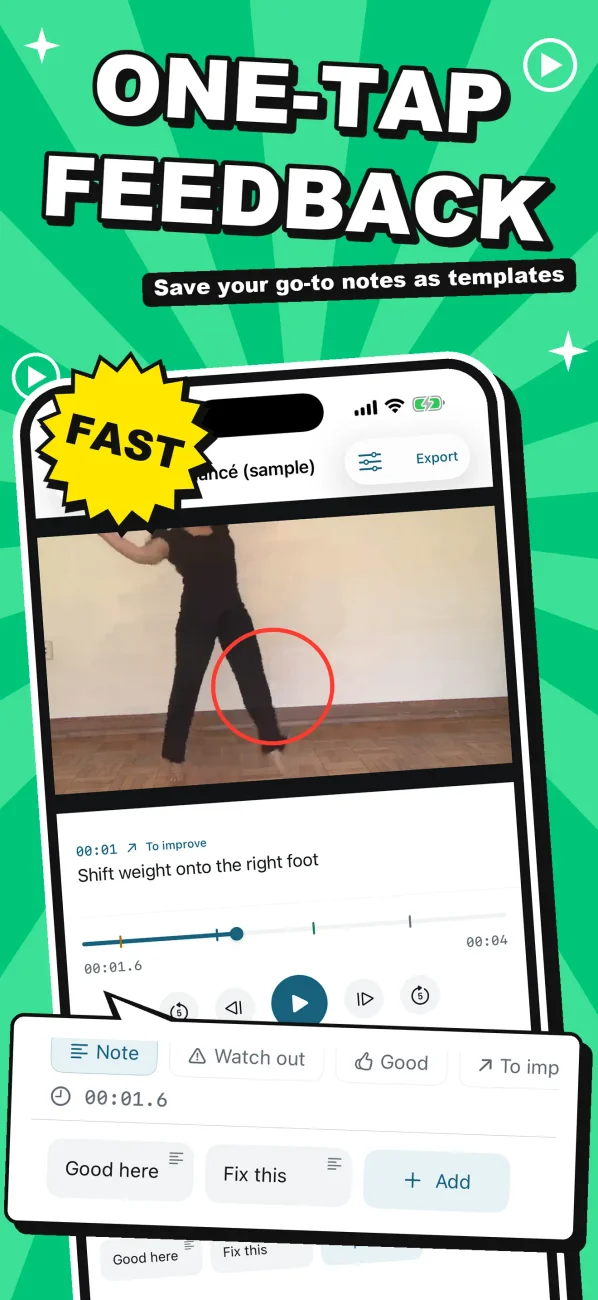
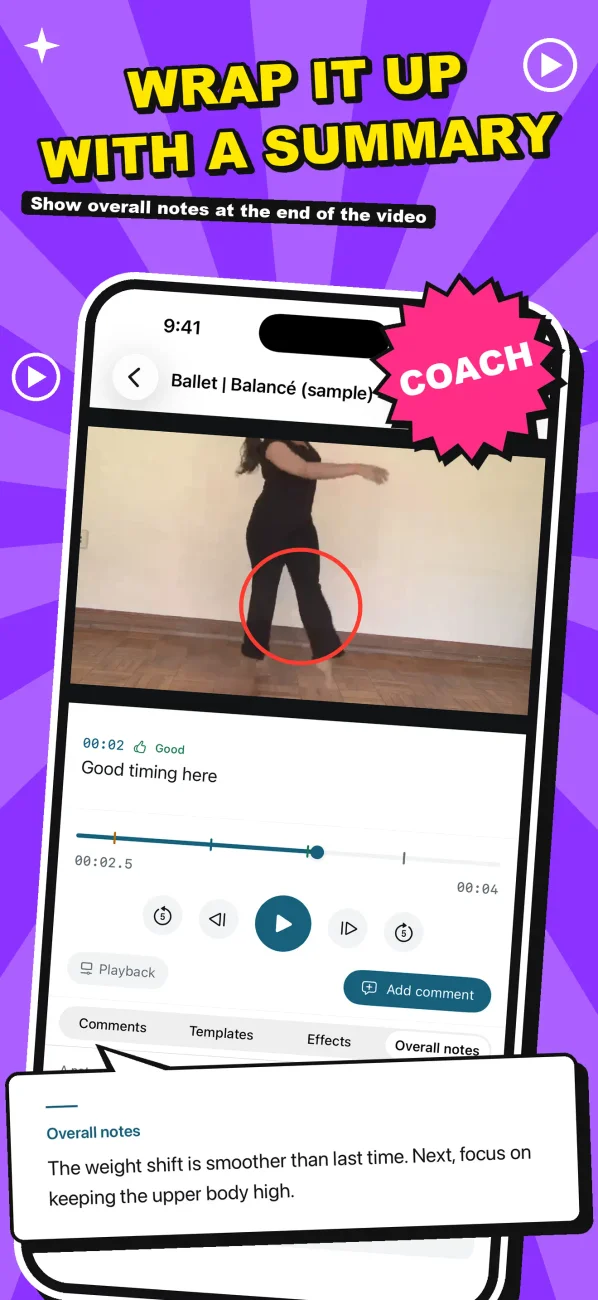
What you notice appears in its own area below (or beside) the video. The movement is never covered, and the note for that moment is right there to read. This is what the app is for. You can also overlay them as captions when that suits the situation better.
■ Tied to the moment, so nobody has to search
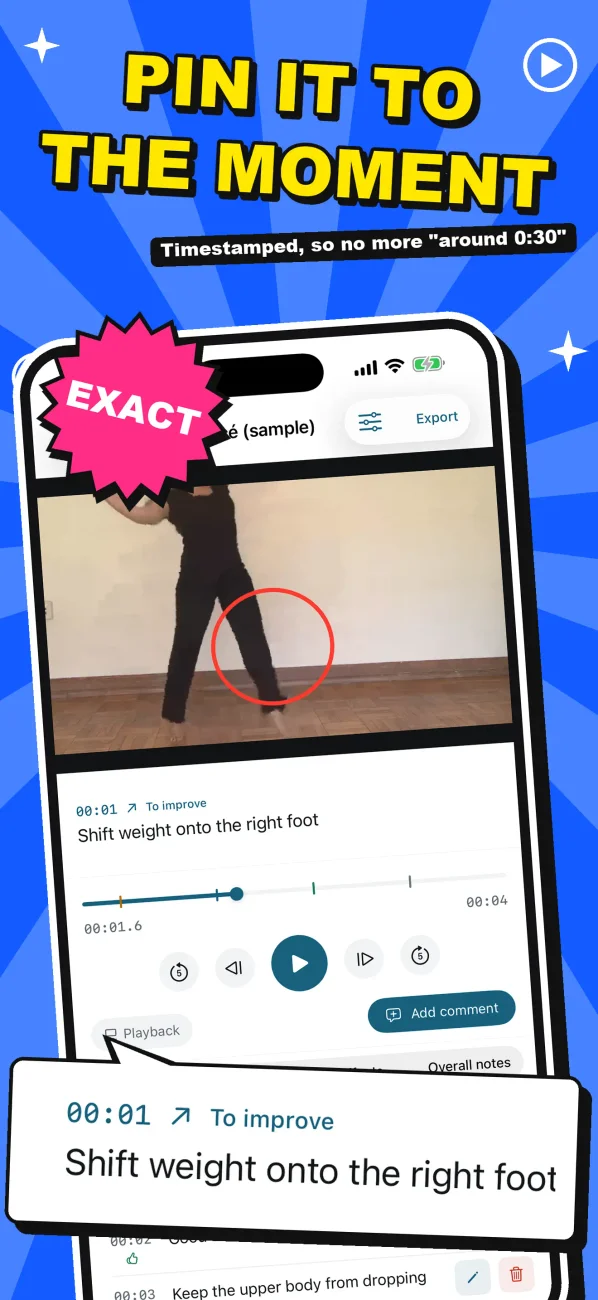
Every comment carries the timecode where you wrote it. Tap it in the list and playback jumps there. No “around 30 seconds,” no hunting.
■ It stops where you want them to look
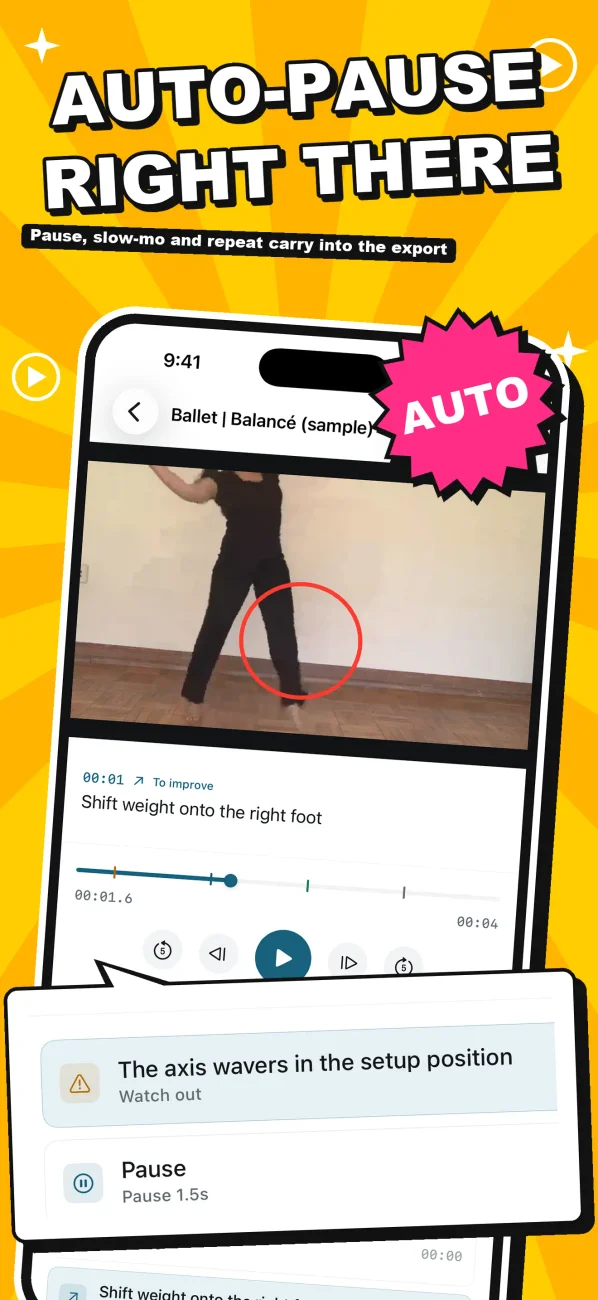
Pause automatically at a comment, slow down around it, or repeat the same range twice. These carry into the exported video, so whoever receives it just presses play and sees the point.
■ Export in a form you can simply hand over
Export as a video with the comments included. Nobody needs to install anything. You can also export as text with timecodes to keep as a record.
■ Four steps
1. Add a video (photo library, files, or record on the spot)
2. Choose the range to use (trim the wait before you start and the tail after you finish)
3. Add comments while you watch
4. Export and share
■ Also included
・Frame stepping, 5-second skips, speed control, range loop
・Draw circles, arrows, and lines on the video
・Save phrases you use often and drop them in with one tap
・Write overall notes for the project, shown at the end of the exported video
・Organize with folders, search, and sorting
■ Who it is for
・Coaches and teachers explaining movement to students or a team
・Anyone who wants to review their own practice and keep a record
・Dance, ballet, instruments, martial arts, ball sports, rehab — anywhere movement is watched
■ About storage
Videos and comments are stored only on your device. Nothing is sent to our servers.
■ About Pro
The free plan allows 3 exports per month and 5 saved projects. Pro removes both limits. Monthly and yearly plans are available, plus a one-time purchase that never renews.
■ About subscriptions
- Pro Monthly and Pro Yearly renew automatically. Pro Lifetime is a one-time purchase that does not renew.
- Subscriptions are charged to your Apple ID account and renew automatically unless cancelled at least 24 hours before the end of the current period.
- Manage or cancel anytime in your device settings.
Terms of Use (EULA): https://www.apple.com/legal/internet-services/itunes/dev/stdeula/
Privacy Policy: https://fillapps.com/privacy/
What’s new
Version 1.0.5 · Oct 29, 2026
- Now optimized for iPhone Duo, whether it is open or closed
- Videos now appear larger on shorter screens
- The comment list no longer gets cut off on narrow screens in landscape
App privacy
What Seiya.k declares on the App Store about how this app handles data.
-
Data not linked to you
May be collected but is not linked to your identity.
- Identifiers
- Usage data
- Diagnostics
Privacy practices may vary, for example with the features you use or your age.
Information
- Seller
- seiya kawano
- Category
- Sports
- Version
- 1.0.5
- Updated
- Oct 29, 2026
- Released
- Aug 6, 2026
- Size
- 14.5 MB
- Requires
- iOS 18.0 or later
- Age rating
- 4+
- Price
- Free
- In-app purchases
- Yes
- Languages
- English, Japanese
- Copyright
- © 2026 Seiya Kawano
You might also like
-
 SwingCoach: Video AnalysisSlow Motion Swing Form Check
-
 Golf Swing Analyzer: DashGolfSports
-
 Motion Marker-Video AnalysisMarkup, Slow Motion & Compare
-
 Swing Clone: Golf CompareSlow Motion, Overlay & Tempo
-
 Clip-A-Doodle-Draw: Film&RecapSports Recording & Drawing
-
 G-Swing -Golf Swing AI & PhotoAI Golf Slow-Mo & Burst Photos
-
 Draw On Sports VideoMake TV-style sports analysis
-
 SyncMirror: Dance PracticeMirror & Slow Mo Choreography
-
 AI Sports Coach: Form CheckSwing, Pitch & Shot Analyzer
-
 Golf Swing AI Analyzer: CheCamHands-free Video Delay Play