Predy - Study Tracker&Pomodoro
Pomodoro Focus & Time Tracker
Designed for iPhone, iPad, Mac
Free · In-app purchases
- Age rating4+
- CategoryEducation
- DeveloperGO SHIMIZU
- LanguagesEnglish+ 20 more
- Size379.1 MB
Links to the official App Store page
Download.org hosts no file of Predy - Study Tracker&Pomodoro. The button opens its official App Store page, published by GO SHIMIZU. Listing last checked on Nov 28, 2026.
Screenshots
About
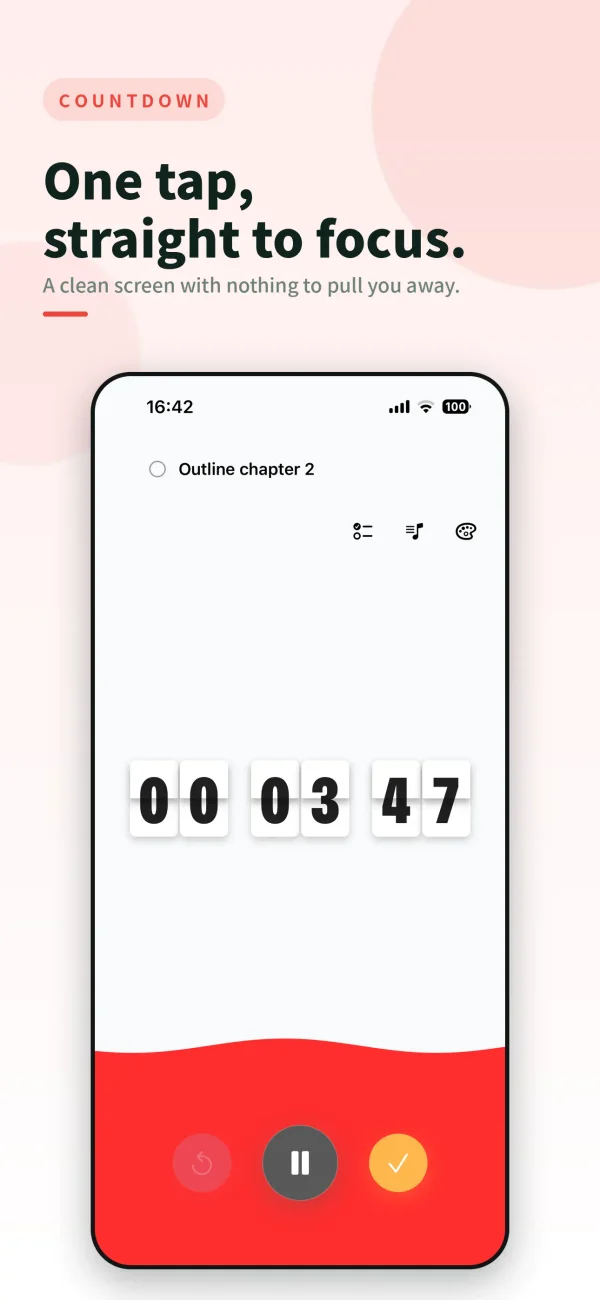
Predy is a study timer and planner that helps you start studying, stay consistent, and make your progress visible. Use a study timer, Pomodoro, stopwatch, or manual entry to track learning time and build a routine that lasts.
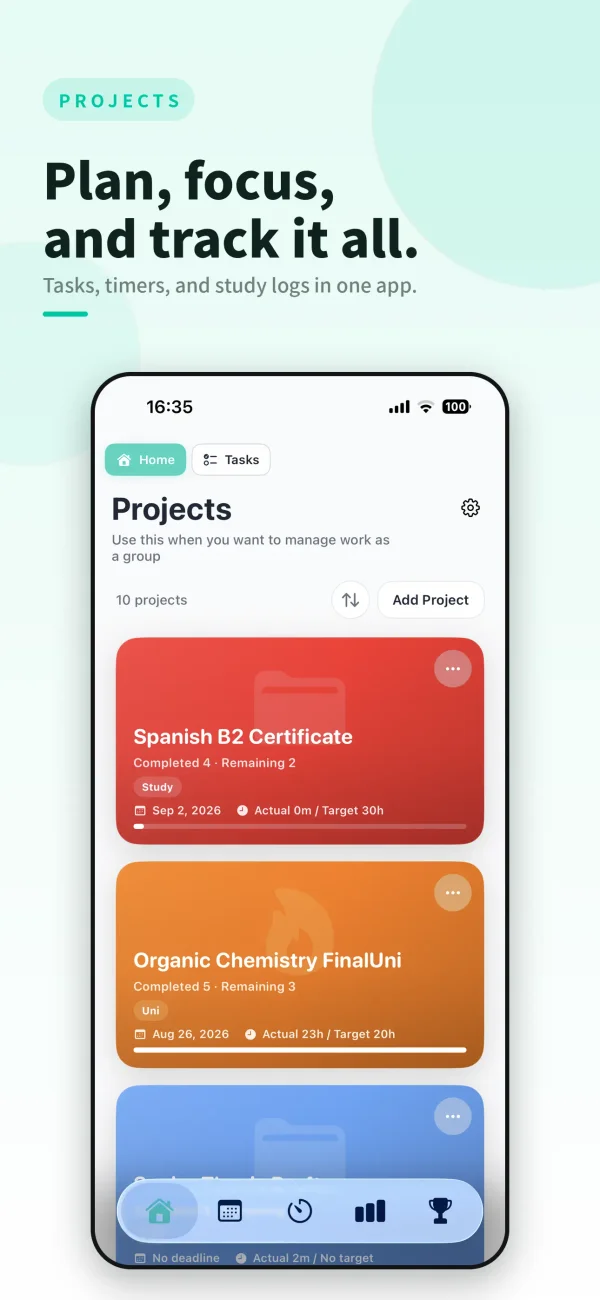
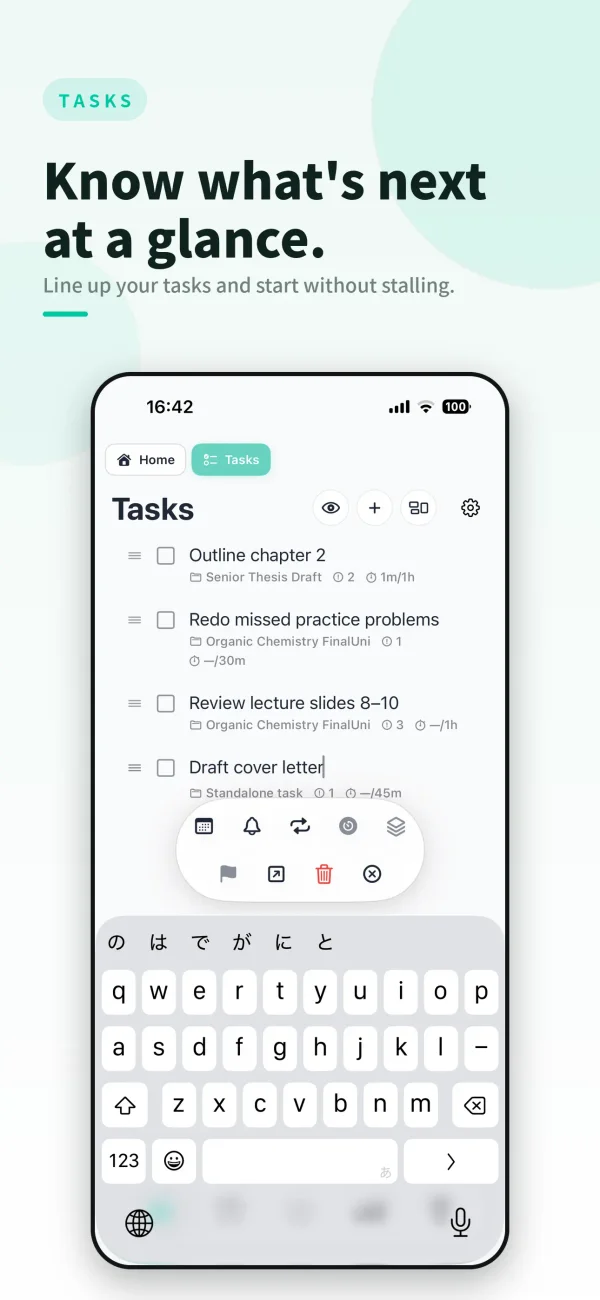
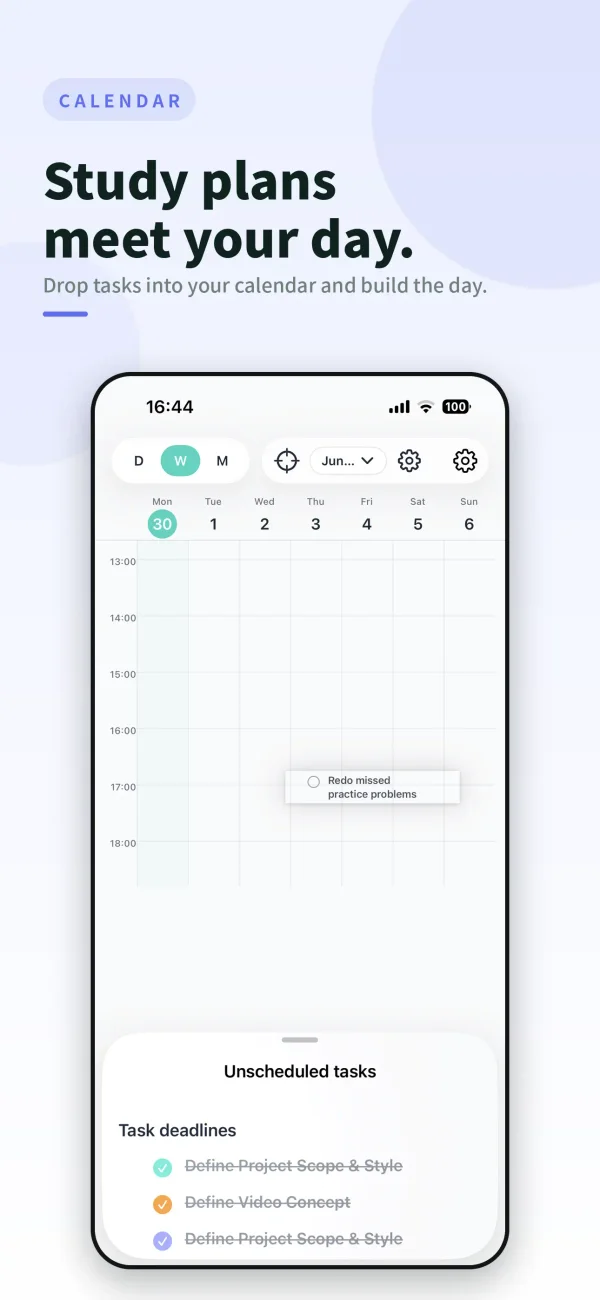
In Predy, goals are organized as projects, with tasks and work logs contained within them. Tasks can be managed by project, priority, deadline, and estimated time, preventing work from becoming scattered. Because all work logs are tied to projects, progress accumulates automatically, making it easy to see where you stand. Estimating required time in advance also helps users realistically understand what it will take to reach deadlines, reducing failed plans.
The first problem Predy tackles is “not being able to start.”
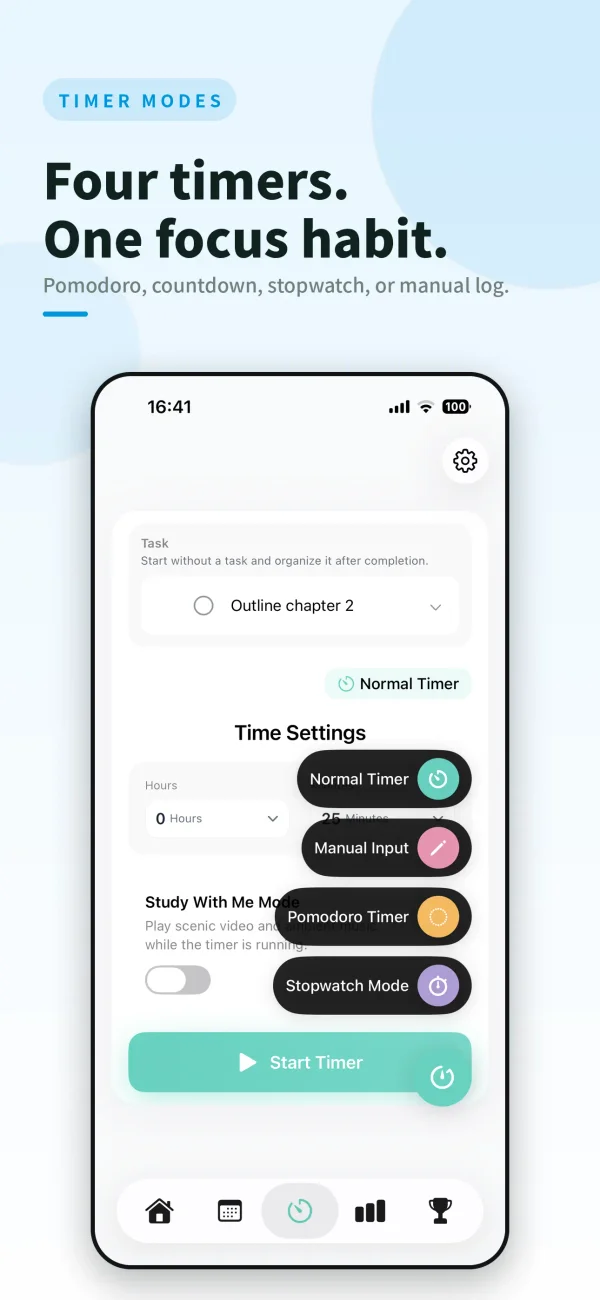
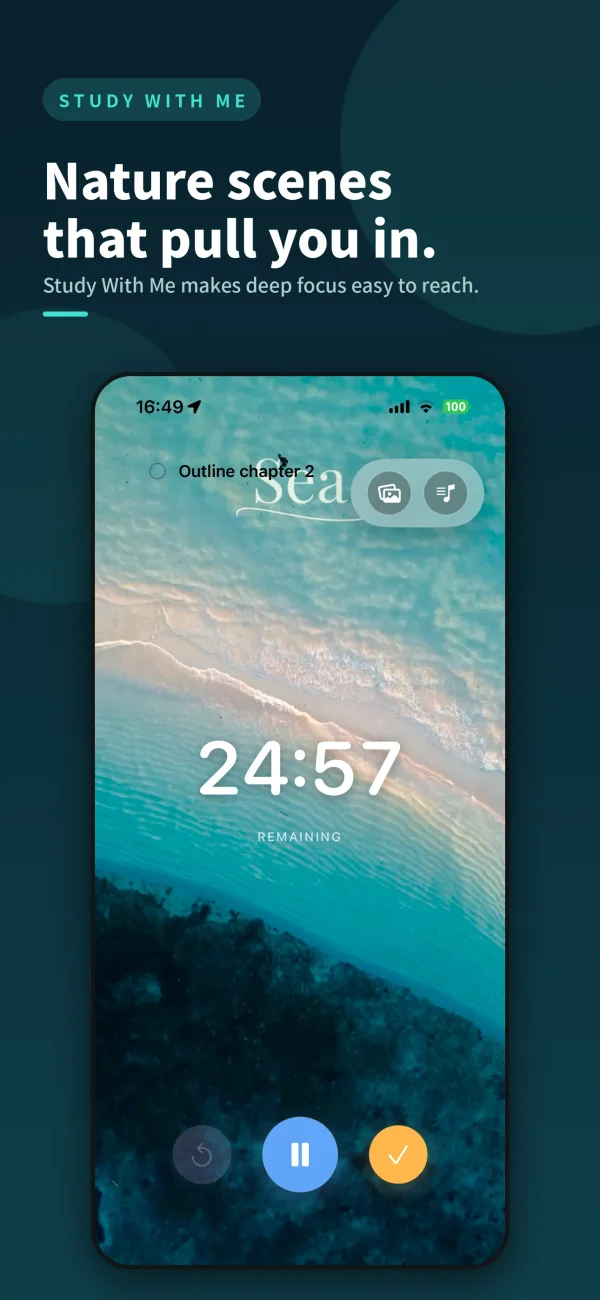
Work tracking supports Timer, Pomodoro, Stopwatch, and manual entry, allowing flexible use depending on the task and mental state. StudyWithMe mode further lowers the barrier by creating a focus-friendly atmosphere with immersive visuals and ambient sounds.
On days when starting feels hardest, AutoPilot is especially effective. With one tap, a 2-minute timer begins alongside a simple starter action, such as tidying your desk. After that, you naturally move into a focused 20-minute session. This uses behavioral activation—you don’t start because you’re motivated; you get motivated because you started—minimizing resistance and building momentum naturally.
Predy is also designed to make you want to continue.
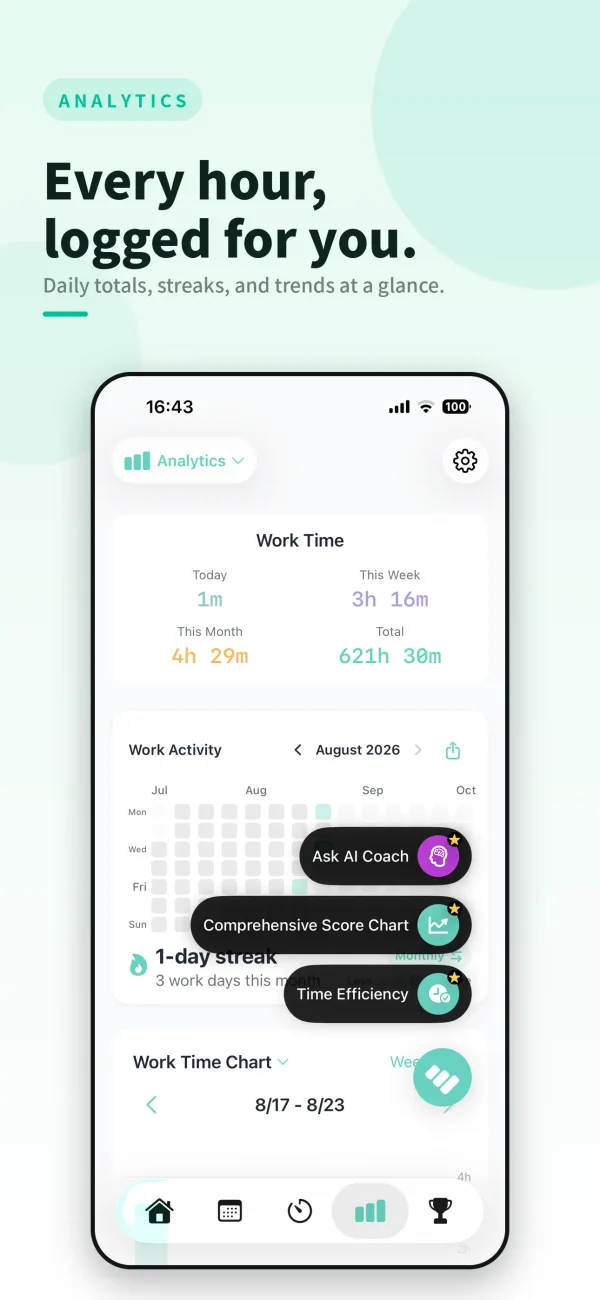
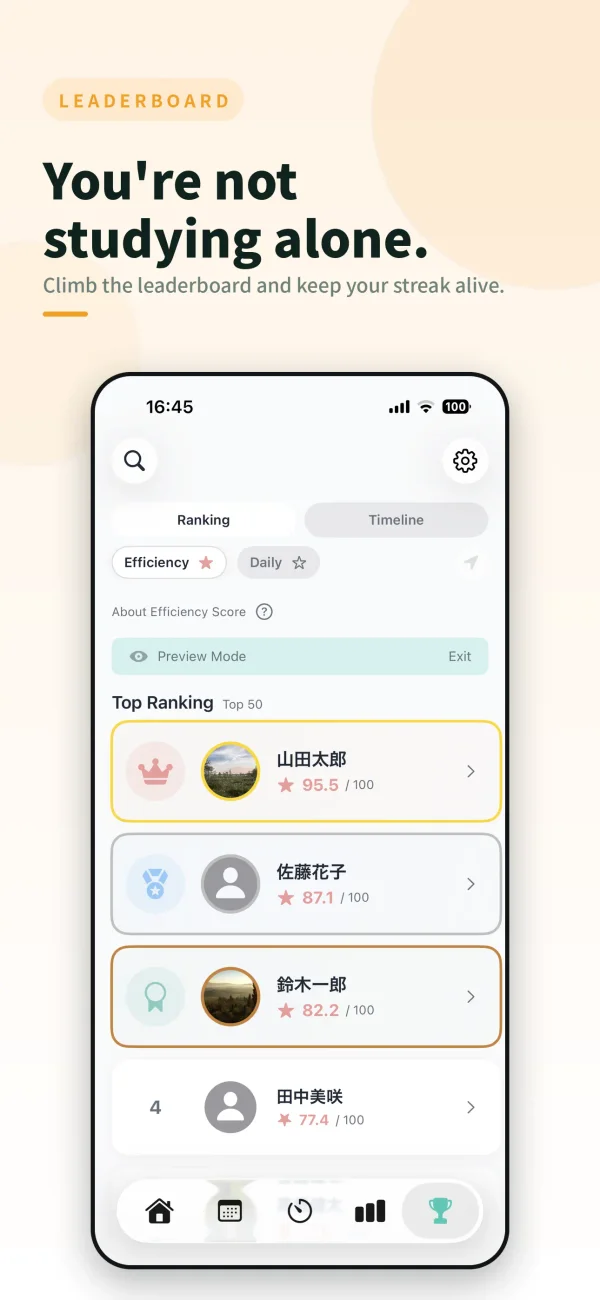
Daily login and task completion bonuses grow with streaks, while rankings visualize productivity through multiple metrics such as project completions, focus level, efficiency, total work time, and consecutive days. Even “just one minute today” feels meaningful, often leading to longer sessions. Consistency is supported not by grit, but by structure.
Progress is clearly visible through analytics that show work volume and time for today, this week, and this month. Seeing effort accumulate creates a sense of achievement and naturally leads to “Maybe I’ll do a little more.”
Predy’s core differentiator is Prediction.
Before working, users estimate how long a task will take and compare it with the actual result. Feedback at project completion helps clarify why estimates were off. Repeating this process improves planning accuracy, reducing deadline overruns. Predy doesn’t just manage tasks—it trains how to plan.
Predy isn’t only for your best days.
It’s for people who tried task management apps many times and couldn’t keep going. By lowering the barrier to starting, creating reasons to continue, and leaving visible proof of effort, Predy helps users try again.
From “I have to push myself” to “I’ve already moved forward.”
Predy is designed to make that state part of everyday life.
Privacy Policy → https://team-app-dev.com/predy/privacy/
Terms of Use → https://www.apple.com/legal/internet-services/itunes/dev/stdeula/
What’s new
Version 8.20.0 · Nov 27, 2026
- New: Weekly goal (small, medium and circular) and task (small, medium and large) widgets on the Home Screen. Check a task in the widget to complete or reopen it, and changes are saved when you open or return to the app.
- Widgets now open the weekly goal screen and the task input screen directly.
- Fixed an issue where checking a task row started editing, and where editing a field kept refreshing and made the list feel sluggish.
- If an account deletion stopped partway, the app now shows a screen to finish the deletion. Once it's finished, you can sign in again and start fresh.
- Fixed the voice input sheet stopping abruptly or sizing incorrectly when you changed the goal mid-flow.
App privacy
What GO SHIMIZU declares on the App Store about how this app handles data.
-
Data used to track you
May be used to track you across apps and websites owned by other companies.
- Identifiers
- Usage data
- Other data
-
Data linked to you
May be collected and linked to your identity.
- Contact info
- Identifiers
- Usage data
- Diagnostics
- Other data
-
Data not linked to you
May be collected but is not linked to your identity.
- Identifiers
- Usage data
Privacy practices may vary, for example with the features you use or your age.
Information
- Seller
- GO SHIMIZU
- Category
- Education
- Version
- 8.20.0
- Updated
- Nov 27, 2026
- Released
- Oct 7, 2025
- Size
- 379.1 MB
- Requires
- iOS 27.1 or later
- Age rating
- 4+
- Price
- Free
- In-app purchases
- Yes
- Languages
- English, Arabic, Dutch, Filipino, French, German, Hindi, Indonesian, Japanese, Korean, Malay, Polish + 9 more
- Copyright
- © 2025 Shimizu Go
You might also like
-
 Tk Trends - Viral Growth AITrending Sounds & Followers
-
 appybrainEducation
-
 BibleFollow: Daily Bible ChatUnderstand Verses. Grow Closer
-
 Leyo: Your Language CompanionLanguages, Culture & Community
-
 TSNL Global OutreachEducation
-
 NSCA CSCS Exam Prep 2026Strength & Conditioning Tests
-
 FLIP - Focus Timer for StudyBest study time tracking app
-
 RemNote - Notes & FlashcardsReplace: Notion, Quizlet, Anki
-
 YPT - Study Timer & TrackerPlanner, Focus & Study Group
-
 Victor AI - Language LearningSpeak to Learn 33 Languages