Present: Roll Call & Picker
Take the roll. Call on anyone
Designed for iPhone, iPad
- Age rating4+
- CategoryEducation
- Developer祖超 夏
- LanguagesEnglish+ 1 more
- Size1.7 MB
Links to the official App Store page
Download.org hosts no file of Present: Roll Call & Picker. The button opens its official App Store page, published by 祖超 夏. Listing last checked on Nov 13, 2026.
Screenshots
About
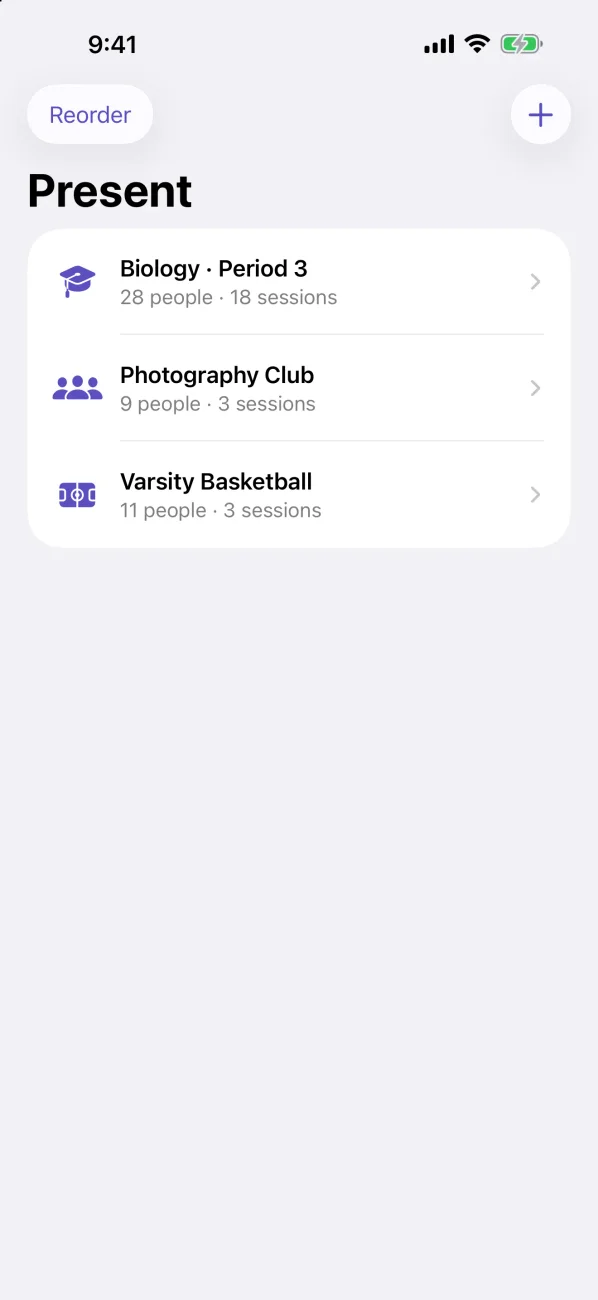
One roster. Take attendance in seconds, and call on people fairly.
Present is for teachers, coaches, club leaders — anyone who has to find out who's here. Only you need the app. Nobody has to sign up, install anything, or scan a code.
■ Attendance in seconds, three ways
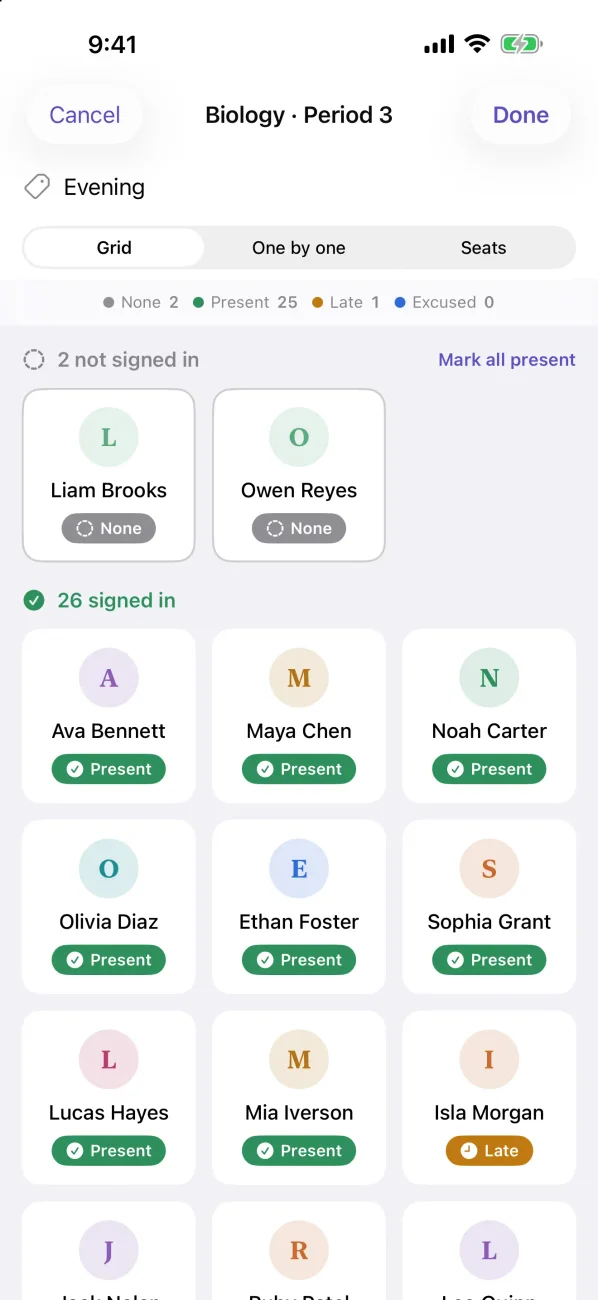
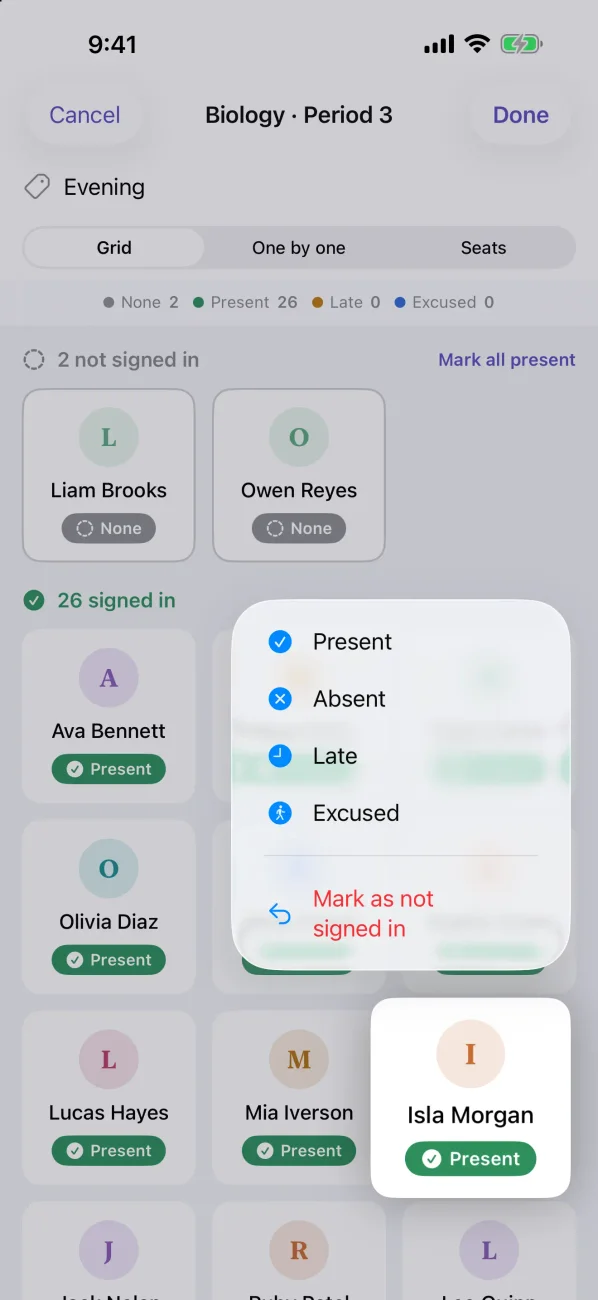
· Grid: everyone starts unmarked. Tap a name to sign someone in and their tile drops to the bottom — whoever is left at the top is absent. Nearly a full house? Tap "Mark all present" and pull out the few who didn't show. Forty students, a few seconds.
· One by one: a big card per person. Swipe right for present, left for absent. Good when you need to look up and check faces.
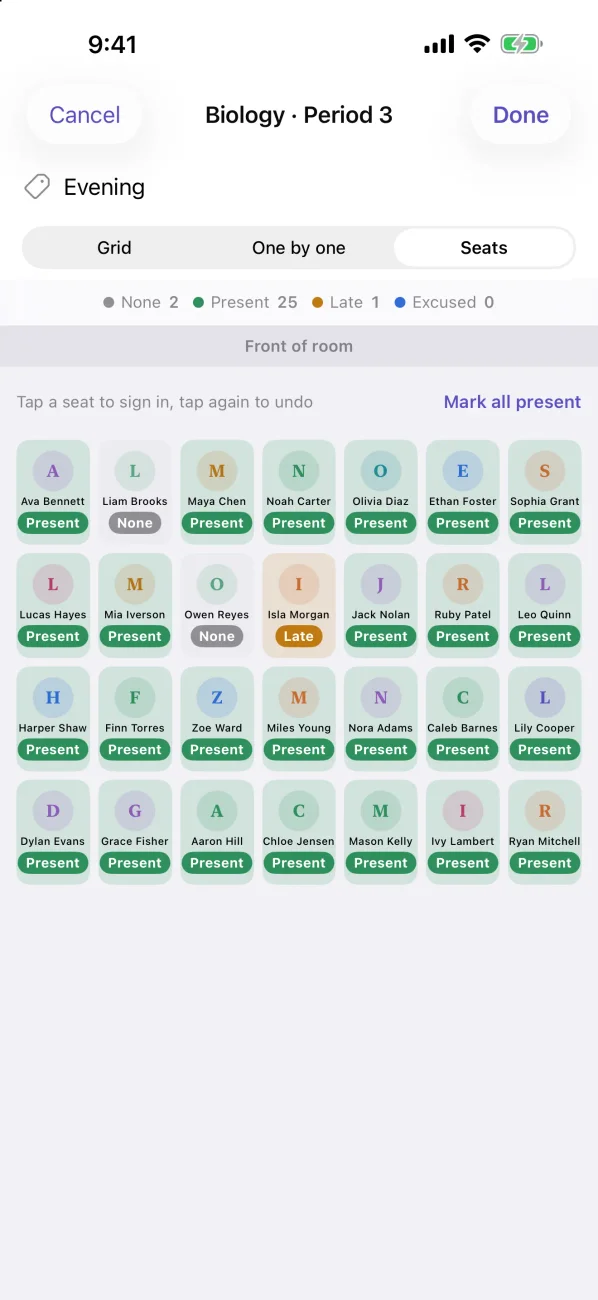
· Seats: your real seating chart. An empty desk is obvious at a glance.
■ Fix it afterwards
Someone walked in ten minutes late? Tapped the wrong name? Open that session and change it. Every amendment keeps the original — what it was, when you changed it — and you can undo it anytime. Attendance rates recalculate immediately.
■ Photos for the faces you don't know yet
Add a photo to any member and take the roll by face. Worth its weight when you're substituting, taking on a new class, or running a camp.
■ Fair random picks
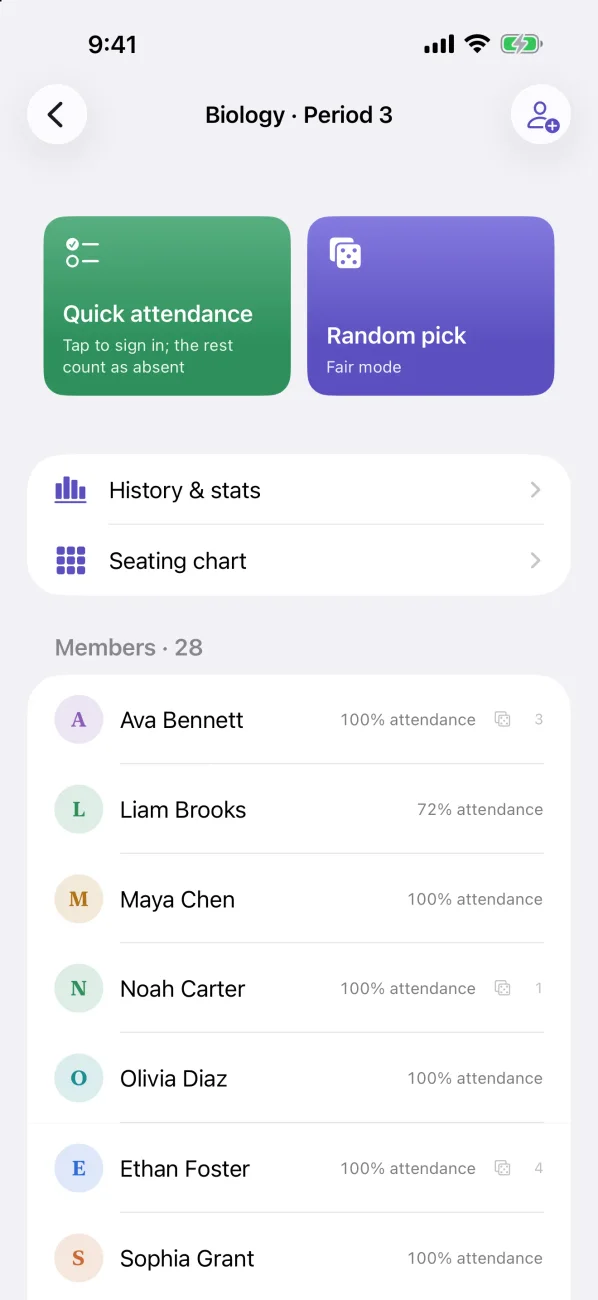
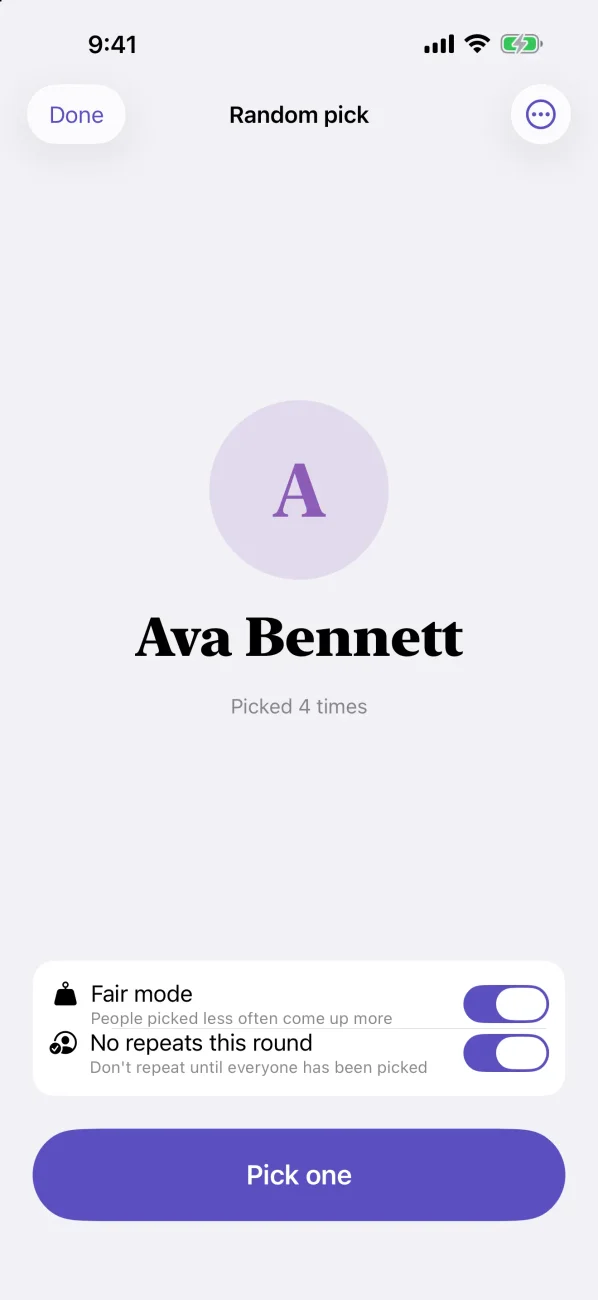
Cold-calling shouldn't always land on the same person. Turn on Fair mode and people who have been picked less come up more often. You can also stop repeats within a round, or reset the counts and start over.
■ Several sessions a day, kept straight
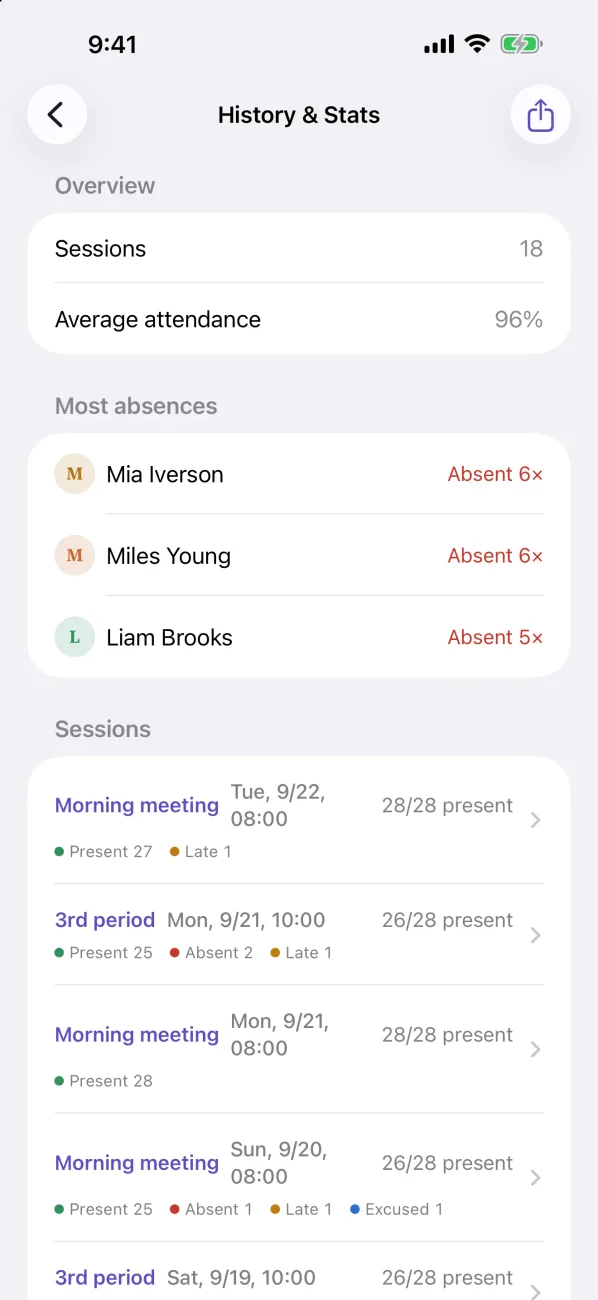
Tag each one — Morning, Assembly, 3rd period. Take the roll three times in one day and the history stays readable.
■ Numbers you can trust
Attendance rate, most absences, per-session detail — all computed from the actual records, never a number someone typed in. Who has been missing lately is right there.
■ Share it or export it
Generate a clean summary card — all time, this month, or this week — and send it to a parent or a group chat. Need a real spreadsheet? Export CSV: every member by every session, opens in Excel without mangling anything.
■ iPhone and iPad
Roster on the left, detail on the right on iPad; a single column on iPhone. Use the iPad at the front of the room and your phone in the hallway — same data.
■ Your data is yours
Everything lives in your own private iCloud and syncs between your devices. We can't see it, and we don't collect it — no account, no ads, no third-party tracking.
Classrooms · lectures · tutoring · clubs · sports teams · meetings · camps
Questions or ideas? We'd love to hear from you.
What’s new
Version 1.1 · Oct 22, 2026
Added support for the iPhone Duo foldable display. Unfolded, you can take attendance for the whole class on a single screen — a smoother experience on the larger display.
App privacy
What 祖超 夏 declares on the App Store about how this app handles data.
-
Data not collected
The developer does not collect any data from this app.
Privacy practices may vary, for example with the features you use or your age.
Information
- Seller
- 祖超 夏
- Category
- Education
- Version
- 1.1
- Updated
- Oct 22, 2026
- Released
- Sep 25, 2026
- Size
- 1.7 MB
- Requires
- iOS 18.0 or later
- Age rating
- 4+
- Languages
- English, Simplified Chinese
- Copyright
- © 2026 Xia Zuchao
You might also like
-
 Roll Call - Pick & AttendanceRaffle & Chooser & Group·Class
-
 NamePicker ProQuick Roll Call & Class Helper
-
 Attendance Check - Roll CallClass & Student Attendance App
-
 金榜AI学生端Education
-
 Student Attendance TrackerStudent Register & Roll Call
-
 班主任日常班主任工作台老师教师管理系统班级办公神器Education
-
 BeesTeacherYour Classroom Workbench
-
 Classroom Seats: Seat ChartTeacher Seating Plan & Roster
-
 Meet课程表Education