
PriApps Touch-Free
Contactless Print Management
Designed for iPhone, iPad, iPod touch
Free
- Age rating4+
- CategoryProductivity
- DeveloperPriApps Ltd
- LanguagesEnglish+ 2 more
- Size8.7 MB
Links to the official App Store page
Download.org hosts no file of PriApps Touch-Free. The button opens its official App Store page, published by PriApps Ltd. Listing last checked on Nov 12, 2026.
Screenshots
About
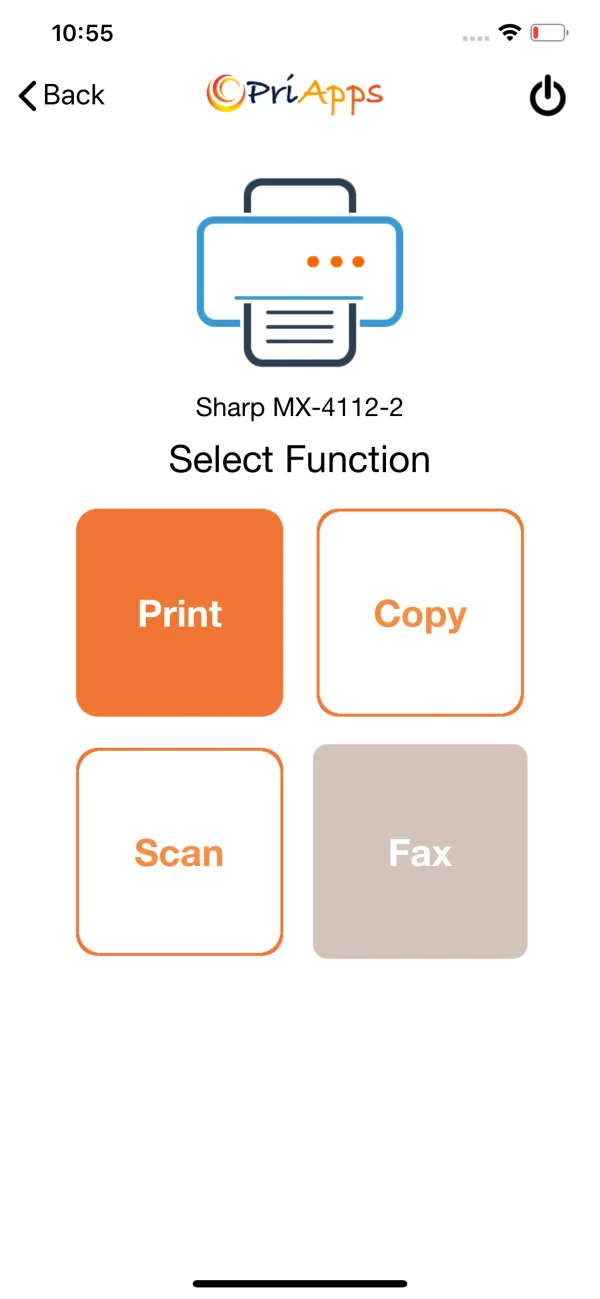
PriApps Touch-Free is a Completely contactless print management and document capture app that allows you to release print jobs at any printer, as well as authenticate at MFPs to perform print, copy, scan and fax workflows from your smartphone or tablet.
PriApps Touch-Free connects to a PriApps Application server on the network or in the Cloud. It allows users to complete print, copy, scan & fax workflows without having to touch the control panel of a printer or MFP.
Key features include:
- Permission-based access to MFP features & services through contactless Single Sign-On (SSO)
- Securely release print jobs at any printer or MFP of your choosing from your smartphone or tablet, or via a web browser
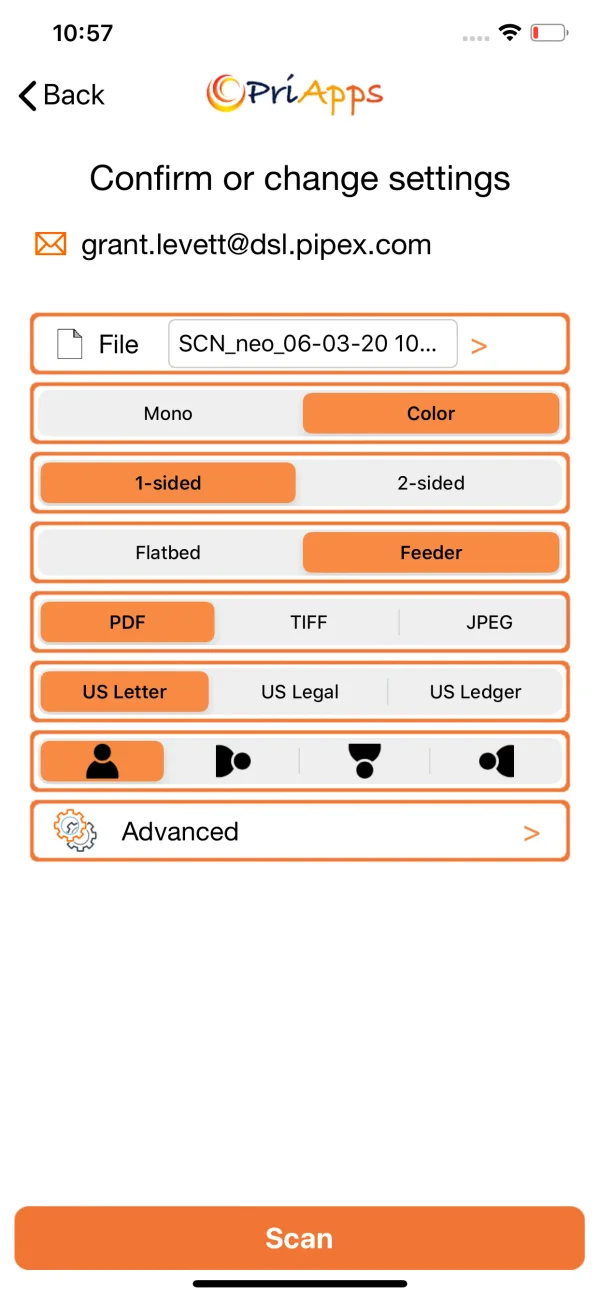
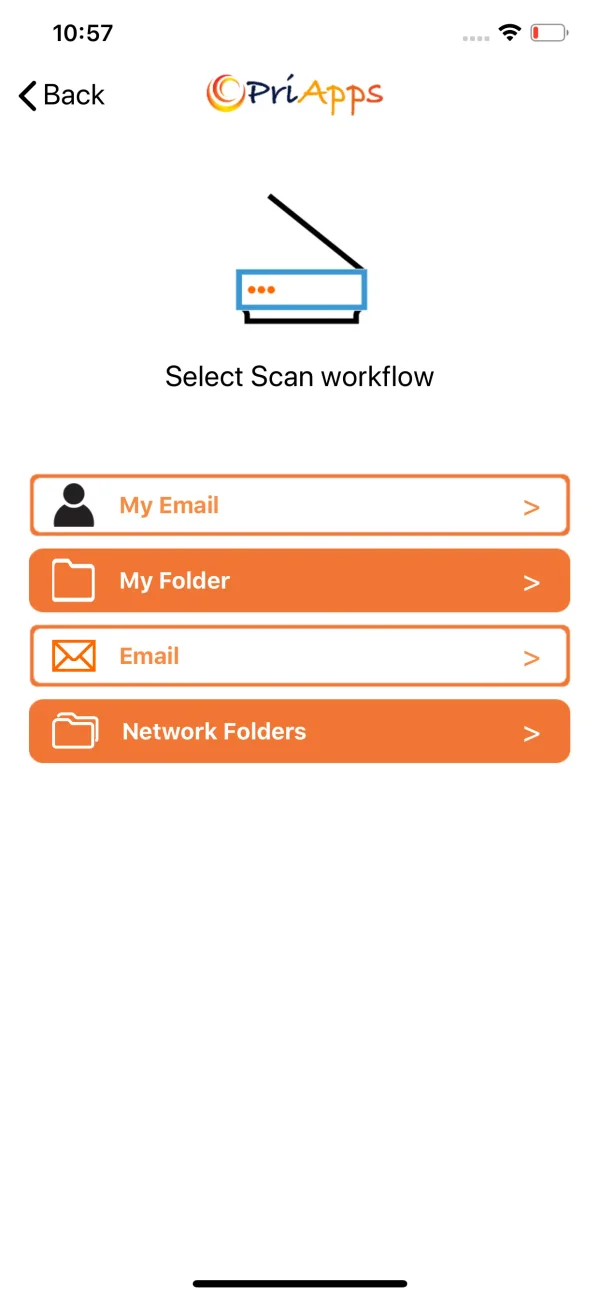
- Perform automated Scan-to-Me, Scan-to-Email & Scan-to-Folder workflows
- Scan to Google Drive, Microsoft OneDrive, DropBox
- Make photocopies without touching the copier
- Fax documents directly from your MFP
- Supports other contactless authentication methods such as ID cards / security access badges using PriApps card readers
- Full auditability through comprehensive usage tracking & reporting
HOW IT WORKS
Instead of printing directly to specific printers, PriApps allows you to print to your personal PriApps myQueue. You can access your list of print jobs via the PriApps Touch-Free app. Then you simply release your print jobs at any connected printer or MFP.
PriApps Touch-Free allows you to print from any computer workstation, laptop, server, smartphone or tablet, and it supports any make or model of network printer or MFP. So you can print from your MacBook, iMac, Chromebook, Surface, even a Windows or Unix server.
Once you have authenticated at an MFP, you can also perform scan workflows, initiate copying, and even fax paper documents. PriApps Touch-Free allows you to access every print, scan, copy & fax setting and finishing option on the MFP, including stapling, hole punching, collating etc.
Administrators can set permission-based access to MFP services and features, as well as control color usage or set policies such as duplex printing & copying.
PriApps Touch-Free also comes with a companion MFP app, that allows you to perform print, copy, scan & fax workflows without touching the control panel. It also allows users who don’t have the PriApps Touch-Free app to perform print, copy, scan and fax workflows.
Please contact PriApps to learn more about PriApps Touch-Free.
What’s new
Version 6.3.1 · May 23, 2025
Scan Support for Kyocera MFPs
Bug fixes
App privacy
What PriApps Ltd declares on the App Store about how this app handles data.
-
Data not collected
The developer does not collect any data from this app.
Privacy practices may vary, for example with the features you use or your age.
Information
- Seller
- PriApps Ltd
- Category
- Productivity
- Version
- 6.3.1
- Updated
- May 23, 2025
- Released
- Jun 15, 2020
- Size
- 8.7 MB
- Requires
- iOS 8.0 or later
- Age rating
- 4+
- Price
- Free
- Languages
- English, French, German
- Copyright
- © 2024 PriApps LLC
You might also like
-
 Big Reader - Read EverythingFrom Clipboard, Images & Files
-
 AIAI.com - All-in-OneIntegrated GPT, Claude, Gemini
-
 mChatAImChatAI is a mobile Chat AI
-
 PrintCentralProductivity
-
 eGoldFax Reseller Connect AppProductivity
-
 Daily AI-AI Chat AssistantSmart Assistant for All Tasks
-
 mRoundsMobile Operator Rounds
-
 Swear Jar | Stop CussingReduce Profanity Privately
-
 Bravo LinkProductivity
-
 Mail Access : All Email LoginDual Accounts, Dual App Space