
Printer App: Scan PDF, Print
Scanner App, Print Photos,Scan
Designed for iPhone, iPad, iPod touch
$8.99
- Age rating4+
- CategoryBusiness
- Developer宝锋 吴
- LanguagesEnglish+ 25 more
- Size9.4 MB
Links to the official App Store page
Download.org hosts no file of Printer App: Scan PDF, Print. The button opens its official App Store page, published by 宝锋 吴. Listing last checked on Nov 20, 2026.
Screenshots


About
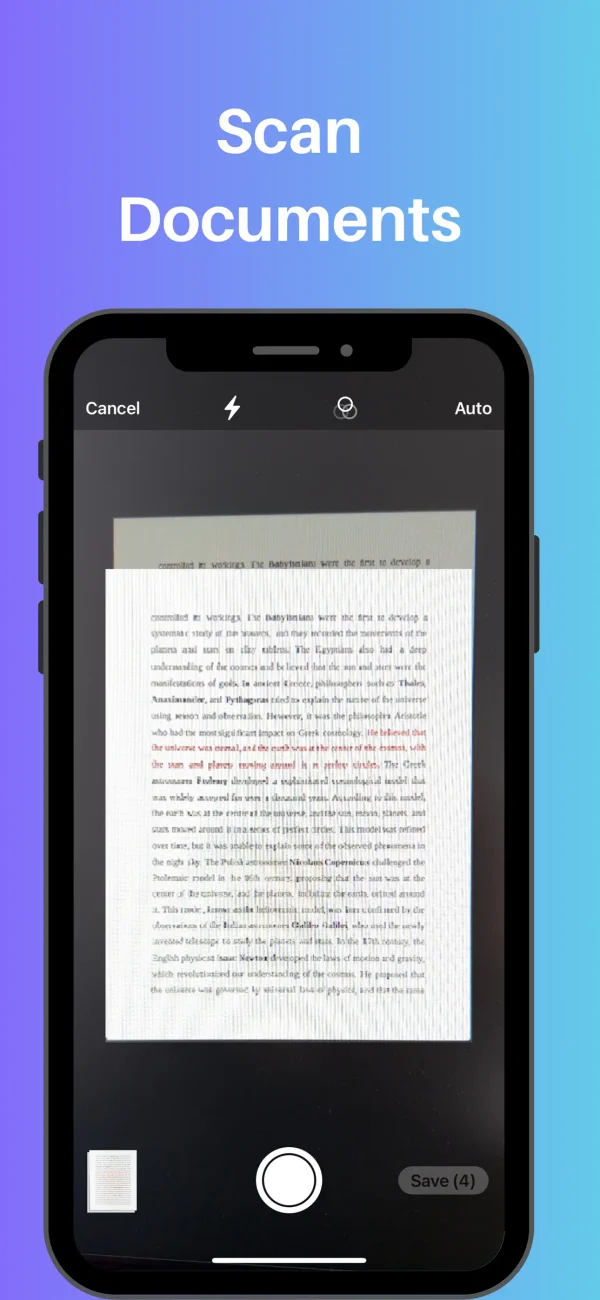
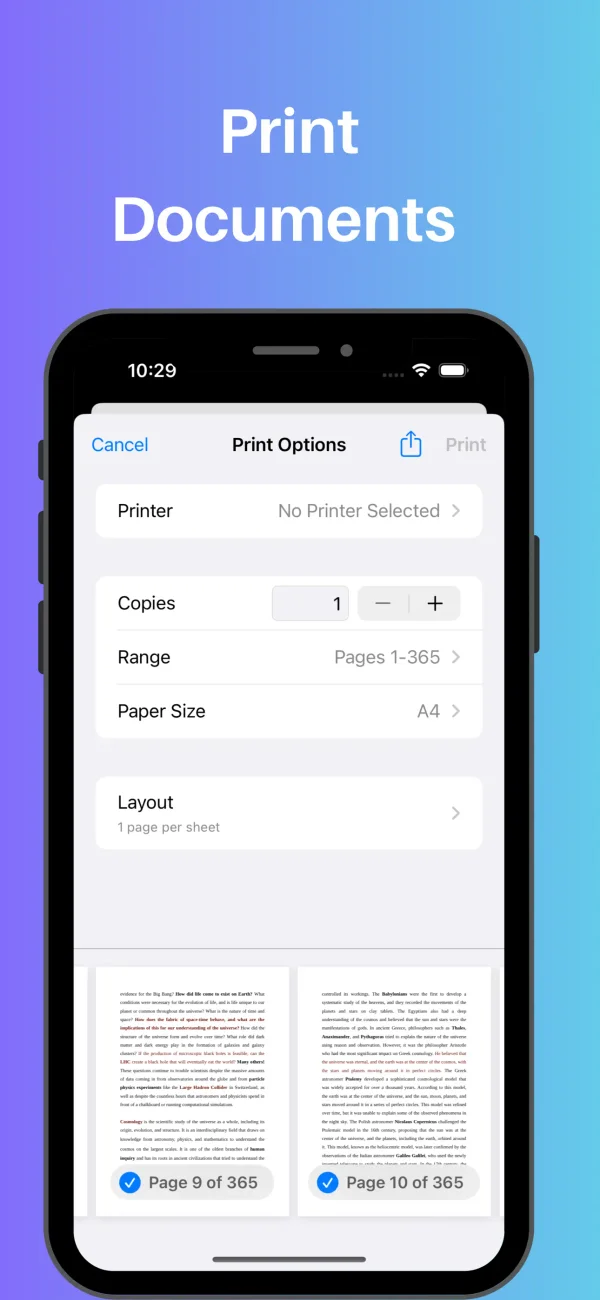
Printer App helps you easily print documents, photos, and more directly from your iPhone or iPad. Scan documents, select your printer, and print in seconds!
PRINT FROM ANYWHERE
- Print photos from your photo library or iCloud
- Print documents (PDF, PNG, JPEG) from Files
- Print full-size web pages directly from any URL
- Print contact information on A4 paper
- Type or paste text from clipboard and print instantly
POWERFUL SCANNING
- Built-in document scanner using your camera
- Edit and filter scanned documents before printing
- Share or save scans as PDF files
- Fast, accurate scanning with auto-edge detection
PDF TOOLS
- Merge multiple PDF files into one document
- Convert photos and images to PDF format
- Print or share your created PDFs instantly
QR CODE GENERATOR
- Create QR codes from text, URLs, or WiFi credentials
- Print QR codes directly or save to your photo library
- Perfect for business cards, events, and sharing
ID PHOTO MAKER
- Print standard ID photos on A4 paper
- Support for 1-inch, 2-inch, US Passport, EU Passport, and Visa sizes
- Automatic grid layout for maximum photos per page
- Save money by printing ID photos at home
PHOTO EDITOR
- Adjust brightness and contrast before printing
- Rotate photos in 90-degree increments
- Apply black & white filter for professional results
- Edit and print in one seamless workflow
PRINTABLE TEMPLATES
- Lined Paper - perfect for writing
- Graph Paper - ideal for math and engineering
- Dot Grid - great for bullet journaling
- Weekly Planner - organize your week
- Monthly Calendar - plan your month
- Checklist - stay on top of tasks
- Cornell Notes - study more effectively
- Music Sheet - compose and practice
PRINT HISTORY
- Track all your recent print jobs
- View print type, date, and details
- Quickly reprint previous documents
- Manage and clear history as needed
MULTI-LANGUAGE SUPPORT
- Available in 30 languages including English, Chinese, Japanese, Korean, French, German, Spanish, Arabic, and more
- Switch languages anytime within the app
Note: Make sure your iPhone/iPad is connected to the same Wi-Fi network as your printer to use all features.
Terms of Use: https://sites.google.com/view/simpleprinter/simpleprinter/agreement
Privacy Policy: https://sites.google.com/view/simpleprinter/simpleprinter/privacy
What’s new
Version 1.3.6 · Feb 23, 2026
Performance optimization and bug fixes
App privacy
What 宝锋 吴 declares on the App Store about how this app handles data.
-
Data used to track you
May be used to track you across apps and websites owned by other companies.
- Identifiers
-
Data not linked to you
May be collected but is not linked to your identity.
- Identifiers
- Usage data
- Diagnostics
Privacy practices may vary, for example with the features you use or your age.
Information
- Seller
- 宝锋 吴
- Category
- Business
- Version
- 1.3.6
- Updated
- Feb 23, 2026
- Released
- Jun 14, 2023
- Size
- 9.4 MB
- Requires
- iOS 13.0 or later
- Age rating
- 4+
- Price
- $8.99
- Languages
- English, Arabic, Czech, Danish, Dutch, Finnish, French, German, Hebrew, Hindi, Indonesian, Italian + 14 more
- Copyright
- © Happy- SimplePrinterPro 2024
You might also like
-
 Print n Share ProMultiple private user accounts
-
 Butler AI Writing AssistantProfessional Writing Legal AI
-
 Soft TransportBusiness
-
 NominaRDBusiness
-
 Simplifica-TBusiness
-
 V-Desk S3Business
-
 Block Ad Pro Stop advertisingblocker for safari web sites
-
 Simple Slide: Slide MakerCreate and Present with Ease
-
 Sales Tax Canada: GST & HSTTax Calculator & Reverse Price
-
 Factory for iWorkKeynote, Pages & Numbers