- Age rating17+
- CategoryUtilities
- DeveloperHa Do Thi Thu
- LanguagesEnglish+ 5 more
- Size6.5 MB
Links to the official App Store page
Download.org hosts no file of Privacy Screen Browser. The button opens its official App Store page, published by Ha Do Thi Thu. Listing last checked on Nov 17, 2026.
Screenshots
About
Privacy Screen Browser is a private web browser designed for real-world screen privacy.
Private browsing is not only about clearing history. Sometimes you also need to protect what is visible on your screen — in public places, shared spaces, while commuting, or whenever someone is nearby.
Privacy Screen Browser combines a clean web browser with privacy tools like Face ID lock, screen shield, Peek mode, Panic mode, Tilt to Hide, tabs, bookmarks, history controls, and site-specific privacy rules.
PRIVATE BROWSER
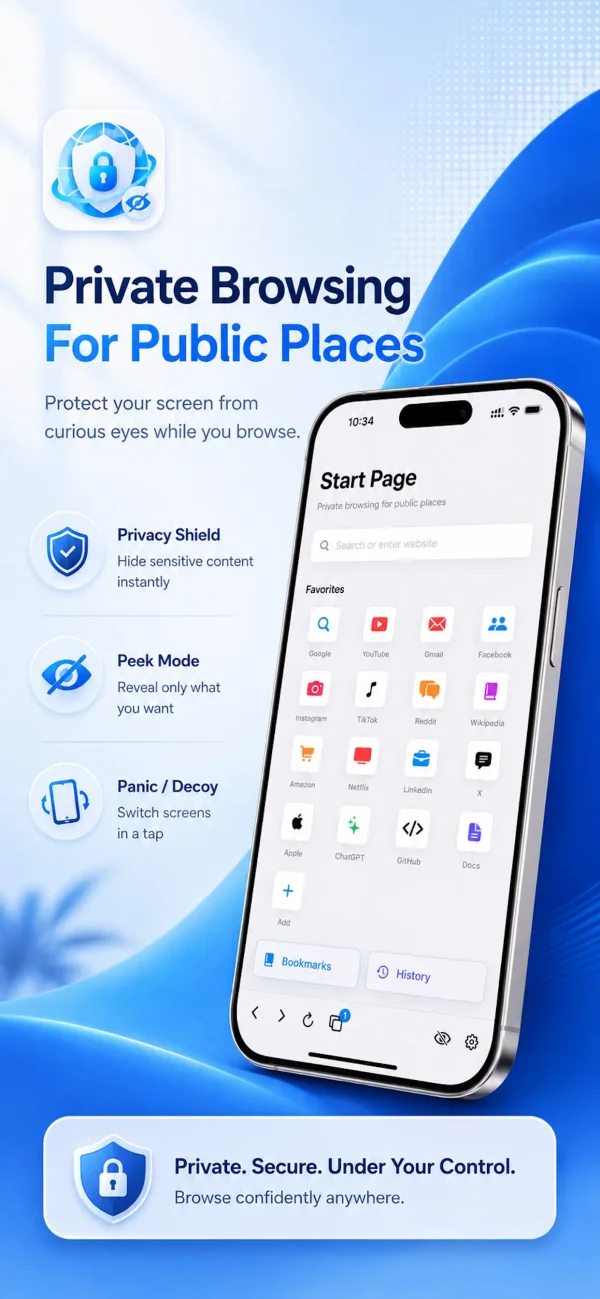
Browse with a clean, familiar web experience.
• Search or open URLs from one address bar
• Choose your preferred search engine
• Use tabs, bookmarks, favorites, and history
• Quickly share pages or save websites
SCREEN PRIVACY SHIELD
Protect what is visible on your screen.
• Cover your browsing content instantly
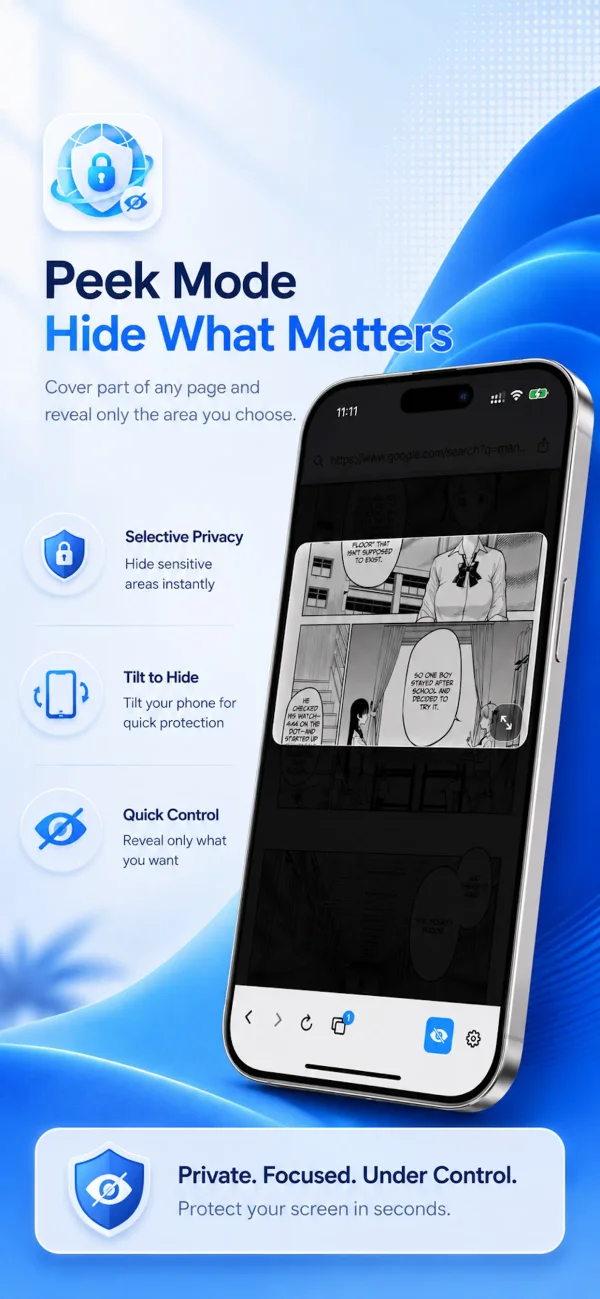
• Use Peek mode to reveal only a small movable area
• Adjust shield opacity up to full coverage
• Choose whether the address bar stays visible, hidden, or protected
• Keep gestures working while your screen shield is active
TILT TO HIDE
Privacy Screen Browser can react when your iPhone is tilted.
• Enable Tilt to Hide for Cover and Peek modes
• Choose Low, Medium, or High sensitivity
• Increase shield opacity as the device angle changes
• Protect your screen quickly without searching for a button
PANIC MODE
Switch to a discreet privacy screen when you need an instant cover.
• Choose from multiple cover styles
• Hold to return with a smooth progress animation
• Use Panic mode as a fast privacy layer for sensitive moments
FACE ID LOCK
Add an extra layer of protection before opening the app.
• Lock the app with Face ID
• Cover content in the app switcher
• Protect the screen when the app becomes inactive
• Get a warning when a screenshot is detected
SITE-SPECIFIC PRIVACY RULES
Create privacy rules for websites you choose.
• Auto-enable Shield for selected domains
• Include subdomains when needed
• Override address bar privacy per site
• Hide tab titles for private sites
• Prevent history saving for selected sites
• Clear existing history for a site
BOOKMARKS, FAVORITES & HISTORY
Keep useful websites close while staying in control.
• Add custom favorites to the Start Page
• Save bookmarks for later
• View and clear browsing history
• Delete all browsing data from Settings
• Turn automatic history saving on or off
BUILT FOR SIMPLE, PERSONAL PRIVACY
Privacy Screen Browser is made for people who want a private, focused, and discreet browsing experience on iPhone.
No account is required. Your browser data is stored locally on your device unless you choose to share it or visit websites that use their own services.
What’s new
Version 1.2.1 · Aug 22, 2026
We’ve fixed bugs and improved performance.
App privacy
What Ha Do Thi Thu declares on the App Store about how this app handles data.
-
Data not collected
The developer does not collect any data from this app.
Privacy practices may vary, for example with the features you use or your age.
Information
- Seller
- Ha Do Thi Thu
- Category
- Utilities
- Version
- 1.2.1
- Updated
- Aug 22, 2026
- Released
- May 27, 2026
- Size
- 6.5 MB
- Requires
- iOS 17.0 or later
- Age rating
- 17+
- Price
- Free
- Languages
- English, German, Japanese, Korean, Portuguese, Vietnamese
- Copyright
- © Ha Do
You might also like
-
 Secure Private Web BrowserIncognito Privacy Surfing Hub
-
 Surf: Private Browser & FilesAd blocker & file manager
-
 VanBrowser: Private BrowserThe web browser with no AI.
-
 Cyclope - iOSPrivacy screen filter
-
 Blank BrowserPrivate Browsing. Your Rules.
-
 Modex - Build Your Own BrowserCustomize Any Website with AI
-
 Single Tab - Private BrowserHide location, auto-wipe
-
 Internet Browser ۬Adblock & Privacy Web Browser
-
 Cloak - Private BrowserAd blocker & private browsing
-
 Koga BrowserSimple browsing and bookmarks