
Private Password Locker App
Store and Manage All Passwords
Designed for iPhone, iPad
Free · In-app purchases
- Age rating4+
- CategoryUtilities
- DeveloperSandeep Bhandari
- LanguagesEnglish
- Size5.1 MB
Links to the official App Store page
Download.org hosts no file of Private Password Locker App. The button opens its official App Store page, published by Sandeep Bhandari. Listing last checked on Nov 15, 2026.
Screenshots

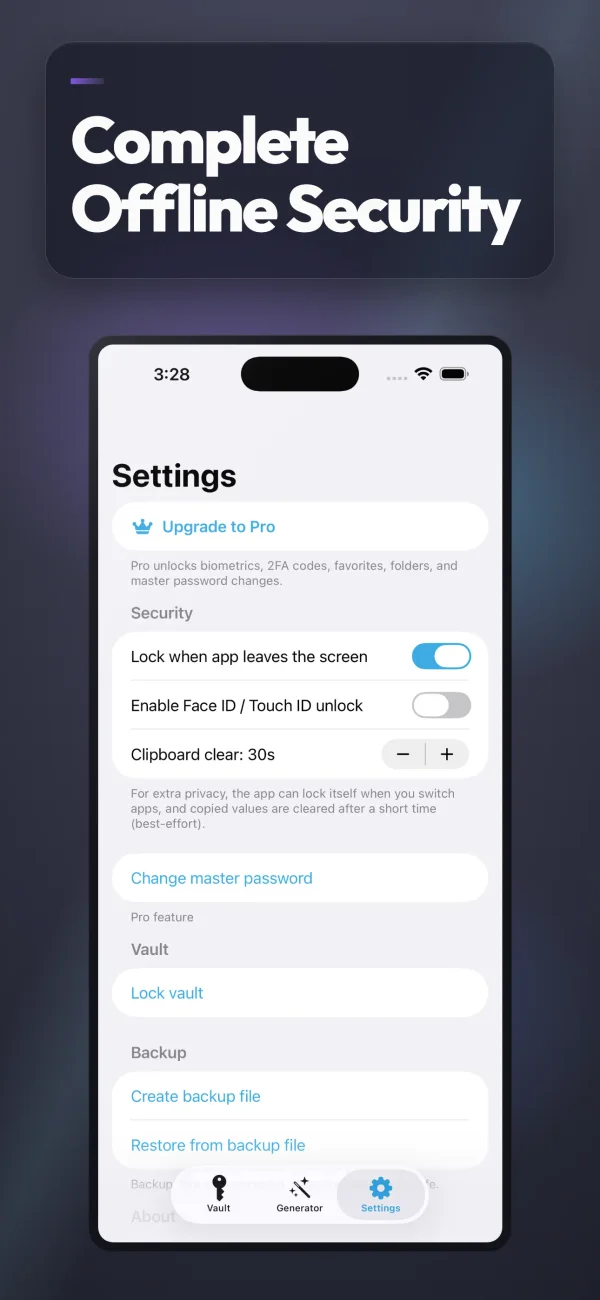
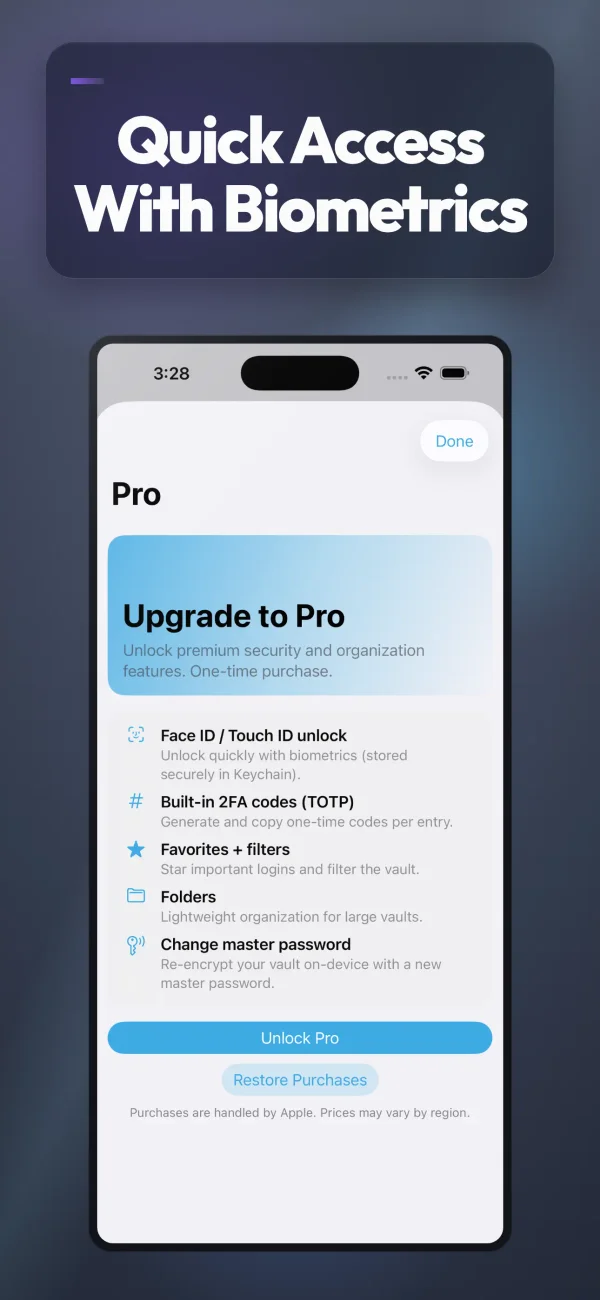
About
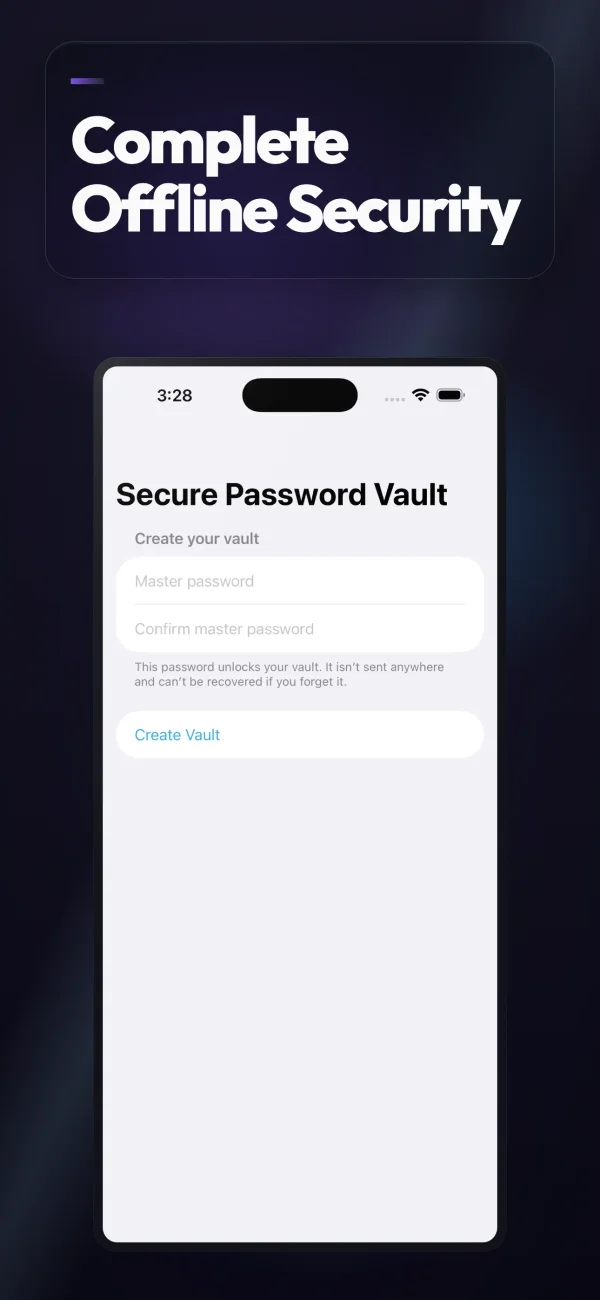
Secure Password Vault Pro is a powerful offline password manager designed to securely store and organize your login credentials and sensitive information on your iPhone. It uses strong AES-GCM encryption with keys derived from your master password using PBKDF2 (HMAC-SHA256) to keep your vault safe and private. Your master password is never uploaded or stored outside your device, ensuring full control and privacy.
Key Features:
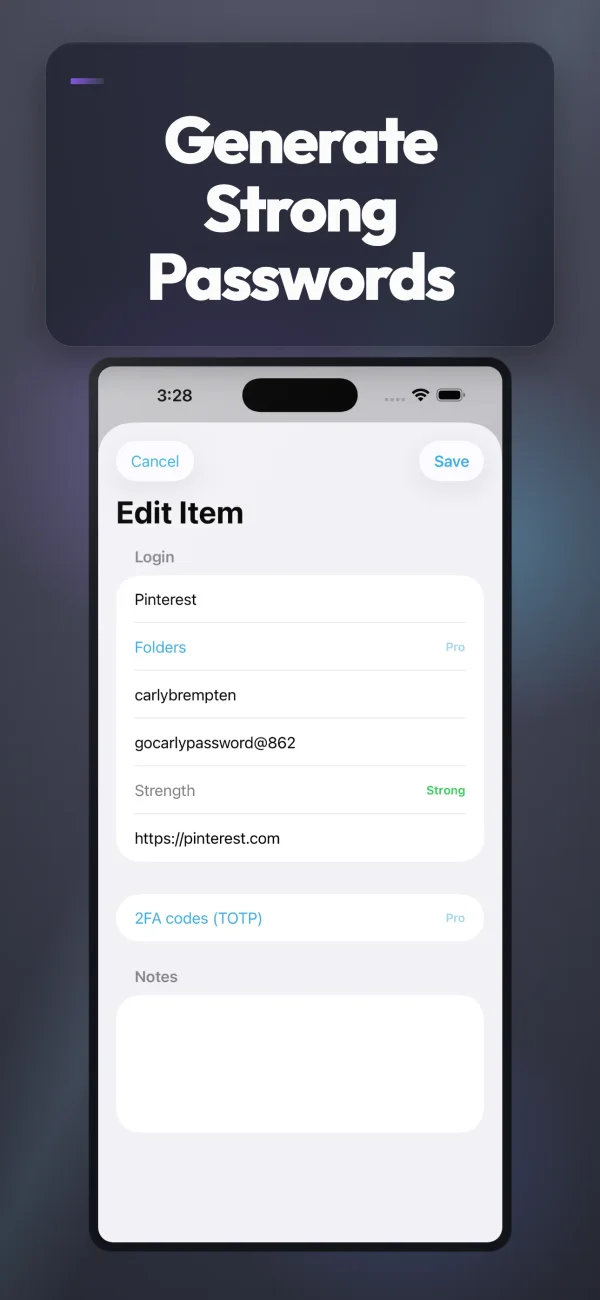
- Store login items with title, username, password, URL, and notes.
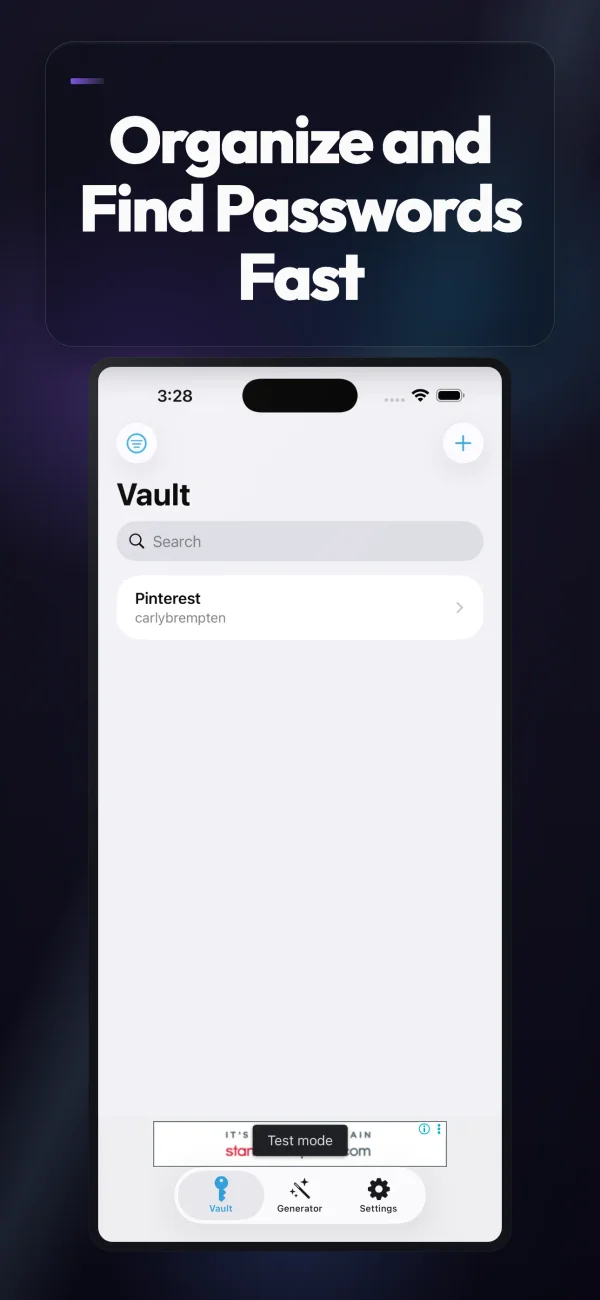
- Search across all fields including title, username, URL, and notes for quick access.
- Fast add, edit, and delete flows using intuitive forms.
- Detail view supports copying username, password, or URL to clipboard with automatic clipboard clearing after a configurable timeout (10–120 seconds) for added security.
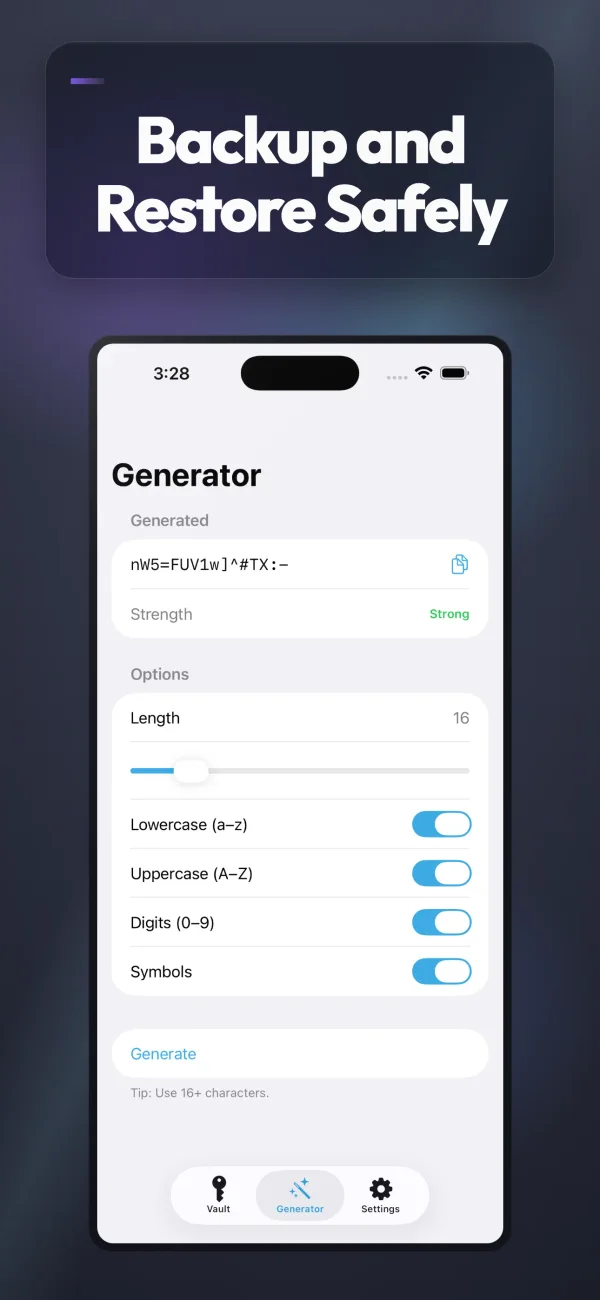
- Built-in password generator with customizable length (8–64 characters) and character sets including lowercase, uppercase, digits, and symbols.
- Password strength meter to help you create strong, secure passwords.
- Backup and restore your vault using encrypted export/import files. Backup files remain encrypted and require your master password to restore.
Pro Features (available via lifetime unlock):
- Biometric unlock using Face ID or Touch ID stores your master password securely in the device Keychain protected by biometrics, allowing quick and secure access.
- Two-factor authentication (2FA) support with TOTP codes generated on-device from Base32 secrets stored per entry, enabling easy code copying.
- Organize entries with folders for lightweight, flexible categorization.
- Mark entries as favorites and filter your vault to quickly access important items.
- Change your master password anytime; the vault is re-encrypted on-device, and biometric unlock remains functional.
Security and Privacy:
- The vault is encrypted locally with no network calls or cloud sync, ensuring your data never leaves your device.
- Master password verification uses a Keychain-stored verifier to distinguish between wrong password and empty vault states.
- Auto-lock option locks the vault when the app becomes inactive or backgrounded.
- Clipboard auto-clear feature removes sensitive copied data after a configurable timeout, only if unchanged.
User Experience:
- Easy setup with master password creation on first launch.
- Clear and intuitive interface built with modern forms for quick data entry and editing.
- Detailed about section explains encryption methods, storage, and privacy.
- Settings allow you to configure biometric unlock, auto-lock on background, and clipboard clear timeout.
Backup & Restore:
- Create encrypted backup files within the app.
- Share backups securely using the iOS share sheet.
- Restore vaults by importing previously exported encrypted backup files.
- Restoring requires your current master password to decrypt and access the vault.
Notes:
- Master password is essential; it cannot be recovered if lost.
- Biometric unlock is optional and device-dependent; fallback to manual entry is always available.
- Not a call recorder or cloud sync service.
Secure Password Vault Pro offers a robust, privacy-focused password management solution for iPhone users who want full control over their sensitive data with strong encryption, biometric convenience, and offline security. Manage your passwords, 2FA codes, and notes confidently with this comprehensive vault app.
How it works
Open Secure Password Vault Pro, explore the main controls, and use the on-screen options to get things done. The interface is designed to stay out of your way so you can focus on the task.
Highlights
• Free (core vault)
• Search across title/username/url/notes
• Fast add/edit/delete flows with SwiftUI forms
• Detail view supports copy to clipboard for username/password/url
• Password generator + strength meter
• Backup & restore (encrypted file export/import)
• Pro (IAP: Lifetime unlock)
• Fol
What’s new
Version 1.1 · Apr 19, 2026
Bug fixes and enhancements
App privacy
What Sandeep Bhandari declares on the App Store about how this app handles data.
-
Data used to track you
May be used to track you across apps and websites owned by other companies.
- Identifiers
- Usage data
-
Data linked to you
May be collected and linked to your identity.
- Identifiers
- Usage data
-
Data not linked to you
May be collected but is not linked to your identity.
- Diagnostics
Privacy practices may vary, for example with the features you use or your age.
Information
- Seller
- Sandeep Bhandari
- Category
- Utilities
- Version
- 1.1
- Updated
- Apr 19, 2026
- Released
- Oct 5, 2016
- Size
- 5.1 MB
- Requires
- iOS 17.0 or later
- Age rating
- 4+
- Price
- Free
- In-app purchases
- Yes
- Languages
- English
- Copyright
- © Indragni Solutions
You might also like
-
 Pocket Counter ProClick Counter & Tally Tracker
-
 LED Banner: Marquee & ScrollerScrolling text, sign & display
-
 ContactHelperYour Assistant for Contacts
-
 答案之书 - 告别选择困难症,寻找你内心的答案答案之书电子版,神奇的人生之书,测爱情测运势,帮你做决定
-
 Find PROFind anything online
-
 Authenticator App Widget2FA Authentication OTP & MFA
-
 Password Grid: Generator ToolCreate Strong, Private Codes
-
 World clock widget - OrbitimeTimezone converter
-
 Photo Cleaner: SwipelyDelete Duplicates, Photo Clean
-
 Photo to PDF Converter pic2pdfjpg convert scan photos to pdf