Pro Camera RAW: Modus ProCam
Manual DSLR Camera, ProRAW
Designed for iPhone, iPad
Free · In-app purchases
- Age rating4+
- CategoryPhoto & Video
- DeveloperSarva Labs
- LanguagesEnglish+ 27 more
- Size184.6 MB
Links to the official App Store page
Download.org hosts no file of Pro Camera RAW: Modus ProCam. The button opens its official App Store page, published by Sarva Labs. Listing last checked on Nov 24, 2026.
Screenshots

About
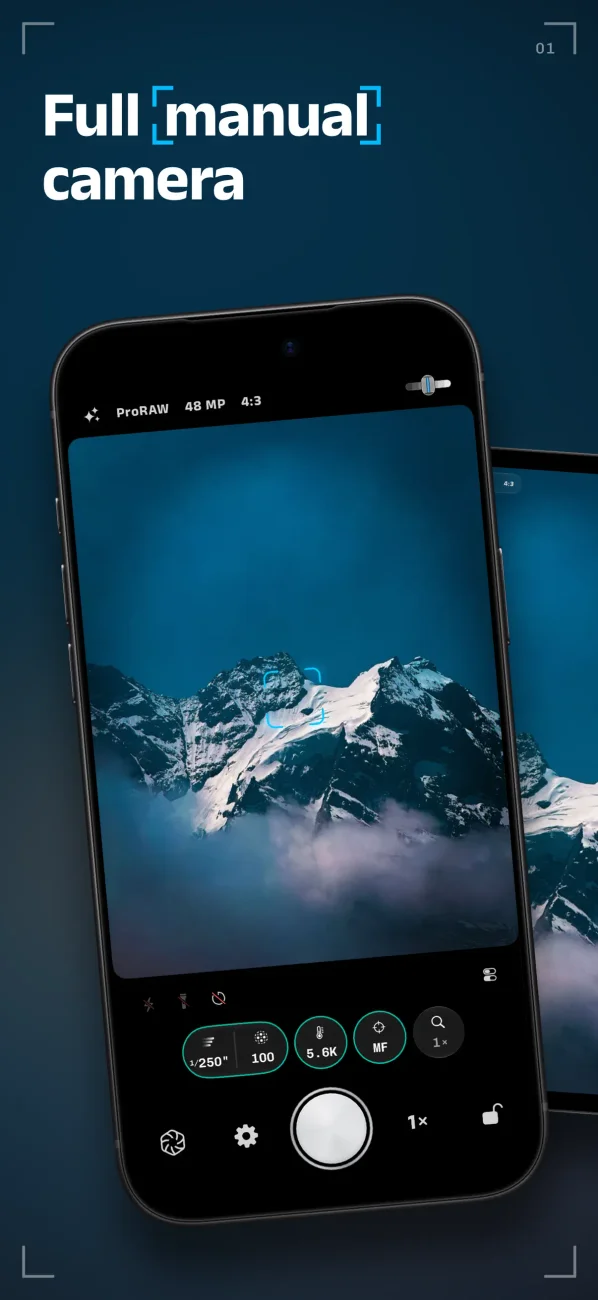
Modus brings DSLR-level manual control to your iPhone and iPad. Set shutter speed, ISO, focus and white balance yourself, choose how much processing each photo gets, and shoot RAW, ProRAW or 48 MP for professional-quality results.
⁃⁃⁃⁃⁃⁃⁃⁃⁃⁃⁃⁃⁃⁃⁃
⌘ Two Levels of Control ⌘
⁍ Essential
Point-and-shoot simplicity: exposure and zoom on screen, and the camera handles the rest.
• Tap to set focus and exposure where you want them
• Swipe to adjust exposure compensation
• Split focus and exposure with a two-finger tap
• Zoom across your iPhone's lenses
⁍ Advanced
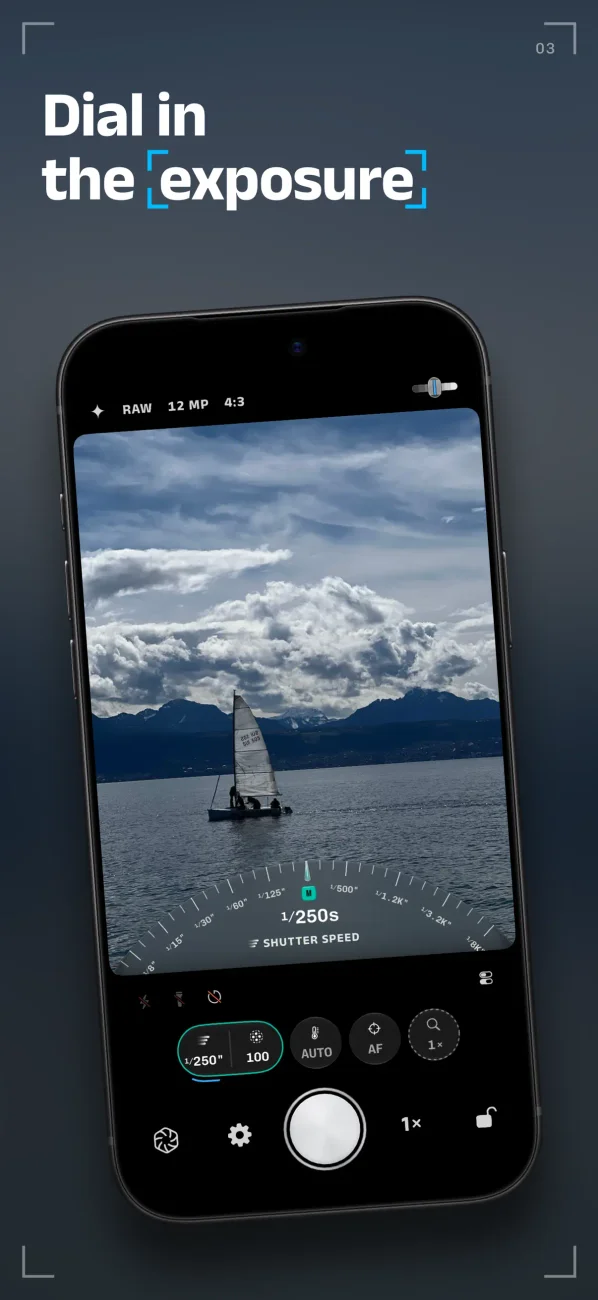
Shutter speed, ISO, white balance, focus and zoom, each on its own dial.
• Shutter speed: freeze action or blur motion
• ISO: trade brightness against noise in low light
• Focus: set it by hand for close-ups and portraits
• White balance: correct color under any light
Double-tap a control to return it to Auto. Lock exposure, focus or white balance to keep them the same from shot to shot.
A dial closes a few seconds after your last touch, or when you swipe it away. Choose when in Display Settings.
⁃⁃⁃⁃⁃⁃⁃⁃⁃⁃⁃⁃⁃⁃⁃
⌘ Processing Styles ⌘
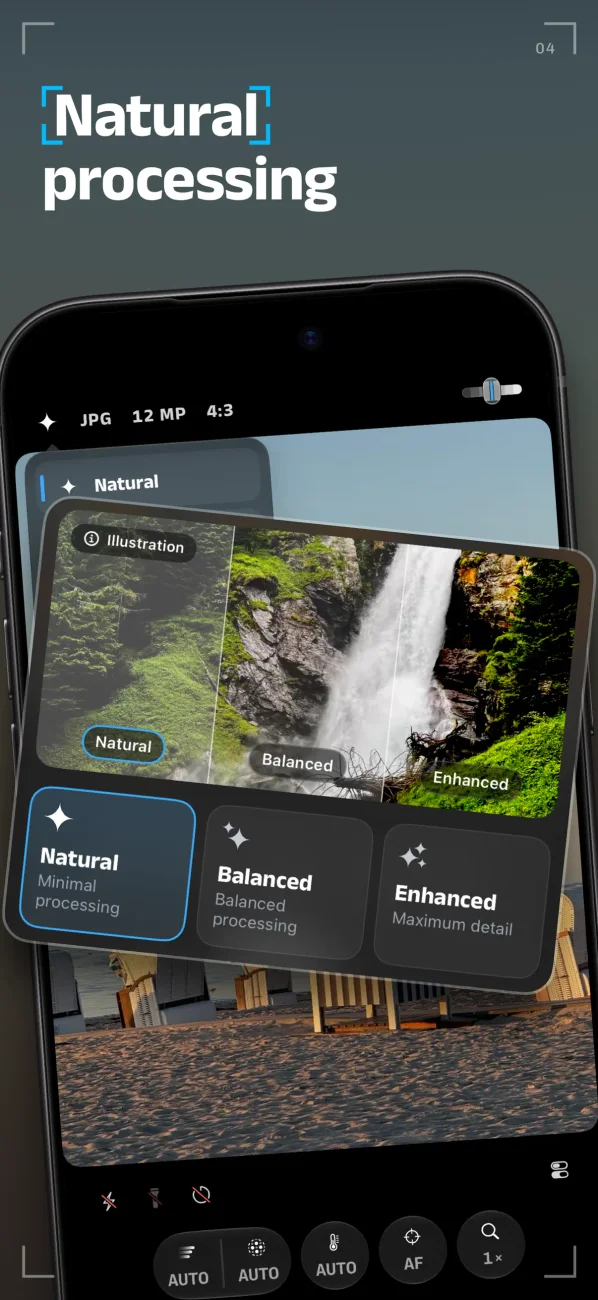
Choose how much processing each photo gets:
• Natural: minimal processing, for a more authentic rendering of light and color
• Balanced: consistent detail and dynamic range
• Enhanced: extensive computational processing, for more detail and tonal depth
⁃⁃⁃⁃⁃⁃⁃⁃⁃⁃⁃⁃⁃⁃⁃
⌘ Capture ⌘
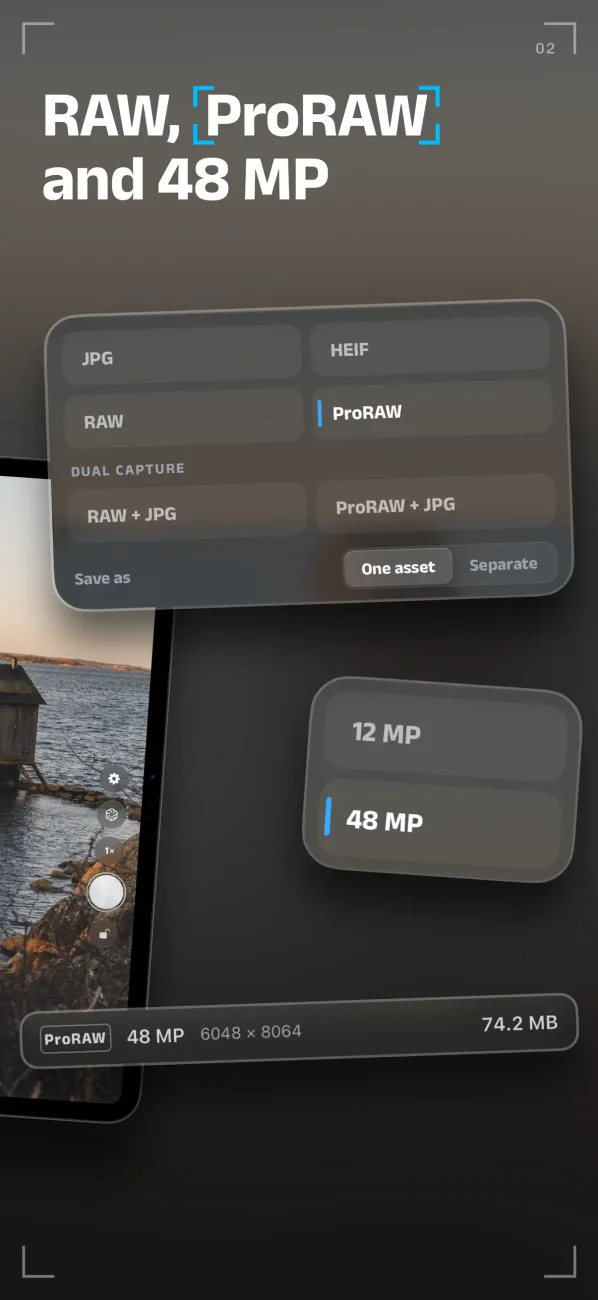
• RAW and ProRAW for maximum dynamic range, on their own or with a JPEG or HEIF
• HEIF and JPEG at 12 or 48 MP
• Aspect ratios: 4:3, 3:2, 16:9, 2.39:1 and 1:1
• Live exposure meter, histogram or RGB readout
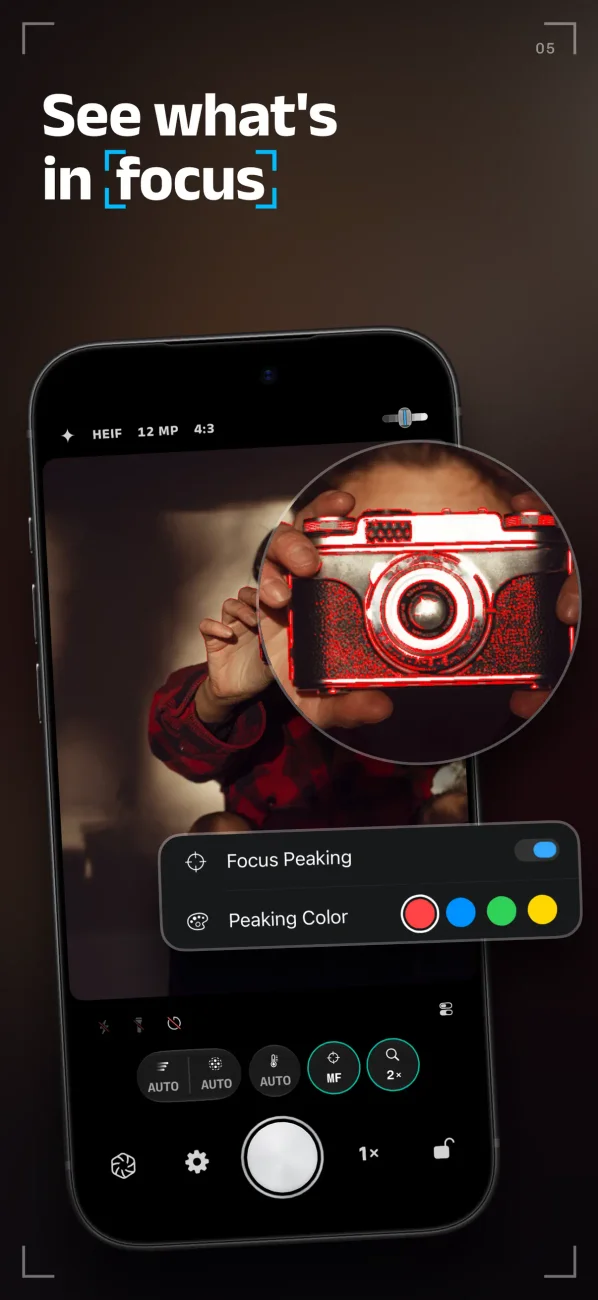
• Focus peaking to check what's sharp before you shoot
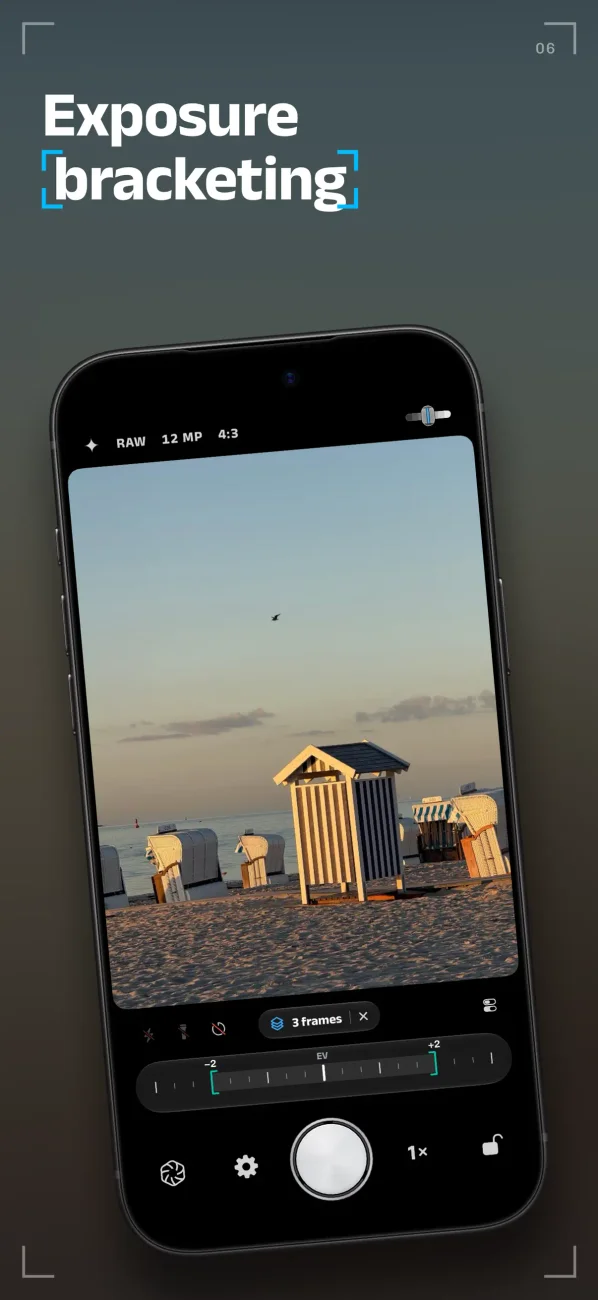
• Exposure bracketing: three frames, up to ±3 EV, on iPhone
• Self-timer, flash and torch
• Rule of Thirds and Golden Ratio grids
• A heads-up when a lens looks smudged, on supported iPhones
⁃⁃⁃⁃⁃⁃⁃⁃⁃⁃⁃⁃⁃⁃⁃
⌘ Built Around Your iPhone ⌘
• Shoot with Camera Control or the volume buttons
• Double-tap the camera button to flip between the back and front cameras
• Adjust exposure, zoom, focus or white balance with Camera Control
• Open Modus from the Lock Screen, Control Center or a Lock Screen widget for each lens
• Optimized for one-handed shooting, with layouts made for iPad and iPhone Duo
⁃⁃⁃⁃⁃⁃⁃⁃⁃⁃⁃⁃⁃⁃⁃
⌘ Your Photos ⌘
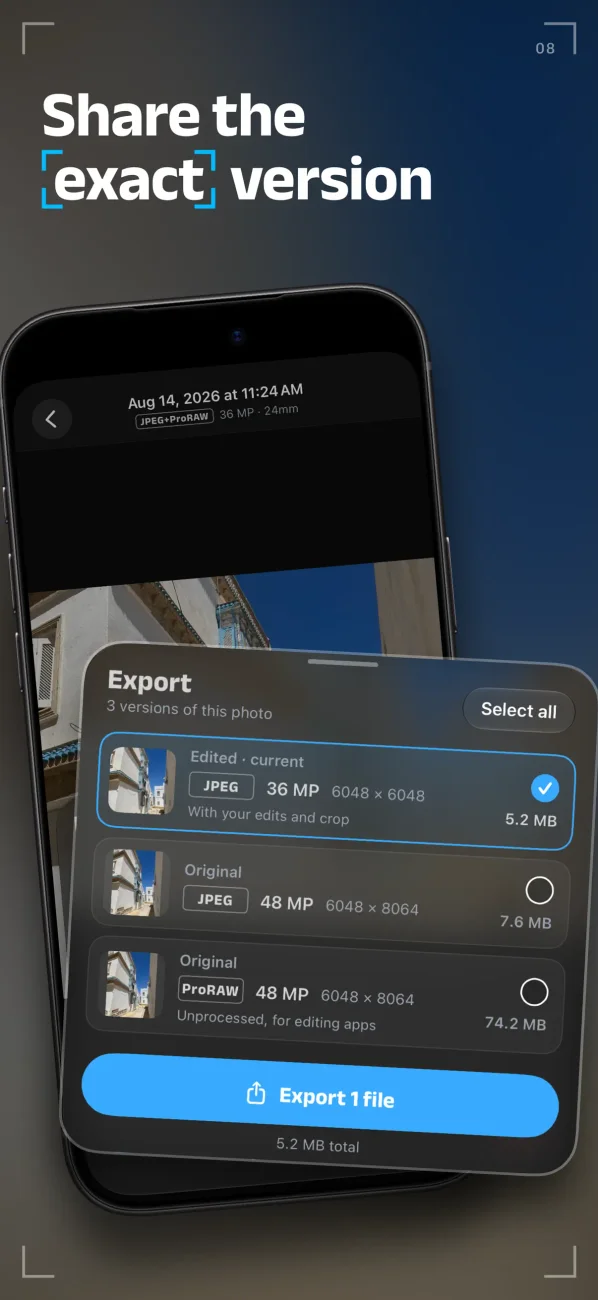
• Photo info for every shot: device, exposure settings and files
• Safe Roll keeps any photo that couldn't be saved to your library until you save it
• Your author name and copyright, added to every photo
• Optional location tag
• Front flash in any color, and a mirrored front camera
• Pin up to 3 settings to the top of Settings
⁃⁃⁃⁃⁃⁃⁃⁃⁃⁃⁃⁃⁃⁃⁃
Start with 5 free shots. Then unlock unlimited shots with Modus Pro, as an affordable yearly subscription or a one-time lifetime purchase.
⌘ Why a Subscription? ⌘
I've kept Modus Pro affordable, and the subscription supports ongoing development. Apple brings new camera features to iPhone every year, and every year I work on bringing them to Modus for everyone.
• One purchase works on all your devices signed in with the same Apple Account
• Lifetime includes Family Sharing, so up to five family members can use Modus Pro too
Modus is for photos only. It doesn't record video.
Feedback and feature requests: support@modus.cam
Terms of Use (EULA): https://www.apple.com/legal/internet-services/itunes/dev/stdeula/
What’s new
Version 6.5 · Nov 15, 2026
Tap the exposure meter to switch to a live histogram or RGB readout.
• Shoot RAW or ProRAW with a HEIF, not only a JPEG
• Choose when a dial closes in Display Settings › Dials Close, or swipe it away to close it any time
• Double-tap the camera button to flip between the back and front cameras
• Bug fixes and stability improvements
Enjoy taking photos, and thank you for using Modus.
App privacy
What Sarva Labs declares on the App Store about how this app handles data.
-
Data linked to you
May be collected and linked to your identity.
- Purchases
- Contact info
- Identifiers
- Usage data
- Diagnostics
Privacy practices may vary, for example with the features you use or your age.
Information
- Seller
- Sarva Labs
- Category
- Photo & Video
- Version
- 6.5
- Updated
- Nov 15, 2026
- Released
- Jun 22, 2021
- Size
- 184.6 MB
- Requires
- iOS 18.0 or later
- Age rating
- 4+
- Price
- Free
- In-app purchases
- Yes
- Languages
- English, Arabic, Czech, Danish, Dutch, Finnish, French, German, Greek, Hungarian, Indonesian, Italian + 16 more
- Copyright
- © Ashutosh Billa
You might also like
-
 Pro Camera-Omnipotent CameraRAW, Manual&HD Video App, DSLR
-
 Manual Camera, Pro DSLR | RAW+ProRAW ISO WB Shutter Control
-
 ProCamera. Professional CameraPro HDR, RAW+ Manual Video Cam
-
 Halide Mark III - Pro CameraZero AI, Natural Photos, RAW
-
 Pro Camera with RAW & FocusCamera. Unblur Photo. Lens
-
 Manual Camera – Focus, ISO, WBSlow shutter, Pro RAW photo
-
 Varlens - DSLR in PhoneAll in One Ultimate Pro Camera
-
 Camera+ I Pro Camera & EditorAI filters. Snap & Edit Photos
-
 Manual Camera Pro + RAW PhotoFilter Editor・MUSE Cam Presets
-
 Obscura — Pro CameraManual Controls, ProRAW, Video