
- Age rating4+
- CategoryBusiness
- DeveloperPaysoft, LLC
- LanguagesEnglish
- Size20.8 MB
Links to the official App Store page
Download.org hosts no file of ProClock. The button opens its official App Store page, published by Paysoft, LLC. Listing last checked on Nov 23, 2026.
Screenshots



About
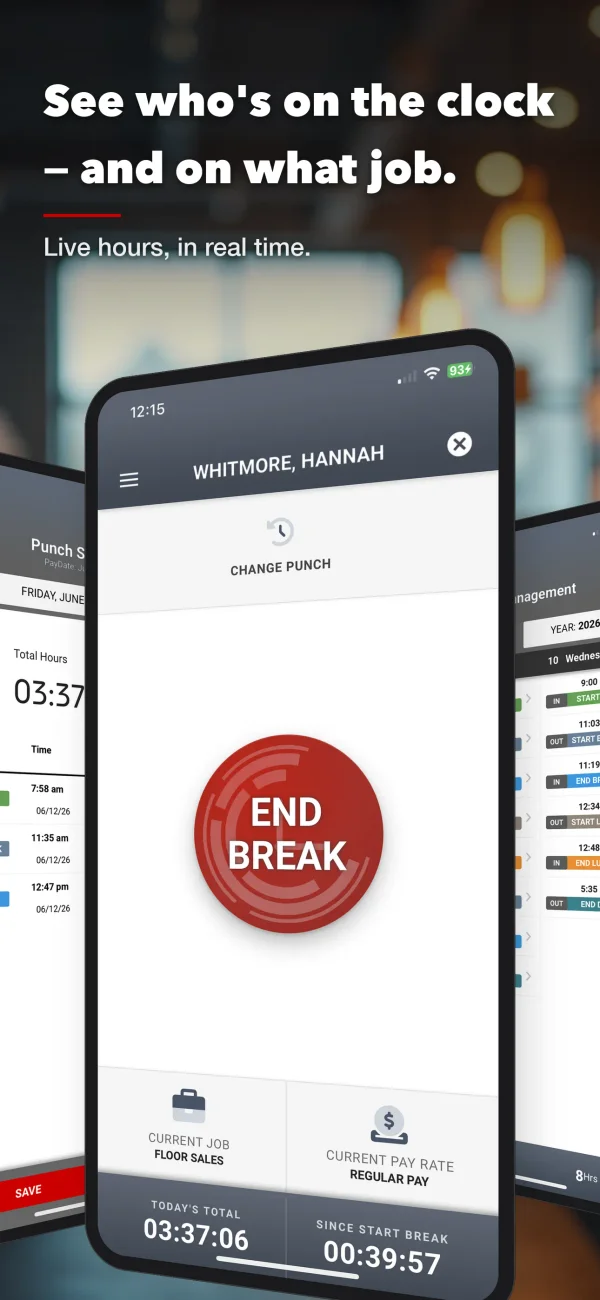
See who's working, where, and for how long - right now. ProClock makes time tracking the easy way.
ProClock is a simple, modern time clock and attendance app for any business with hourly staff. Your team clocks in from their own phones or a shared kiosk, and you watch hours add up in real time - no paper timesheets, no payroll-day guesswork, no money lost to buddy punching.
STOP BUDDY PUNCHING AND TIME THEFT
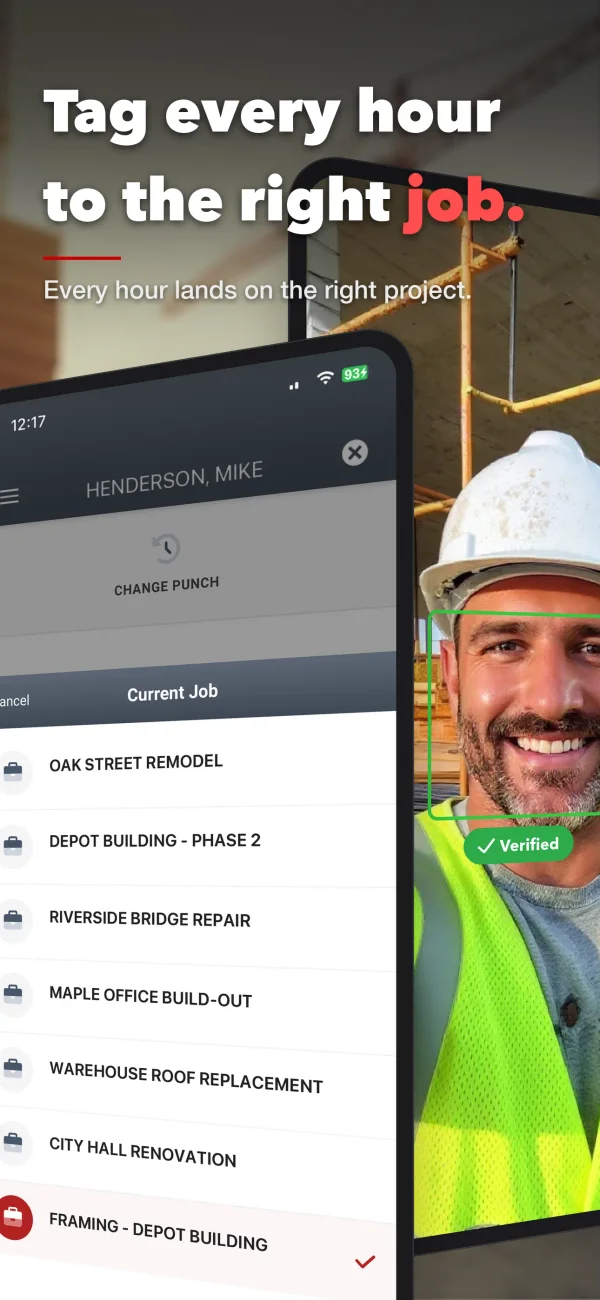
ProClock uses Face Recognition, now with new Liveness Detection: a quick blink confirms a real, live person, so a photo can't clock someone in. Clocking in stays fast and fair - your hours are genuinely yours - and you get a built-in safeguard against buddy punching and the payroll padding it costs you.
SEE YOUR HOURS IN REAL TIME
- Live shift timers and running totals right on the Home screen, so everyone can check their own hours at a glance.
- A smart clock that predicts the next punch to keep clocking in quick.
- Real-time visibility into who's on the clock - without standing over anyone.
BUILT FOR HOW BUSINESSES ACTUALLY RUN
- Clock in and out from a smartphone or a shared kiosk device.
- Multiple pay rates and job tracking for accurate job costing and client billing.
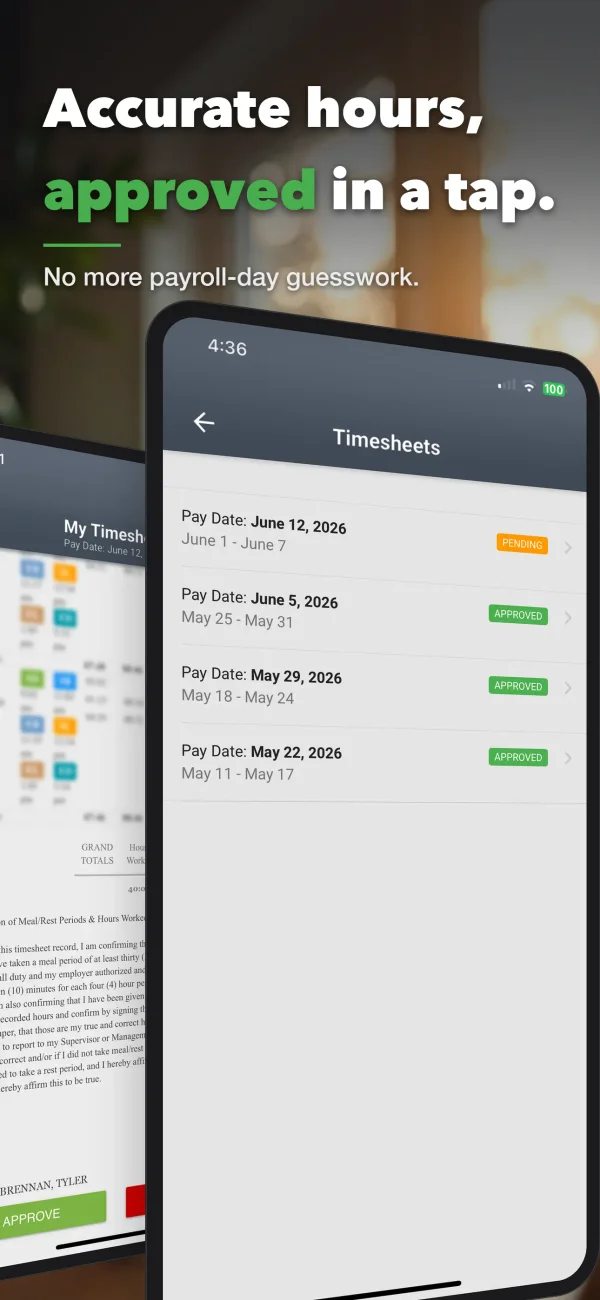
- Timesheet approval with employee signatures to confirm hours and head off disputes.
- Track vacation, holiday, and sick time.
YOUR TEAM'S PRIVACY, BUILT IN
Face check-in is opt-in - no face data is collected until the person agrees. A Biometric Privacy page records what was agreed to, and consent can be withdrawn anytime. Roll out a modern time clock cleanly and responsibly.
A FRESH, MODERN LOOK
A new Modern theme is now the default, with cleaner, easier-to-read screens throughout. Prefer the familiar red? Switch to the Classic theme. Plus a quicker startup, smoother setup for new employees, and support for the latest iPhone and iPad displays.
TURN TIMESHEETS INTO PAYCHECKS
Optional, but a real edge most time clocks can't match: ProClock captures everything payroll needs - hours, multiple pay rates, jobs, deductions, and your pay policies - so it's all ready the moment payday comes. Need payroll handled? ProClock can connect you with a payroll professional in our network who turns those approved timesheets into paychecks and direct deposits - no re-keying, no payroll-day scramble.
- Tracks hours, multiple pay rates, and job costing
- Captures deductions, reimbursements, and pay policies
- Timesheet data ready to hand off for payroll
- Need payroll? We can connect you with a payroll pro in our network who turns timesheets into paychecks
REAL SUPPORT FROM REAL PEOPLE
ProClock is built and backed by Paysoft, serving businesses and payroll professionals since 1996. Our US-based support team is here when you need a hand.
Download ProClock and give your team a faster, fairer way to clock in.
What’s new
Version 1.3.0 · Nov 19, 2026
ProClock 1.3.0 is a major update, with new tools for managers and a cleaner, easier app for everyone.
- My Team: managers see who is working, spot missed punches, and clock people out.
- New Timesheets: review, approve or dispute, and print.
- Redesigned Punch Management: add a missed punch, edit a punch, and see every change.
- A redesigned Tips screen shows each pay period at a glance.
- Punch locations on a map for managers.
- A Home Screen widget and a Control Center button show your clock status.
- Save a default job so it is ready when you start your day.
- An easier face scan with stronger checks. On iPad, it works at a comfortable arm's-length distance.
- In Kiosk mode, a new Done button signs you out in one tap.
- An Offline label shows when you have no connection, and your punches still save.
- Larger text and buttons, a smaller download, and better reliability.
App privacy
What Paysoft, LLC declares on the App Store about how this app handles data.
-
Data linked to you
May be collected and linked to your identity.
- Financial info
- Location
- Contact info
- User content
- Identifiers
- Usage data
- Sensitive info
- Diagnostics
- Other data
Privacy practices may vary, for example with the features you use or your age.
Information
- Seller
- Paysoft, LLC
- Category
- Business
- Version
- 1.3.0
- Updated
- Nov 19, 2026
- Released
- Mar 14, 2019
- Size
- 20.8 MB
- Requires
- iOS 15.0 or later
- Age rating
- 4+
- Price
- Free
- Languages
- English
- Copyright
- © Paysoft, LLC
You might also like
-
 WorkWave Route ManagerProductivity
-
 Valley First Mobile BankingFinance
-
 ExpressJobs Job Search & ApplyFind jobs, apply & much more
-
 CubaMaxBusiness
-
 CubatelRecargas a Cuba
-
 HS Team AppBusiness
-
 Golden 1 MobileFinance
-
 Cuballama has it allNo. 1 app for services to Cuba
-
 HotSchedulesBusiness
-
 Workforce ToolsBusiness