
productionTimer
Keep your event on time.
Designed for iPhone, iPad, iPod touch
$19.99
- Age rating4+
- CategoryUtilities
- DeveloperOn-Point Presentation Services, LLC
- LanguagesEnglish+ 5 more
- Size6.4 MB
Links to the official App Store page
Download.org hosts no file of productionTimer. The button opens its official App Store page, published by On-Point Presentation Services, LLC. Listing last checked on Nov 11, 2026.
Screenshots
About
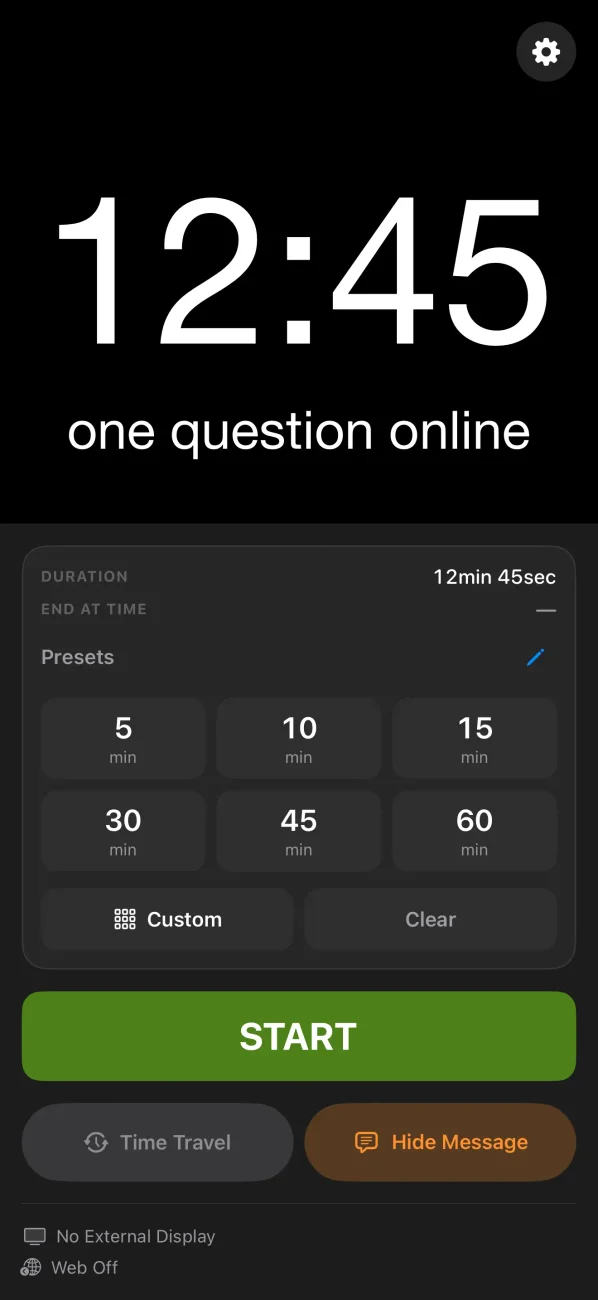
productionTimer was designed specifically for the live event and television production industry. Turn most models of iPad or iPhone / iPod Touch into a full-featured countdown clock - perfect for live events!
Key Features:
- FULLSCREEN countdown on an EXTERNAL DISPLAY via USB-C/Lightning->HDMI or AirPlay
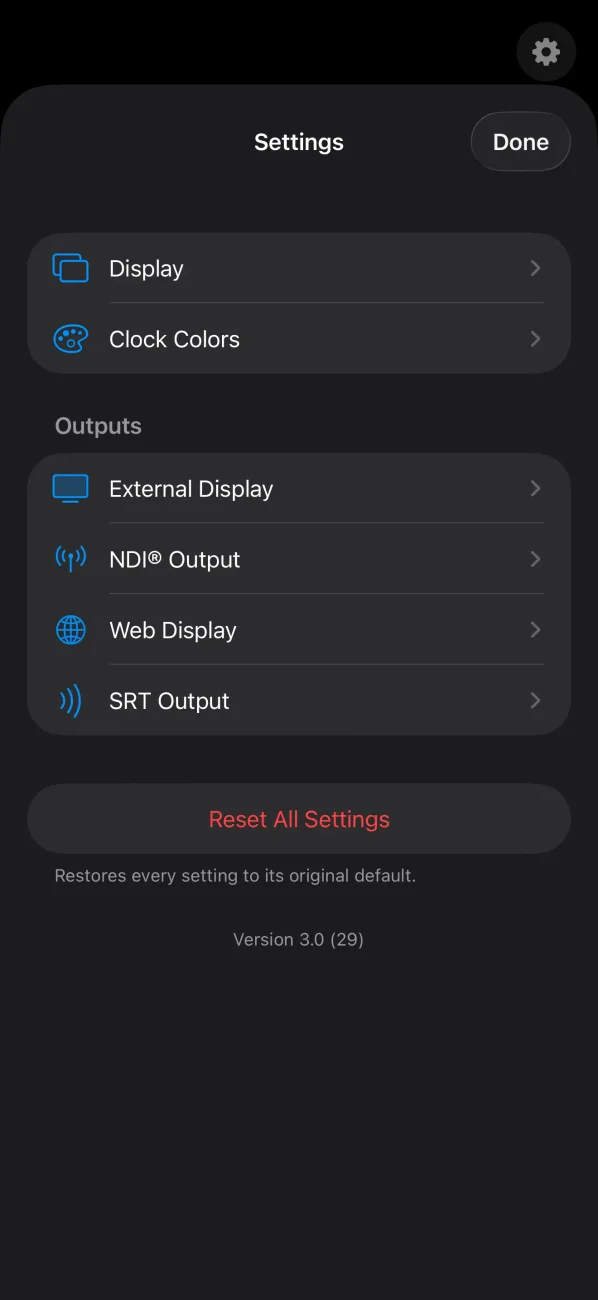
- NDI® and SRT output - send the clock over your network to a switcher, multiviewer, remote venue, or playout system
- WEB VIEW & REMOTE CONTROL - open the clock in any browser and drive the timer from a separate phone, tablet, or laptop
- Bitfocus Companion support - control productionTimer from a Stream Deck or any Companion surface
- Send messages downstage
- Change text and background colors for normal, warning, and end segments
- Smaller cost and footprint than computer or hardware-based timers
productionTimer turns an iOS device into a full-screen countdown clock for an external monitor. Take video directly out of the device via the Apple HDMI adapter - run it to a nearby monitor with standard HDMI, send it over Cat-5/5e/6 or fiber, or feed it into a switcher and route it anywhere. Using a switcher, you can even key out the background for a clean countdown over other graphics - perfect for getting attendees back from breaks on time. Prefer to skip the cables? An AirPlay destination like Apple TV works as the external monitor.
Need the clock somewhere a cable won't reach? Broadcast it over your network instead - as an NDI source straight into your switcher, or an SRT stream for reliable delivery over longer, less predictable connections. It's also available as a web view, so anyone on the network can pull it up in a browser. Run the show from wherever you are: built-in remote control lets an operator drive the timer from a separate device, and Bitfocus Companion integration puts start, stop, reset, and messaging on your Stream Deck - right inside the control layout you already use.
A "warning" changes the clock's background to a user-defined color at a set time - great for cueing talent to wrap up or move to Q&A. Once time is up, the background can change colors again.
Need to send a note downstage but don't have switching in place to get it on the confidence monitor? Type a short message and display it on the clock. The countdown shifts up and a large, clear message appears below it - one touch and it's back to normal.
Event professionals know the importance of running on time. Need to make up a few minutes? Use "Time-Travel" to run the clock faster than reality - just set the time of day you want it to hit "0" and productionTimer figures out the rest.
What’s new
Version 3.1 · Jul 2, 2026
This update fixes issues on devices running iOS 15:
• Resolved a crash that occurred when launching the app.
• Fixed NDI and SRT video output, which could previously appear black or freeze on the standby screen. The broadcast now displays and updates the countdown correctly.
Devices running iOS 16 and later are unaffected by these changes.
App privacy
What On-Point Presentation Services, LLC declares on the App Store about how this app handles data.
-
Data not collected
The developer does not collect any data from this app.
Privacy practices may vary, for example with the features you use or your age.
Information
- Seller
- On-Point Presentation Services, LLC
- Category
- Utilities
- Version
- 3.1
- Updated
- Jul 2, 2026
- Released
- Aug 5, 2015
- Size
- 6.4 MB
- Requires
- iOS 15.0 or later
- Age rating
- 4+
- Price
- $19.99
- Languages
- English, French, German, Japanese, Simplified Chinese, Spanish
- Copyright
- © 2015 On-Point Presentation Services
You might also like
-
 LiveTime ViewerUtilities
-
 V-160HD RemoteV-160HD remote control app
-
 HollyvoxUtilities
-
 QLab RemoteEasy remote editing for QLab
-
 Wireless Workbench MobileWireless monitoring & control
-
 NDI HX Camera - Stream CaptureNDI Streaming Capture
-
 ViplexHandyUtilities
-
 GVM LEDUtilities
-
 glinetUtilities
-
 Mixing StationRemote control for mixers