
Productivity 101: Focus Timer
Chess-clock deep work timer
Designed for iPhone, iPod touch
In-app purchases
- Age rating4+
- CategoryProductivity
- DeveloperFINLAY OSCAR HAWKER
- LanguagesEnglish
- Size3.9 MB
Links to the official App Store page
Download.org hosts no file of Productivity 101: Focus Timer. The button opens its official App Store page, published by FINLAY OSCAR HAWKER. Listing last checked on Nov 21, 2026.
Screenshots

About
Block the apps that steal your focus — and keep them blocked until the work is done.
Pick the apps that distract you and Productivity 101 locks them while you focus. Need a breather? Take a break straight from the block screen and the block comes back on its own when it ends.
Premium keeps apps locked until you hit your daily target, lets you set your own breaks, and adds Strict mode: quitting early takes a 2-minute wait and a typed promise. Free for 7 days with the yearly plan.
Productivity 101 turns focus into a measurable habit.
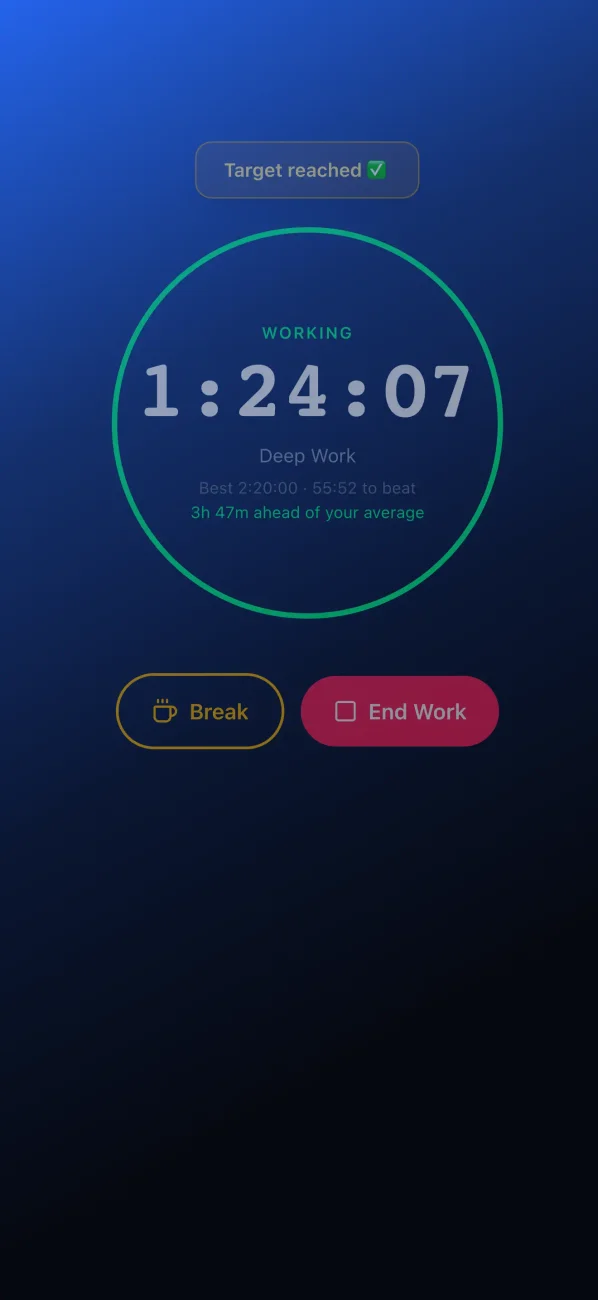
Start a session like a chess clock: your work time counts up, and when you need a break you tap once — break time is tracked separately, so you always know your true focused hours. End the session for a clean summary of work, breaks, and focus rate.
Terms of Use: https://www.apple.com/legal/internet-services/itunes/dev/stdeula/
It's built for people who are accountable to themselves — students with deadlines, founders, freelancers, and anyone who works long hours and wants to see the proof.
TRACK WHAT MATTERS
• Chess-clock timer with separate work and break tracking
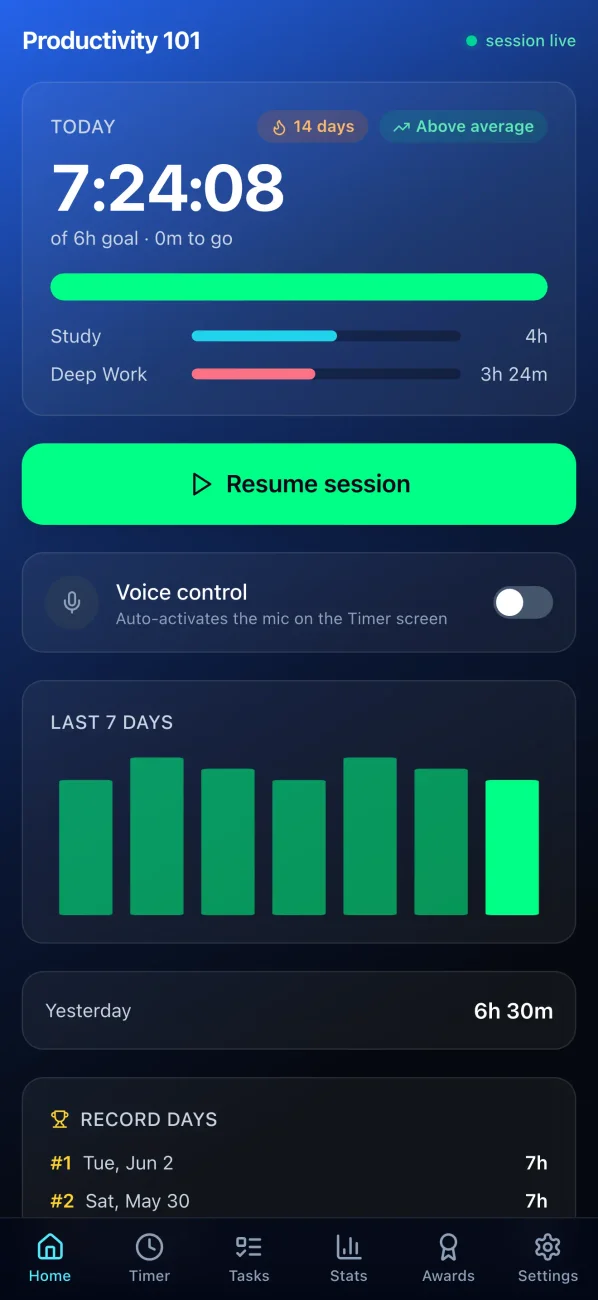
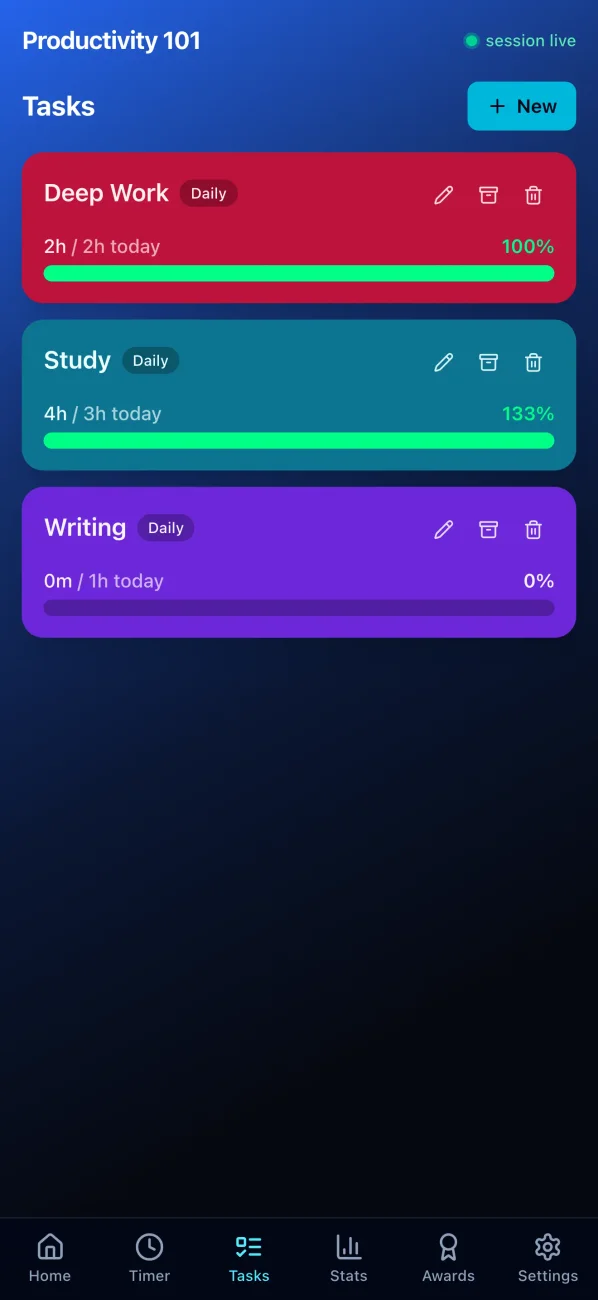
• Assign each session to a task; set daily or weekly time targets
• Live progress bars and a clear daily goal
STAY MOTIVATED — PROFESSIONALLY
• A Focus Score and Levels earned purely from real logged hours
• Daily and weekly objectives, with streaks and streak protection
• Badges at 100, 200, 500 and 1,000 hours per task
UNDERSTAND YOUR PATTERNS
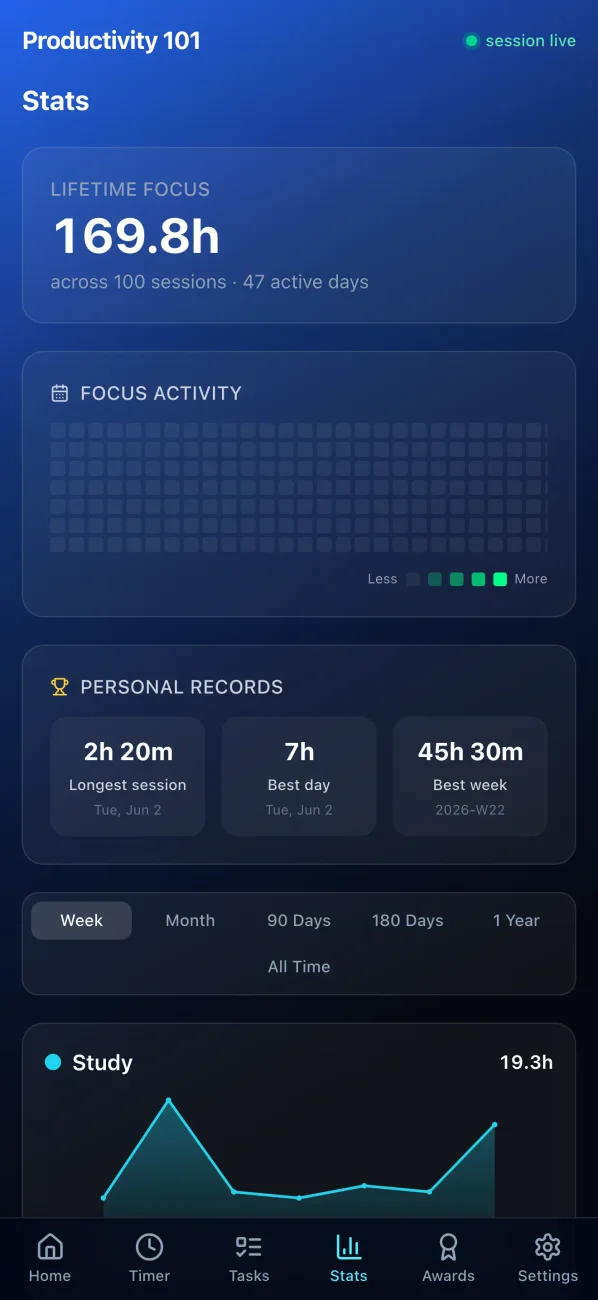
• A contribution heatmap of your focus, day by day
• Personal records, lifetime hours, and per-task trends
• Daily and weekly recaps
MADE TO STAY OUT OF YOUR WAY
• Hands-free voice control of the timer
• Optional reminders as you near a target
• Works offline; syncs securely across your devices when you sign in
You're accountable to yourself. Productivity 101 keeps the score.
What’s new
Version 1.4 · Oct 9, 2026
Block distracting apps until the work is done.
• Choose the apps that pull you away — they're locked while you focus
• Need a breather? Take a break from the block screen and it comes back on its own
• Premium: keep apps locked until you hit your daily target, set your own breaks, and turn on Strict mode
• Use it without an account — everything works offline
• Fixes and improvements
App privacy
What FINLAY OSCAR HAWKER declares on the App Store about how this app handles data.
-
Data linked to you
May be collected and linked to your identity.
- Contact info
- User content
- Identifiers
Privacy practices may vary, for example with the features you use or your age.
Information
- Seller
- FINLAY OSCAR HAWKER
- Category
- Productivity
- Version
- 1.4
- Updated
- Oct 9, 2026
- Released
- Jun 20, 2026
- Size
- 3.9 MB
- Requires
- iOS 15.0 or later
- Age rating
- 4+
- In-app purchases
- Yes
- Languages
- English
- Copyright
- © 2026 Hawker Studio
You might also like
-
 TODO Timer | Task Timer & ToDoPick a task. Start the timer.
-
 Habit & Goal TrackerRoutine Checklist & Reminder
-
 Work Hour Tracker: Time SheetLog, export timesheet & pay
-
 Focus Timer & Friend: PogetherPomodoro, ADHD & Study Buddy
-
 Spool: Screen Time ControlApp Blocker, Focus & Limit
-
 James & RitaProductivity
-
 Bullet: Habit Tracker, JournalADHD Daily Planner, To Do List
-
 Visual Countdown Timer LiquidHourglass for Focus Deep Study
-
 AI Email Writer: Lazy MailType, Reply, Correct Any Text
-
 NotePlan - To-Do List & NotesMarkdown, Planner, Calendar