- Age rating4+
- CategoryUtilities
- Developer浩 张
- LanguagesEnglish+ 1 more
- Size14.4 MB
Links to the official App Store page
Download.org hosts no file of Progress Life Wallpaper. The button opens its official App Store page, published by 浩 张. Listing last checked on Nov 12, 2026.
Screenshots


About
`Progress helps you turn time and goals into auto-updating lock screen wallpapers on iOS.
Choose from 3 modes: • Life Calendar: Visualize life progress in weeks
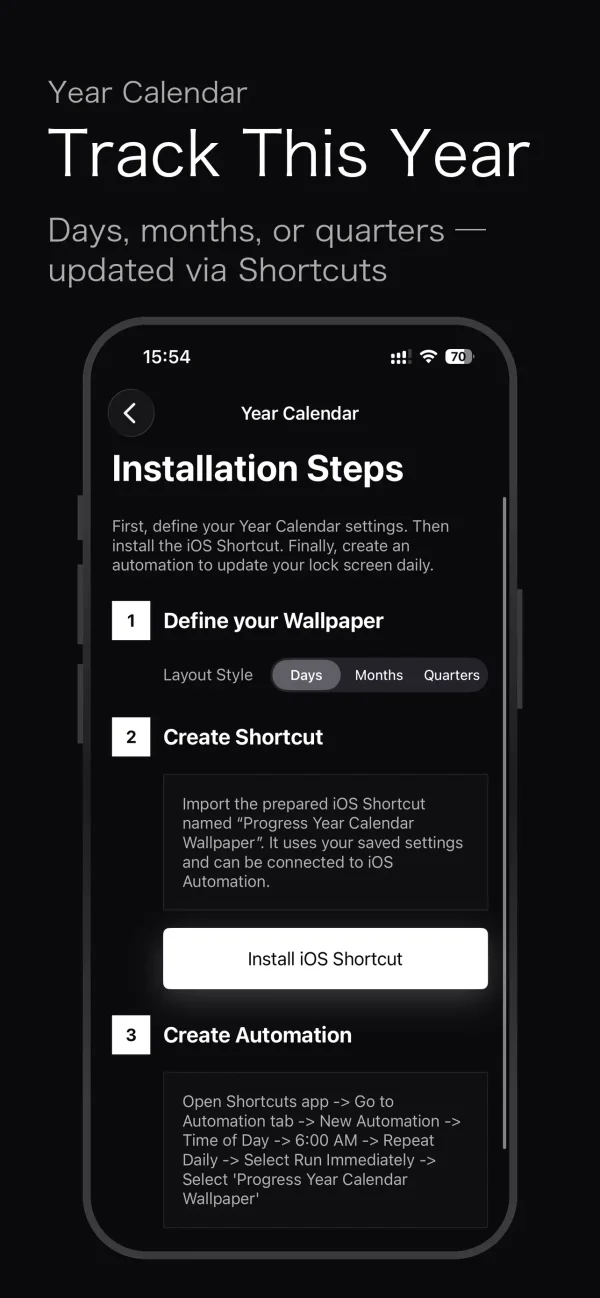
• Year Calendar: Track your current year progress
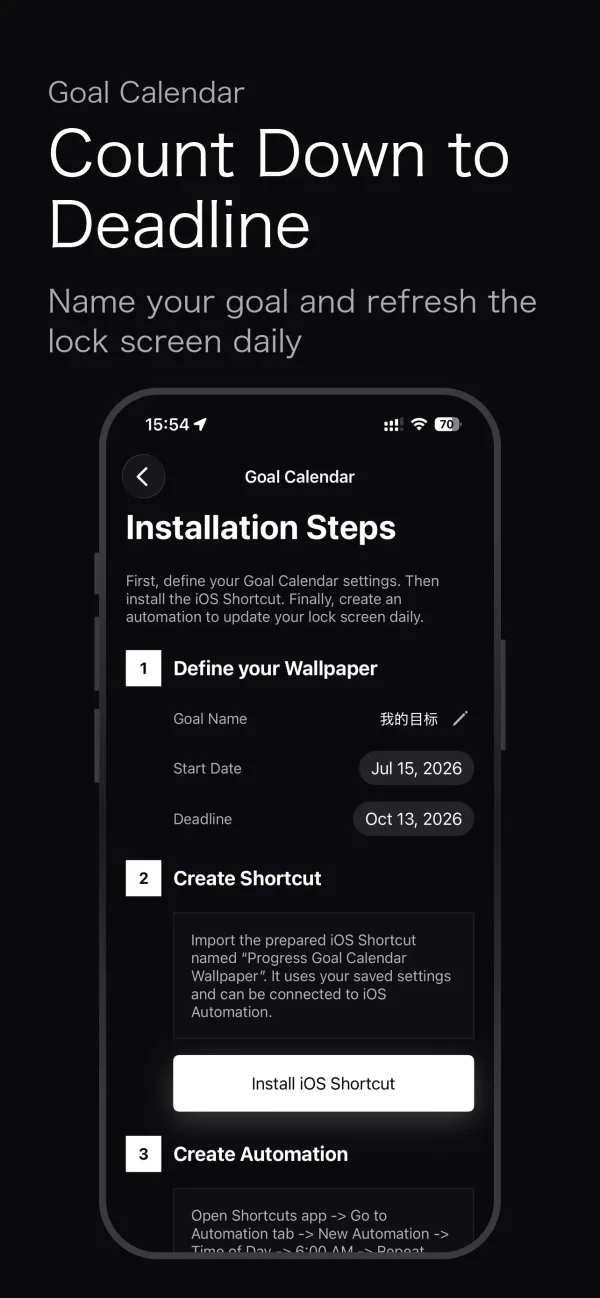
• Goal Calendar: Count down to your deadline
Key features: • Automatically detects your current iPhone wallpaper size
• Generates wallpaper output for your selected calendar mode
• Integrates with Apple Shortcuts for automation
• Supports default fallback configuration for first-time use
• Optimized for dark, minimal UI experience
How it works:
1 Configure your calendar settings in the app
2 Install the corresponding iOS Shortcut template
3 Connect it in Shortcuts Automation (e.g. daily trigger)
4 Your lock screen wallpaper can update automatically
Notes: • iOS only
• Internet connection is required for wallpaper generation
• This app is an independent utility and is not affiliated with The Life Calendar.`
What’s new
Version 1.1 · Jul 15, 2026
Bug fixes and performance improvements.
App privacy
What 浩 张 declares on the App Store about how this app handles data.
-
Data not collected
The developer does not collect any data from this app.
Privacy practices may vary, for example with the features you use or your age.
Information
- Seller
- 浩 张
- Category
- Utilities
- Version
- 1.1
- Updated
- Jul 15, 2026
- Released
- May 27, 2026
- Size
- 14.4 MB
- Requires
- iOS 16.0 or later
- Age rating
- 4+
- Languages
- English, Simplified Chinese
- Copyright
- © 2026 Hao Inc.
You might also like
-
 Clean Up iPhone: CleanKitCleanup Storage Phone Cleaner
-
 365: Year in DotsYear progress & widgets
-
 100 Days TrackerMultiple goals & widgets
-
 DeClutter - Photo Delete SwipeFree AI Photo Cleanup Tool
-
 Fake TimerCountdowns at your speed
-
 DayDots: Calendar WallpaperDaily Lock Screen & Countdown
-
 DevHabit - Habit TrackerBuild good habits, break bad
-
 Emotify: Meme GeneratorGIF Captions,Photo Meme Editor
-
 OneThing-make changefix entire life in every day
-
 极守护-应用锁,防沉迷手机,隐藏,屏幕时间管理,家长管理Utilities