PrompterCam: Teleprompter
Record, Edit & Caption Video
Designed for iPhone, iPad
Free · In-app purchases
- Age rating4+
- CategoryPhoto & Video
- DeveloperWit's End Creative
- LanguagesEnglish
- Size484.1 MB
Links to the official App Store page
Download.org hosts no file of PrompterCam: Teleprompter. The button opens its official App Store page, published by Wit's End Creative. Listing last checked on Nov 25, 2026.
Screenshots


About
PrompterCam is the teleprompter that finishes the video. Read your script while you record, then trim, caption, and export for any platform — all in one app. Try everything free for 7 days, then pay once ($14.99) to keep it forever. No subscription.
**STOP JUGGLING FOUR APPS**
Most creators record in a camera or teleprompter app, then export to an editor, then a resizing tool, and. then try to balance captions while posting. PrompterCam does the whole job: script → record → edit → captions → post-ready. Your talking-head workflow, from idea to upload, without leaving one app.
**RECORD LIKE A PRO**
• Read your script while recording. Both camera and your talking points on one screen
• Adjustable scroll speed with intuitive controls
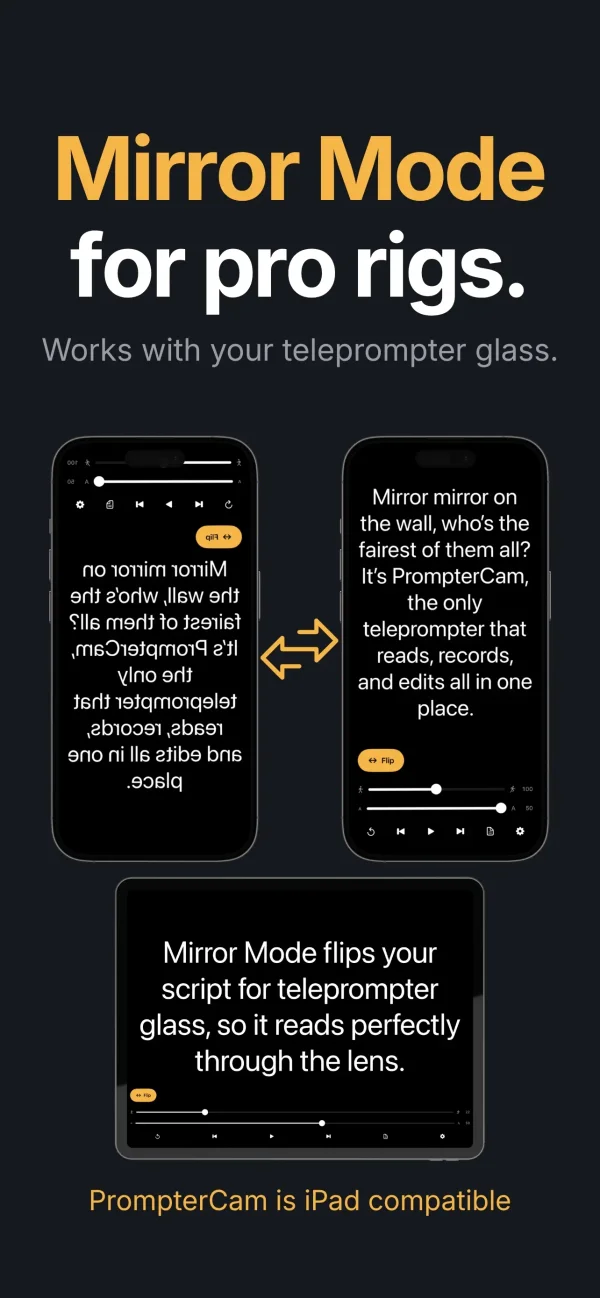
• Mirror mode for professional teleprompter rigs
• Portrait and landscape recording, iPhone and iPad
• In-app microphone and resolution settings
• Import scripts or write them in the app
**EDIT WHERE YOU RECORDED (NEW)**
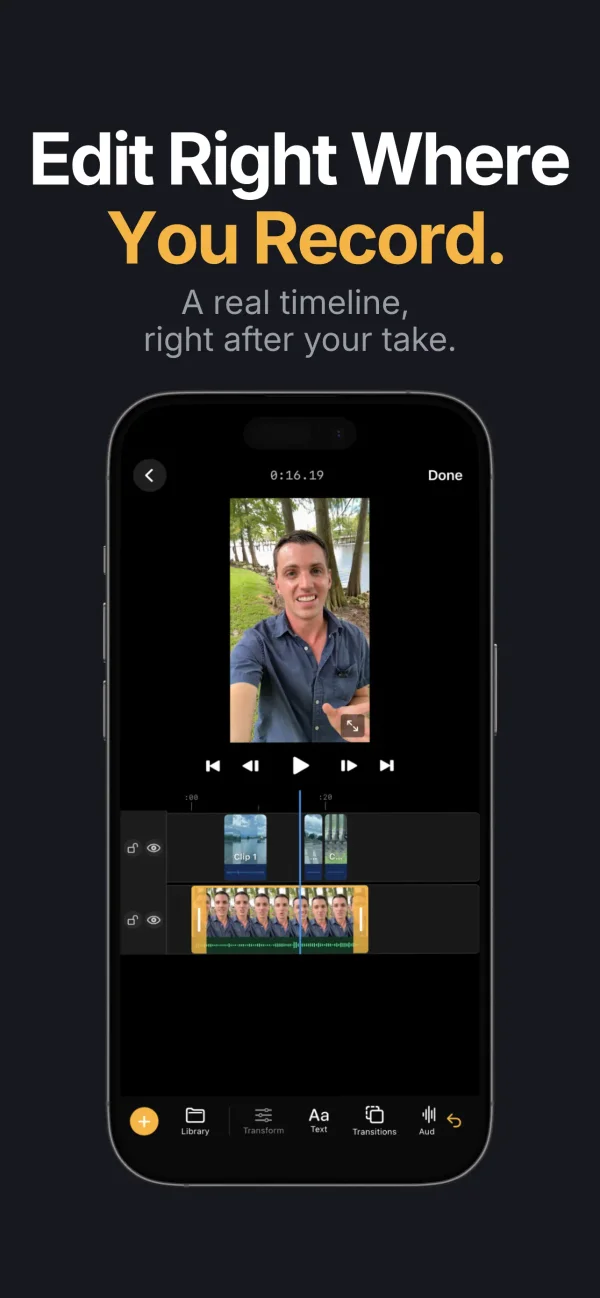
• Built-in editor: trim, cut, and rearrange your takes on a real timeline
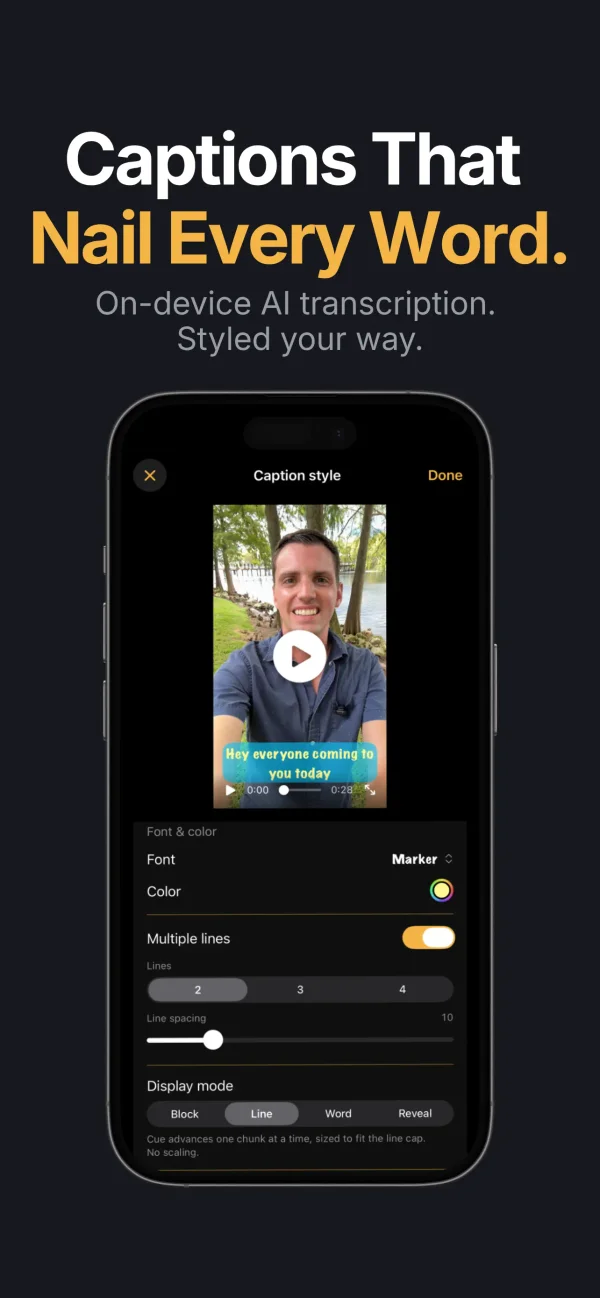
• AI-generated captions, transcribed on your device, with fully customizable styling
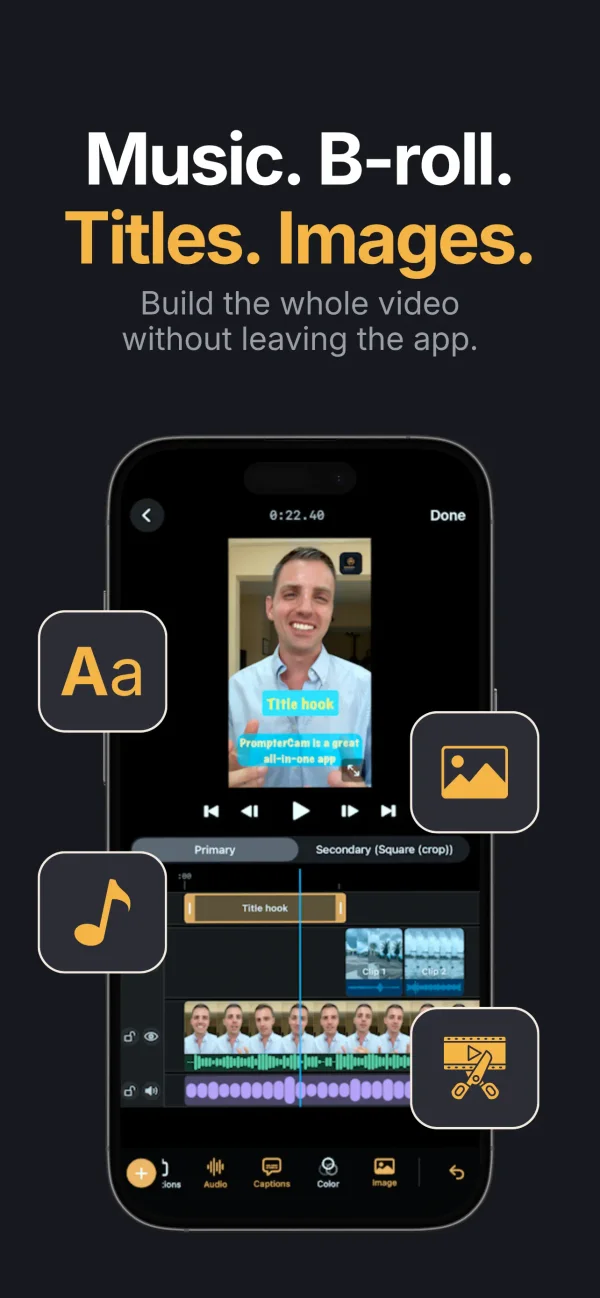
• Add text, titles, images, music, and b-roll
• One-tap audio denoiser for clean, professional sound
• Export in multiple aspect ratios: vertical for Reels and TikTok, square for feeds, widescreen for YouTube. All from a single take
**PAY ONCE. THAT'S IT.**
Download free. Use every feature, no restrictions or watermarks, for 7 days. If you love it, unlock everything permanently for $14.99. No monthly charges. No annual renewals. No AI credits that run out mid-project.
The apps that offer this workflow charge $90–$300+ per year, forever. PrompterCam costs less than one month of the leading all-in-one subscription and it's yours for good.
**PRIVATE BY DESIGN**
Captions are generated on your device, not on someone's server. No account required. Your scripts and footage never leave your phone. No ads, no tracking, no upsells.
**AFTER YOUR TRIAL**
PrompterCam keeps working as a free script reader so you can write and scroll scripts forever. One purchase unlocks recording, the full editing suite, mirror mode, and every future update.
**BUILT FOR CREATORS WHO ACTUALLY MAKE VIDEOS**
PrompterCam was designed by someone who uses a teleprompter every week, not a dev team guessing what creators need. Whether you're a YouTuber, coach, educator, real estate agent, actor recording auditions, or a social media manager cranking out Reels you can open the app, paste your script, hit record, and ship the video.
**ABOUT THE DEVELOPER**
I'm Rick, an Emmy-winning video producer in Florida. I built PrompterCam because every teleprompter app I tried locked basic features behind a subscription and every "all-in-one" app wanted $20+ a month. I wanted something fast, honest, and complete. If that's what you've been looking for, welcome aboard.
Questions or feature requests? I read every message: support@promptercam.com
What’s new
Version 1.1.0 · Nov 17, 2026
• Import scripts straight from Files, Google Drive, and Dropbox. Connect once from the Script screen, then pull in a script in a couple of taps. Replace the current script or append the new text to the end.
• Re-import a Google Drive script you've edited without picking it again.
• Word documents (.docx) now import from Files, Google Drive and Dropbox.
• Bug fixes and improvements.
App privacy
What Wit's End Creative declares on the App Store about how this app handles data.
-
Data not collected
The developer does not collect any data from this app.
Privacy practices may vary, for example with the features you use or your age.
Information
- Seller
- Wit's End Creative LLC
- Category
- Photo & Video
- Version
- 1.1.0
- Updated
- Nov 17, 2026
- Released
- Nov 11, 2026
- Size
- 484.1 MB
- Requires
- iOS 16.0 or later
- Age rating
- 4+
- Price
- Free
- In-app purchases
- Yes
- Languages
- English
- Copyright
- © 2026 Wit's End Creative
You might also like
-
 Prompter Cam: Script CameraRead your script, look at lens
-
 Teleprompt: Video TeleprompterRead Scripts on Camera with AI
-
 Teleprompter-Floating DialogueShoot video teleprompter
-
 Flip CameraPhoto & Video
-
 Invitd: Easy Party InvitesText Invitations, Print, RSVP
-
 Vuer HDRLive Video Monitor
-
 Pivo TrackCreate beyond limits!
-
 DualShot RecorderPortrait + Landscape. One Take
-
 Solar Eclipse TimerSolar Eclipse "Talking" Timer!
-
 BoykeepPhoto & Video