
- Age rating4+
- CategoryProductivity
- DeveloperYosuke Tamaoki
- LanguagesJapanese+ 1 more
- Size3.6 MB
Links to the official App Store page
Download.org hosts no file of Prompton - Prompt Manager. The button opens its official App Store page, published by Yosuke Tamaoki. Listing last checked on Nov 13, 2026.
Screenshots


About
【What is Prompton?】
Prompton is a prompt management app for developers who use AI coding tools every day.
Now that AI-powered development is the norm, have you ever thought, “Where did I save that prompt?”
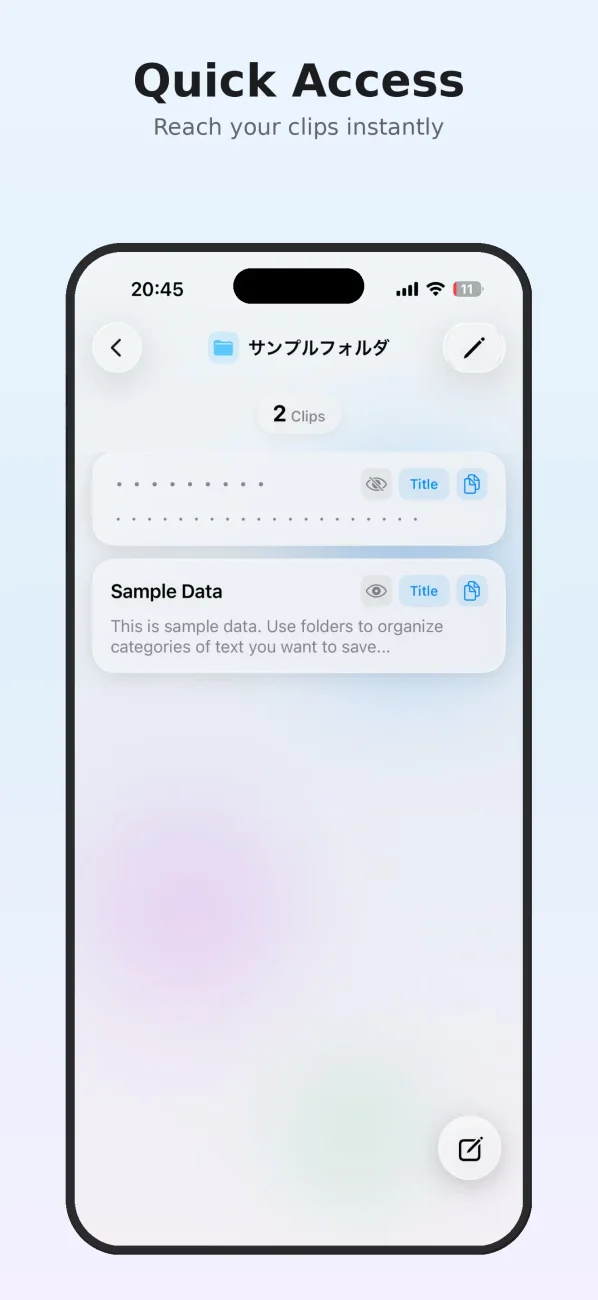
With Prompton, you can quickly pull up your favorite prompts on your phone, copy them, and use them right away.
【Who is it for?】
∙Developers who use AI coding tools daily
∙Anyone who wants to organize and manage frequently used prompts
∙Anyone who wants to share prompts between PC and smartphone
【Key Features】
■ Organize with Folders
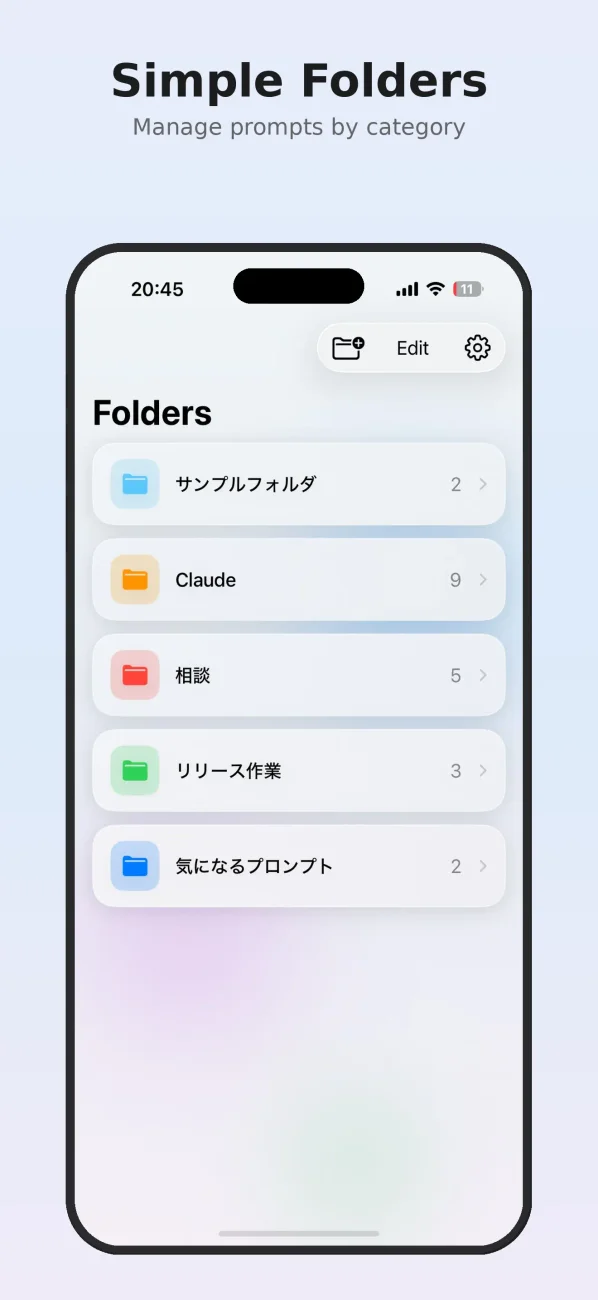
Categorize your prompts into folders. Create your own categories like “Claude,” “ChatGPT,” “Code Review,” or “Debugging.” You can also assign colors to folders for easy visual organization.
■ One-Tap Copy
Copy saved prompts to your clipboard with a single tap. Paste them into your AI tool instantly.
■ iCloud Sync
Automatically sync your prompts across iPhone and iPad via iCloud. Access the same prompts from any device.
■ Simple and Beautiful UI
Built with the latest iOS 26 design. A clean, intuitive interface that lets you find the prompt you need in seconds.
【Use Cases】
∙Prompts for debugging assistance
∙Refactoring instruction templates
∙Architecture design consultation prompts
∙Documentation generation prompts
【Boost Your Productivity】
Tired of typing the same prompts over and over?
Save them in Prompton and skip the hassle of remembering and retyping.
Prepare your prompts on your phone, then paste them into your AI coding tool on your PC.
Organize your prompts on the go and make the most of your development time.
【Privacy】
Your prompts are securely stored and synced through iCloud. No data is ever sent to third-party servers.
What’s new
Version 1.2.0 · May 4, 2026
【New Features】
・Dark Mode — Choose between Light / Dark / System from Settings
・Language Switching — Choose between Japanese / English / System from Settings
【Improvements】
・Improved folder list toolbar with icon-based buttons
App privacy
What Yosuke Tamaoki declares on the App Store about how this app handles data.
-
Data not collected
The developer does not collect any data from this app.
Privacy practices may vary, for example with the features you use or your age.
Information
- Seller
- Yosuke Tamaoki
- Category
- Productivity
- Version
- 1.2.0
- Updated
- May 4, 2026
- Released
- Feb 7, 2026
- Size
- 3.6 MB
- Requires
- iOS 26.0 or later
- Age rating
- 4+
- Languages
- Japanese, English
- Copyright
- © 2026 Tamappe
You might also like
-
 Prompt PlanterSave, version & reuse prompts
-
 Minimal Note - Lined NotepadRich Text,Lists,Folders & PDF
-
 InkCalc: Notepad CalculatorMath notes, units & currency
-
 ZuboraJot messy, get organized
-
 PromptVaultProA vault for your AI prompts
-
 DonutTimeSuper Simple your time tracker
-
 Prompt Manager ClipSave prompts. Copy them fast.
-
 Stashful: Message YourselfNotes to Self, Links & Voice
-
 シルスグ - すぐ書けるメモ帳Productivity
-
 SokuMemo - すぐ書けるマークダウン対応の軽量メモ帳Productivity