
- Age rating4+
- CategoryPhoto & Video
- DeveloperClay Baker
- LanguagesEnglish
- Size8.9 MB
Links to the official App Store page
Download.org hosts no file of ProScope Capture. The button opens its official App Store page, published by Clay Baker. Listing last checked on Nov 18, 2026.
Screenshots

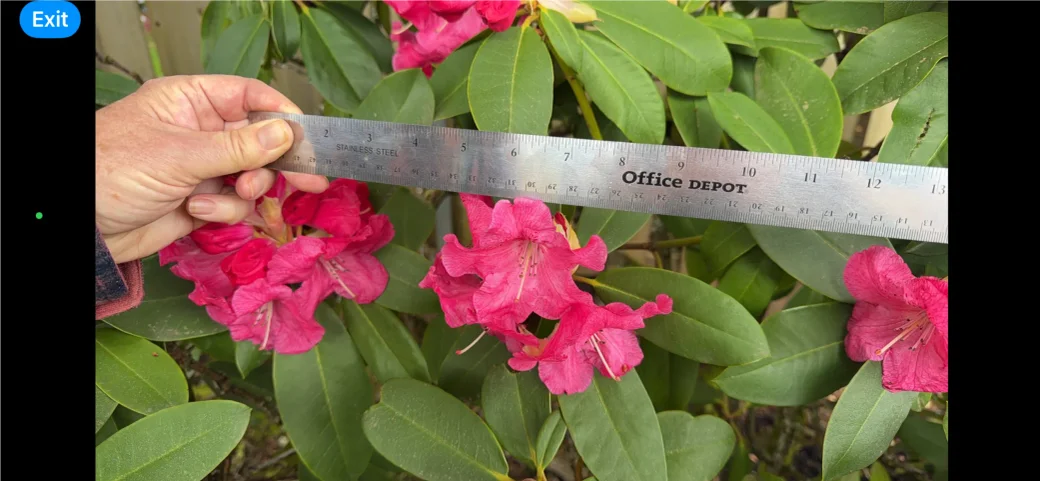

About
Free to download. 14-day trial, then subscribe for capture, save, measure, and compare. Preview-only without a subscription.
ProScope Capture is the companion app for the ProScope T2 USB-C digital microscope — and a capture station for other ProScope models and most UVC-compliant USB microscopes and cameras.
Plug a T2 into a USB-C iPad or Mac for live view, stills, and video. Use the T2 Capture and Freeze buttons, or capture from the screen. The same USB path works with class-compliant UVC cameras: if iPadOS or macOS shows the device as a normal video camera, ProScope Capture can use it.
Also works with ProScope T1 (Wi‑Fi), ProScope Mobile, V2, EDU, and the HR / HR2 / HR5 family. Built-in cameras are available for supporting photos.
On iPhone, USB cameras are not supported (Apple limitation). For ProScope T1, join the scope All-Light Wi‑Fi network in Settings, then open Capture. For ProScope T2 and other USB / UVC cameras, use a USB-C iPad or Mac.
Calibration and measurement tools are available on macOS. The interface is optimized for landscape so hardware and controls stay consistent while you work.
PROSCOPE T2 (iPad and Mac)
• Plug the T2 into a USB-C port (cable on the bottom of the handle).
• Select ProScope T2 as the camera, then capture stills and record video.
• Use the hardware Capture and Freeze buttons, or the on-screen controls.
• The app starts on No Camera and does not turn on a built-in webcam until you choose a source. It remembers your last camera and restores a connected T2.
UVC USB MICROSCOPES AND CAMERAS (iPad and Mac)
• Works with most UVC-compliant USB microscopes and webcams that appear as a standard video device.
• Choose the camera in the picker, set resolution when the device reports more than one mode, then capture stills and record video.
• Performance depends on the camera hardware and OS version. If the system does not list the device, Capture cannot use it.
CAPTURE & SAVE
• Choose your camera and resolution, then capture stills and record video.
• Save to your Photos library and choose an album (or the main library). On Mac you can also save to a folder.
• Use the Recent strip to open captures quickly during a session.
OTHER PROSCOPE HARDWARE
• ProScope T1 Wi‑Fi: join All-Light, then connect on iPhone or Mac.
• ProScope Mobile / AirMicro: Wi‑Fi live view where supported.
• USB HR, HR2, HR5, M3, V2, and EDU on iPad and Mac.
MEASURE & DOCUMENT (macOS)
• Calibrate with a known reference at your current magnification.
• Draw measurements on still images and export PNG files with overlays.
• Add labels and keep layouts clear for study guides and lab notes.
COMPARE (iPhone, iPad, and Mac)
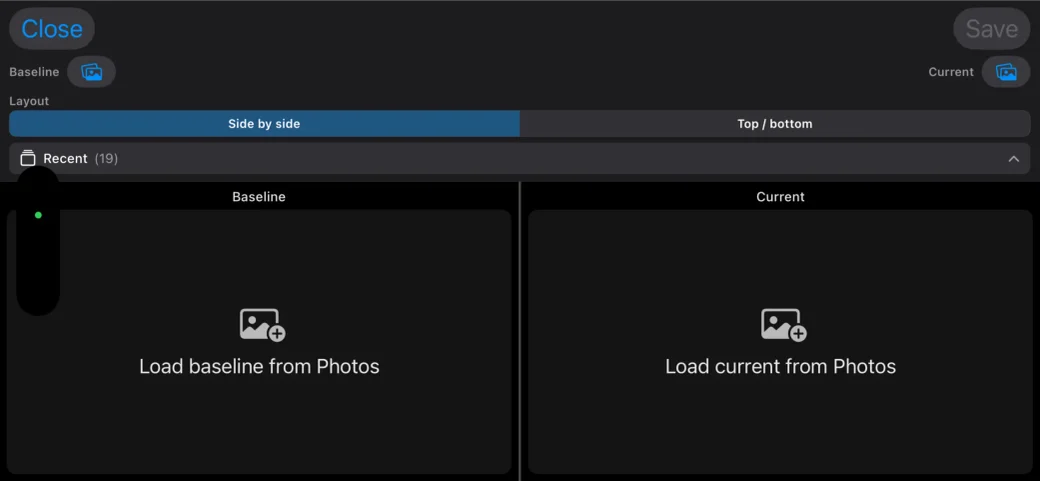
• Compare two still images side by side or stacked, from Photos, Recents, and on iPad or Mac, Files, with optional notes where supported.
SUBSCRIPTION
• New users receive a 14-day full-feature trial.
• After the trial, a subscription is required to continue full capture, saving, measurement, and comparison features.
• Without a subscription, the app runs in preview-only mode (see in-app messaging for current details).
ORIENTATION
• The app is intended for landscape use to match ProScope and USB camera workflows.
Privacy Policy: https://www.proscopeusa.com/pages/proscope-capture-privacy
Terms of Use: https://www.proscopeusa.com/pages/proscope-capture-terms
What’s new
Version 1.4.1 · Sep 1, 2026
• Designed for the ProScope T2 USB-C microscope — live view, stills, and video on iPad and Mac, including Capture and Freeze
• Also works with most UVC-compliant USB microscopes and cameras that appear as a normal video device
• Fixes a Mac crash when capturing from ProScope HR2 and other UVC USB microscopes
• ProScope T1 Wi‑Fi: live view and capture on iPhone and Mac (join the scope All-Light network)
• Starts on No Camera instead of the built-in webcam; remembers your last camera
• Restores a connected ProScope; stays idle if that scope is unplugged
• Clearer camera and resolution labels on Mac
App privacy
What Clay Baker declares on the App Store about how this app handles data.
-
Data not collected
The developer does not collect any data from this app.
Privacy practices may vary, for example with the features you use or your age.
Information
- Seller
- Clay Baker
- Category
- Photo & Video
- Version
- 1.4.1
- Updated
- Sep 1, 2026
- Released
- Apr 28, 2026
- Size
- 8.9 MB
- Requires
- iOS 26.2 or later
- Age rating
- 4+
- Price
- Free
- In-app purchases
- Yes
- Languages
- English
- Copyright
- © 2026 ProScope USA
You might also like
-
 Magnifier: Magnifying Glass +Zoom Camera, Flashlight & OCR
-
 Quasmo CamQuasmo Cam
-
 ScattoPro RAW Camera & Photo Editor
-
 PeekScopeUSB & Wi-Fi Camera Viewer
-
 Giffy - Video to GIFMake animated loops · No Ads
-
 ShuttR: Shutter Speed TesterAnalog Shutter Speed Tester
-
 USB ScopePhoto & Video
-
 PortShot - Webcam CapturePhoto & Video
-
 EditMe: Negative ConverterFilm look, grain & darkroom
-
 LutRecUVC | Monitor | Live Photos