- Age rating4+
- CategoryUtilities
- DeveloperZumtobel Lighting GmbH
- LanguagesEnglish
- Size20.8 MB
Links to the official App Store page
Download.org hosts no file of PROset App. The button opens its official App Store page, published by Zumtobel Lighting GmbH. Listing last checked on Nov 15, 2026.
Screenshots

About
Thanks to the PROset technology, the addressing, configuration and maintenance of the emergency luminaires is a breeze: the luminaires equipped with the new EMpower PROset control gear can be programmed directly via NFC interface of control gear.
Procedure: with the PROset Pen (article number: 22170290), the control gear of the luminaire can be programmed directly. The PROset app provides additional functions (dimming levels, Black box, control gear exchange via the database). For this, the smartphone can be paired with the PROset Pen via Bluetooth (select “Connection via Bluetooth” on the start screen).
Note: Before the first writing process, a control gear must be read out -> The article number and designation of the luminaire as well as the address range are available.
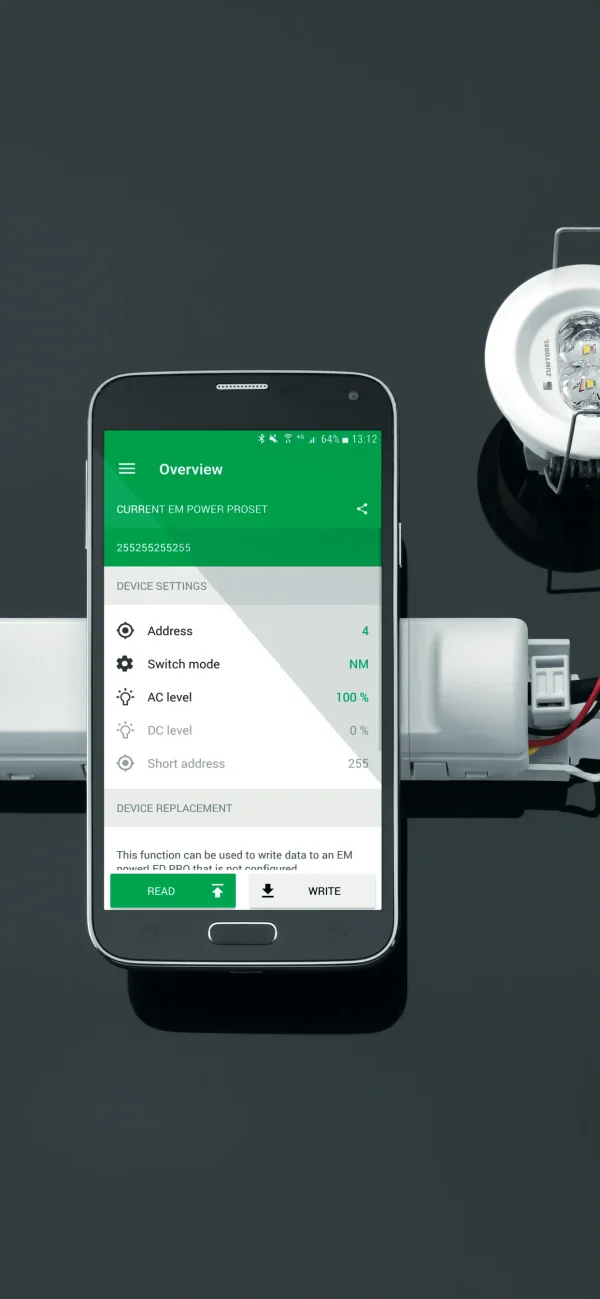
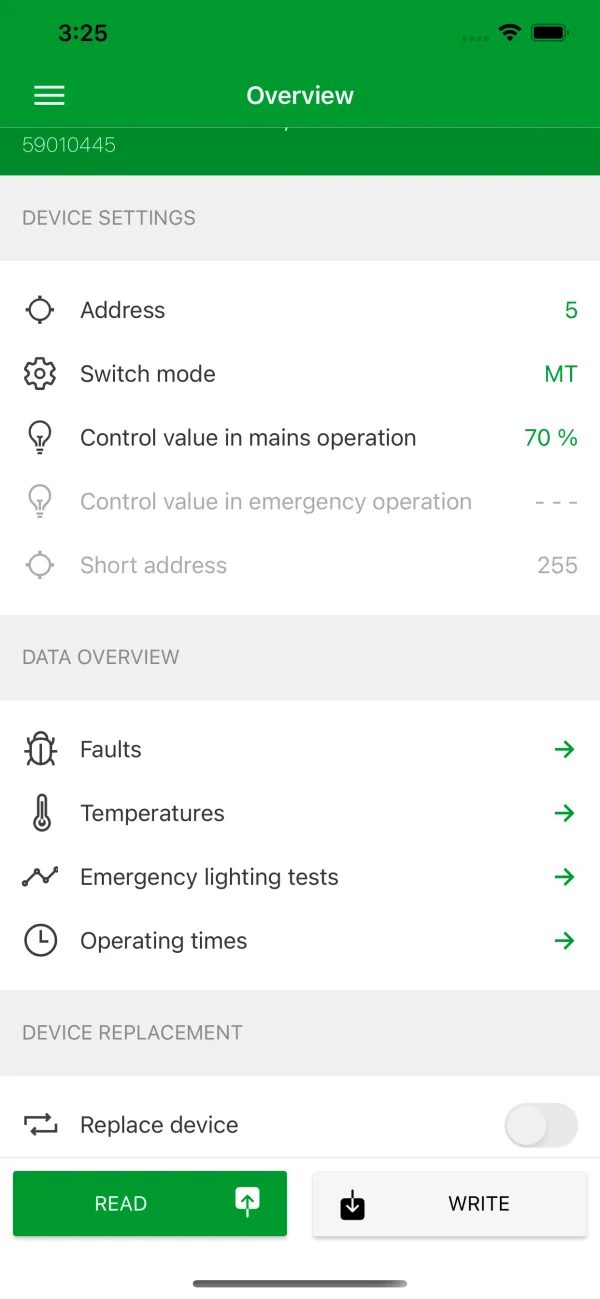
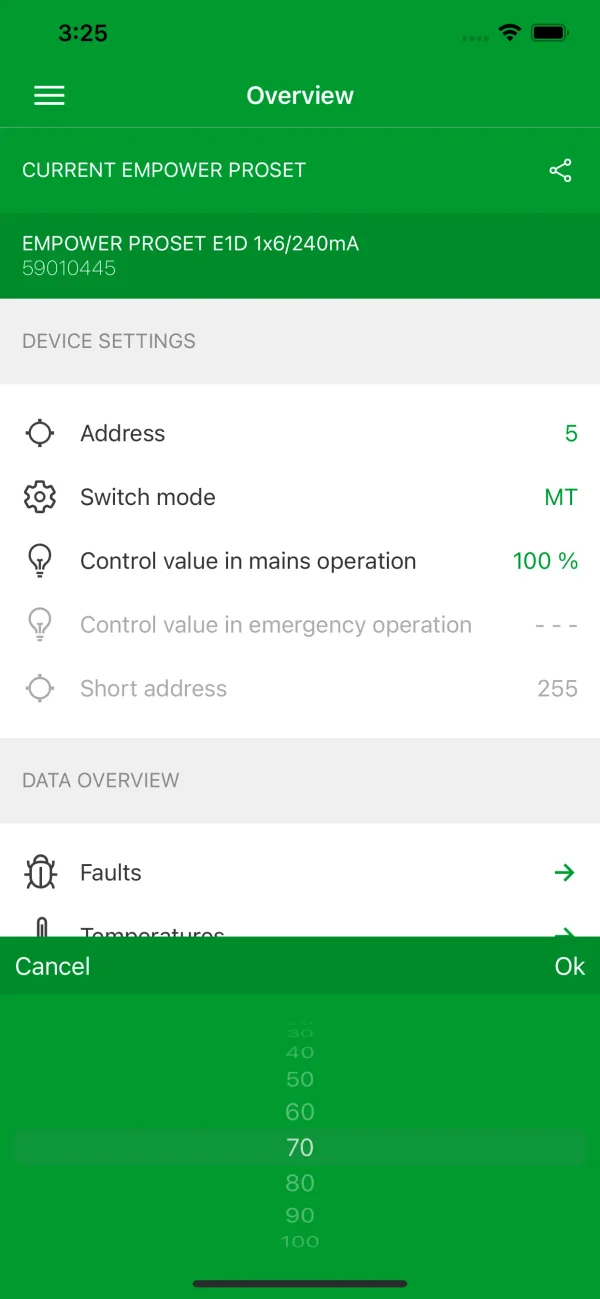
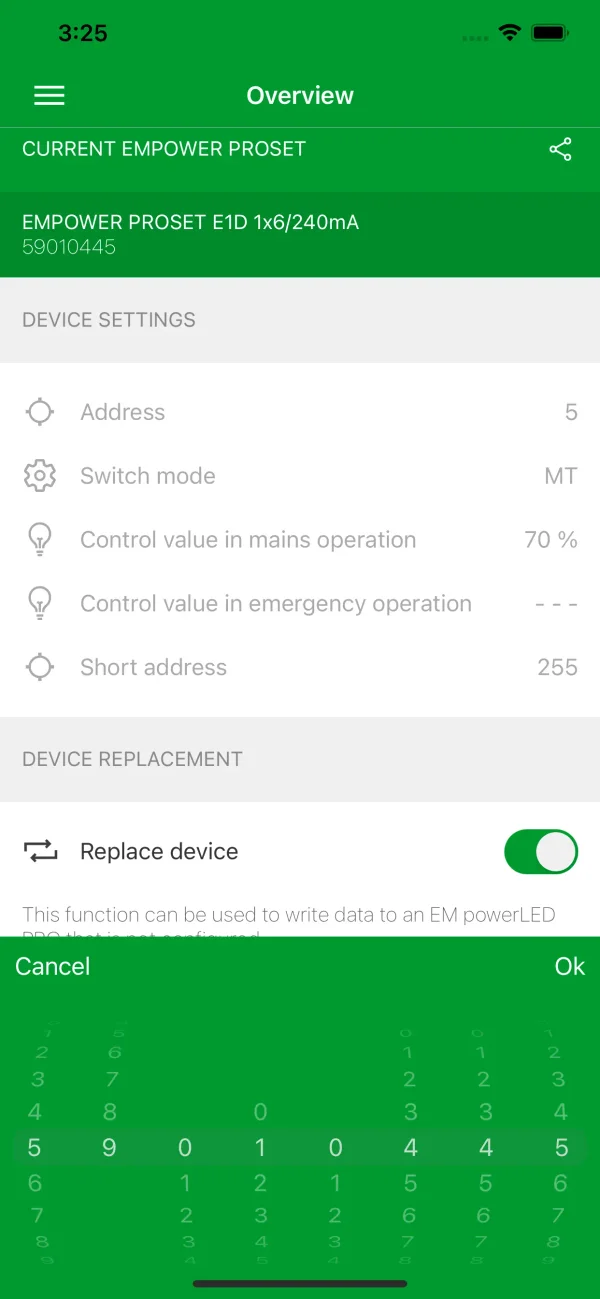
Addressing: small, difficult-to-operate rotary switches belong to the past. The address can be selected by simply scrolling.
Switching mode: Selection between maintained light (switched on in mains and emergency operation) and non-maintained light (switched off in mains operation). Setting for luminaires without connection to a system / parameter is overwritten by the system to "maintained light".
Dimming level: Setting of the dimming level in mains operation (AC level) and in emergency operation (DC level, only for centrally supplied emergency luminaires). Setting for luminaires without connection to a system / parameter is overwritten by the system to default settings.
Maintenance / Black box feature: With the new NFC interface, statistics such as errors, temperature, tests and operating times are immediately available.
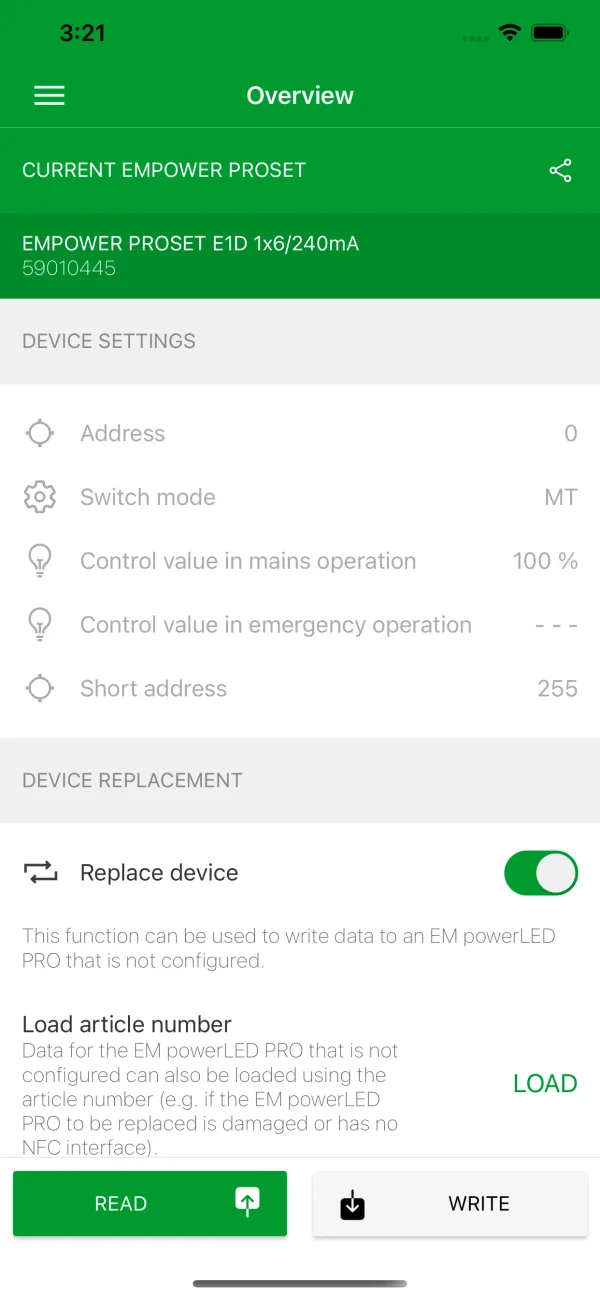
Maintenance / device exchange: simple control gear exchange via the NFC interface. The configuration data (operating parameters of the LEDs) can be copied from an old control gear or selected from a database.
Device exchange via copy function: Activate device exchange -> Read out the configuration data from the old control gear -> Write the configuration data on the new control gear. The address, switching type and dimming levels are also transferred.
Device exchange via the database: Select the article number -> Write the configuration data on the new control gear. Address, switching mode and dimming levels can be configured in a second step.
Features of the app:
- Fast and easy operation
- Easy setting of the address via a scroll wheel. The simple configuration excludes incorrect switch settings.
- Configuration of the luminaire (switching mode, dimming levels) possible without central controller.
- Maintenance: The Black box function displays statistics such as errors, temperature, tests and operating times. Contents of the black box data can be forwarded to the headquarters for further analysis.
- Control gear exchange via the copy function or the integrated database
What’s new
Version 1.9.0 · Jun 2, 2026
Bug fixes
App privacy
What Zumtobel Lighting GmbH declares on the App Store about how this app handles data.
-
Data not collected
The developer does not collect any data from this app.
Privacy practices may vary, for example with the features you use or your age.
Information
- Seller
- Zumtobel Lighting Gmbh
- Category
- Utilities
- Version
- 1.9.0
- Updated
- Jun 2, 2026
- Released
- Apr 22, 2018
- Size
- 20.8 MB
- Requires
- iOS 12.4 or later
- Age rating
- 4+
- Price
- Free
- Languages
- English
- Copyright
- © Zumtobel Lighting GmbH