
- Age rating4+
- CategoryProductivity
- DeveloperJason Lew
- LanguagesEnglish
- Size9.6 MB
Links to the official App Store page
Download.org hosts no file of Pt-vity. The button opens its official App Store page, published by Jason Lew. Listing last checked on Nov 17, 2026.
Screenshots

About
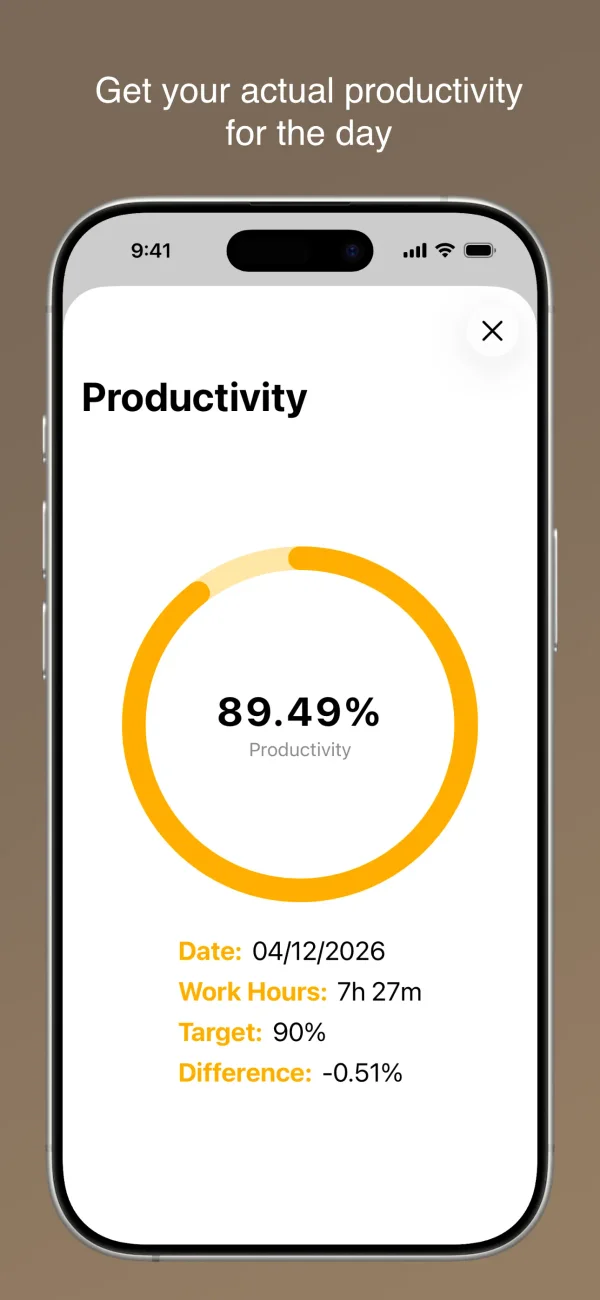
Pt·vity is designed to help therapists and practitioners in skilled nursing manage their constantly changing schedules. No more pulling up a boring spreadsheet to estimate your target clock out time. Just enter your assigned minutes and target productivity and hit the clock in button.
Schedules often change throughout the day, easily add or subtract minutes or enter your new total minutes directly, at any time. The target clock out time will automatically adjust. Time management has never been so easy.
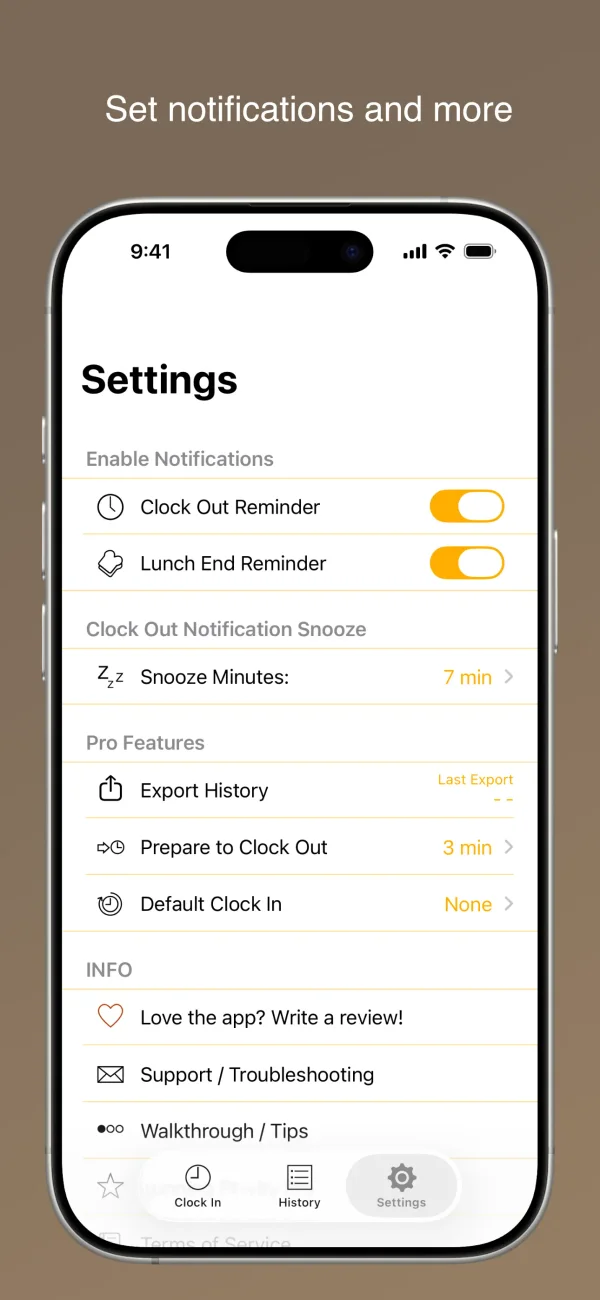
Help yourself stay on track by scheduling a reminder to clock out. Need more time? Snooze the reminder and you’ll receive another reminder later.
・Hit your productivity goals
・Automatically calculate your target clock out time
・Adjust your schedule throughout the day
・Schedule a reminder to clock out
After clocking in or starting lunch, you can adjust that time by simply clicking on it.
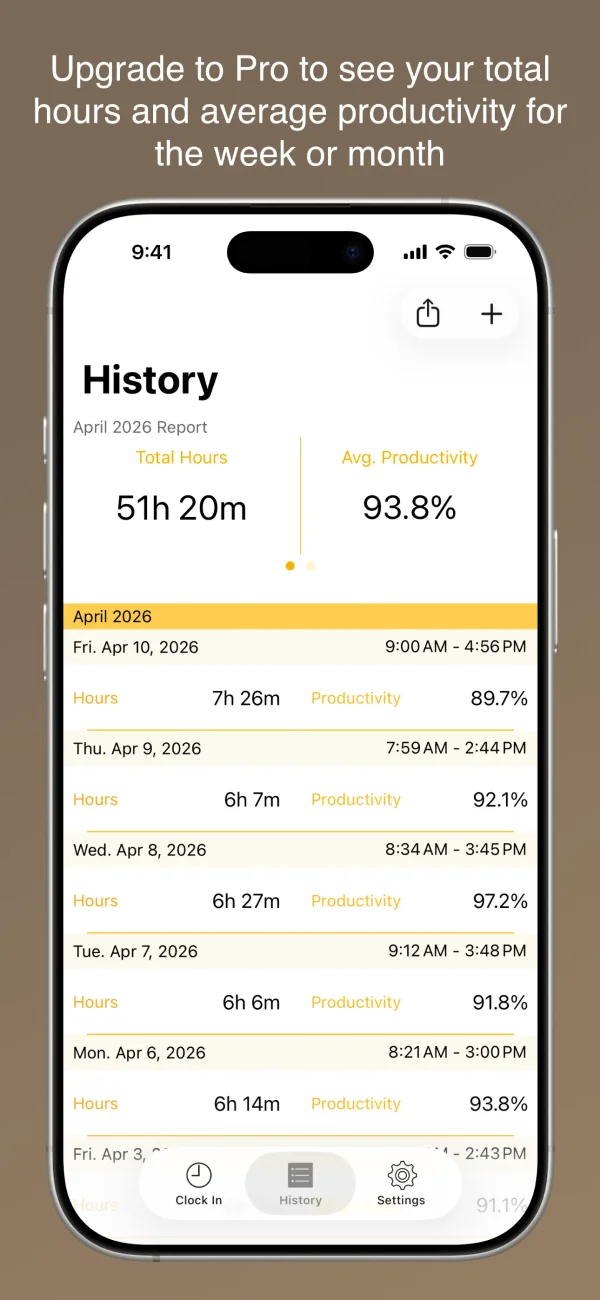
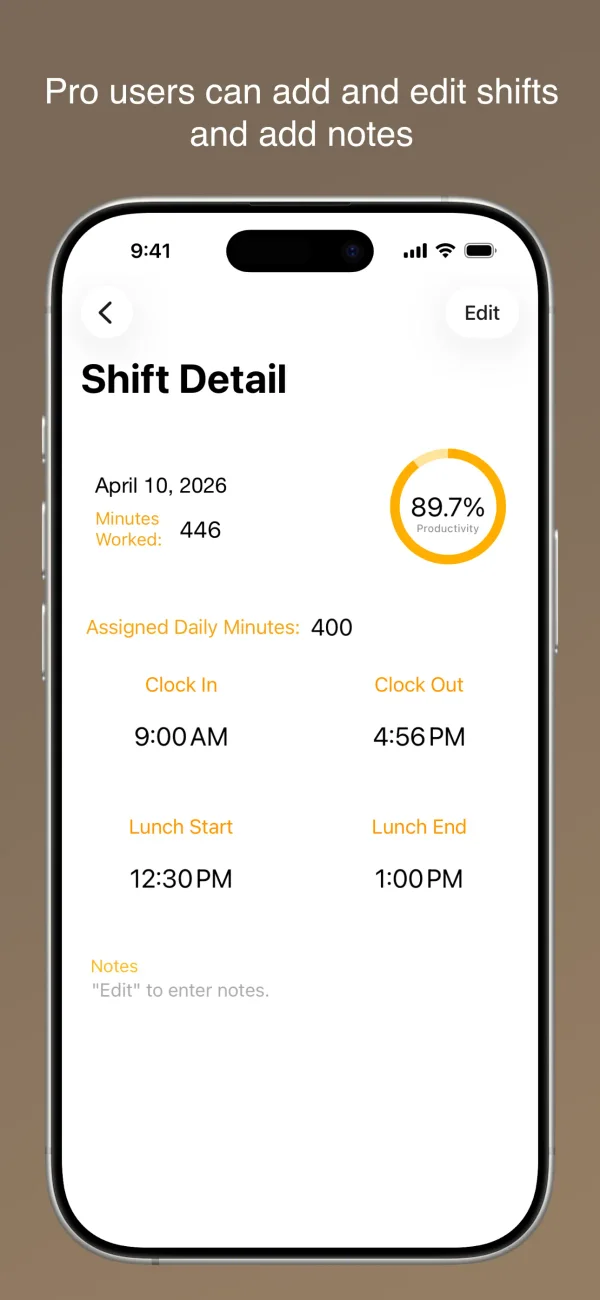
Upgrade to the Pro version to keep track of your past shifts. You can also edit and add new shifts. See your total hours and average productivity for the week or month. No more manager reviews for poor productivity!
・Record, edit and add shifts
・Add notes to your shifts
・Get total hours and average productivity for the week or month
For more information visit: https://pt-vity.com
This app is meant for informational and tracking purposes only. Please follow all applicable laws and regulations.
What’s new
Version 2.3.0 · May 22, 2026
Updates for Pro users:
- Widgets! Pro users can now add an active shift widget to see clock out time and time remaining in shift. A quick clock in/out widget is also available.
- Pro users can see total treatment time in hrs and mins under the target clock out time.
App privacy
What Jason Lew declares on the App Store about how this app handles data.
-
Data not linked to you
May be collected but is not linked to your identity.
- Usage data
- Diagnostics
Privacy practices may vary, for example with the features you use or your age.
Information
- Seller
- Jason Lew
- Category
- Productivity
- Version
- 2.3.0
- Updated
- May 22, 2026
- Released
- Jan 21, 2015
- Size
- 9.6 MB
- Requires
- iOS 18.6 or later
- Age rating
- 4+
- Price
- Free
- In-app purchases
- Yes
- Languages
- English
- Copyright
- © 2019 Jason Lew
You might also like
-
 Fox TraxFox Rehabilitation
-
 AOTA INSPIRE Annual ConferenceProductivity
-
 OnTrack CE - License TrackerNever Miss a Renewal Deadline
-
 Keep&ShareProductivity
-
 HWLWorks Shift PlannerFor Non-government Staff Only
-
 APTA ActionProductivity
-
 CooleafProductivity
-
 Vital LTCVital Solutions
-
 Productivity - Daily PlannerWeekly Planner & Task Manager
-
 Valid ShiftsProductivity