- Age rating4+
- CategoryFinance
- DeveloperJeannot Muller
- LanguagesEnglish+ 7 more
- Size16.9 MB
Links to the official App Store page
Download.org hosts no file of PulseFolio. The button opens its official App Store page, published by Jeannot Muller. Listing last checked on Nov 17, 2026.
Screenshots





About
PulseFolio brings your Parqet portfolio to your Apple Watch — at a glance, right on your watch face.
WATCH FACE COMPLICATIONS
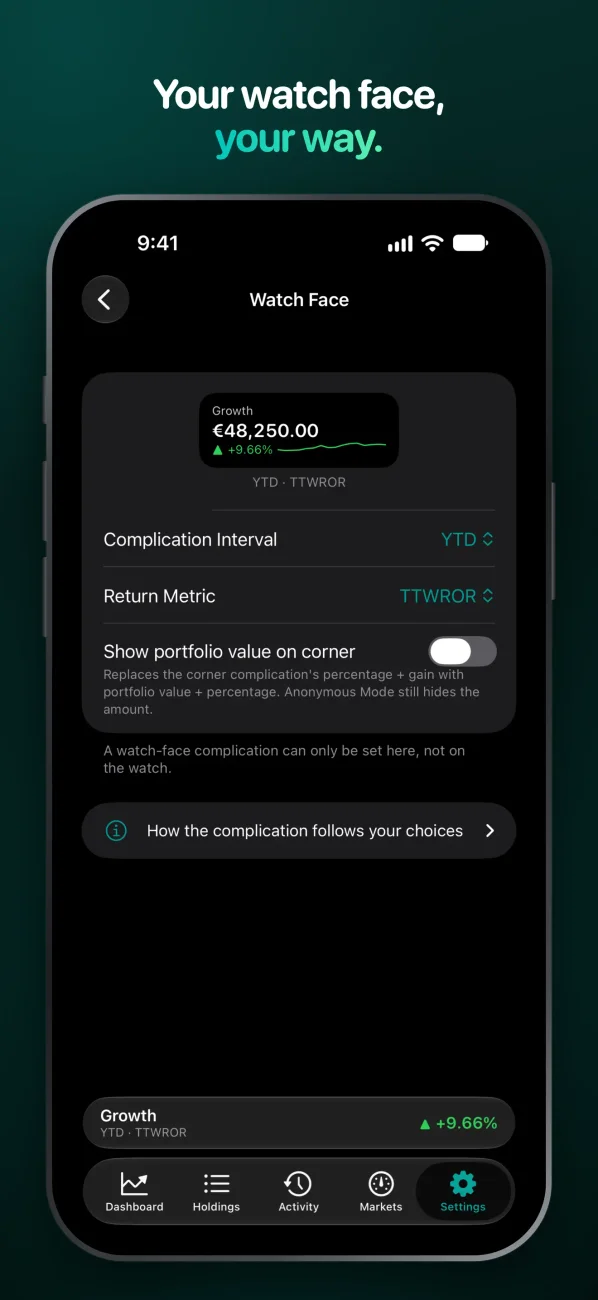
Add your portfolio performance to any watch face. Choose from corner, circular, rectangular, or inline complications showing your gain/loss, return
percentage, and trend indicator. Updates automatically during market hours.
FLEXIBLE METRICS
Switch between TTWROR (True Time-Weighted Rate of Return) and IZF/XIRR (Internal Rate of Return) to see the metric that matters to you. Select your
preferred time period: 1D, 1W, 1M, 3M, 6M, 1Y, YTD, and more.
COMPANION iOS APP
Connect your Parqet account securely via OAuth 2.0. Select your portfolio, configure your preferred return metric and time period — changes sync
instantly to your Watch.
PRIVACY FIRST
PulseFolio connects directly to the Parqet API. Your credentials are handled by Parqet's secure OAuth flow — the app never sees your password. Data is
stored locally on your devices via iCloud Keychain.
FEATURES
- Watch face complications (corner, circular, rectangular, inline)
- Portfolio value, absolute gain/loss, and percentage return
- TTWROR and IZF/XIRR toggle
- Configurable time periods (1D, 1W, MTD, 1M, 3M, 6M, 1Y, YTD, 3Y, 5Y, 10Y, Max)
- Automatic refresh every 15 minutes during market hours
- Background refresh for always up-to-date complications
- Secure OAuth 2.0 with PKCE
REQUIREMENTS
- A Parqet account (https://parqet.com)
- Apple Watch with watchOS 10 or later
- iPhone with iOS 17 or later
What’s new
Version 2026.11.16 · Nov 16, 2026
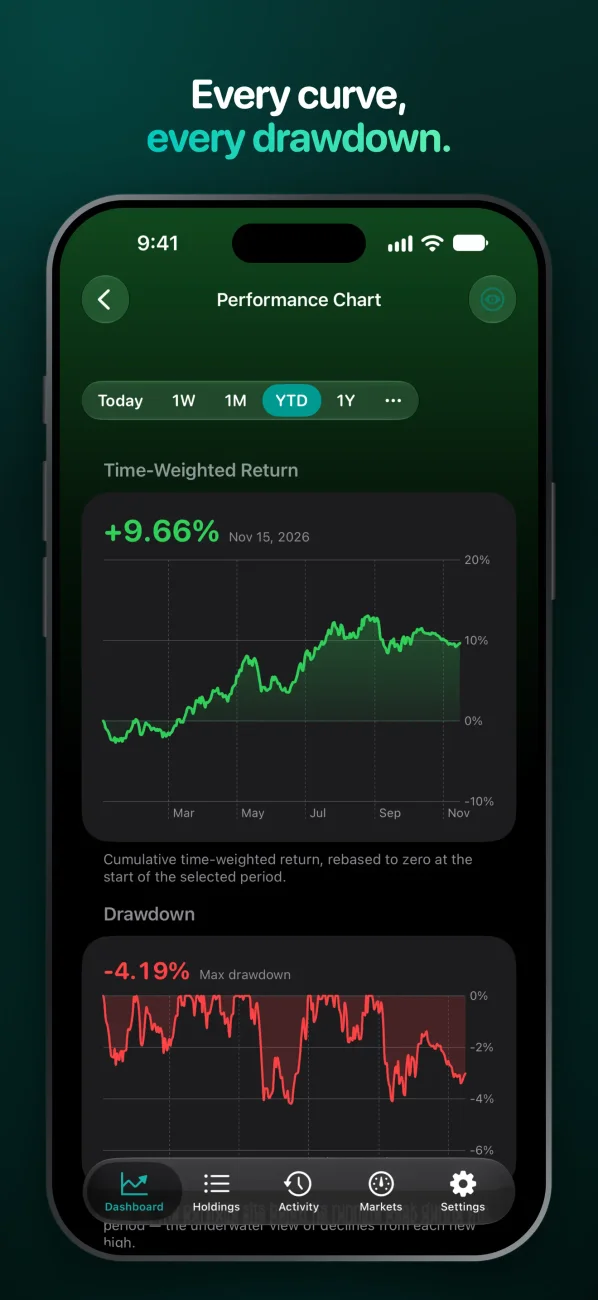
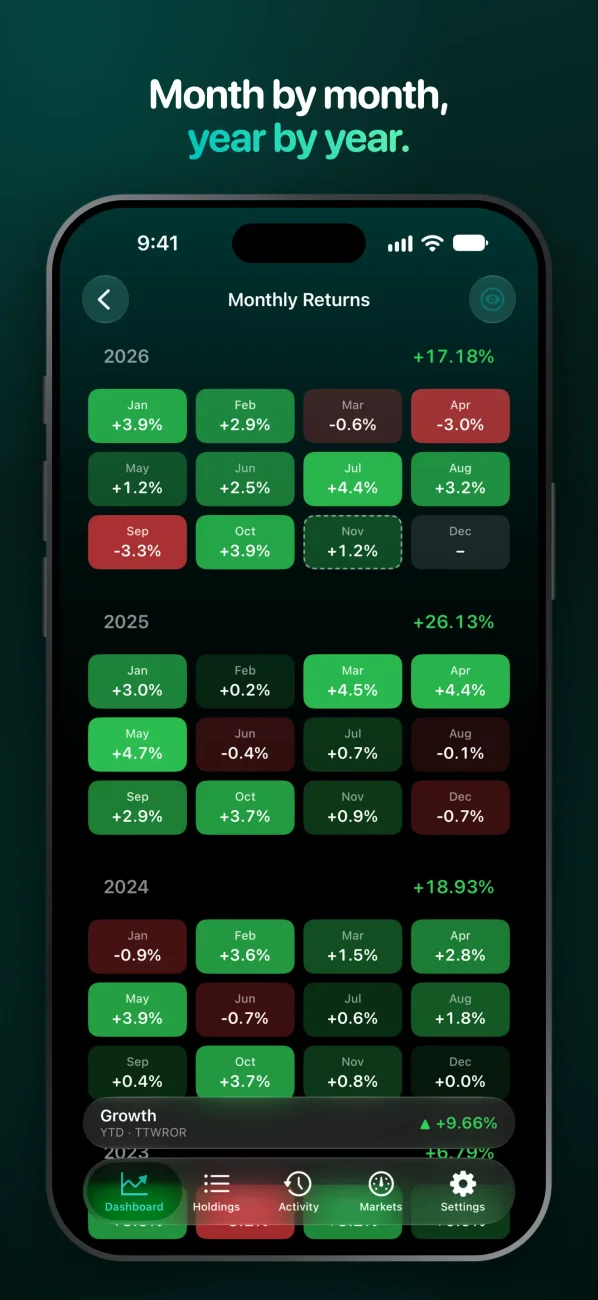
- A calmer, clearer dashboard: touch and hold the chart to see your return on any day, the time periods you use most always in view, and key figures as even tiles
- TTWROR or XIRR? Tap the metric next to your return for a one-line explanation, and switch right there
- Settings works like the Settings app now: a short list, with every area on its own page
- On iOS 26, your portfolio's return stays in view above the tab bar on every tab, and the tab bar shrinks while you scroll. Positions zoom open when you tap them
- Apple Watch: Stats now starts with your chart. Turn the Digital Crown to move through the period
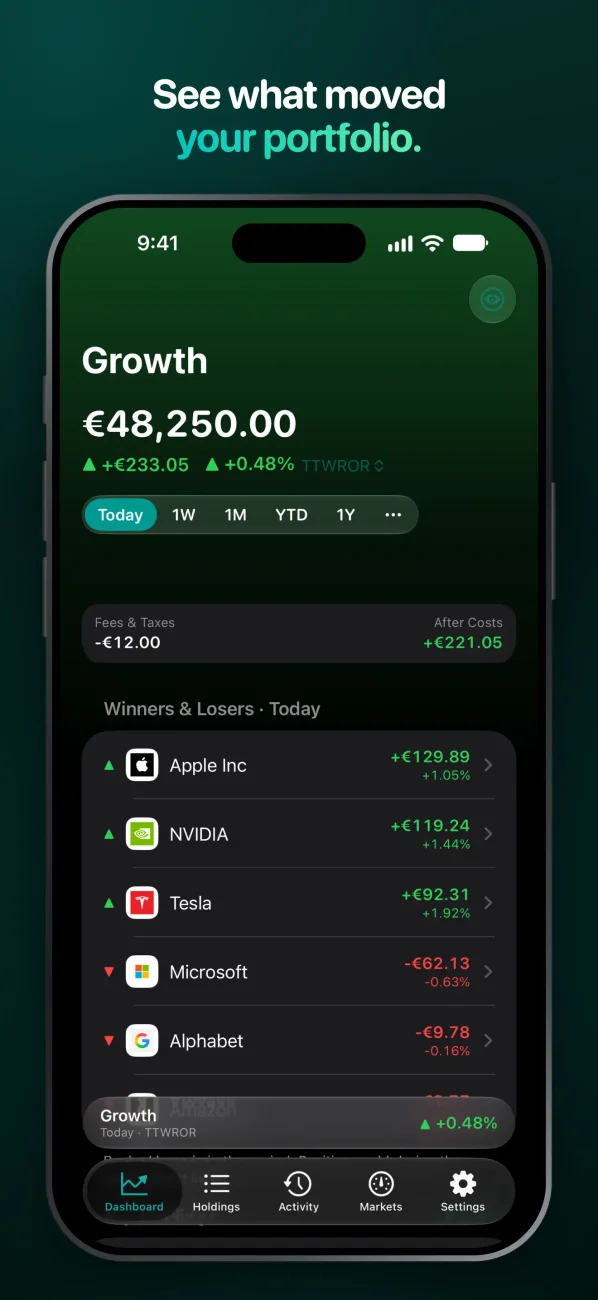
- Apple Watch: new Winners & Losers in Stats
- Apple Watch: tidier pages, with gain and return on one line and "Updated" only when your numbers are getting old
- A tidier Markets tab with a single source note
App privacy
What Jeannot Muller declares on the App Store about how this app handles data.
-
Data not collected
The developer does not collect any data from this app.
Privacy practices may vary, for example with the features you use or your age.
Information
- Seller
- Jeannot Muller
- Category
- Finance
- Version
- 2026.11.16
- Updated
- Nov 16, 2026
- Released
- Apr 21, 2026
- Size
- 16.9 MB
- Requires
- iOS 17.4 or later
- Age rating
- 4+
- Price
- $3.99
- Languages
- English, Danish, French, German, Italian, Polish, Portuguese, Spanish
- Copyright
- © Dr. Jeannot Muller
You might also like
-
 CatCapitalFinance
-
 Market Compass AISentiment | Macro | Markets
-
 Ryder WalletYour crypto, forever yours.
-
 CryptoverviewBitcoin at a glance
-
 Watch My StocksReal time stock quotes
-
 myWealth GermanyFinance
-
 boerse.de-Depot-AppFinance
-
 OmniPersonaFinance
-
 AVL-KundenloginFinance
-
 ETF Calculator Pro SavingsplanCalculate your fund investment