
- Age rating4+
- CategoryFinance
- DeveloperQatar Islamic Bank
- LanguagesEnglish
- Size58.9 MB
Links to the official App Store page
Download.org hosts no file of QIB Corporate. The button opens its official App Store page, published by Qatar Islamic Bank. Listing last checked on Nov 13, 2026.
Screenshots



About
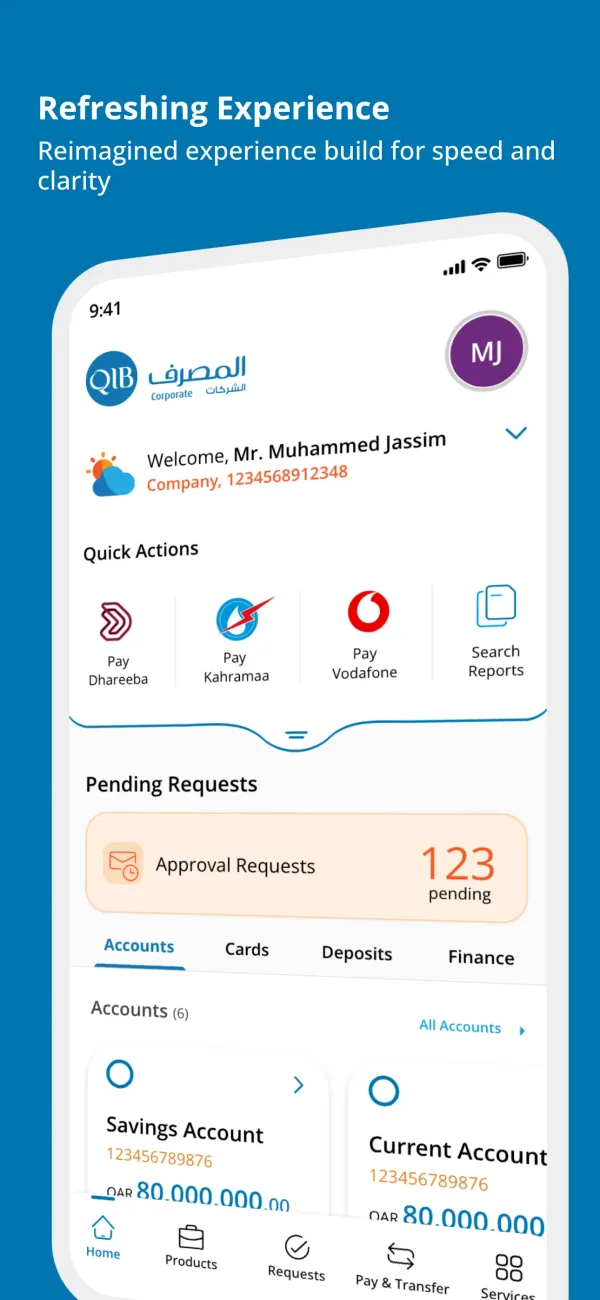
The QIB Corporate App is a secure and convenient mobile banking solution designed specifically for Corporate and SME customers, enabling businesses to manage their banking needs anytime, anywhere.
Featuring a modern user interface, enhanced user experience, and full Arabic and English language support, the QIB Corporate App provides a seamless and intuitive banking experience while maintaining the highest standards of security and control.
Key Features
• Modern and intuitive user interface
• Full Arabic and English language support
• Personalized access based on user roles, authority levels, and responsibilities
• Secure transaction verification and authorization
• Smart shortcuts for faster access to frequently used services
• Rich and simplified navigation experience
Accounts & Cash Management
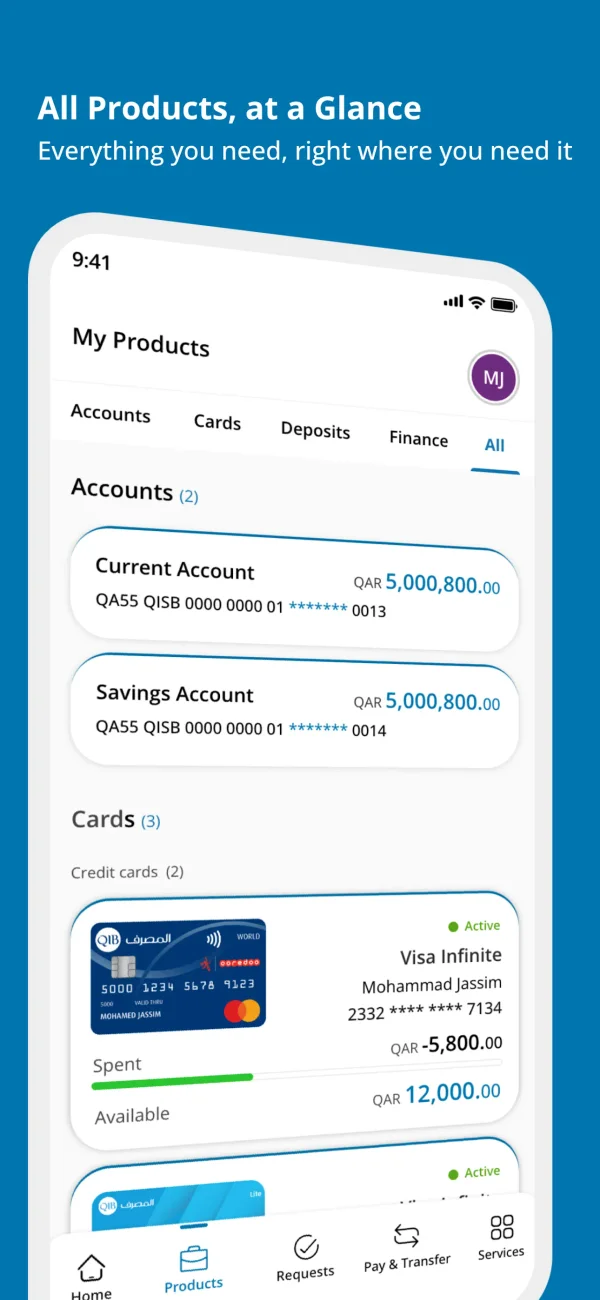
• View account balances and account summaries
• Monitor corporate finances through a consolidated overview
• View and manage corporate deposits
• View and manage corporate cards
Payments & Transfers
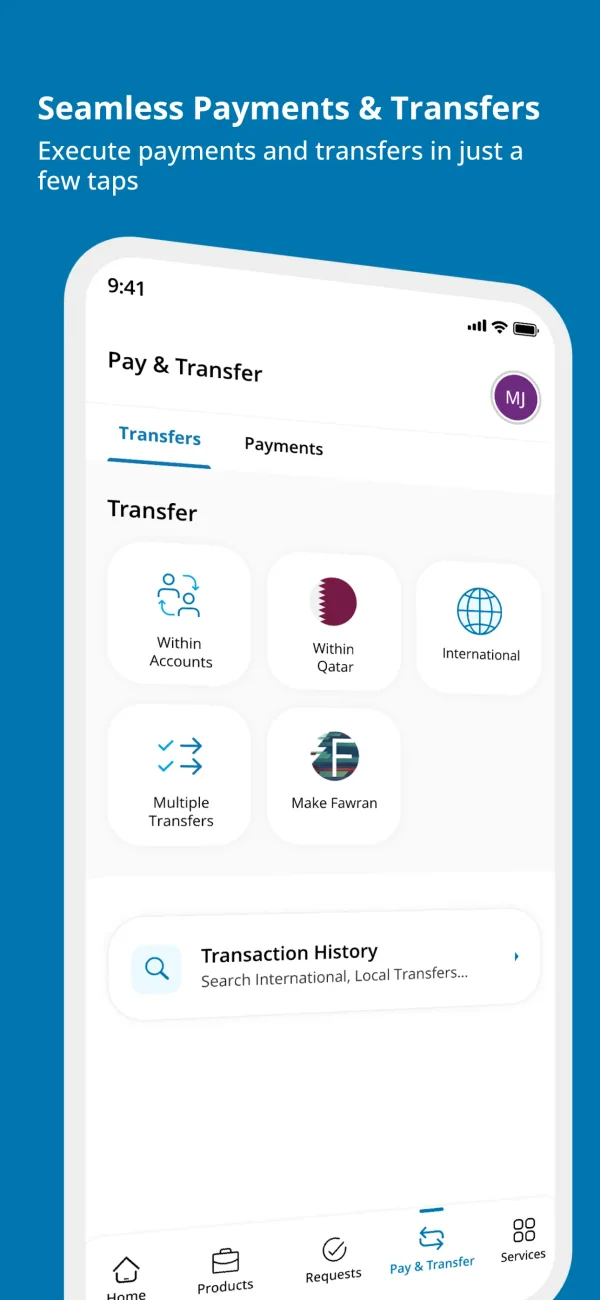
• Make local and international transfers
• Make Fawran Transfers
• Initiate Single or Multiple Transfers
• Settle utility bills (Ooredoo, Vodafone, Kahramaa, Dhareeba, Court Payments)
• Track transfer status and transaction details
Requests
• View and manage all requests
• Review and approve requests
• Track your requests
Corporate Services
• Request cheque books
• Apply for Finance & Corporate credit cards
• Open new Corporate Fixed Deposits instantly
• Request e-Statements
• Request SWIFT copies
• Search for reports related to transfers, cheques, and dividend payments
Designed for Business Control:
QIB Corporate enables authorized users to initiate, review, verify, approve, and monitor transactions around the clock, ensuring business continuity whether you are in the office, at home, or travelling.
Getting Started:
1. Download the QIB Corporate App.
2. Log in using your existing QIB Corporate Internet Banking username and password.
3. Complete authentication using the One-Time Password (OTP) sent to your registered mobile number.
4. Enable Face ID or Fingerprint Login for faster and more secure access.
Security First:
QIB Corporate App incorporates advanced security controls to protect your business banking activities. Access is governed by your organization's user permissions and approval hierarchy, ensuring the right level of control for every transaction.
The QIB Corporate App is available exclusively to customers registered for QIB Corporate Internet Banking and is accessible worldwide.
Download QIB Corporate App today and experience a smarter way to manage your business banking.
For more information, visit www.qib.com.qa
What’s new
Version 4.9.1 · Nov 7, 2026
General enhancements to the App performance.
App privacy
What Qatar Islamic Bank declares on the App Store about how this app handles data.
-
Data not collected
The developer does not collect any data from this app.
Privacy practices may vary, for example with the features you use or your age.
Information
- Seller
- Qatar Islamic Bank (Qib)
- Category
- Finance
- Version
- 4.9.1
- Updated
- Nov 7, 2026
- Released
- Jun 27, 2020
- Size
- 58.9 MB
- Requires
- iOS 15.0 or later
- Age rating
- 4+
- Price
- Free
- Languages
- English
- Copyright
- © Qatar Islamic Bank