QR Code - Qrater
AI Powered QR Barcode Scaner
Designed for iPhone, iPad
Free · In-app purchases
- Age rating4+
- CategoryUtilities
- DeveloperOnur Uca
- LanguagesEnglish
- Size1.2 MB
Links to the official App Store page
Download.org hosts no file of QR Code - Qrater. The button opens its official App Store page, published by Onur Uca. Listing last checked on Nov 18, 2026.
Screenshots


About
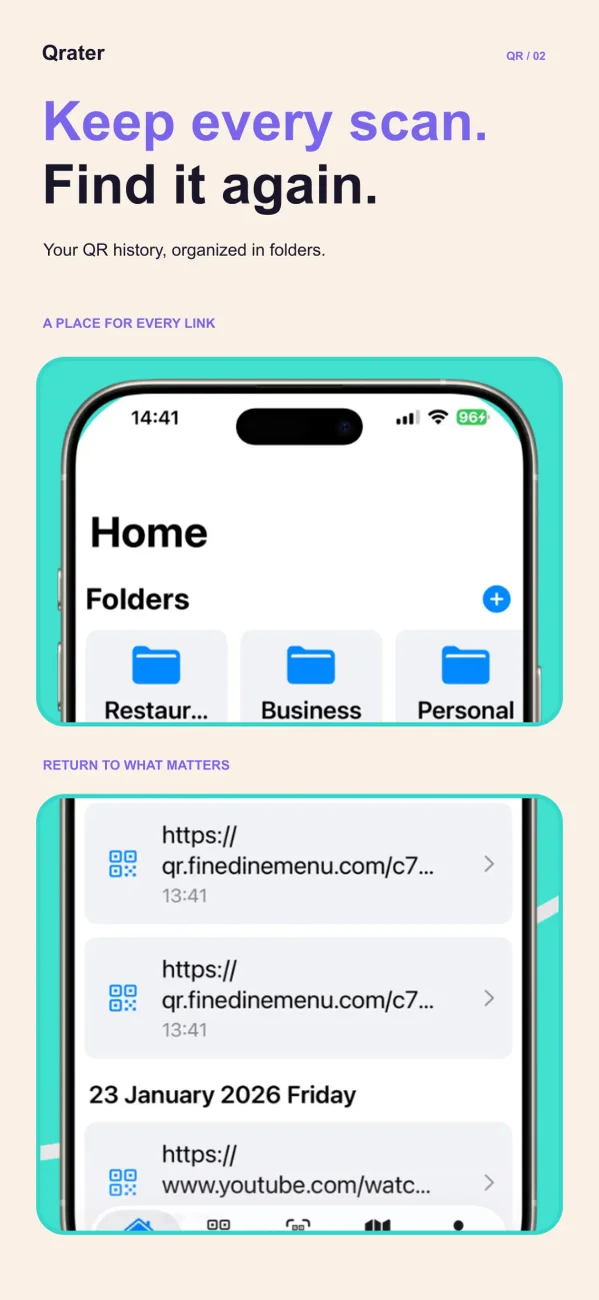
Qrater is a smart QR code & barcode scanner designed to help you organize, remember, and discover QR codes .effortlessly.
Scan QR codes instantly and keep everything structured in one place. Every scanned QR code and barcode is stored securely on your device, allowing you to create folders, rename them, move QR code links between folders, or delete individual items or entire folders whenever you want.
Key Features
Fast and reliable QR code and barcode scanning
On-device scan history storage
Create, rename, and manage folders
Move QR codes between folders
Delete individual QR codes or entire folders
Scan. Organize. Discover.
Qrater turns QR codes into a smarter experience.
This app uses Apple’s Standard Terms of Use (EULA):
https://www.apple.com/legal/internet-services/itunes/dev/stdeula/
What’s new
Version 1.4.1 · Feb 4, 2026
App store screenshots have been revised
Barcode scan feature added
App privacy
What Onur Uca declares on the App Store about how this app handles data.
-
Data not collected
The developer does not collect any data from this app.
Privacy practices may vary, for example with the features you use or your age.
Information
- Seller
- Onur Uca
- Category
- Utilities
- Version
- 1.4.1
- Updated
- Feb 4, 2026
- Released
- Jan 29, 2026
- Size
- 1.2 MB
- Requires
- iOS 26.0 or later
- Age rating
- 4+
- Price
- Free
- In-app purchases
- Yes
- Languages
- English
- Copyright
- © 2026 Onur Uca
You might also like
-
 ESP-Airlinkble config wifi quickly
-
 QR Code BotGenerate & Scan QR Codes
-
 BarcodeScan: Scan, Save, EmailScan QR/Barcodes & Email Data
-
 QRScan: QR & Barcode Scanner.Fast Code Reader & Generator
-
 PDF AI EditorPDF Converter - Word to PDF
-
 ESP RainMaker HomePowered by Espressif
-
 AI QR Code Pro: QR GeneratorArt QR codes, custom designs
-
 Onlaýn HyzmatUtilities