
QR Code Scanner & Maker: Skopi
Barcode Reader & QR Generator
Designed for iPhone, iPad
In-app purchases
- Age rating4+
- CategoryUtilities
- DeveloperTanvir N Hasan
- Size8.8 MB
Links to the official App Store page
Download.org hosts no file of QR Code Scanner & Maker: Skopi. The button opens its official App Store page, published by Tanvir N Hasan. Listing last checked on Nov 14, 2026.
Screenshots
About
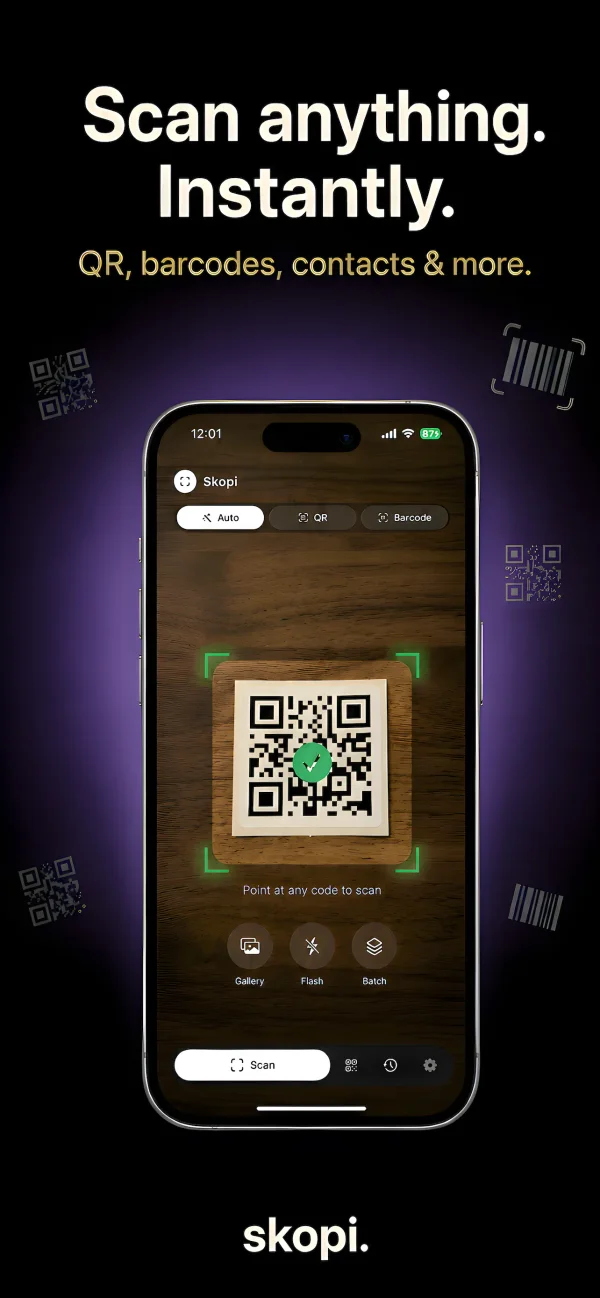
Skopi is the fast, private way to scan and create QR codes and barcodes on iPhone.
POINT. SCAN. DONE.
Open Skopi and it's already scanning. QR codes, product barcodes, WiFi codes, contact cards, links, phone numbers, emails — recognized instantly, with a smart action for each one:
• Scan a link → open it in your browser
• Scan a WiFi code → see the network and copy the password in one tap
• Scan a contact card → save it straight to Contacts
• Scan a phone number → call it
• Scan a product barcode → see the product name and search it online
• Scan an email or SMS code → compose the message instantly
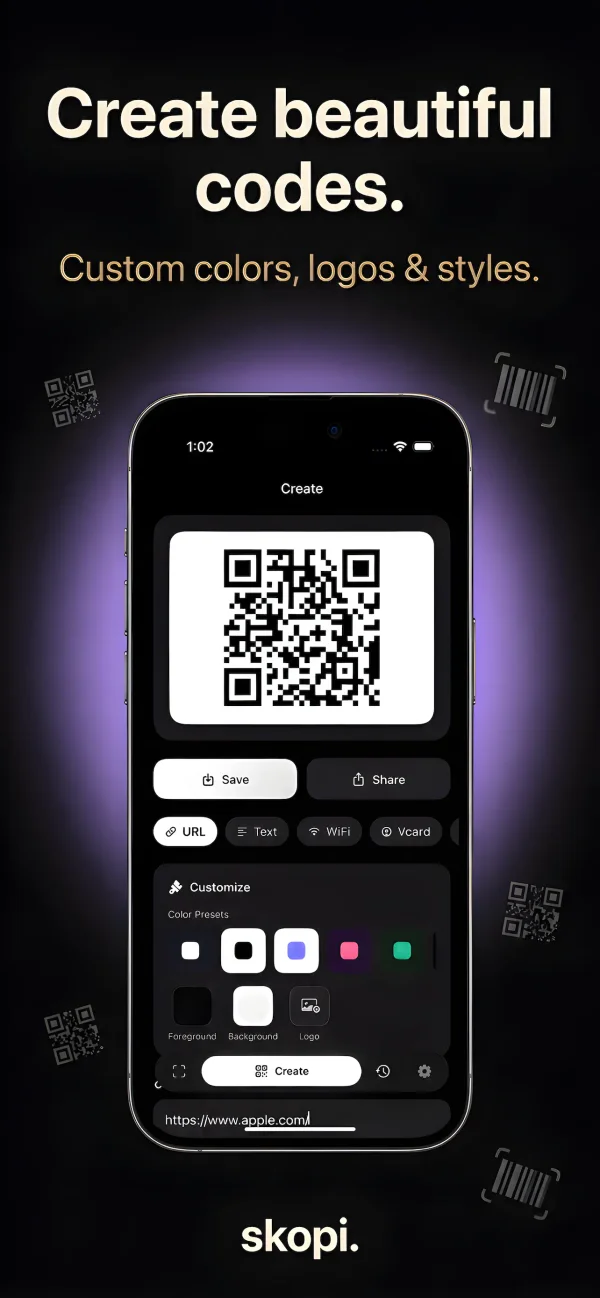
CREATE CODES THAT LOOK GOOD
Generate a crisp, scannable QR code in seconds — for a website, WiFi network, contact card (vCard), email, phone number, text message, or any text. Save it to Photos or share it anywhere.
PRIVATE BY DESIGN
Skopi never uploads your scans. Your history lives on your iPhone, protected by iOS — no account, no cloud, no tracking of what you scan. Add Face ID App Lock and your history is for your eyes only.
EVERYTHING IN THE FREE APP
• Instant QR + barcode scanner (EAN, UPC, Code 128/39/93, ITF, Data Matrix, PDF417, Aztec)
• Scan from photos in your library
• Smart actions on every result
• QR generator for links and text
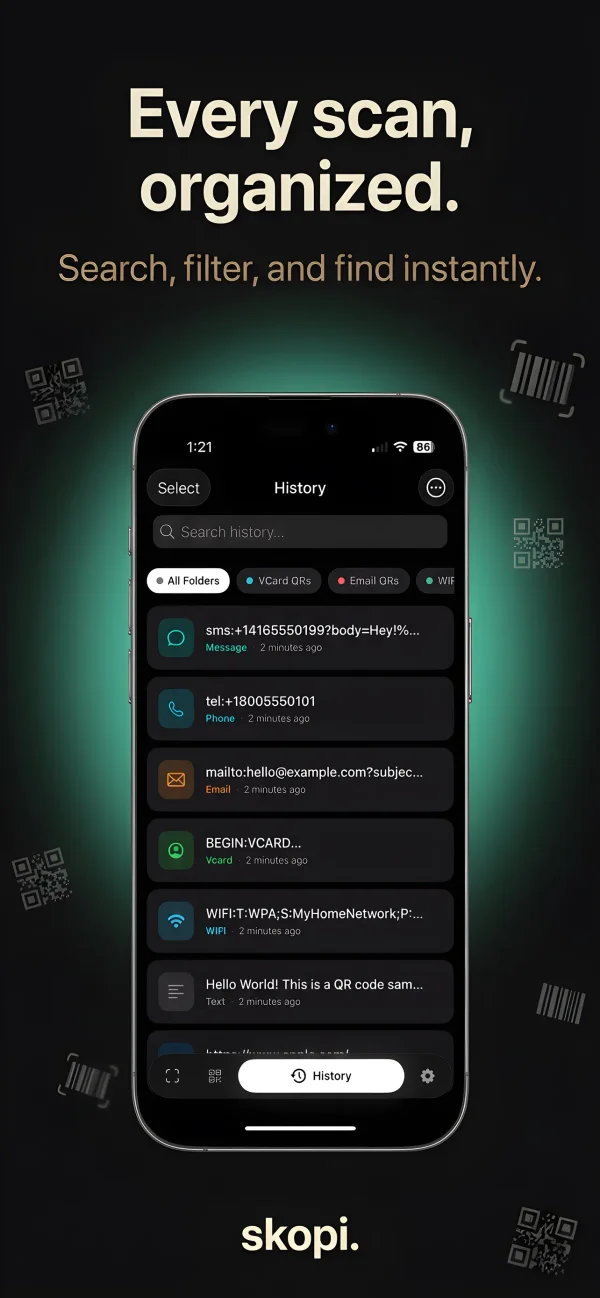
• Local scan history with search and filters
• Product lookup for retail barcodes
• Scan beep and haptics, both optional
GO FURTHER WITH SKOPI PRO
• No ads — completely uninterrupted
• Unlimited scan history
• Every QR type: WiFi, vCard, Email, Phone, Message
• Custom colors and your logo on generated codes
• Batch Scan Mode — capture many codes in a row
• Folders to organize scans
• Hide-duplicates view
• CSV export of your history
• App Lock with Face ID
• Open links in your favorite browser: Safari, Chrome, Brave, Firefox, DuckDuckGo, or Edge
Prefer not to subscribe? Watch a short ad to unlock individual Pro perks for free.
SUBSCRIPTION DETAILS
Skopi Pro is a Monthly or Yearly auto-renewing subscription, with a free trial for new subscribers where available. Payment is charged to your Apple ID at confirmation of purchase. Subscriptions renew automatically unless cancelled at least 24 hours before the end of the current period. Manage or cancel anytime in Settings → Apple ID → Subscriptions.
Terms of Use (EULA): https://www.apple.com/legal/internet-services/itunes/dev/stdeula/
What’s new
Version 1.5 · Jul 8, 2026
• New: scan a WiFi QR code and copy the password in one tap
• New: save scanned contact cards straight to Contacts
• New app icon
• Generated QR codes now default to high-contrast black-on-white so any device can read them
• Skopi now supports iOS 17 and later — many more devices can install it
• Fixes: swipe-to-delete in History, sharper scanning performance, better ad behavior around Face ID lock
App privacy
What Tanvir N Hasan declares on the App Store about how this app handles data.
-
Data used to track you
May be used to track you across apps and websites owned by other companies.
- Location
- Identifiers
- Usage data
-
Data not linked to you
May be collected but is not linked to your identity.
- Location
- Identifiers
- Usage data
- Diagnostics
Privacy practices may vary, for example with the features you use or your age.
Information
- Seller
- Tanvir N Hasan
- Category
- Utilities
- Version
- 1.5
- Updated
- Jul 8, 2026
- Released
- May 6, 2026
- Size
- 8.8 MB
- Requires
- iOS 17.0 or later
- Age rating
- 4+
- In-app purchases
- Yes
- Copyright
- © 2026 Tanvir N Hasan. All rights reserved.
You might also like
-
 QR or BarcodeGenerator, Scanner + Template
-
 QR Reader & CreatorQR Code Scanner & Generator
-
 QR Scanner: Reader & MakerScan Barcode & Create QR
-
 QR Scanner: Barcode MakerCode Reader & Generator
-
 QR Barcode Scan & GenerateFast, code scanner & creator
-
 Scanely: QR Code GeneratorCustom Design, Logo & Scanner
-
 QR Code Scanner - Scan ProQR Reader & Barcode Scanner
-
 Kodly: QR Code & Barcode MakerCustom QR, Logo & Label Sheets
-
 QR & BarCode Generator AICreate, Customize & Export
-
 QRead: Food & Barcode ScannerProduct, Labels & Ingredients