
QR Tools - Scan & Create
Create Customizable QR Codes
Designed for iPhone, iPad
Free
- Age rating4+
- CategoryUtilities
- DeveloperTUFAN VATANDOST
- LanguagesEnglish+ 7 more
- Size5.5 MB
Links to the official App Store page
Download.org hosts no file of QR Tools - Scan & Create. The button opens its official App Store page, published by TUFAN VATANDOST. Listing last checked on Nov 18, 2026.
Screenshots
About
The all-in-one QR code scanner and creator you've been looking for. Fast, private, and packed with smart features that save you time.
SCAN INSTANTLY
• Lightning-fast camera scanning powered by advanced recognition
• Scan QR codes from images in your gallery
• Batch mode — scan multiple codes in a row without stopping
• Supports QR codes, EAN, UPC, Code 128, and more barcode formats
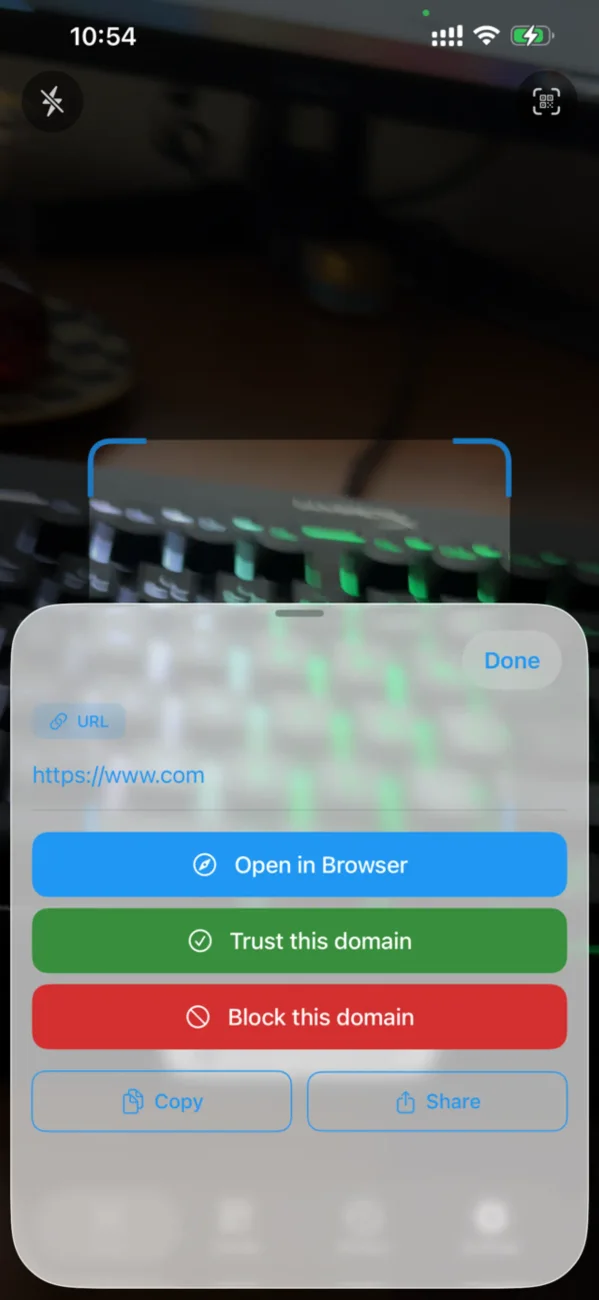
SMART SAFETY PROTECTION
• Built-in URL safety analyzer warns you about suspicious links
• Detects URL shorteners, non-HTTPS links, IP-based URLs, punycode domains, and suspicious TLDs
• Custom domain allowlist and blocklist — you control what's trusted
• All scanning happens on-device. Your data never leaves your phone.
CREATE QR CODES FOR EVERYTHING
• URL — Share any website link
• Wi-Fi — Select from nearby networks, no manual SSID typing needed
• Contact — Pick directly from your phone contacts
• Phone Number — Choose a contact or type manually
• Location — Search any address, use your GPS, or enter coordinates
• Calendar Event — Import events straight from your calendar
• Email, SMS, and Plain Text
SMART PICKERS — NO MORE MANUAL INPUT
• Wi-Fi: Tap "Scan Nearby Networks" to see available WiFi and select one
• Contacts: Tap "Pick from Contacts" to auto-fill name, phone, email & organization
• Phone: Optionally pick a number from your contacts
• Location: Search addresses with built-in geocoding or tap "Use My Location"
• Events: Import upcoming events from your device calendar with one tap
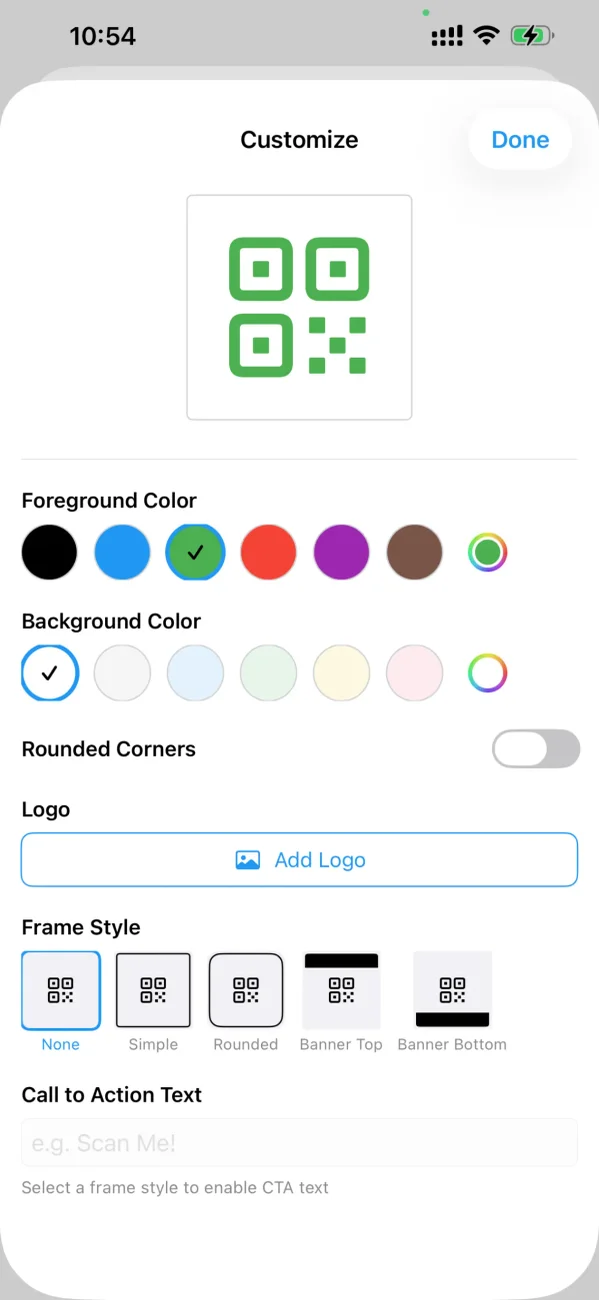
CUSTOMIZE YOUR QR CODES
• Choose foreground and background colors
• Rounded corner style for a modern look
• Add your logo or brand image to the center
• Decorative frames — Simple, Rounded, Banner Top, Banner Bottom
• Add call-to-action text like "Scan Me!"
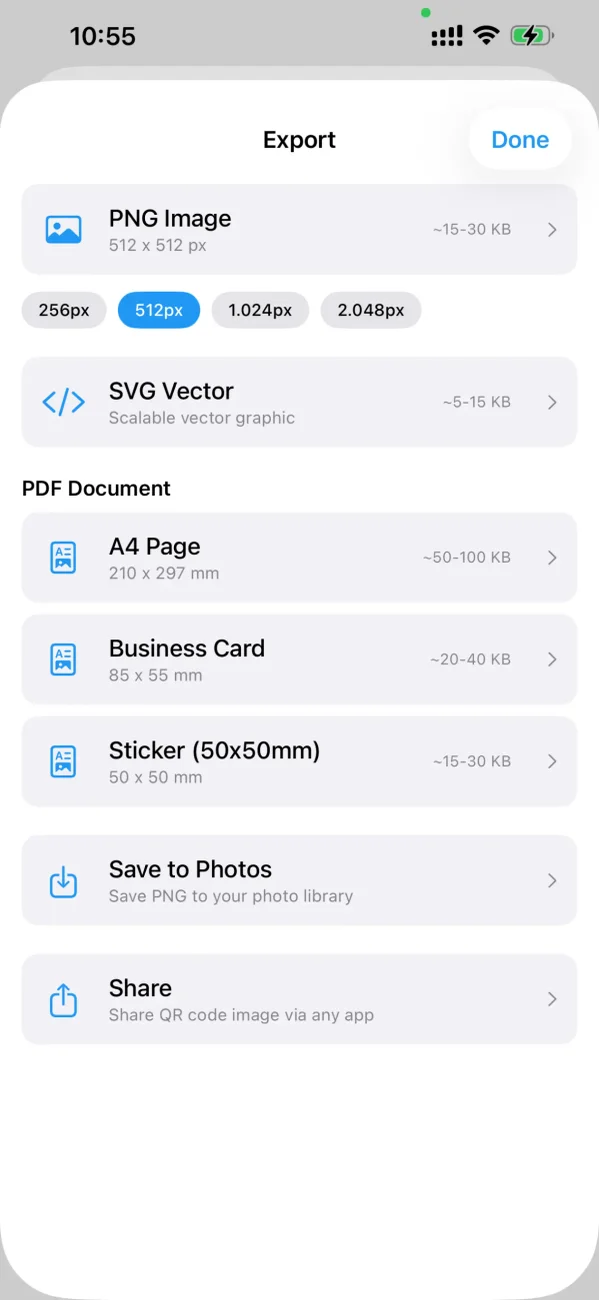
EXPORT & SHARE
• Export as PNG in 256px, 512px, 1024px, or 2048px
• Export as SVG — scalable vector format for print
• Export as PDF — A4 page, business card, or sticker sheet presets
• Save directly to your gallery
• One-tap sharing to any app
• Export scan history as CSV or JSON
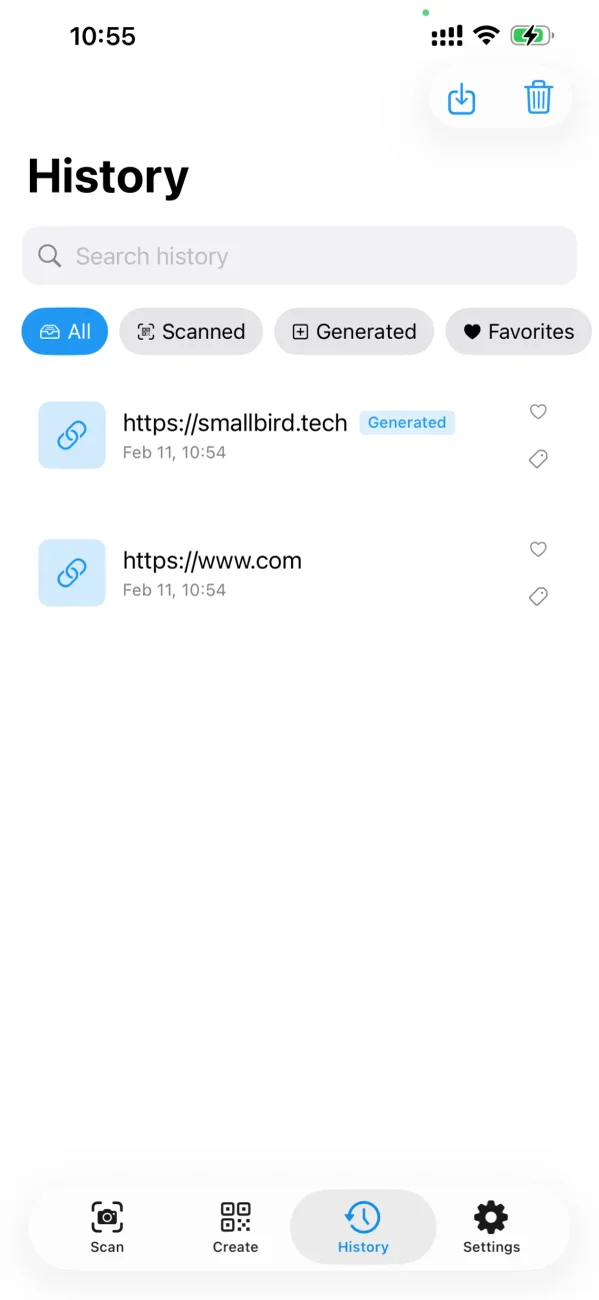
HISTORY & ORGANIZATION
• Full scan and creation history with search
• Filter by scanned, created, or favorites
• Tag your codes for easy organization
• Track scan counts and timestamps
• Bulk export your history
YOUR PRIVACY MATTERS
• All data stays on your device
• No cloud uploads, no tracking, no accounts required
• Camera is used only for scanning — never recorded or shared
• Open and transparent about every permission we use
App privacy
What TUFAN VATANDOST declares on the App Store about how this app handles data.
-
Data not collected
The developer does not collect any data from this app.
Privacy practices may vary, for example with the features you use or your age.
Information
- Seller
- TUFAN VATANDOST
- Category
- Utilities
- Version
- 1.0.0
- Updated
- Feb 13, 2026
- Released
- Feb 13, 2026
- Size
- 5.5 MB
- Requires
- iOS 17.0 or later
- Age rating
- 4+
- Price
- Free
- Languages
- English, French, Hindi, Portuguese, Russian, Simplified Chinese, Spanish, Turkish
- Copyright
- © Mert Tufan Vatandost
You might also like
-
 AEConnectUtilities
-
 Select Conductor Wire PROElectrical conductors
-
 QR Scanner: ScannerQR Scanner App
-
 Petromoc CardPetromoc Card
-
 i-tecc+ BMSUtilities
-
 WattoHourly Electricity Prices
-
 TrackingGenieUtilities
-
 GroSens CompanionUtilities
-
 Duo Auty 2FA - Secure PassVerify codes for access
-
 TruDash – NAS DashboardTrueNAS Monitoring & Control