QR Wait Mini - Queue & Page
No App! No LINE! Just QR!
Designed for iPhone, iPad, iPod touch
In-app purchases
- Age rating4+
- CategoryFood & Drink
- DeveloperQAEE CONPUUTENG
- LanguagesJapanese+ 2 more
- Size20.9 MB
Links to the official App Store page
Download.org hosts no file of QR Wait Mini - Queue & Page. The button opens its official App Store page, published by QAEE CONPUUTENG. Listing last checked on Nov 12, 2026.
Screenshots
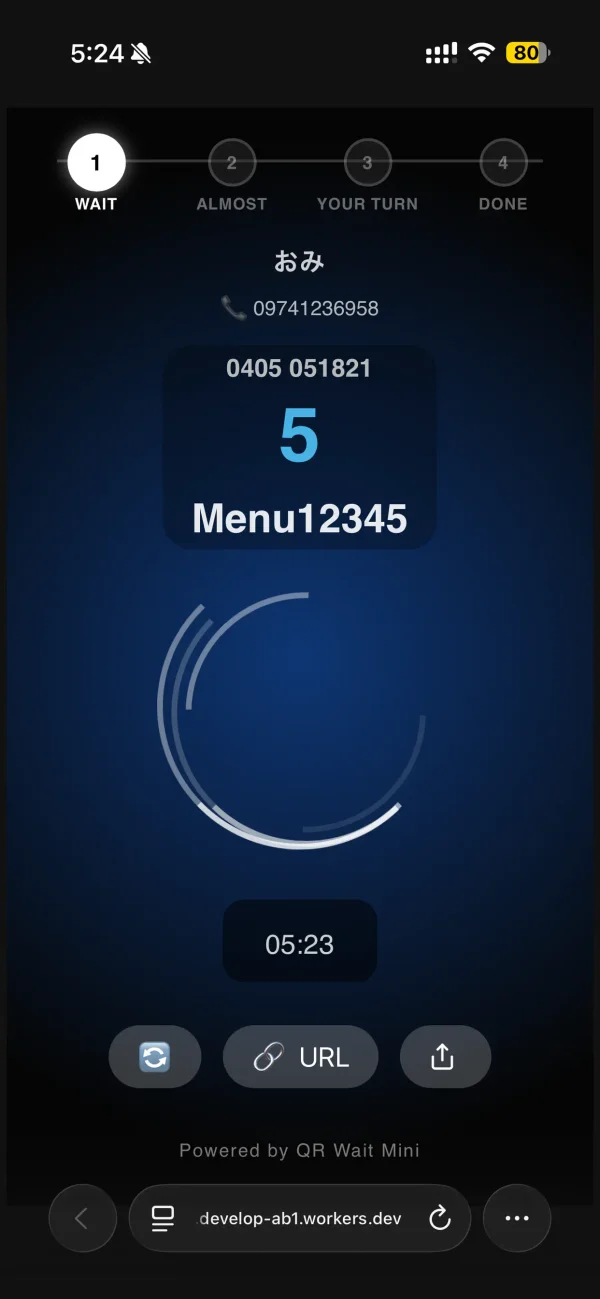
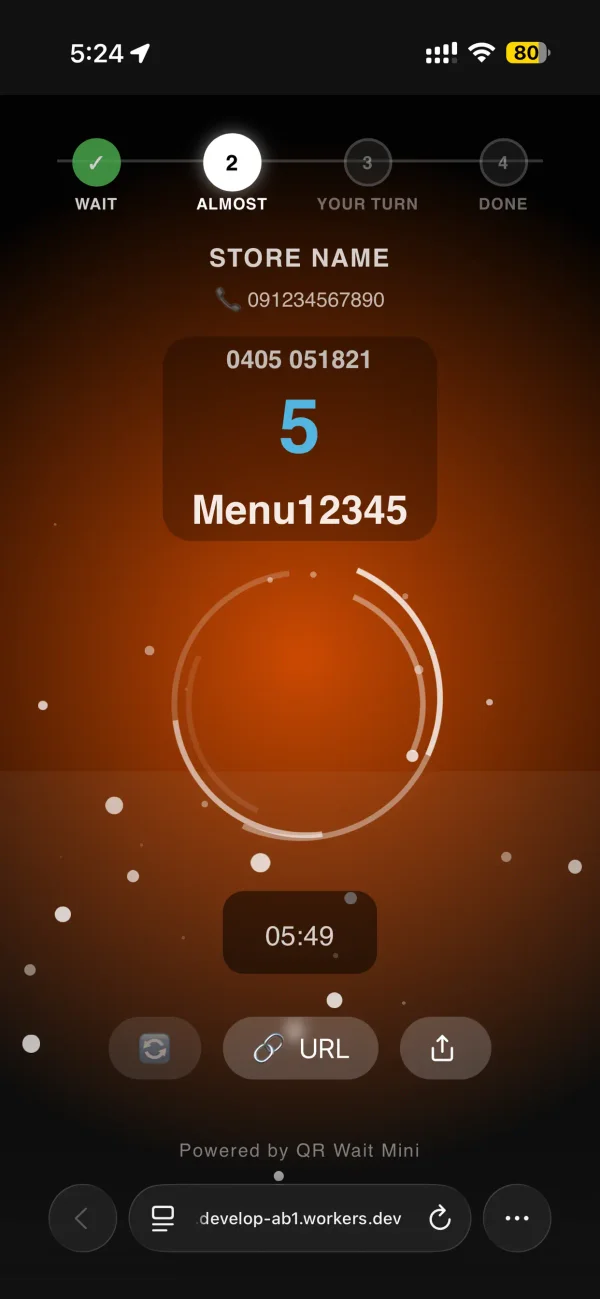
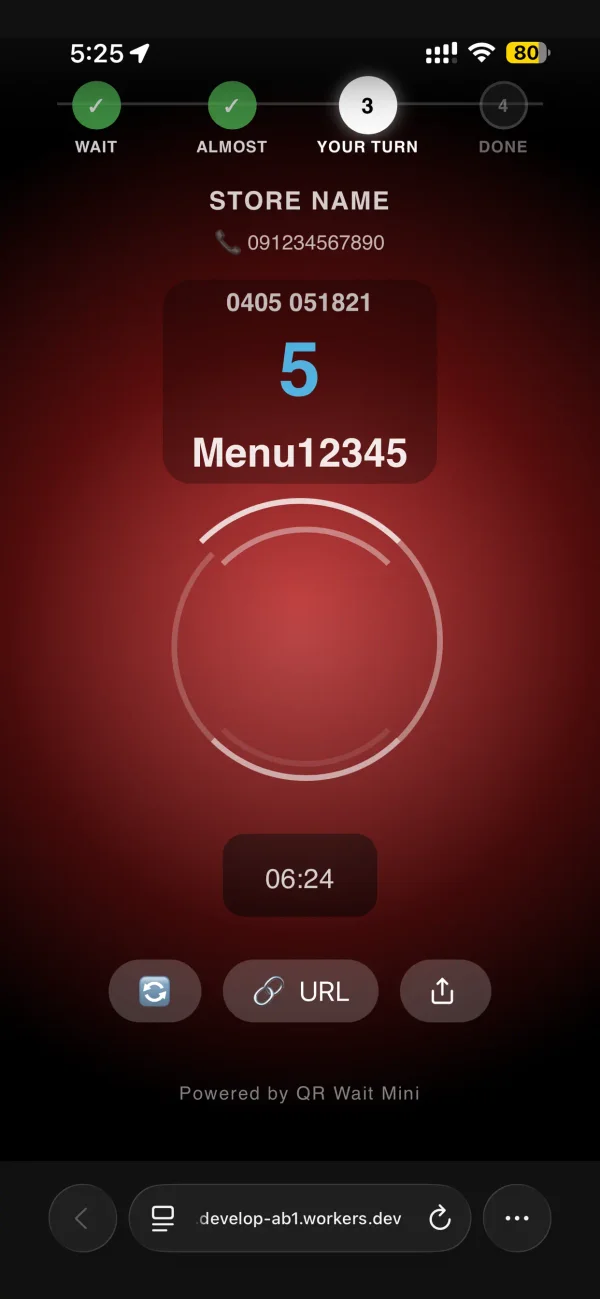

About
"QR Wait Mini" is the simplest smart paging system out there, for any place that keeps people waiting: restaurants, food trucks, clinics, events and more.
No app! No install! No LINE! Just QR! Dead simple.
No more costly hardware (pagers and coaster buzzers costing hundreds of pounds) or heavyweight queue systems costing a fortune every month.
▼ Customers just wait, with no app needed
You never have to make customers install a dedicated app or add a LINE official account.
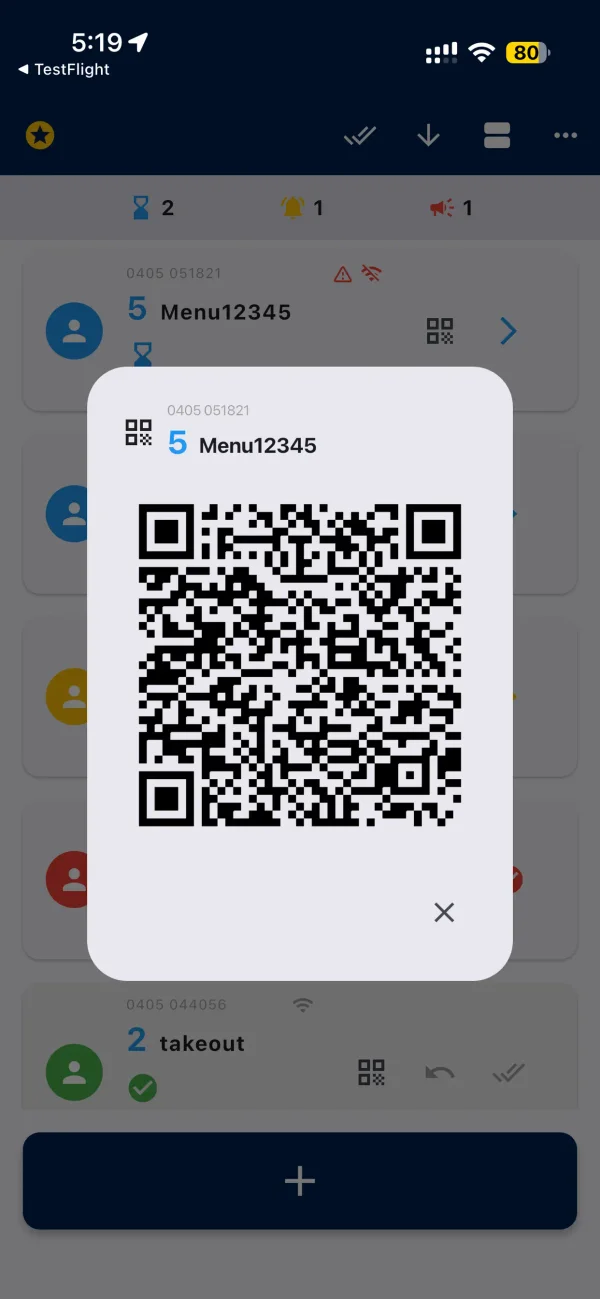
They simply scan the QR code on your tablet with their phone's standard browser (Safari or Chrome) and wait. They can even step away to their car or a nearby café, easing crowding.
▼ It survives even if the browser closes
The current status and timer start time are stored on the server. So whatever the customer does on their phone, the data never disappears unless your shop swipes it away.
*To protect privacy, issued ticket data is automatically erased from the server 24 hours after it is created. The maximum wait time supported is therefore 24 hours.
[How it actually behaves]
1. Opened another app / pressed the power button to dim the screen
The ticket is not lost. The waiting screen uses the browser's "WakeLock API" and "silent audio playback" to keep the connection alive in the background wherever the browser allows it. When you set the status to "almost" or "calling," it sounds an alarm, and also vibrates on browsers that support vibration (Safari on iPhone does not).
2. Completely swiped the browser tab away
The connection drops, so in your app the "Wi-Fi icon turns grey" and the phone won't ring. But the data is not gone. Once the customer scans your QR code again, the current status (yellow or red) and the elapsed waiting time are restored exactly.
[!] Important notes
This system assumes customers can always return to the browser waiting screen. If a customer fully closes the tab and never returns, or uses a device that cannot scan QR codes, the call cannot be delivered.
▼ An intuitive animated UI that crosses the language barrier
The waiting screen uses a "VJ-style UI" that conveys the situation without relying on text.
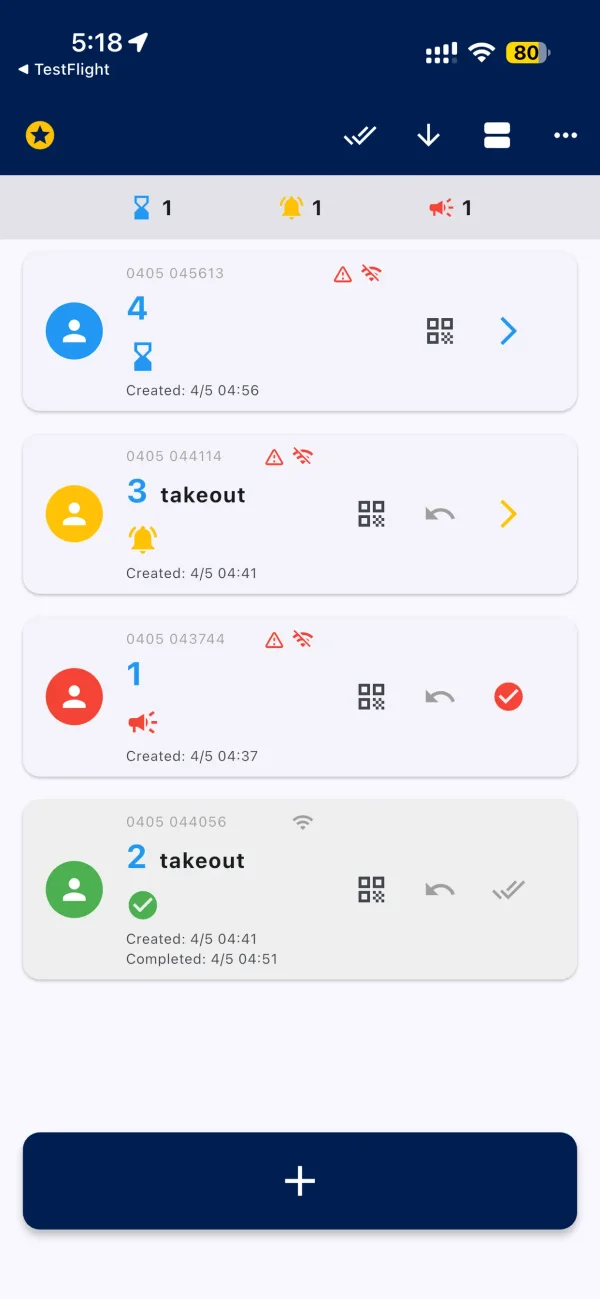
- Waiting (blue): a slowly rotating ring
- Almost there (yellow): a ripple animation welling up from below
- Your turn (red): a fiercely flashing pulse animation with an alarm
Shown purely through colour and animation, the status is clear even to overseas visitors who don't read English.
▼ Full support for an external storefront monitor (dual display)!
Connect your iPhone or iPad to an external monitor by cable or AirPlay, and a dedicated QR code screen for customers to scan is automatically shown large on it.
You manage the queue on your device while the monitor doubles as digital signage, making operations at the till far slicker.
▼ Dead-simple management in 4 steps
All your staff do is tap an icon in the list. The status flow is simple enough for anyone to follow: "Waiting (blue)" -> "Almost (yellow)" -> "Calling (red)" -> "Done (green)."
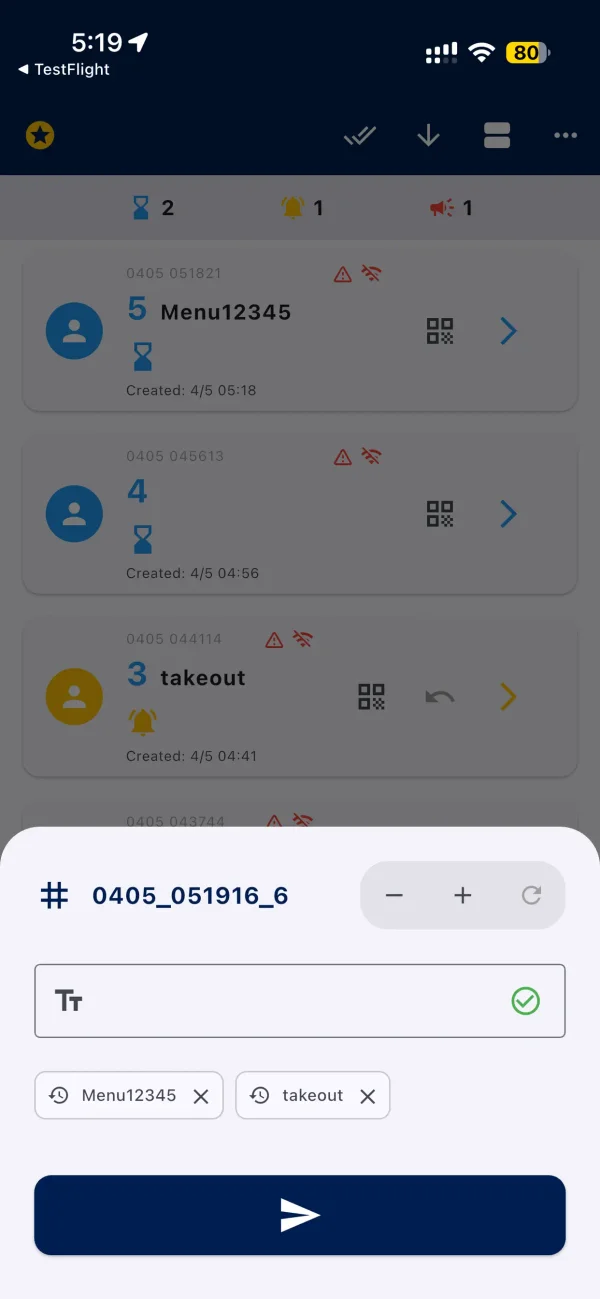
It also includes handy features: hiding completed entries, editing or deleting individual items, and one-tap resetting of the sequence number.
▼ Free trial
Every feature is free for 60 days after you install the app. To keep using them after that, an auto-renewing monthly or yearly subscription is required.
Price: US$60 per month or US$600 per year (shown in your local currency in the app before you buy).
Payment is charged to your Apple Account at confirmation of purchase. The subscription renews automatically unless it is cancelled at least 24 hours before the end of the current period; the renewal is charged within 24 hours before the period ends. You can manage or cancel your subscription in your Apple Account settings.
Terms of Use (EULA): https://www.apple.com/legal/internet-services/itunes/dev/stdeula/
Privacy Policy: https://qconp.com/privacy
What’s new
Version 1.0.17 · Oct 7, 2026
• Fixed the ticket counter going back to its old number after Clear All when the app was restarted
• Fixed a ticket name made only of spaces being saved when renaming
• Fixed the ticket number being unreadable in dark appearance and getting cut off when it wrapped
• Fixed a failed issue still advancing the number, and double taps issuing two tickets
• Status changes (waiting → soon → called) now show only after the server confirms them
• Choose the appearance: System, Natural, Light or Dark
• Fixed subscribers sometimes staying locked after reinstalling
• Fixed: at the largest text size, the button on the first screen can now be reached (the screen scrolls only when it doesn't fit).
• Plan prices no longer run off the screen at the largest text size. Tapping “Restore Purchases” while the app is already unlocked now always shows the result.
• Fixed: people on a free trial could be locked out when the app couldn't connect.
App privacy
What QAEE CONPUUTENG declares on the App Store about how this app handles data.
-
Data not collected
The developer does not collect any data from this app.
Privacy practices may vary, for example with the features you use or your age.
Information
- Seller
- QAEE CONPUUTENG, INC.
- Category
- Food & Drink
- Version
- 1.0.17
- Updated
- Oct 7, 2026
- Released
- Apr 7, 2026
- Size
- 20.9 MB
- Requires
- iOS 15.0 or later
- Age rating
- 4+
- In-app purchases
- Yes
- Languages
- Japanese, Spanish, English
- Copyright
- © 2026 QAEE CONPUUTENG, Inc.
You might also like
-
 AlertWaveFood & Drink
-
 Queue ForecastWait times with an 80% range
-
 Fridge Friend: AI Recipe IdeasRecipes from your ingredients
-
 ZERO CALLFood & Drink
-
 EuroCave ConnectEurocave at your fingertips
-
 NutriBot DeliveryFood & Drink
-
 NEW 나우웨이팅 웰컴Food & Drink
-
 เมนูอาหาร : Easy MenuFood & Drink
-
 나우웨이팅 웰컴Food & Drink
-
 SANDI : รับออเดอร์ด้วย QR CodeFood & Drink