
- Age rating4+
- CategoryUtilities
- DeveloperShun Isayama
- LanguagesEnglish+ 22 more
- Size2.2 MB
Links to the official App Store page
Download.org hosts no file of Quad Memo. The button opens its official App Store page, published by Shun Isayama. Listing last checked on Nov 18, 2026.
Screenshots
About
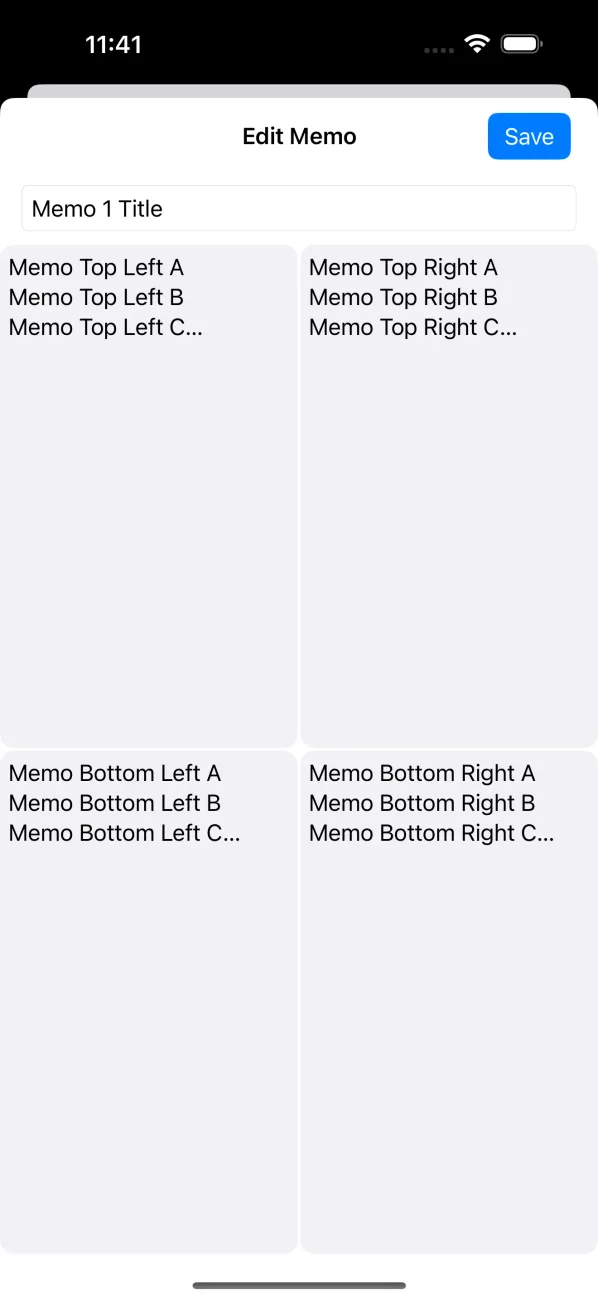
This app is a simple and intuitive memo tool that lets you write and view up to four memos (top left, top right, bottom left, bottom right) all on one screen.
Use it as an idea notebook, comparison notes, or multi-theme organizer—the choice is yours.
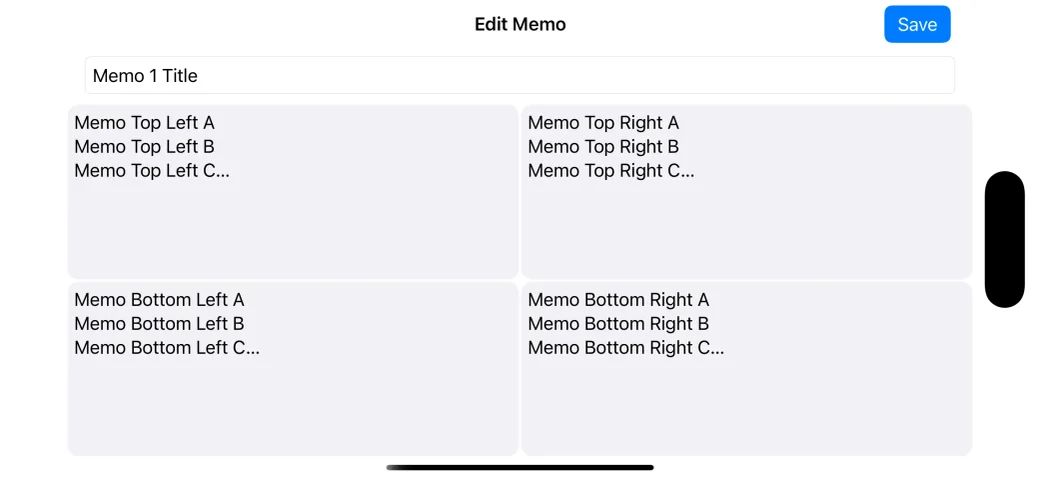
It automatically switches layouts between portrait and landscape modes.
Just tilt your iPhone or iPad to see each memo displayed naturally and clearly.
Experience the convenience of managing four memos on a single screen!
Key features:
* Four-panel memo structure supporting both portrait and landscape
Displays up to four memos on one screen with automatic layout adjustment upon rotation.
* Titled memo saving
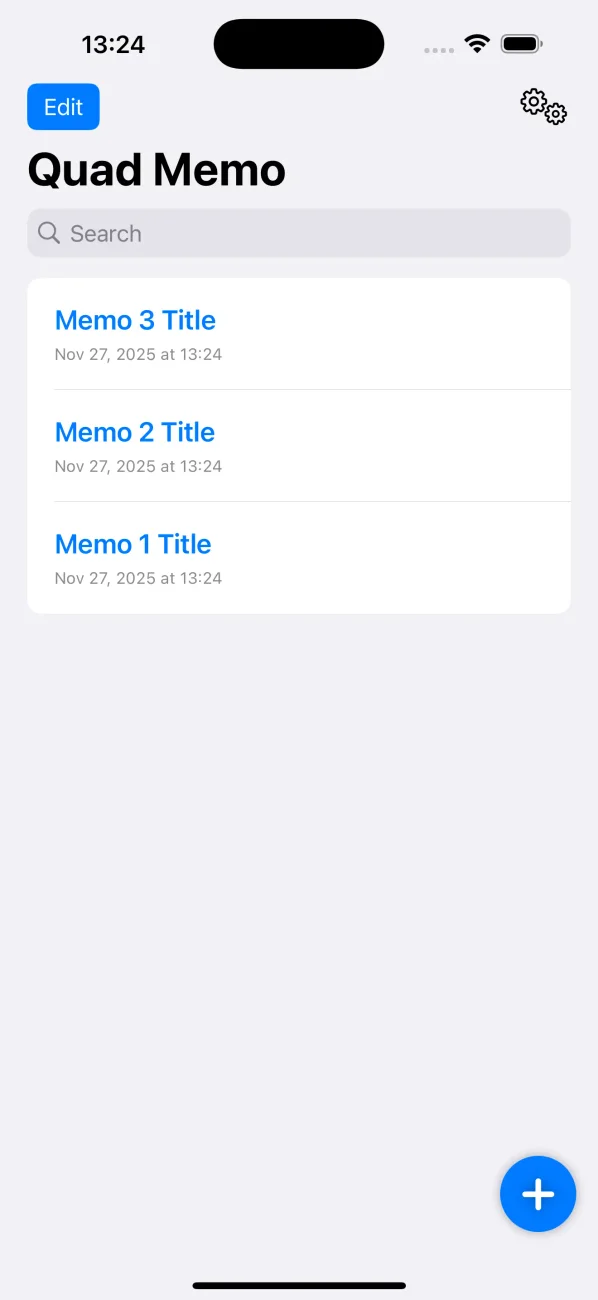
Save a title along with memos for each quadrant (top left, top right, bottom left, bottom right), which are then automatically added to the list.
Unlimited memos can be stored.
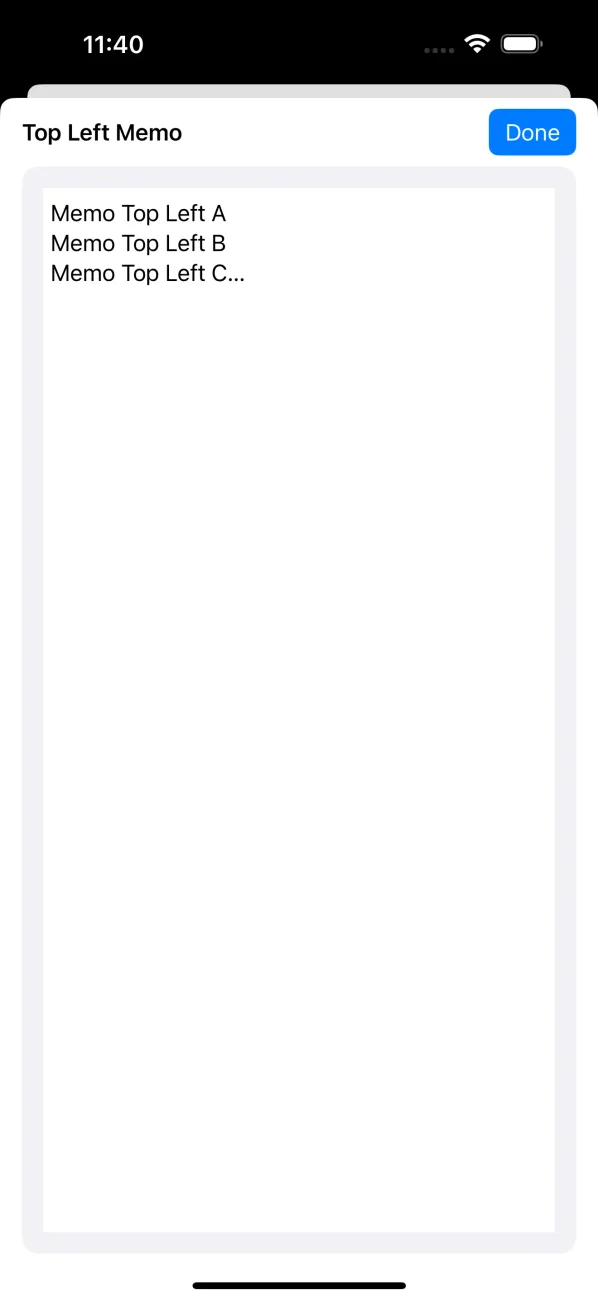
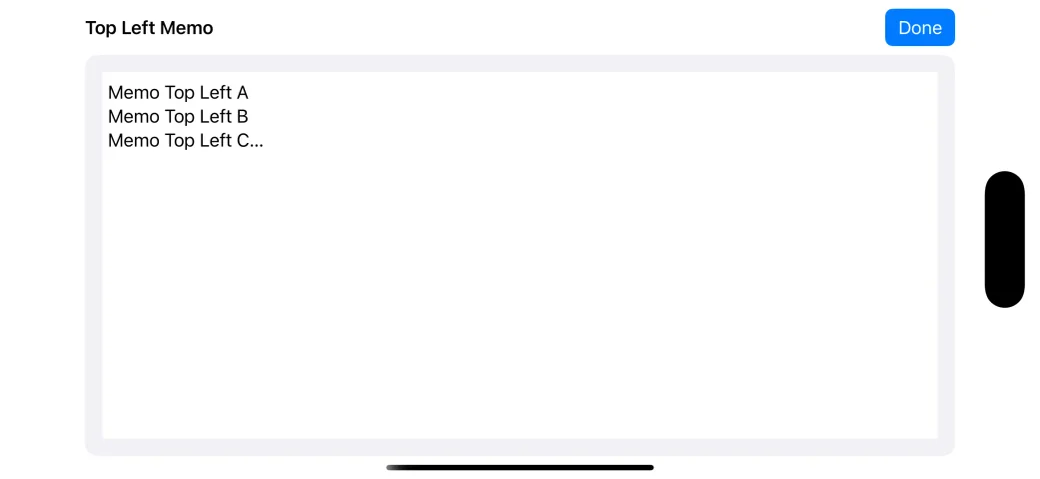
When editing, the selected memo panel expands to full screen for better readability and ease of input.
Last modified date is recorded automatically for easy review.
* Edit, delete, and reorder
Registered memos can be edited anytime by tapping. Swipe to delete and drag & drop to reorder are supported.
The "Edit" button at the top left provides easy access to reorder or delete memos.
* Search function
Search for keywords in titles and memo contents to quickly find what you need.
* No ads, one-time purchase
This is a paid app with no ads or additional in-app purchases, letting you focus fully on your memos.
How to use:
1. Add memos
- Tap the "+" button at the bottom right
- Enter a title and tap the desired memo panel
- The panel expands for easy input; after typing, tap "Done"
- Save all memos by tapping "Save"
2. Edit, delete, reorder
- Tap a memo to edit and update with "Save"
- Swipe to delete or drag & drop to reorder
- The "Edit" button at top left allows reordering and deletion
3. Search
- Enter keywords in the search bar at the top to filter memos by title or content
Ideal for managing various perspectives such as idea notebooks, comparison notes, and multi-theme organization.
Utilize the four-panel structure to personalize your memo management.
This app is a paid, one-time purchase with no ad display.
What’s new
Version 1.3 · Nov 6, 2026
Multilingual support: Polish, Russian, Ukrainian, Indonesian, Vietnamese, Thai, Hindi, and Arabic
App privacy
What Shun Isayama declares on the App Store about how this app handles data.
-
Data not collected
The developer does not collect any data from this app.
Privacy practices may vary, for example with the features you use or your age.
Information
- Seller
- Shun Isayama
- Category
- Utilities
- Version
- 1.3
- Updated
- Nov 6, 2026
- Released
- Nov 17, 2025
- Size
- 2.2 MB
- Requires
- iOS 17.6 or later
- Age rating
- 4+
- Price
- $2.99
- Languages
- English, Arabic, Danish, Dutch, French, German, Hindi, Indonesian, Italian, Japanese, Korean, Norwegian Bokmål + 11 more
- Copyright
- © 2024 ゆるふわアプリラボ
You might also like
-
 Manga Bookmark: Reading LogTrack volumes and chapters
-
 Islet JournalUtilities
-
 Simple Relationship MapCreate Relationship Maps
-
 Event Sales POS - TakujoSalesUtilities
-
 Auto Clicker & Refresh ScrollAutomatic Tap Tool & More
-
 CounTik - Count anythingInventory management
-
 OSS Document Scannerscan and store documents
-
 EXIF Remover - Photo SecureRemove Photo & Video Metadata
-
 LED Banner Marque Txt ScrollerDigital Marquee &MSG Signboard
-
 打工人小组件Utilities