Quadrant Task Manager
Focus on What Really Matters
Designed for iPhone, iPad, iPod touch
Free
- Age rating4+
- CategoryProductivity
- DeveloperZhegang Xu
- LanguagesEnglish+ 13 more
- Size32.1 MB
Links to the official App Store page
Download.org hosts no file of Quadrant Task Manager. The button opens its official App Store page, published by Zhegang Xu. Listing last checked on Nov 17, 2026.
Screenshots
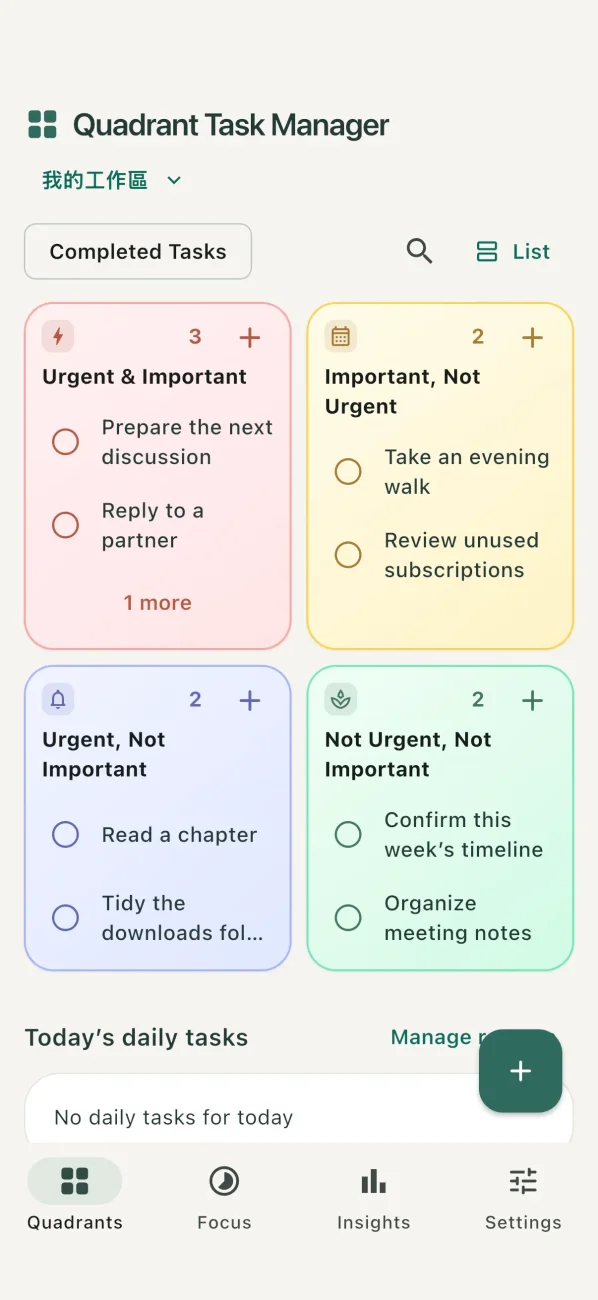
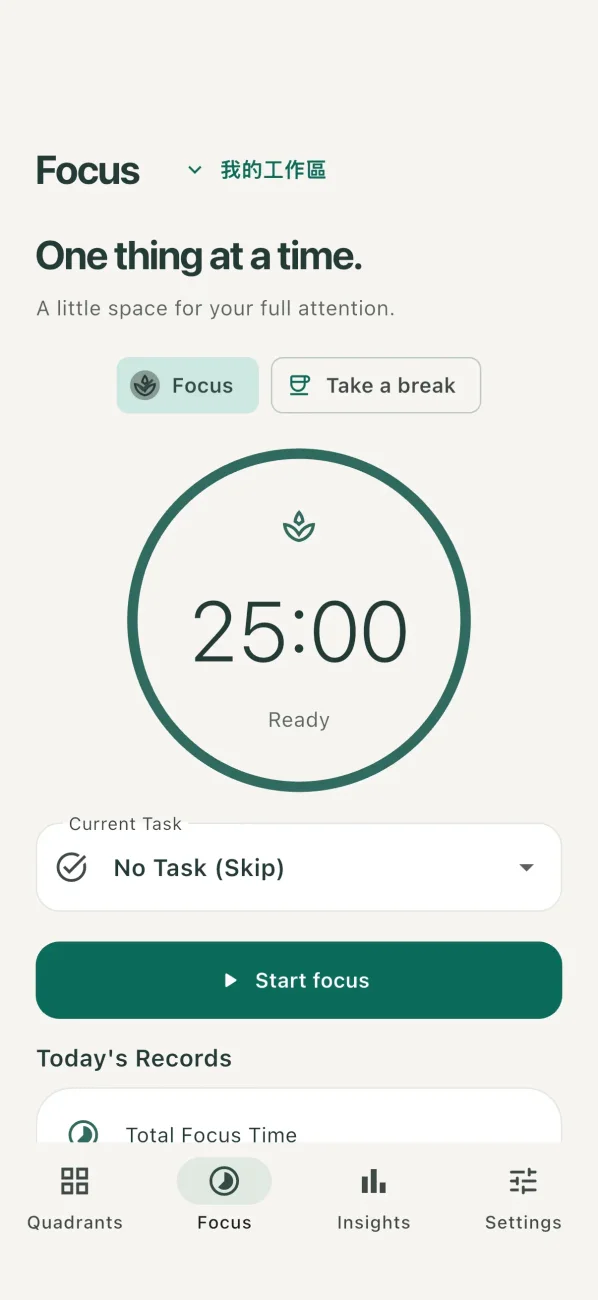
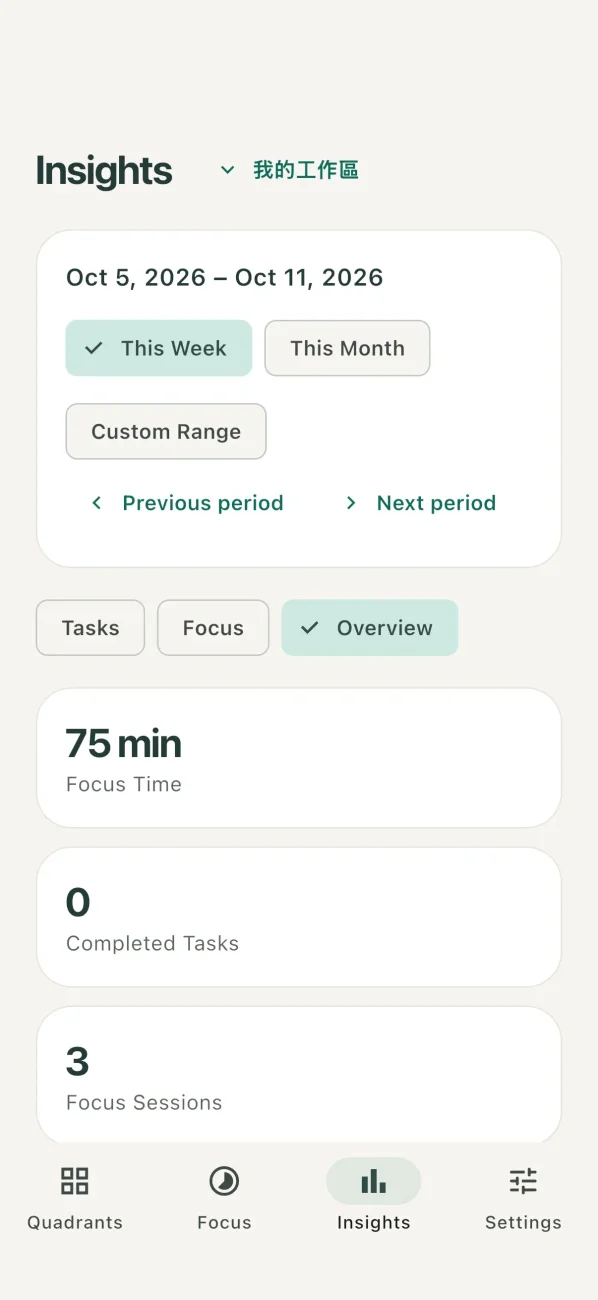

About
Quadrant Task Manager
Organize tasks by urgency and importance, make time for focused work, and review what you have completed.
Plan with four quadrants
• Sort tasks by urgency and importance.
• Use separate workspaces for work, study and life.
• Break tasks into subtasks and keep progress, notes and due dates together.
Build daily routines
• Create daily task templates and choose the days they repeat.
• Review completed regular tasks and daily tasks by date.
Make time to focus
• Set focus and break durations, with optional automatic transitions.
• Link a focus session to a task or focus without selecting one.
• Review focus and break records separately.
Review your progress
• Choose a week, month or custom date range.
• View completed task counts, total focus time, session counts and average focus duration.
• Explore daily focus totals, time-of-day patterns and the quadrant distribution of completed regular tasks.
Keep control of your data
• Manage local tasks without creating an account.
• Export a backup file, or preview a backup before choosing where to import it.
• Optionally sign in with Google, or with Apple on iOS, to sync tasks and focus history across devices. Sync requires an internet connection; local task management remains available offline.
• Review sync conflicts when changes need your attention.
Adjust light or dark mode, theme colors and custom page titles.
The app includes banner advertising. Privacy policy, terms and contact information are available in Settings.
What’s new
Version 3.0.1 · Nov 4, 2026
Fixed an issue where test ads could appear in the production version.
App privacy
What Zhegang Xu declares on the App Store about how this app handles data.
-
Data used to track you
May be used to track you across apps and websites owned by other companies.
- Identifiers
-
Data linked to you
May be collected and linked to your identity.
- Contact info
- Identifiers
-
Data not linked to you
May be collected but is not linked to your identity.
- Identifiers
Privacy practices may vary, for example with the features you use or your age.
Information
- Seller
- Zhegang Xu
- Category
- Productivity
- Version
- 3.0.1
- Updated
- Nov 4, 2026
- Released
- Aug 2, 2025
- Size
- 32.1 MB
- Requires
- iOS 15.0 or later
- Age rating
- 4+
- Price
- Free
- Languages
- English, Arabic, French, German, Hindi, Japanese, Korean, Portuguese, Russian, Simplified Chinese, Spanish, Thai + 2 more
- Copyright
- © 2026 yorukaru.com
You might also like
-
 Eisenhower Todo AppDo More, Stress Less
-
 Eisenhower Matrix PlannerTask organizer
-
 Eisen - Eisenhower Task Man...Classify tasks by importanc...
-
 Priority Matrix AIPrioritize your day with an AI
-
 Eisenhower Matrix Task ManagerPrioritize work and emails
-
 Glento: AI Eisenhower MatrixADHD Daily Planner & Organizer
-
 Do First - Eisenhower MatrixTodo & Task Priority Planner
-
 Pith: Eisenhower MatrixVoice priority task planner
-
 Task QuadrantEisenhower Matrix
-
 E-matrix FocusFocus on what matters