QuadTask - Eisenhower Matrix
Focus on what truly matters
Designed for iPhone, iPad, iPod touch
In-app purchases
- Age rating4+
- CategoryProductivity
- DeveloperTomohiko Yasui
- LanguagesEnglish
- Size22.4 MB
Links to the official App Store page
Download.org hosts no file of QuadTask - Eisenhower Matrix. The button opens its official App Store page, published by Tomohiko Yasui. Listing last checked on Nov 13, 2026.
Screenshots


About
QuadTask is a simple, focused task manager built around the world-famous Eisenhower Matrix.
Sort your tasks across the four quadrants of "Urgency x Importance" - a method popularized by Stephen Covey's "7 Habits of Highly Effective People" - so you can focus on what truly matters.
[Who is this for?]
- You have too much on your plate and feel overwhelmed
- You spend all day firefighting urgent tasks
- You want to invest more time in "important but not urgent" work
- You've tried other task apps but couldn't stick with them
[Key features]
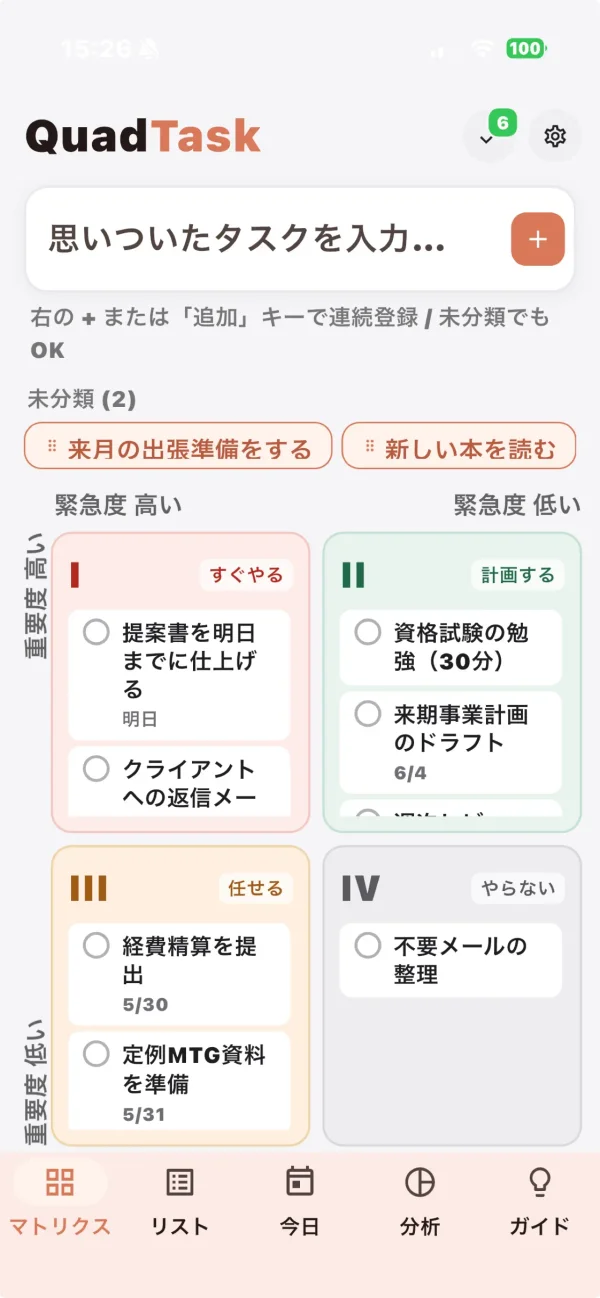
- Quick capture: jot down ideas in seconds with the top input
- Drag uncategorized tasks into a quadrant
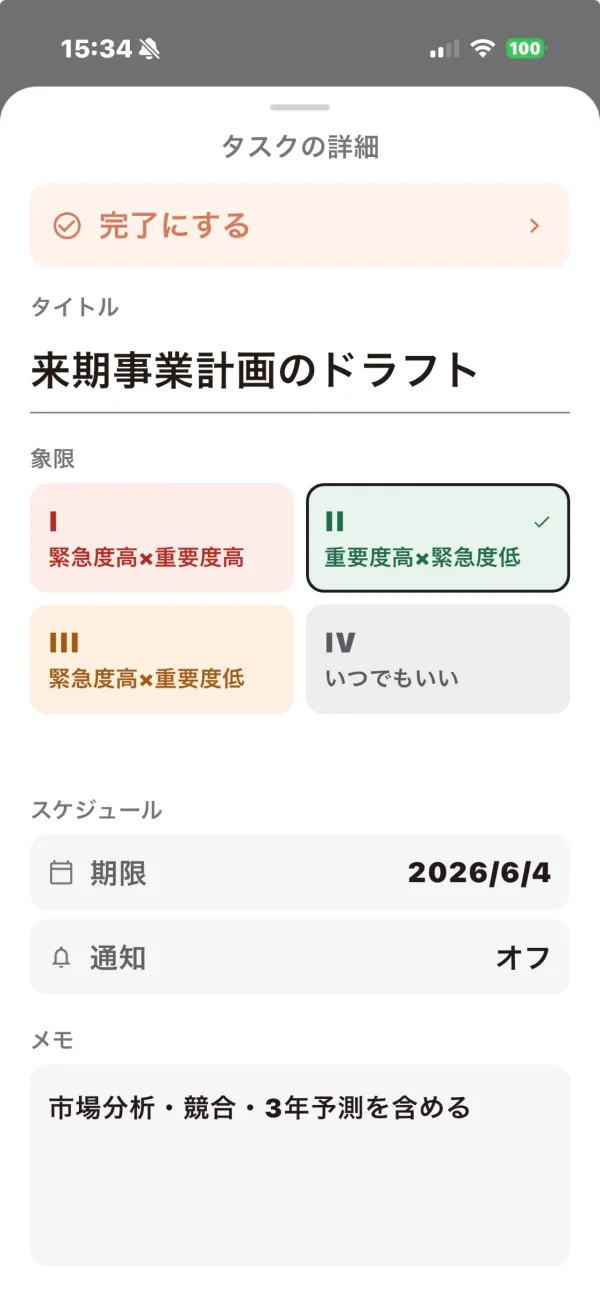
- Set due dates and notifications
- Review with completion history and weekly stats
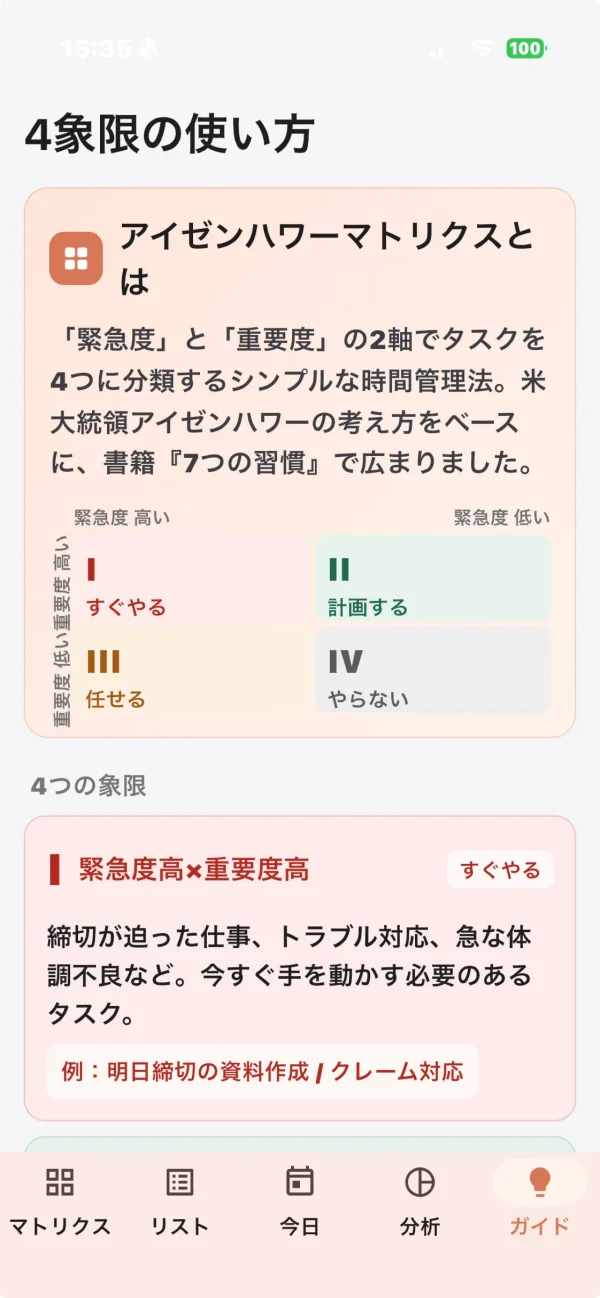
- Built-in guide explaining the Eisenhower Matrix
- NEW: Google Calendar sync (Premium only)
Tasks with a due date sync automatically to Google Calendar. Tasks created on iPhone appear on iPad too.
[The 4 Quadrants]
I. Urgent x Important -> Do now
II. Important x Not urgent -> Plan (the most important)
III. Urgent x Not important -> Delegate
IV. Neither -> Drop
[Premium plan]
- The free plan allows up to 10 active tasks. Premium lifts this limit.
- Google Calendar sync is also Premium-only.
(Auto-renewing subscription. Cancel anytime in Settings.)
- By default, all your data stays on your device. Only when you enable Google Calendar sync (opt-in) are your dated tasks sent to Google Calendar.
[Languages]
Japanese, English, Simplified Chinese, Korean.
Get your mind in order - with QuadTask.
Terms of Use (EULA): https://www.apple.com/legal/internet-services/itunes/dev/stdeula/
Privacy Policy: https://abstracted-shoemaker-1dd.notion.site/QuadTask-2c44a06323ed8008b325dfe918d4f2b5
What’s new
Version 1.2.0 · Jun 3, 2026
Google Calendar Sync is now supported.
Tasks with a due date sync automatically to Google Calendar. Tasks you create on iPhone will appear in QuadTask on iPad too.
(Premium feature / Sign in with Google from Settings)
Other improvements:
- Axis labels in the 4-quadrant matrix are now centered for better readability
- One-tap access to Completed History and Settings from any tab
- You can now swipe (in either direction) to delete tasks in the "List", "Today" and "Completed" tabs
- While the app is open, changes from other devices are automatically pulled in every 60 seconds
App privacy
What Tomohiko Yasui declares on the App Store about how this app handles data.
-
Data linked to you
May be collected and linked to your identity.
- Contact info
- User content
Privacy practices may vary, for example with the features you use or your age.
Information
- Seller
- Tomohiko Yasui
- Category
- Productivity
- Version
- 1.2.0
- Updated
- Jun 3, 2026
- Released
- May 29, 2026
- Size
- 22.4 MB
- Requires
- iOS 13.0 or later
- Age rating
- 4+
- In-app purchases
- Yes
- Languages
- English
- Copyright
- ©2026Tomokkoo
You might also like
-
 NestoProductivity
-
 優先順位マトリクスProductivity
-
 APLOWBS - WBS Task ManagerTodo Planner: Projects & Tasks
-
 TODO Timer | Task Timer & ToDoPick a task. Start the timer.
-
 iomatrixMatrix Task Manager
-
 App Blocker Vocabulary BuilderStudyPass - Set App Time Limit
-
 TRIX: Eisenhower Task PlannerBrain Dump. Focus. Prioritize.
-
 Facet: STL STEP 3D File ViewerOpen DXF, OBJ, GLB, 3MF, Gcode
-
 Matrix ToDo: ADHD PlannerSimple ToDo for Priorities
-
 Do First - Eisenhower MatrixTodo & Task Priority Planner