QuantumNative
Learn Quantum Computing
Designed for iPhone, iPad, Mac
Free · In-app purchases
- Age rating4+
- CategoryEducation
- DeveloperEUNMIN PARK
- LanguagesEnglish+ 6 more
- Size48.4 MB
Links to the official App Store page
Download.org hosts no file of QuantumNative. The button opens its official App Store page, published by EUNMIN PARK. Listing last checked on Nov 7, 2026.
Screenshots
About
No hype. Just quantum, explained honestly.
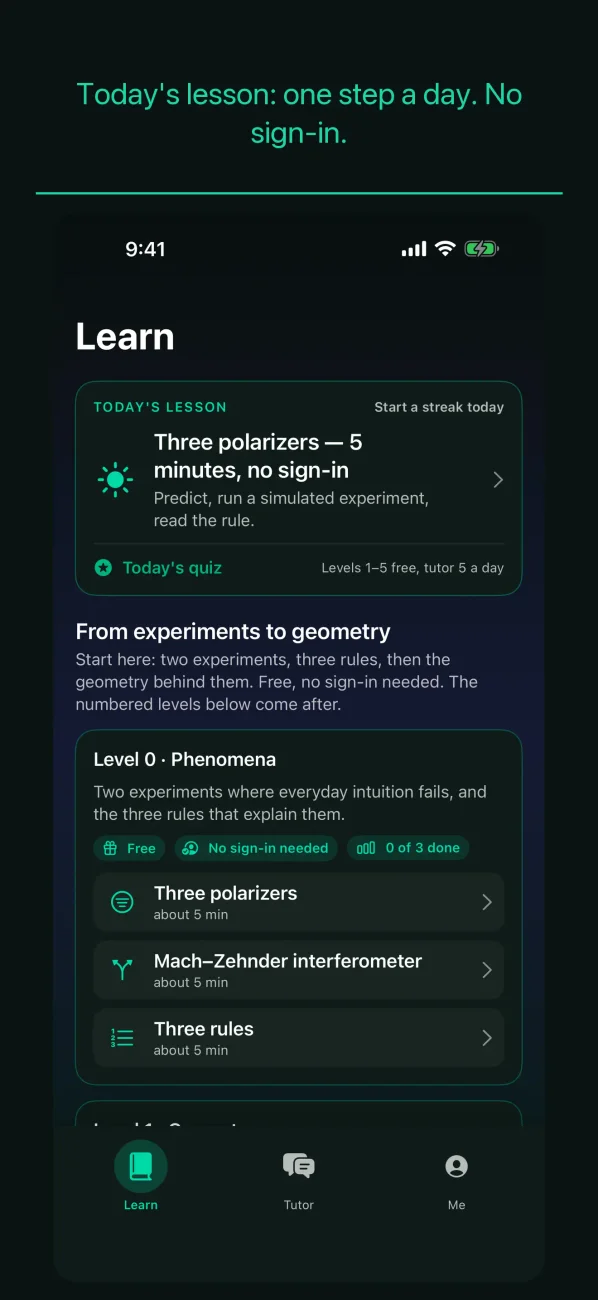
TODAY'S LESSON — ONE STEP A DAY
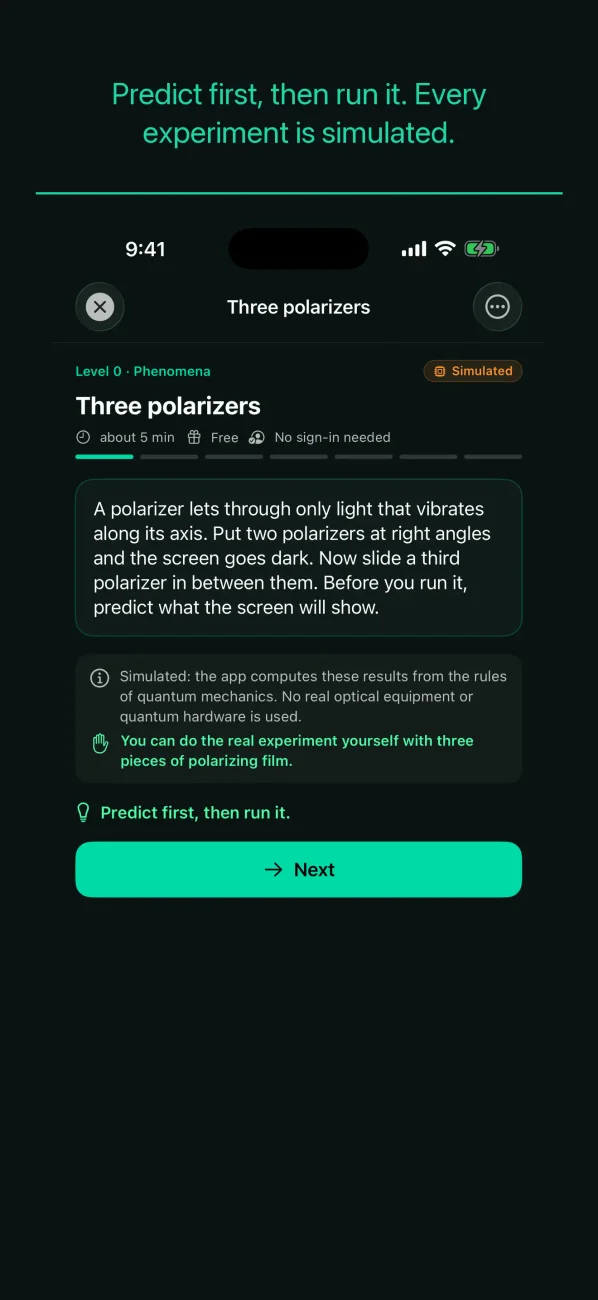
• The Learn tab opens on "Today's lesson": one next lesson, picked from where you left off. New here? It is "Three polarizers — 5 minutes, no sign-in"
• Finish it and the card shows "Done today" with the lesson that is up next
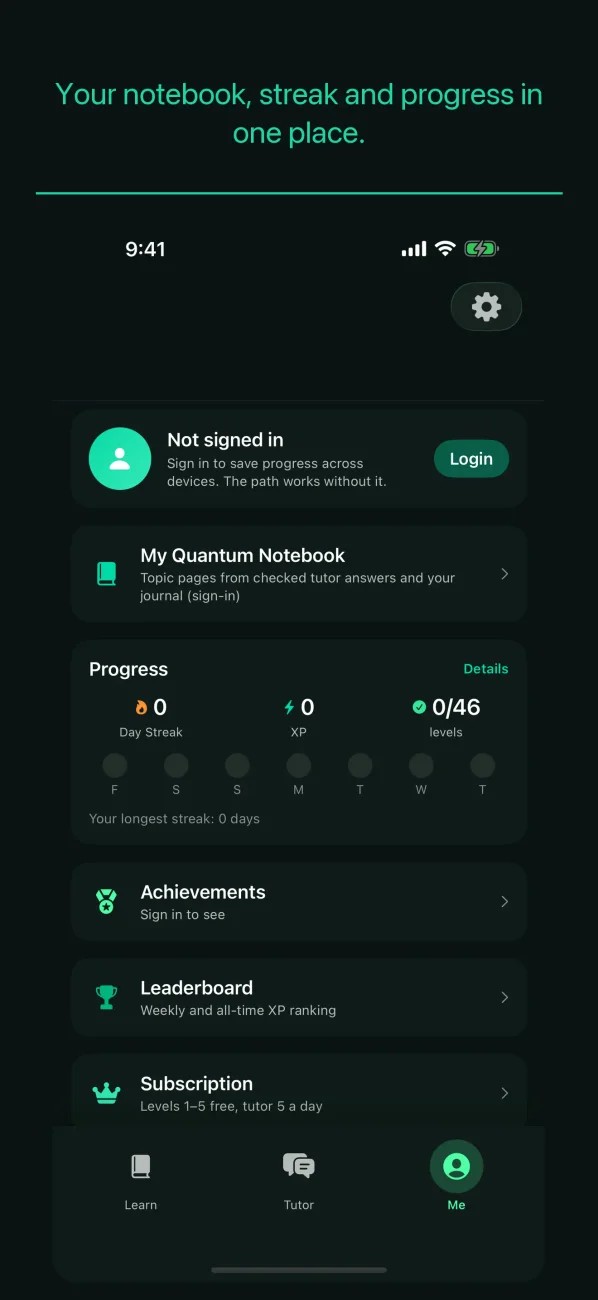
• Your day streak counts the days you finish a lesson and shows without signing in — those days are kept on your device. Sign in and your progress syncs too
FROM EXPERIMENTS TO GEOMETRY — FREE, NO SIGN-IN
• Start with two short experiments where everyday intuition fails — three polarizers and an interferometer — and three rules that explain them
• Predict before you run, redraw the picture from memory (Apple Pencil, finger or typed numbers), replay how you drew it, and explain it in one sentence
• Your drawing replay and your sentence stay on your device; every experiment is simulated and labeled as such
HONESTY YOU CAN SEE
• AI tutor answers carry a visible verification badge — a green Verified badge when it comes straight from the reviewed knowledge base, AI-checked when it aligns with it, Low confidence when it doesn't — so you always know how much weight to give it
• The check runs in your language, and answers that repeat a known misconception are downgraded on the spot
• Open questions are labeled as open: where scientists still disagree, the app says so
A CONCEPT LIBRARY THAT KEEPS GROWING — NOW 77 CONCEPTS
• Every concept verified against real sources — from qubits, gates, and algorithms to how today's quantum hardware works
• Each concept comes with a plain-language analogy, a precise definition, the common misconceptions to avoid, and a practice quiz — in 7 languages
• Animated visualizations that make the invisible visible — now one for every advanced topic
YOUR QUANTUM TUTOR
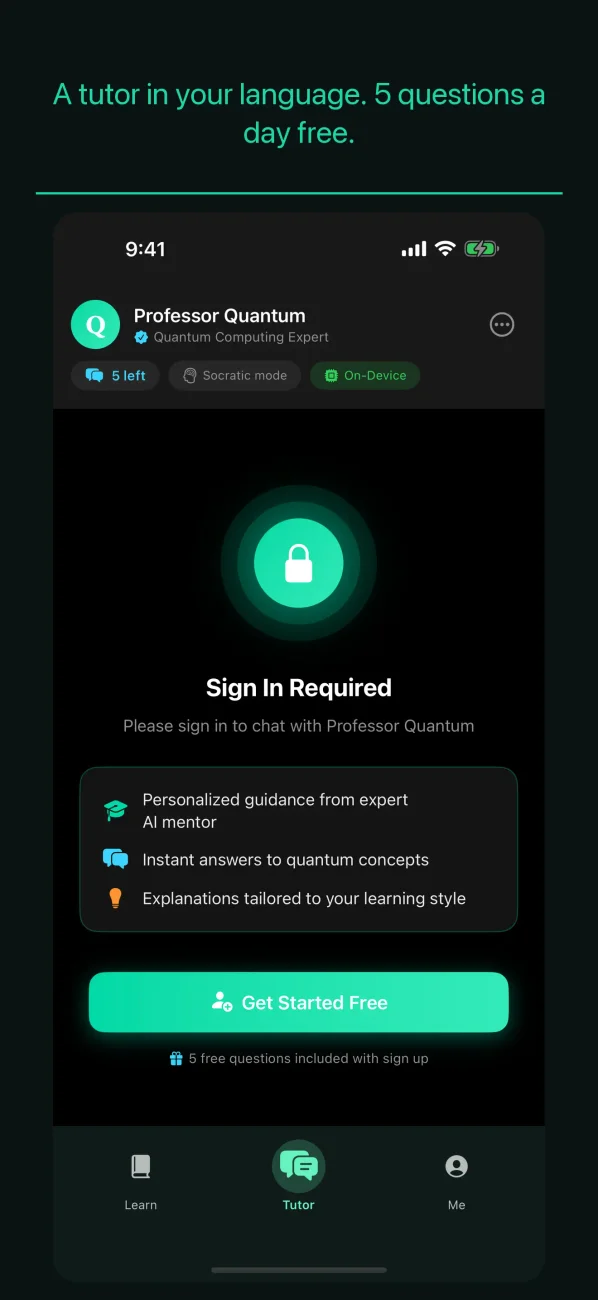
The Tutor tab answers in plain language, adapts its explanations to your level and background, and speaks all 7 languages. It stays grounded in verified lessons and tells you when it isn't sure instead of bluffing. Ask anything, get unstuck, and learn the why — not just the what.
A CURRICULUM THAT BUILDS
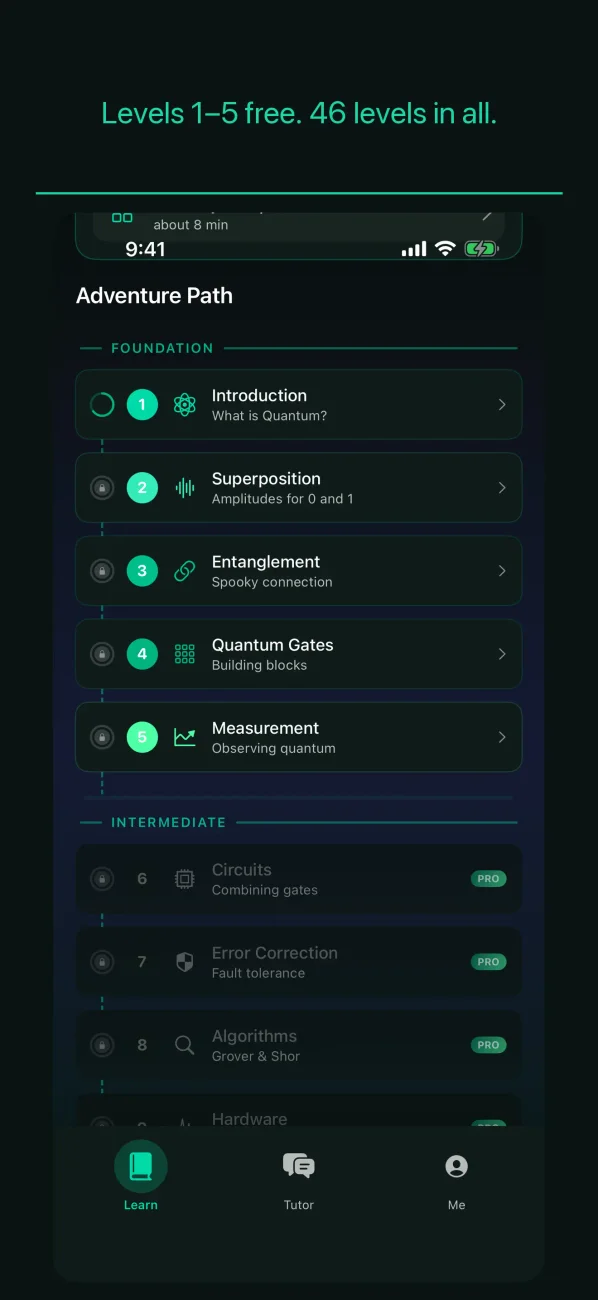
• A structured 46-level path from "What is a qubit?" to today's frontier topics — levels 1–5 are free
• Bite-sized, gamified lessons with XP, badges, streaks, and daily challenges
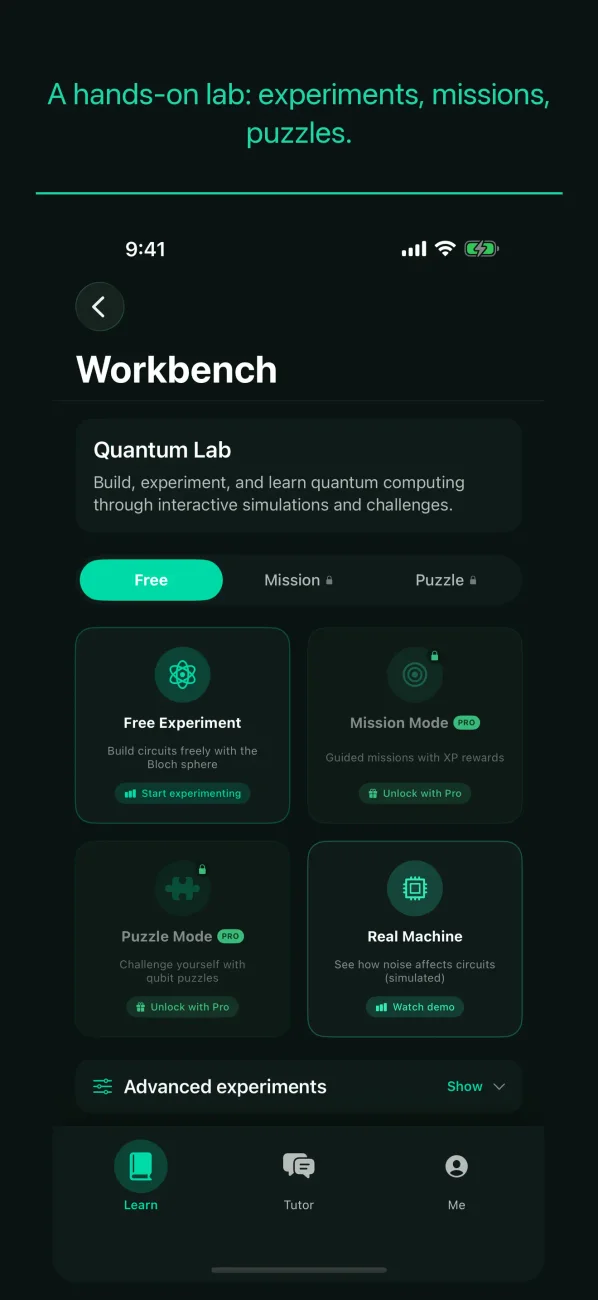
A REAL HANDS-ON LAB (PRO)
• Guided gate missions and qubit puzzles tied to the levels you are learning
• A step-by-step sandbox that simulates the circuit you build and samples its results — clearly labeled as a simulation
IN A CLASS
• Me › Settings › Learning › "Join a class": enter the code your teacher gives you (sign-in needed)
• Your teacher sees a read-only class progress page on the web with display names and lesson steps only — never what you ask the tutor
LEARN ANYWHERE — AND PICK UP WHERE YOU LEFT OFF
• Sign in and your progress — levels, XP, streaks and tutor conversations — syncs across iPhone, iPad and Mac
• My Quantum Notebook: topic pages from tutor answers that passed the check and from your journal. See, export or delete the notes the tutor saved
• Core lessons work offline
FREE TO START
The geometry path and Levels 1–5 are free, and with a free account you can ask the AI tutor 5 questions a day. Pro unlocks all 46 levels, 200 tutor messages and 50 Quantum Oracle questions a day, and the hands-on Lab. Eligible new subscribers get a 7-day free trial.
—
Pro is an auto-renewable subscription. Payment is charged to your Apple ID at confirmation of purchase. It renews automatically unless cancelled at least 24 hours before the end of the current period. Manage or cancel in your App Store account settings. Prices shown in-app.
Terms of Use (EULA): https://edu.swiftquantum.tech/terms
Privacy Policy: https://edu.swiftquantum.tech/privacy
What’s new
Version 12.7.4 · Nov 3, 2026
Tutor fixes and a safer Tutor for young learners.
• Fixed: in the Tutor tab the question box and send button could be hidden behind the tab bar and the keyboard. They now stay visible.
• If you choose "under 13" in your age settings, the Tutor answers from reviewed lesson cards (a practice question, an analogy and where it breaks down, a common mix-up) instead of open AI answers.
• Nothing changes for other ages. Prices and limits are unchanged.
• Also fixed: the in-app What's New now lists the real recent changes, the Tutor tab's XP and level chips follow your account, and the streak notice no longer shows a 0-day streak. XP numbers now read the same everywhere (42,000). When the answer checker can't confirm an answer, it now says "not confirmed" instead of implying it is wrong.
Thanks for learning quantum with us!
App privacy
What EUNMIN PARK declares on the App Store about how this app handles data.
-
Data linked to you
May be collected and linked to your identity.
- Purchases
- Contact info
- User content
- Identifiers
- Usage data
-
Data not linked to you
May be collected but is not linked to your identity.
- Usage data
- Diagnostics
Privacy practices may vary, for example with the features you use or your age.
Information
- Seller
- EUNMIN PARK
- Category
- Education
- Version
- 12.7.4
- Updated
- Nov 3, 2026
- Released
- Mar 4, 2026
- Size
- 48.4 MB
- Requires
- iOS 26.0 or later
- Age rating
- 4+
- Price
- Free
- In-app purchases
- Yes
- Languages
- English, French, German, Japanese, Korean, Simplified Chinese, Spanish
- Copyright
- © SwiftQuantum Technologies, LLC
You might also like
-
 Quantum BobPlay Real Quantum Experiments
-
 QASM StudioEducation
-
 Aether CircuitCircuit Gate Simulator
-
 Schrödy LabQuantum Circuit Simulator
-
 Ket StepsQuantum math, properly typed
-
 Lov's Mazea history of search
-
 Quantum Lab: Touch PhysicsPlay with quantum! 21 labs
-
 The Quark DetectiveMaster the Standard Model.
-
 Quantum Route FinderQuantum Computing Simulator
-
 quantum error correctionEducation