Quat: Notes & Flashcard Maker
Exam countdown & practice test
Designed for iPhone, iPad, iPod touch
Free · In-app purchases
- Age rating4+
- CategoryEducation
- DeveloperYugwinderpal Singh
- LanguagesEnglish+ 1 more
- Size44.6 MB
Links to the official App Store page
Download.org hosts no file of Quat: Notes & Flashcard Maker. The button opens its official App Store page, published by Yugwinderpal Singh. Listing last checked on Nov 18, 2026.
Screenshots
About
Quat turns your notes, PDFs, photos and links into flashcards that test you on them.
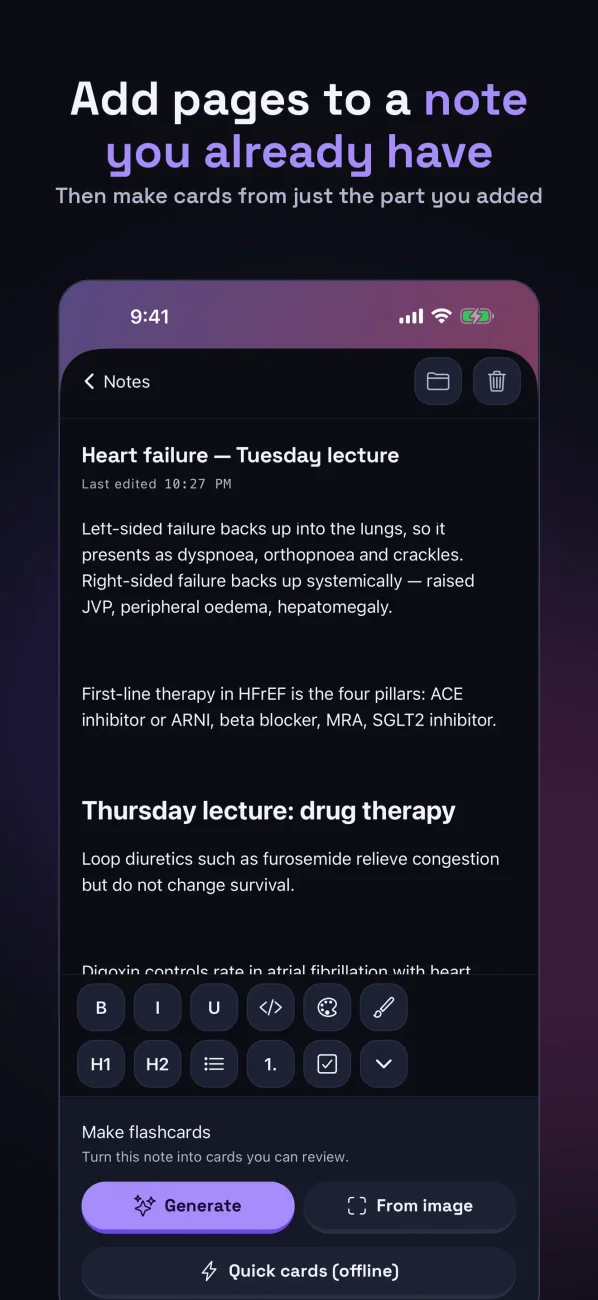
Most study apps start after the hard part. They assume the material is already typed in, already organised, already yours. Quat starts one step earlier: pick a file, photograph a page, paste a link, or record a lecture, and Quat reads what you captured.
CAPTURE, FOUR WAYS
File — choose a PDF, Word, PowerPoint or Excel document. Quat reads it and turns it into a note and cards.
Photo — point your camera at a textbook page, a whiteboard, a handout, or your own handwriting. Quat reads the text off it.
Link — paste a URL. Quat fetches the page, reads it, and summarises what matters. It reads the page itself rather than guessing from the address.
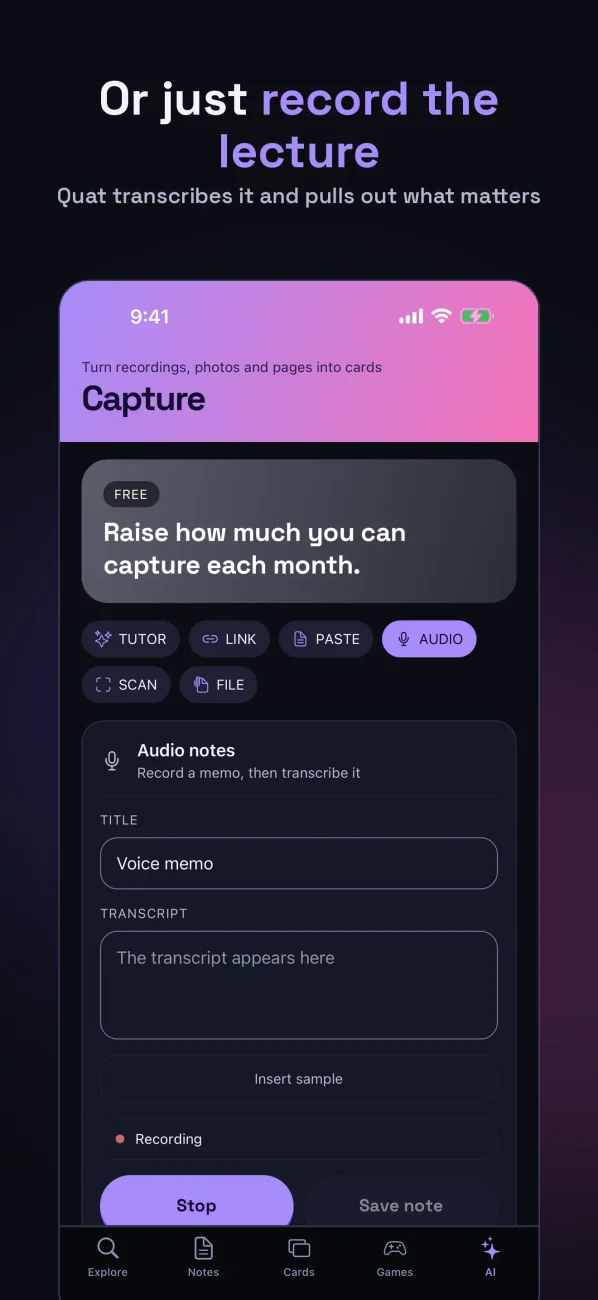
Audio — record a lecture, a seminar, or yourself talking through a topic. Quat transcribes it and pulls out what is worth remembering.
EVERY CARD KNOWS WHERE IT CAME FROM
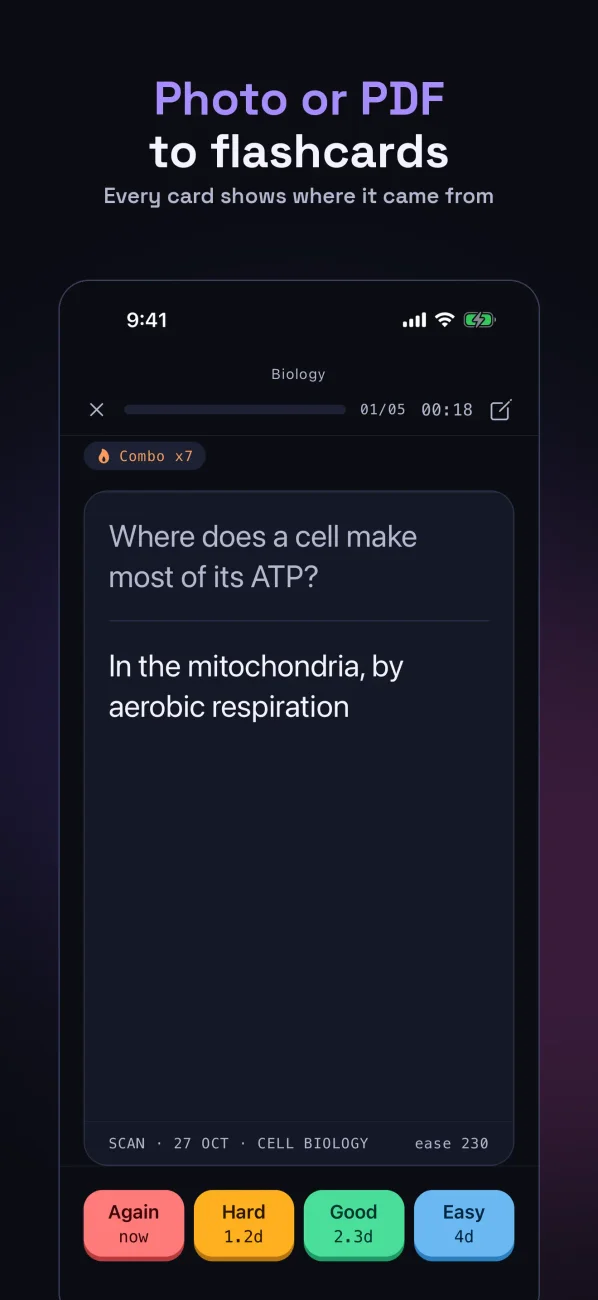
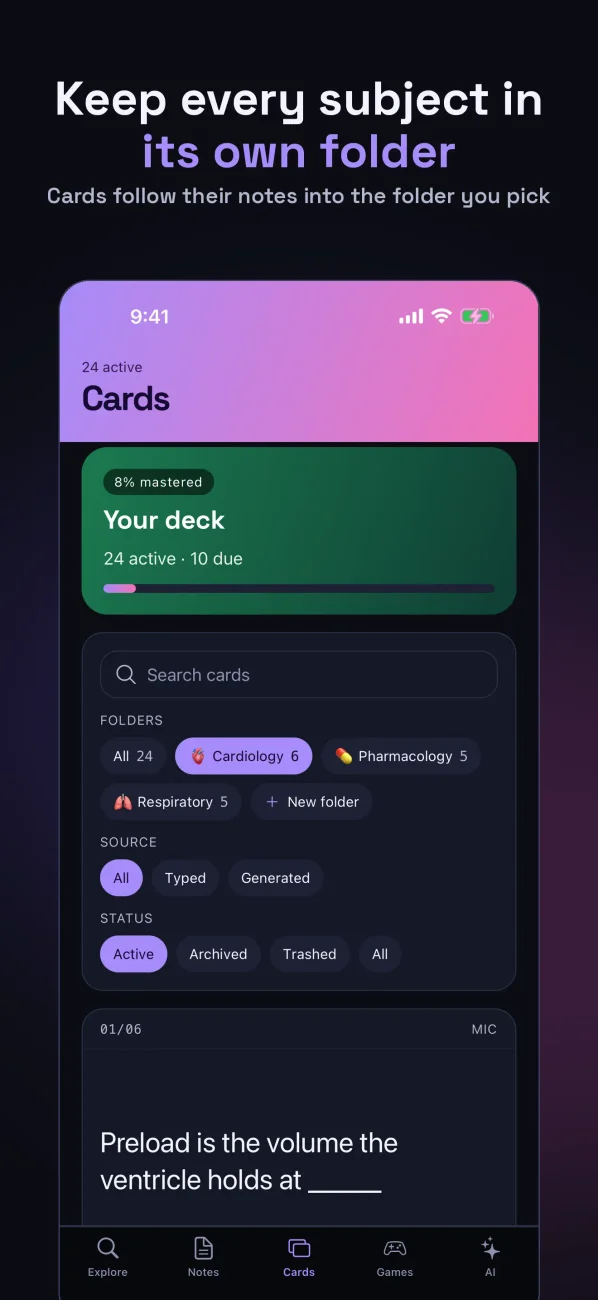
Cards carry their origin — DOC · JUL 28 · CARDIOLOGY. Weeks later, when a card surfaces and you cannot place it, you can find the note it came from.
REVIEW THAT ENDS
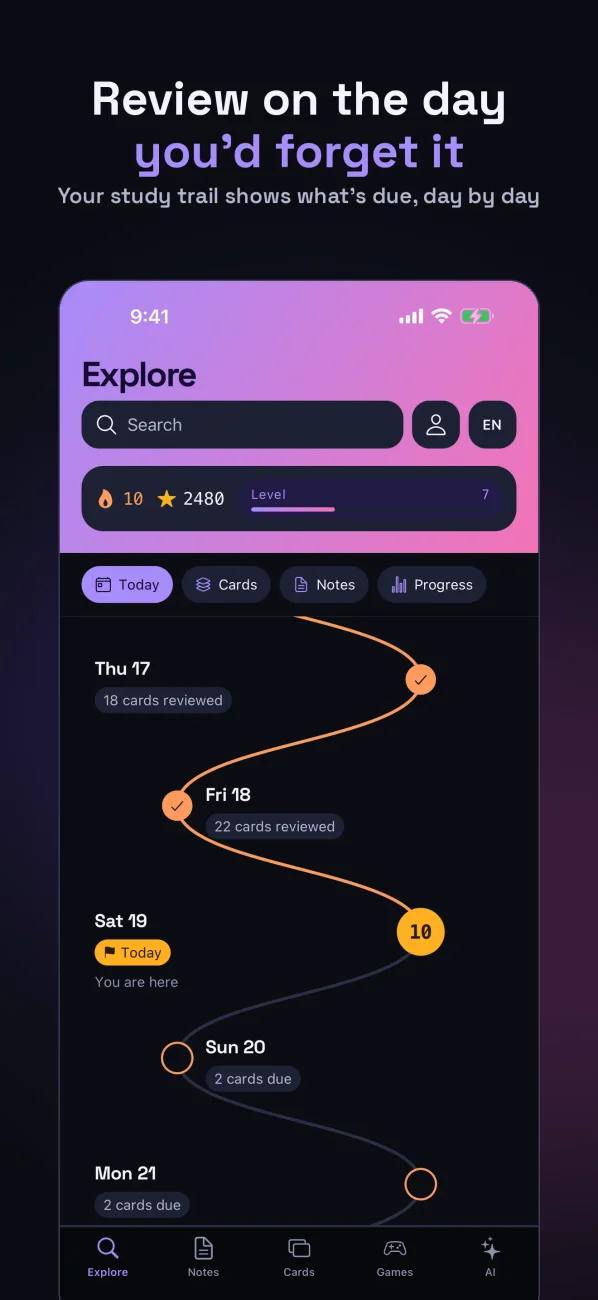
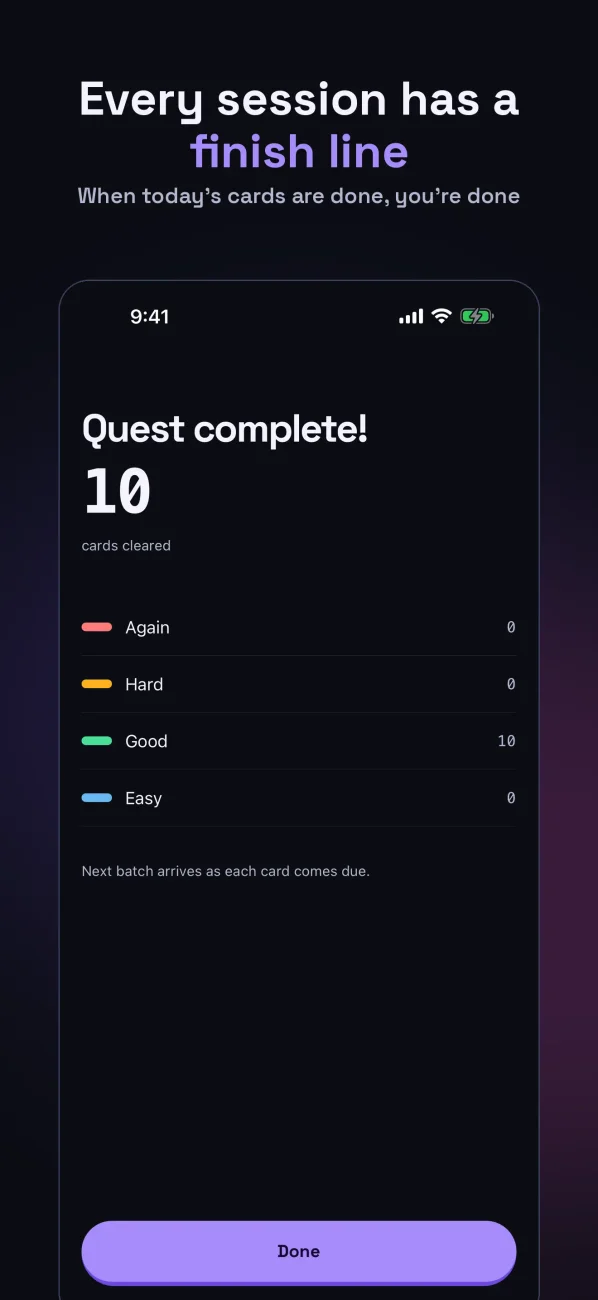
Spaced repetition that schedules each card for the day you are about to forget it. When the day's cards are done, the session ends and tells you so. It does not invent more work to keep you in the app.
Each rating button prints what pressing it will do — now, 12h, 1d, 4d — before you press it. No guessing what "Good" means.
AN EXAM DATE ON EACH FOLDER
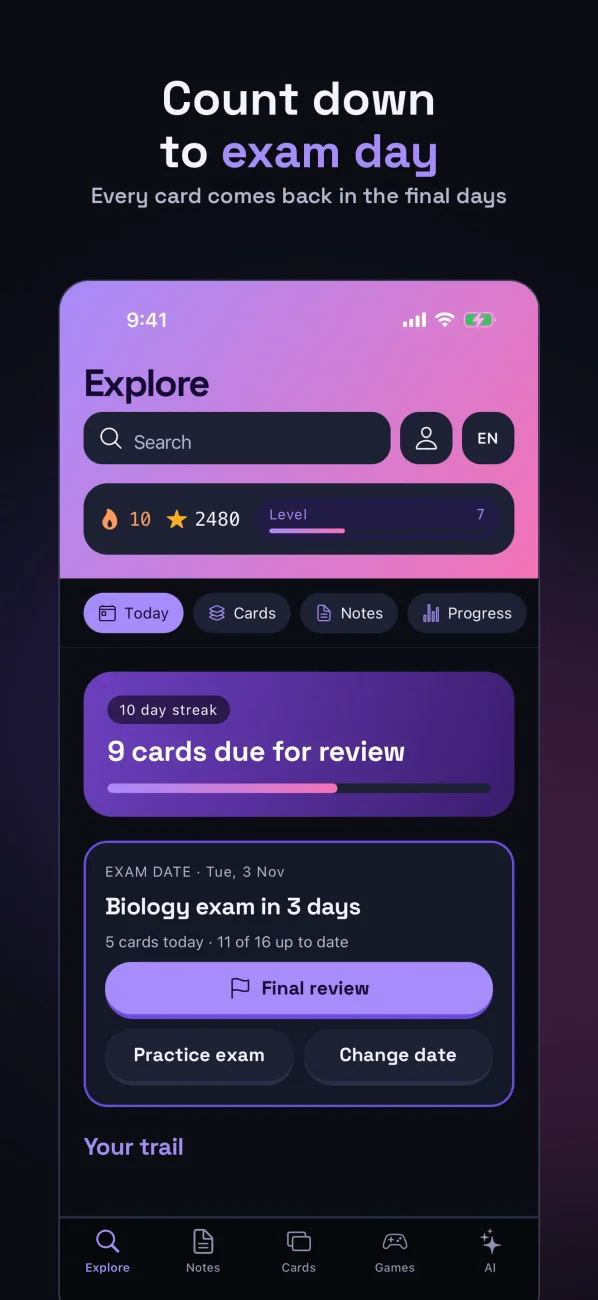
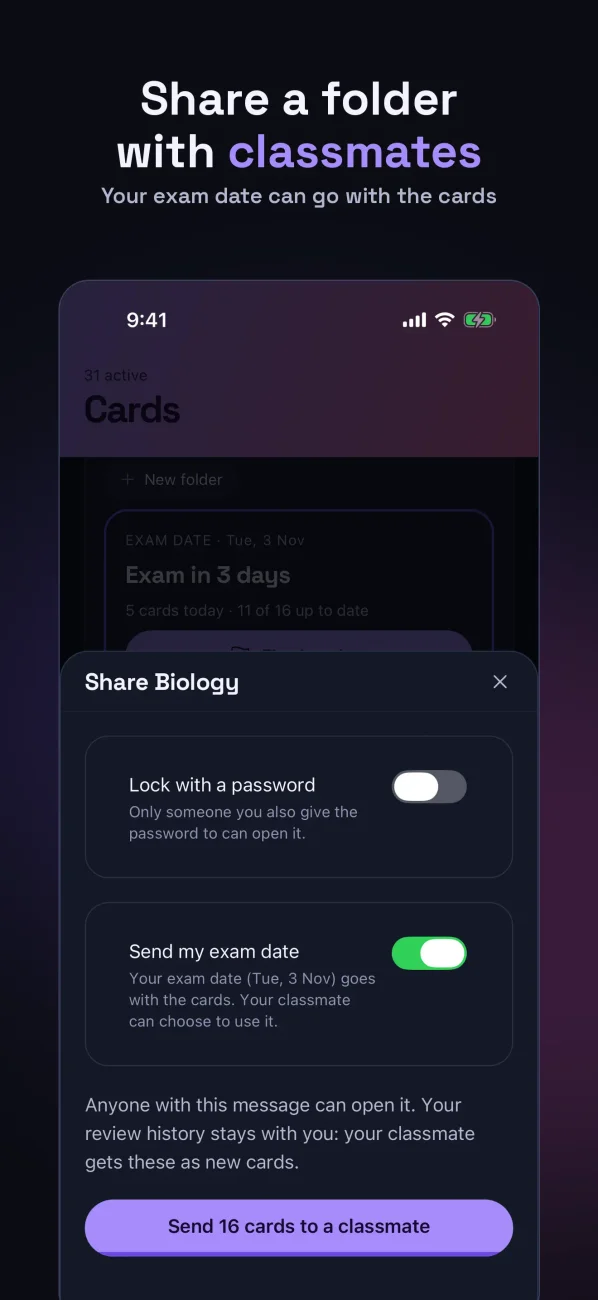
Give a folder an exam date and every card in it comes back once in the last 3 days before the exam, spread across those days so nothing piles up on the night before; Final review takes you through the ones you have not reviewed in those days, weakest first. Send the folder to a classmate sitting the same exam and the date can go with it; Quat asks them before using it.
BUILT TO BE READ
Counters, intervals and dates are set in a monospaced face with tabular figures, so they stay legible at a glance. Quat celebrates what you actually did — a finished session, a level earned — never the mere fact that you opened the app, and nothing is locked behind a streak.
ALSO INSIDE
- A tutor that answers from your recent notes and cards first and can point to the one it used
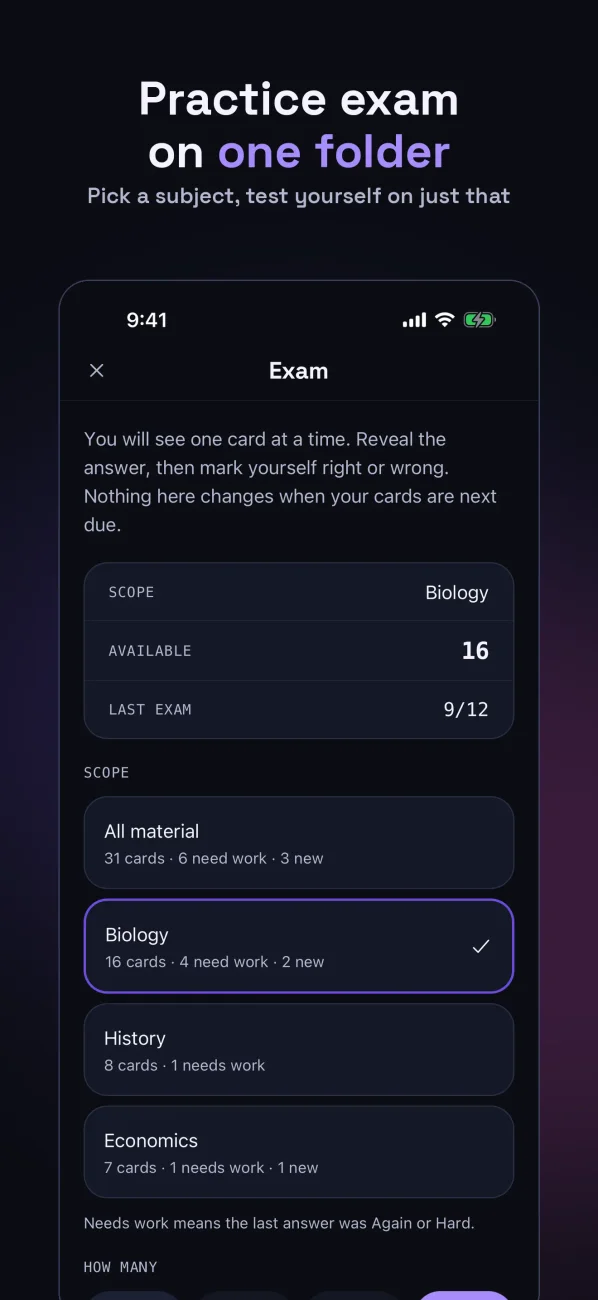
- Self-scored exam mode, separate from your review schedule
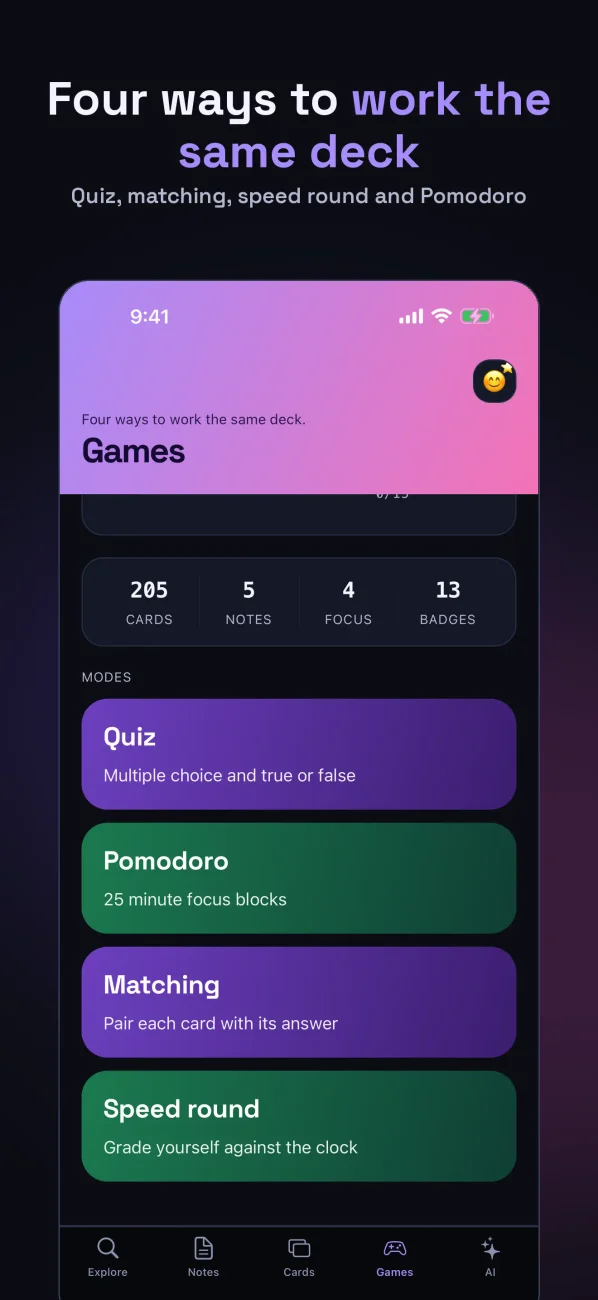
- Matching, speed round, quiz and a study timer
- Folders, tags and search
- Send a folder to a classmate in one message — they open it in Quat with one Paste
- Card content in 21 languages
- Works offline for everything except capture, the tutor and card generation
PRIVATE BY DEFAULT
No account. No sign-up. Your notes and cards are stored on your device, not on a server. None of your material leaves your device unless you ask for it: a capture sends what you handed it, card generation sends the note, a tutor question sends your recent notes and cards with the conversation, and a shared deck is sealed on your device before it goes. No analytics SDK, no tracking, no advertising.
Quat is for anyone preparing for something — a degree, a licence, a recertification, a driving theory test, a language.
SUBSCRIPTION
Everything on your device — reviewing, exams, games, notes, cards — is free without limit. A subscription raises the monthly ceilings on the parts that call a model: capture, the tutor, and card generation. Monthly or Annual, billed through your App Store account; it renews until cancelled, which you can do at any time in your account settings.
Terms of Use: https://www.apple.com/legal/internet-services/itunes/dev/stdeula/
Privacy Policy: https://yuvibabbar-dev.github.io/quat/privacy/
What’s new
Version 2.6.1 · Nov 1, 2026
A few small fixes. Buttons and labels that were cut off or broke in the middle of a word now fit, mostly with the app in Spanish. The close button on several sheets now sits fully on screen. Long folder names no longer push their card count out of the chip. With cards selected, the share button now reads properly. With the app in Spanish, each card's status label on the Tarjetas tab is now singular.
App privacy
What Yugwinderpal Singh declares on the App Store about how this app handles data.
-
Data not linked to you
May be collected but is not linked to your identity.
- Purchases
- User content
- Identifiers
- Usage data
Privacy practices may vary, for example with the features you use or your age.
Information
- Seller
- Yugwinderpal Singh
- Category
- Education
- Version
- 2.6.1
- Updated
- Nov 1, 2026
- Released
- Aug 20, 2026
- Size
- 44.6 MB
- Requires
- iOS 15.1 or later
- Age rating
- 4+
- Price
- Free
- In-app purchases
- Yes
- Languages
- English, Spanish
- Copyright
- © 2026 Yugwinderpal Singh
You might also like
-
 RepeatFlow PlannerDon't forget words & lessons
-
 Becoming: Read, Remember, ActTurn highlights into practice
-
 StudyWizardry: AI Study TutorStudy Plan & Homework Solver
-
 Socratic AI-AI Homework HelperMath Answers & Problem Solver
-
 Concurse - IA para ConcursosEducation
-
 Preg: estudar sem preguiçaEducation
-
 ThinkBud: AI PDF to FlashcardsRevision Notes, Quiz & Audio
-
 LearnKit - AI Study TutorSummaries, quizzes, flashcards
-
 StudyRoar: Revision FlashcardsAI Quiz Maker from PDF & Notes
-
 Repeto: AI Flashcard MakerSpaced Repetition, Anki Decks