- Age rating4+
- CategoryBusiness
- DeveloperQuestliner, Inc.
- LanguagesEnglish
- Size136.9 MB
Links to the official App Store page
Download.org hosts no file of Questliner. The button opens its official App Store page, published by Questliner, Inc. Listing last checked on Nov 17, 2026.
Screenshots

About
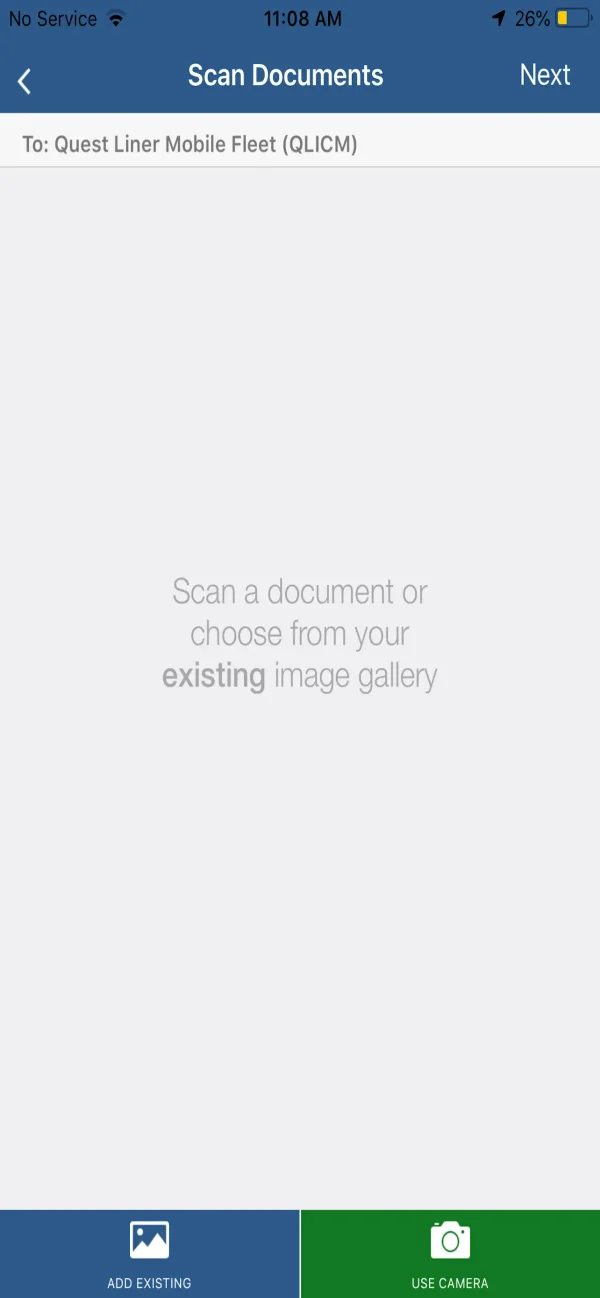
Quest Liner Mobile is Quest Liner Inc’s mobile scanning solution to help drivers easily submit their documentation right from their smartphone or tablet. This app gives drivers the flexibility to submit paperwork wherever is most convenient for you! Not only does Quest Liner Mobile help drivers improve productivity, but it also helps you get paid faster by getting paperwork submitted faster.
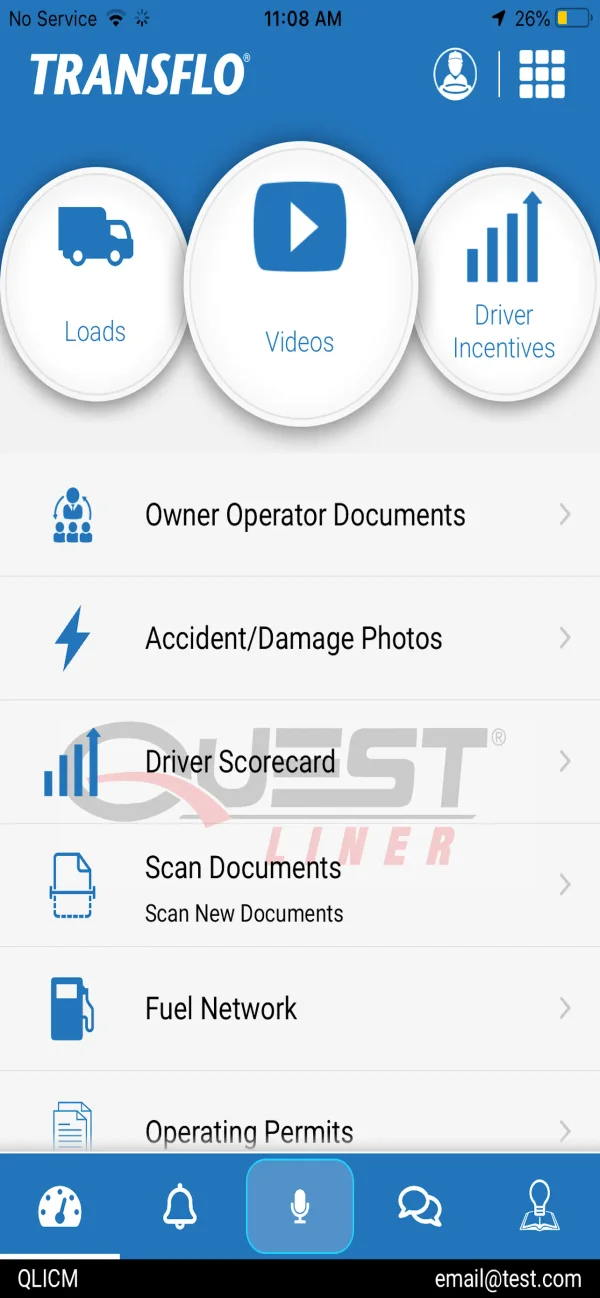
With Quest Liner Mobile you'll get notified of assigned loads on your smartphone or tablet. We've included the ability to view destinations on the map and view truck stops along the way to better help drivers plan their day.
Drivers can easily submit documents to human resources and safety using Quest Liner Mobile. Quest Liner Mobile also allows accident and/or damage photos to be sent directly to the safety department for review.
Drivers can review key scorecard information on Quest Liner Mobile.
Drivers can also easily find the closest TRANSFLO Express truck stop location within Quest Liner Mobile. This interactive map allows you to locate not only the closest location but help find locations anywhere on your route.
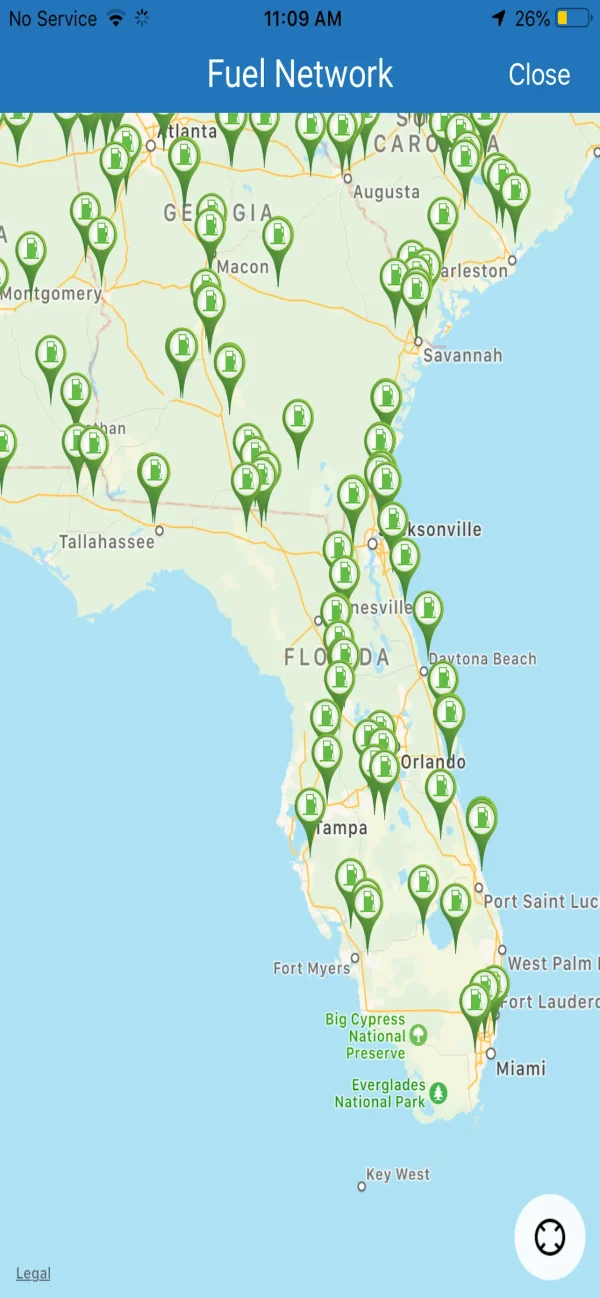
Drivers can also easily find the closest Quest Liner approved fuel stop within Quest Liner Mobile. This interactive map allows you to locate all approved fueling locations nearest you and along your route.
With all of this information and functionality made available at the tip of your fingers, drivers who use this app are ahead of the game! Quest Liner Mobile from Quest Liner Inc. Get wired for success.
Quest Liner Mobile is powered by TRANSFLO Mobile+ from Pegasus TransTech.
##############
Registering with Quest Liner Mobile is easy! Simply follow the on-screen registration process and make sure to enter in the Fleet ID for the carrier you drive for and a valid email address. You will receive a confirmation email with an activation link. Click on the link in the email to complete the registration process.
You are now ready to start using Quest Liner Mobile!
##############
TIPS:
• For best auto-border detection, put document on a dark background that contrasts with the page.
• Make sure you have good ambient light to get best results.
• You can toggle between the built-in camera and any other camera app you have on your phone by going to the Settings icon from the top right corner of the main menu screen. This way you can choose the camera that works best with your phone.
• Review the image carefully. After sending all the documents, you will also receive an email confirmation. Click on the link in the email and review the images another time.
• The images are transformed to drop background colors and shading as well as change document content to black. The high compression keeps your data plan to a minimum.
###############
Quest Liner Mobile reports accident & claims submission location, document scan submission location and load pickup and delivery locations. Continued use of GPS running in the background can dramatically decrease battery life.
What’s new
Version 6.5.2 · Apr 28, 2025
- Includes several scanning improvements including:
Improvements in overall scan quality.
Batch Capture and upload.
Multidoc type grouping.
- Updated Drivewyze to v2.2.8.
- Fix for issue with Doc Type selection menu.
- General enhancements to improve overall performance and stability.
App privacy
What Questliner, Inc. declares on the App Store about how this app handles data.
-
Data linked to you
May be collected and linked to your identity.
- Location
- Contact info
- User content
- Identifiers
- Usage data
- Diagnostics
-
Data not linked to you
May be collected but is not linked to your identity.
- Identifiers
Privacy practices may vary, for example with the features you use or your age.
Information
- Seller
- Questliner, Inc.
- Category
- Business
- Version
- 6.5.2
- Updated
- Apr 28, 2025
- Released
- Feb 11, 2016
- Size
- 136.9 MB
- Requires
- iOS 14.0 or later
- Age rating
- 4+
- Price
- Free
- Languages
- English
- Copyright
- © 2018 Pegasus TransTech, LLC. All rights reserved.