
Quick CAD - DWG Quick Draw
Free 2D CAD Drafting
Designed for iPhone, iPad
Free · In-app purchases
- Age rating4+
- CategoryUtilities
- DeveloperJiHun Ha
- LanguagesEnglish
- Size54.4 MB
Links to the official App Store page
Download.org hosts no file of Quick CAD - DWG Quick Draw. The button opens its official App Store page, published by JiHun Ha. Listing last checked on Nov 21, 2026.
Screenshots
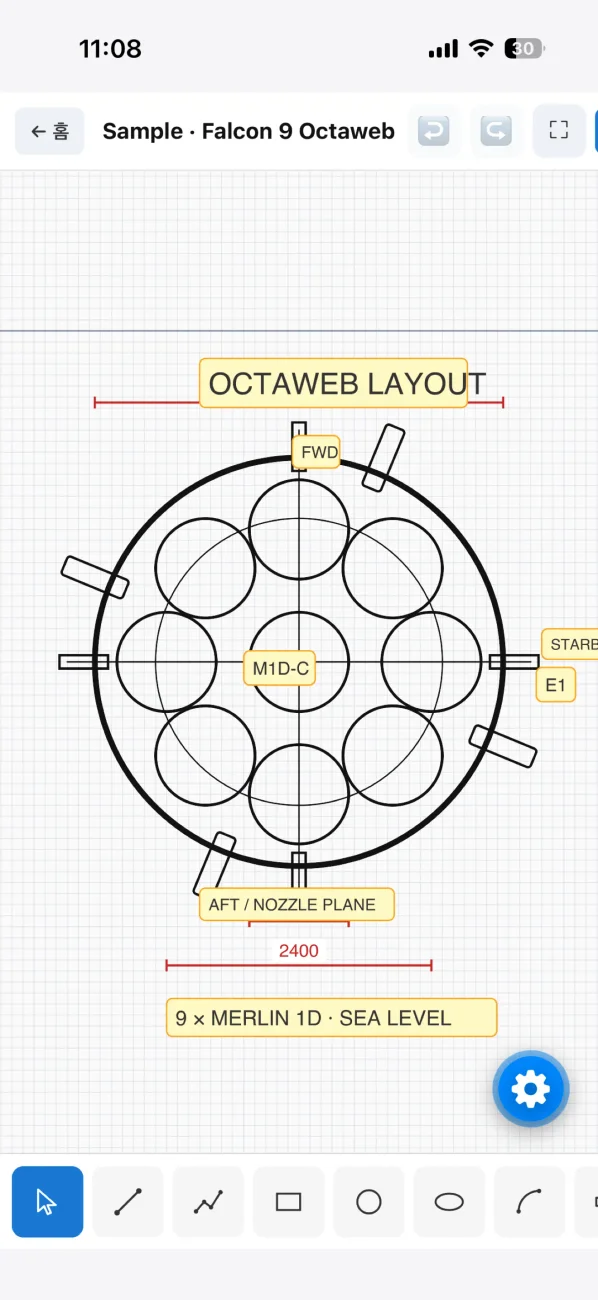
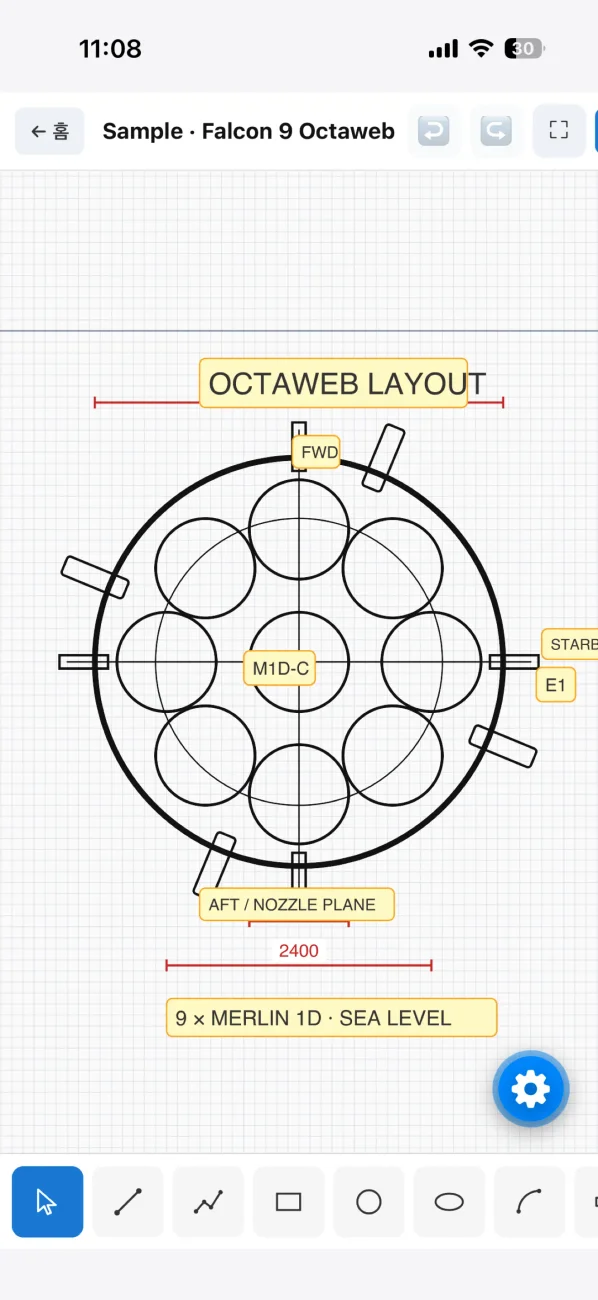
About
Quick CAD is a 2D CAD app built for phones and tablets. Draft accurate drawings on-site without heavy desktop software, add dimensions, import and export DXF and DWG files, and continue the work on your desktop CAD tool.
■ Features
- Draw lines, rectangles, circles, ellipses, arcs, polylines
- Smart object snap: endpoint, midpoint, center, intersection, tangent, nearest-on-edge, grid
- Angle snap and ortho mode for precise angles
- Dimensions (horizontal, vertical, aligned, radius, diameter)
- Text annotations
- Offset · Trim · Extend · Fillet
- Rotate · Move · Copy · Mirror
- Unlimited undo / redo
- DXF and DWG import / export — works directly with AutoCAD and other desktop CAD
- In-app support chat — reach the developer right from Settings
■ DWG viewer & editor
Open .dwg files sent from AutoCAD, inspect and edit them, then export back as .dwg or .dxf. Dimensions and layers from the original are preserved. No desktop viewer install needed — do it on your phone or tablet.
■ Multi-language UI
Available in 11+ languages — English, Korean, Japanese, Chinese (Simplified / Traditional), Spanish, French, German, Portuguese, Russian, Hindi, and more. Automatically matches your device language.
■ Who it's for
- Architects, interior designers, and contractors who need to view and edit DWG/DXF on-site
- Designers and engineers who prefer drawing by hand while keeping precision
- Students and independent makers who need a lightweight drafting tool
■ Privacy first
Quick CAD has no accounts and no login. Every drawing stays on your device. No ad SDK. Anonymous usage patterns (which tools/features are used) are collected to improve the product; no personally identifiable information is included. You can opt out in Settings. (DWG conversion is processed via the CloudConvert API and discarded immediately after.)
Contact: wlgns359@gmail.com
Terms of Use (EULA): https://www.apple.com/legal/internet-services/itunes/dev/stdeula/
What’s new
Version 1.0.13 · Oct 30, 2026
• Line types: Continuous / Dashed / Center / Hidden (4 CAD standard types)
• Line type preserved in DXF export/import (AutoCAD compatible)
• Draw menu redesigned: Line / Shape sections, center-aligned, scrollable
• Pinch zoom fix: shapes no longer disappear when zooming in
• Stability improvements
App privacy
What JiHun Ha declares on the App Store about how this app handles data.
-
Data not collected
The developer does not collect any data from this app.
Privacy practices may vary, for example with the features you use or your age.
Information
- Seller
- JiHun Ha
- Category
- Utilities
- Version
- 1.0.13
- Updated
- Oct 30, 2026
- Released
- Sep 22, 2026
- Size
- 54.4 MB
- Requires
- iOS 16.4 or later
- Age rating
- 4+
- Price
- Free
- In-app purchases
- Yes
- Languages
- English
- Copyright
- © 2026 JiHun Ha
You might also like
-
 PDFMeasurementToolUtilities
-
 OpenShape3DMobile Precision modeling CAD
-
 CAD Viewer & PDF ConverterConvert CAD files to PDF
-
 GTM Digital ToolUtilities
-
 Stopmo - AI Generate & CutoutSprite Sheet,Game Art & FX
-
 Unit Price Calculator: CompareCompare Prices & Save Money
-
 GModelUtilities
-
 Mote – Remote for Any TVFree TV remote. No ads.
-
 How to tie a tie step by stepLearn and try new way of tie
-
 Arctech CloudUtilities