QuickPlan, Project Gantt Chart
Task Schedule Plan Management
Designed for iPad
$19.99
- Age rating4+
- CategoryProductivity
- Developer皓 李
- LanguagesEnglish+ 6 more
- Size209.2 MB
Links to the official App Store page
Download.org hosts no file of QuickPlan, Project Gantt Chart. The button opens its official App Store page, published by 皓 李. Listing last checked on Nov 12, 2026.
Screenshots




About
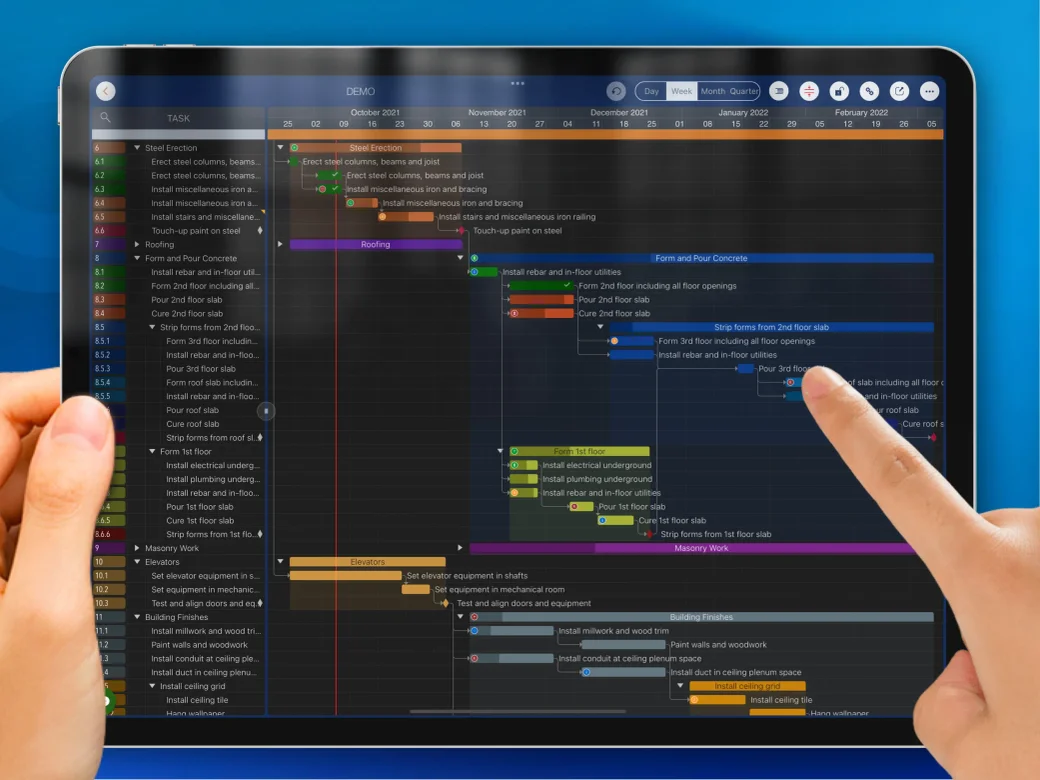
QuickPlan makes project planning easier than ever before. Project management with natural gestures on the Gantt chart, sync and share projects across multiple devices and teams, and support integration with Microsoft Project Plan.
## PRIVACY FOCUSED
User-created projects are stored on the user's device or in iCloud Drive.
## ACTIVE UPDATING
- Continually evolves based on best practices from experts and ideas from users.
- App-Liv.jp Top10 Project Management Apps of 2019 - 1st Place.
- BestApp Ever Awards 2014 "Best Business App" - 3rd place.
* QuickPlan is now available for macOS. *
Download the free 15-day trial from https://quickplan.app/trial.
With NATURAL GESTUREs on a clean and elegant interface, project management is more accessible, faster and more efficient than ever before. Visualize, manage and simplify projects flexibly and efficiently with Gantt charts, outline list and property editor, create tasks, organize your project calendar and resources, track status. It's easier than you think, with a minimum of effort and learning.
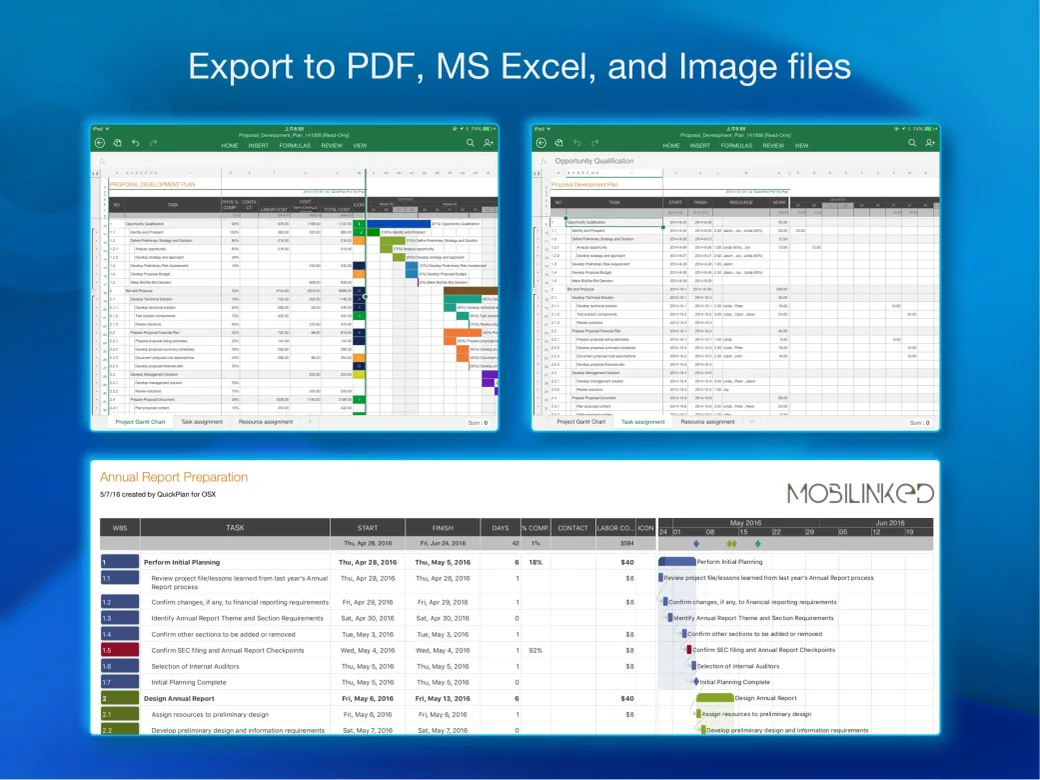
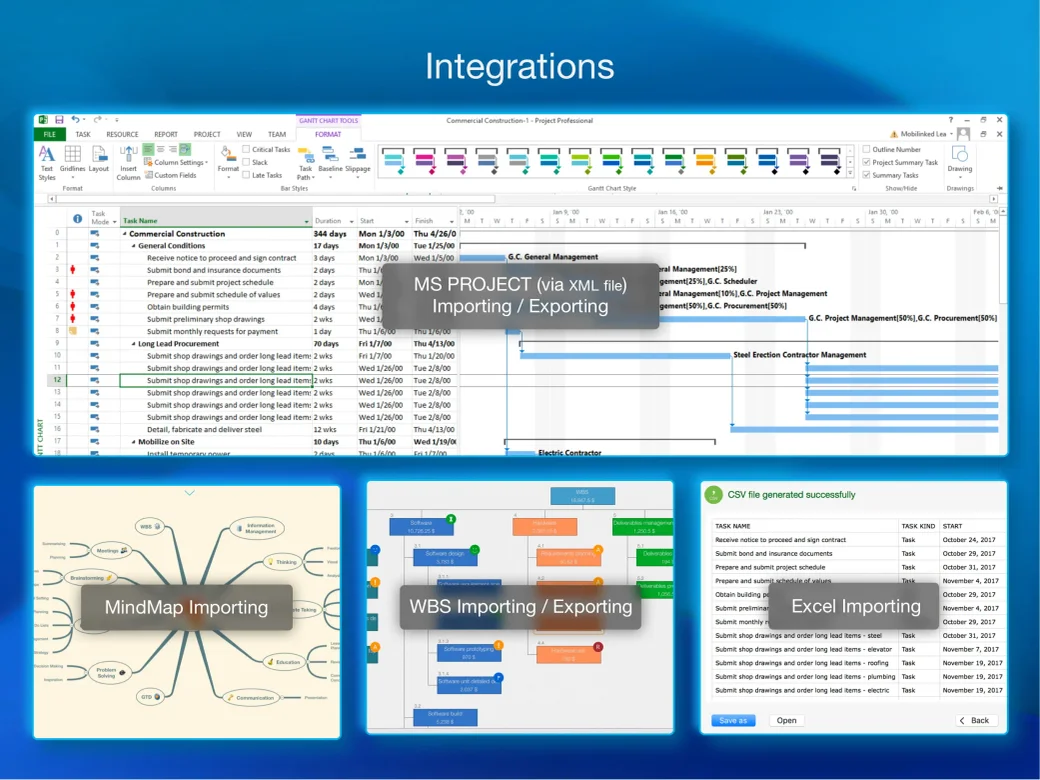
QuickPlan App supports exporting projects to image, Excel, PDF, Microsoft Project and WBS files. AND to import projects from Microsoft Project, WBS and Mind-map files.
The app supports synchronization of project plans between the same user's macOS and iOS devices and supports team collaboration via iCloud Drive. And it supports syncing and sharing via OneDrive and Dropbox. QuickPlan also supports duplicating projects by members for better teamwork.
QuickPlan fine-tunes the best features of Microsoft Project Plan and re-purposes them to work for iPad - without the complexity - providing users of all experience levels with an INTUITIVE and discoverable project management experience.
## EFFICIENT MAINTENANCE
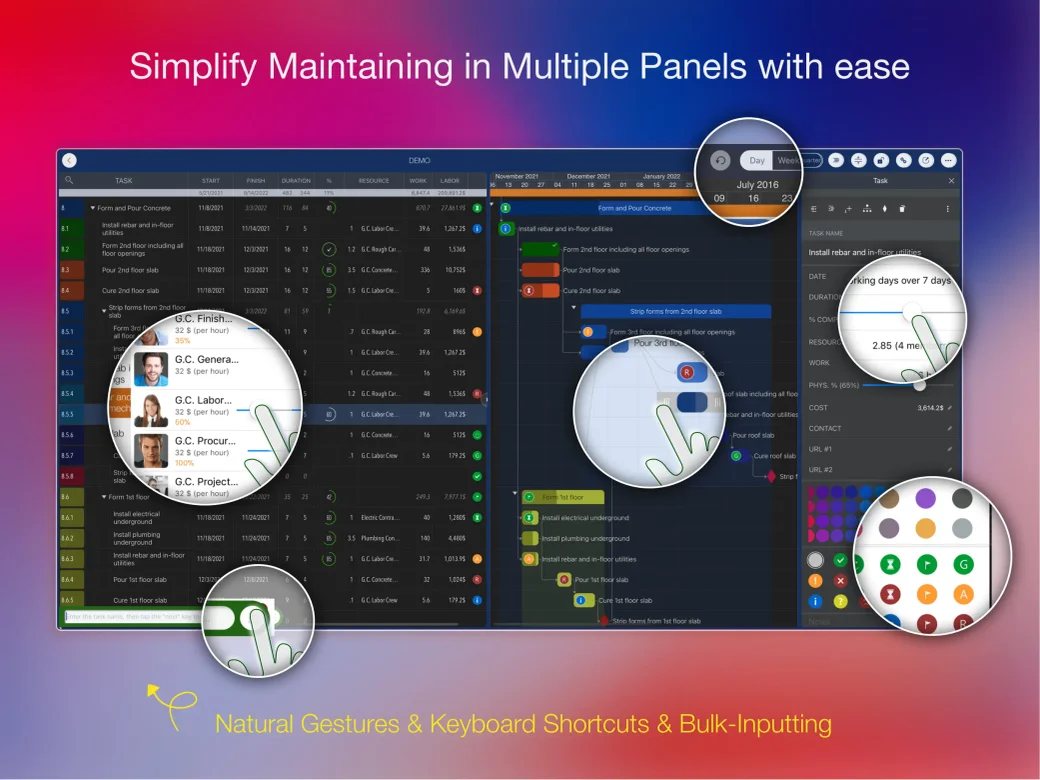
- Gestures for tasks: Create, remove, move, indent and outdent, change order.
- Gestures to zoom in and out, collapse and expand.
- Keyboard shortcuts.
- Batch input.
- The most fluid Gantt chart app on a clean interface.
## STRONG PLAN
- Multiple Projects.
- Supports duplication of the entire project and duplication by specific members.
- Organize tasks into REAL task groups and sub-projects.
- Task color, icon, contact, and required task fields.
- Five levels of outline (plus sub-project, for a total of ten levels of outline).
- Gesture-based management of task links.
- Lock editing, row height.
- Integration with the iOS Files app.
- Manual and automatic project backup.
- Project currency, charge rate, project resources, calendar, task date policy.
## TREE and LIST
- Display as tree with support for displaying cirtical path.
- Display as list with support for sorting and filtering.
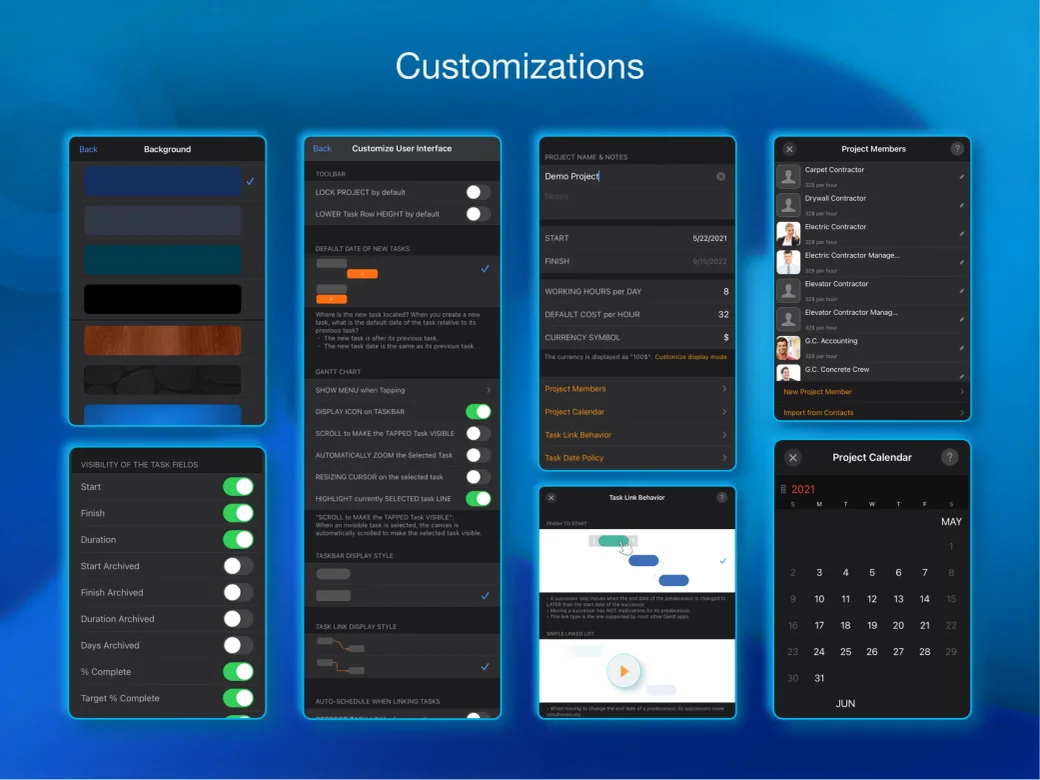
## UI CUSTOMISATION
- Customization of the task column title and visibility.
- Style of the task bar.
## REPORTING
- Export as image, PDF and Microsoft Excel (including three sheets).
- With options to customize the output.
## SYNC
- Sync projects between iOS and Mac devices via iCloud Drive, OneDrive and Dropbox.
## TEAM COLLABORATION
- Sync between team members via iCloud Drive.
## INTEGRATION
- Export and import Microsoft Project XML files.
- Import and export SwiftApp WBS files.
- Import from Microsoft Excel files.
- Import from iThought Map files.
## SHARE
- Supports Airdrop, OneDrive, Dropbox.
## TEAMWORK
- Create a new project by exporting tasks for the selected project members.
## NOTIFICATION
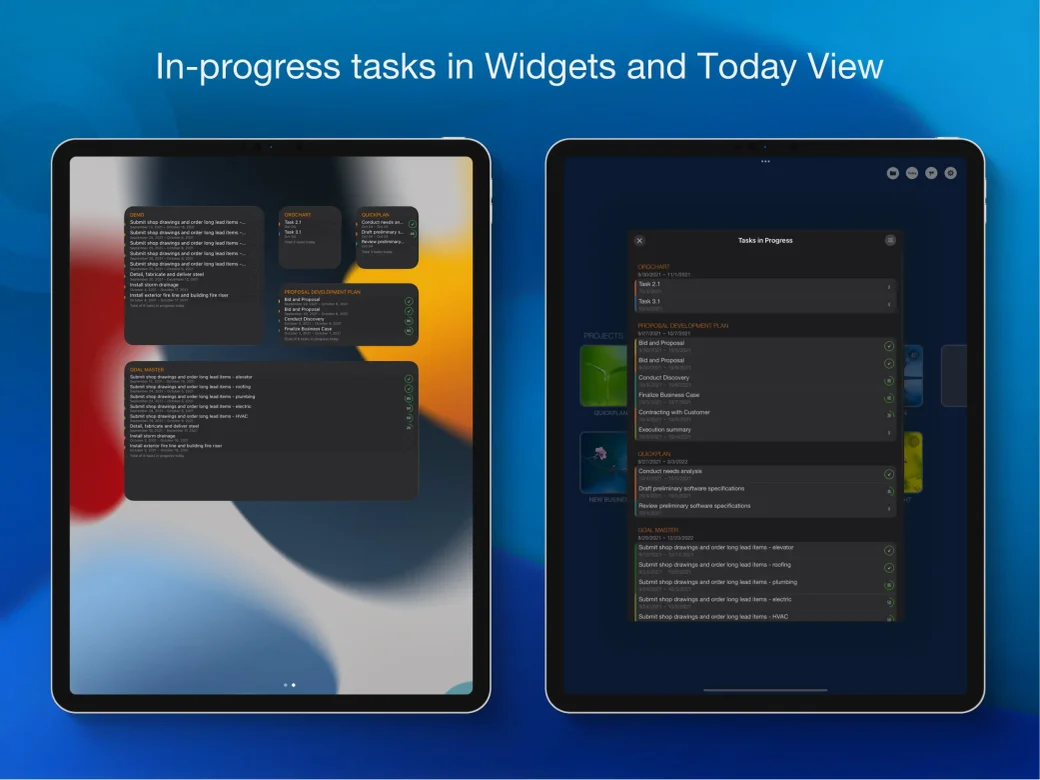
- Widget to track ongoing tasks.
- Today widget and local notification.
QuickPlan simplifies the complexity of project planning that puts ease as the ultimate goal in organizing your professional projects, plans, efforts, goals and life. The best project planning app for iPad.
- Initialize, discuss, present and share your plan.
- Export it to Microsoft Project Plan for further editing on PC.
- Strategic Planning.
- Import MS Project XML file and reports, tracking.
- Schedule actions in meetings, confirm.
- Track progress.
- Guide employees.
What’s new
Version 17.5 · May 20, 2026
Bug fixes and performance improvements.
App privacy
What 皓 李 declares on the App Store about how this app handles data.
-
Data not collected
The developer does not collect any data from this app.
Privacy practices may vary, for example with the features you use or your age.
Information
- Seller
- 皓 李
- Category
- Productivity
- Version
- 17.5
- Updated
- May 20, 2026
- Released
- Mar 22, 2013
- Size
- 209.2 MB
- Requires
- iOS 18.2 or later
- Age rating
- 4+
- Price
- $19.99
- Languages
- English, Dutch, French, German, Japanese, Simplified Chinese, Spanish
- Copyright
- © 2013 ~ 2026 Swift Apps Group
You might also like
-
 Project Planner - Gantt appTasks, Gantt Charts & Planning
-
 QuickPlan 3D - Floor plansDesign your home floor plan
-
 Autodesk BIM 360 Plan v2Productivity
-
 OmniPlan 4Powerful project management
-
 TimeStory: Timeline MakerHistories, roadmaps, plans
-
 TeamGanttProject management
-
 Project Plan 365MS Project for iOS
-
 Outbuild FieldLookahead Management
-
 eDrawings ProProductivity
-
 Site Diary - ConstructionConstruction Daily Report