QuickRecorder - Voice Library
Record, Transcribe & Summarize
Designed for iPhone, iPad, Mac, iPod touch
Free · In-app purchases
- Age rating4+
- CategoryUtilities
- DeveloperKAZUHIRO KAKIMOTO
- LanguagesEnglish
- Size77.0 MB
Links to the official App Store page
Download.org hosts no file of QuickRecorder - Voice Library. The button opens its official App Store page, published by KAZUHIRO KAKIMOTO. Listing last checked on Nov 15, 2026.
Screenshots
About
QuickRecorder is a smart audio recorder and meeting assistant designed for iOS and macOS. It combines high-quality recording with on-device transcription, AI summaries, and professional editing tools.
RECORDING:
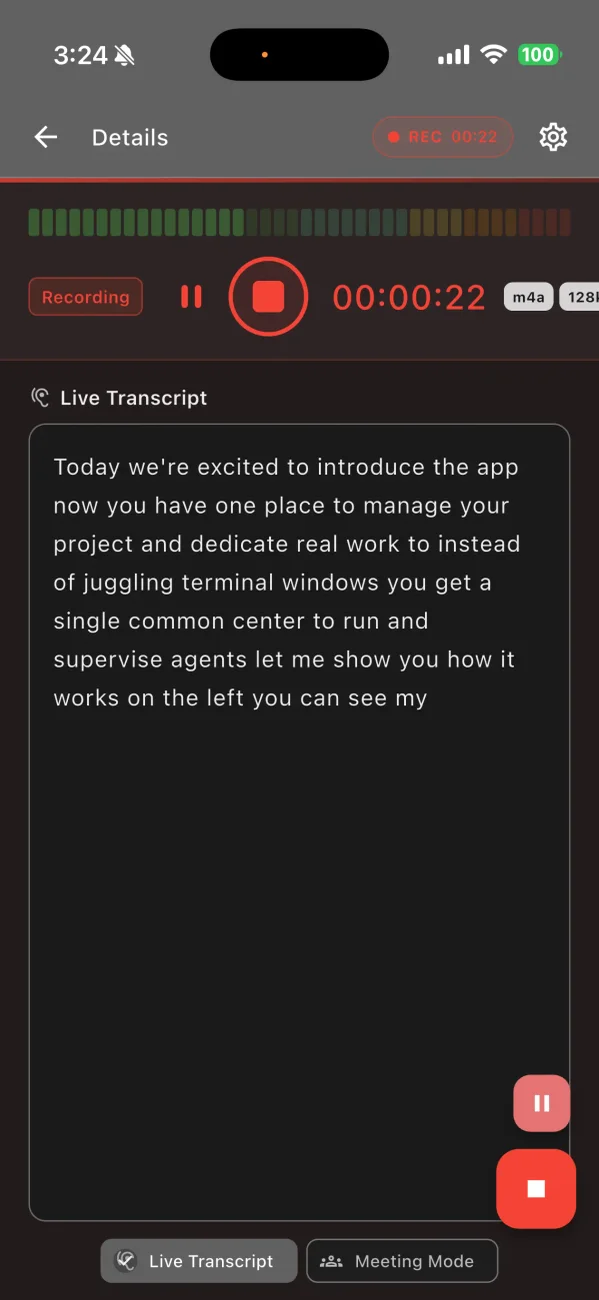
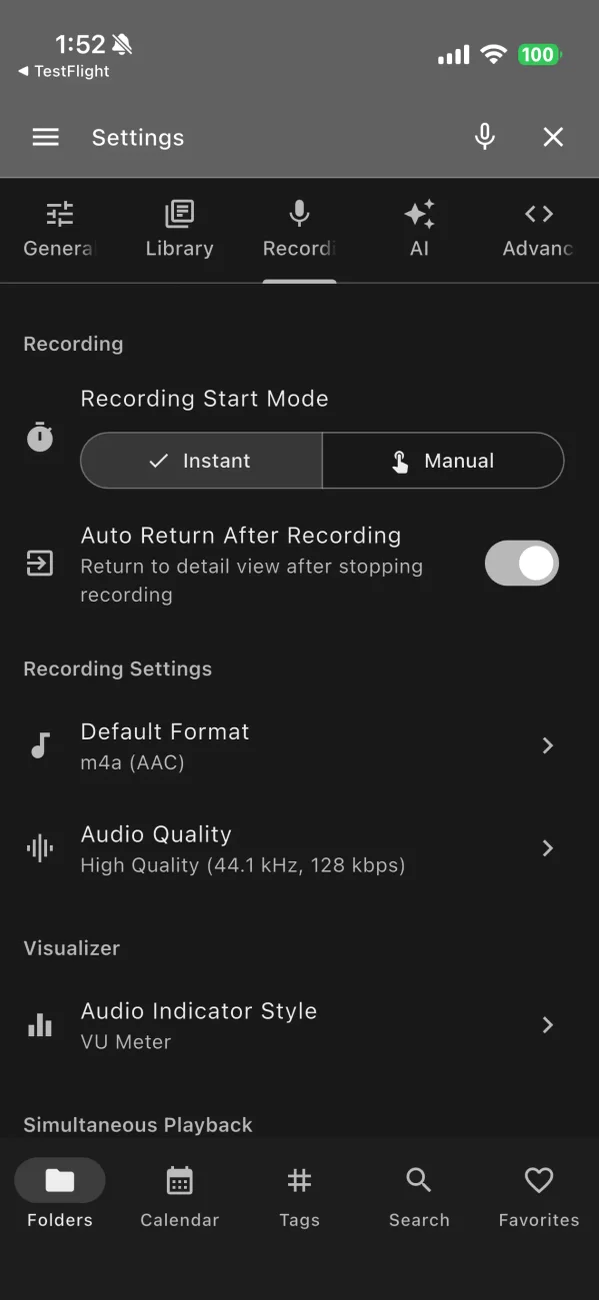
- Multiple formats: m4a (AAC), WAV (PCM), OGG (Opus)
- Quality presets: Low (22 kHz), Medium (44.1 kHz), High (44.1 kHz / 128 kbps)
- 7 real-time visualizer styles: bar, line, VU meter, radial, blob, Siri waves, geometric
- Simultaneous playback during recording with echo cancellation
- Microphone device selection (desktop)
TRANSCRIPTION:
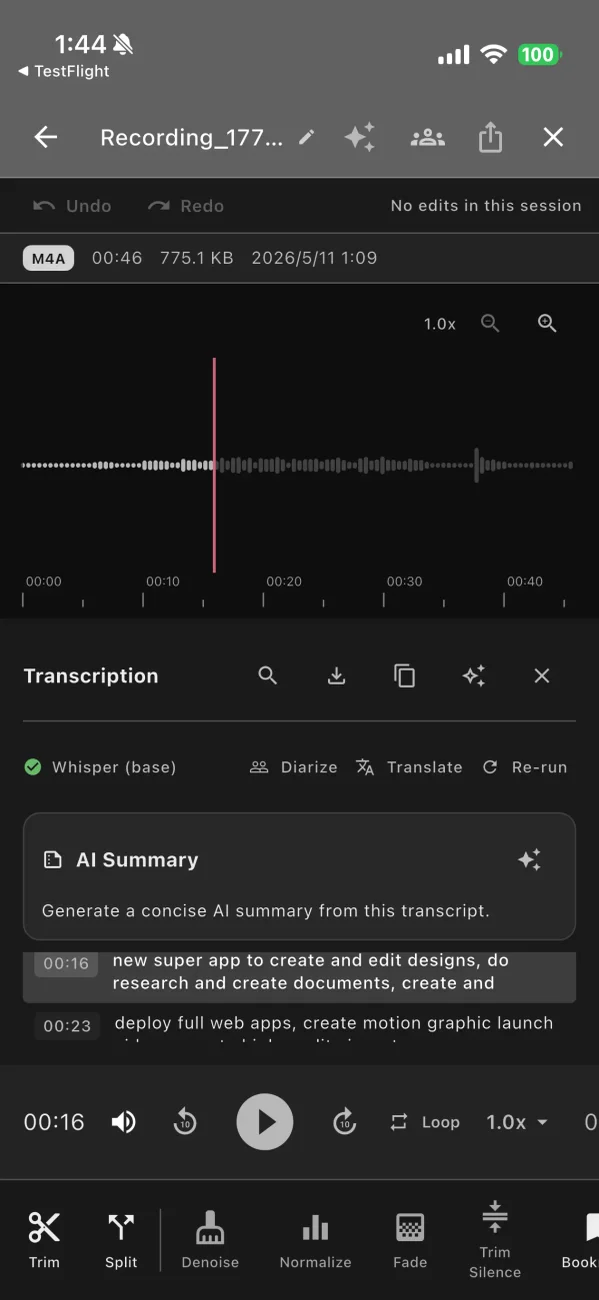
- On-device Whisper transcription (Base, Small, Medium, Large models)
- 100% local processing - no data sent to servers
- Speaker diarization with timestamps
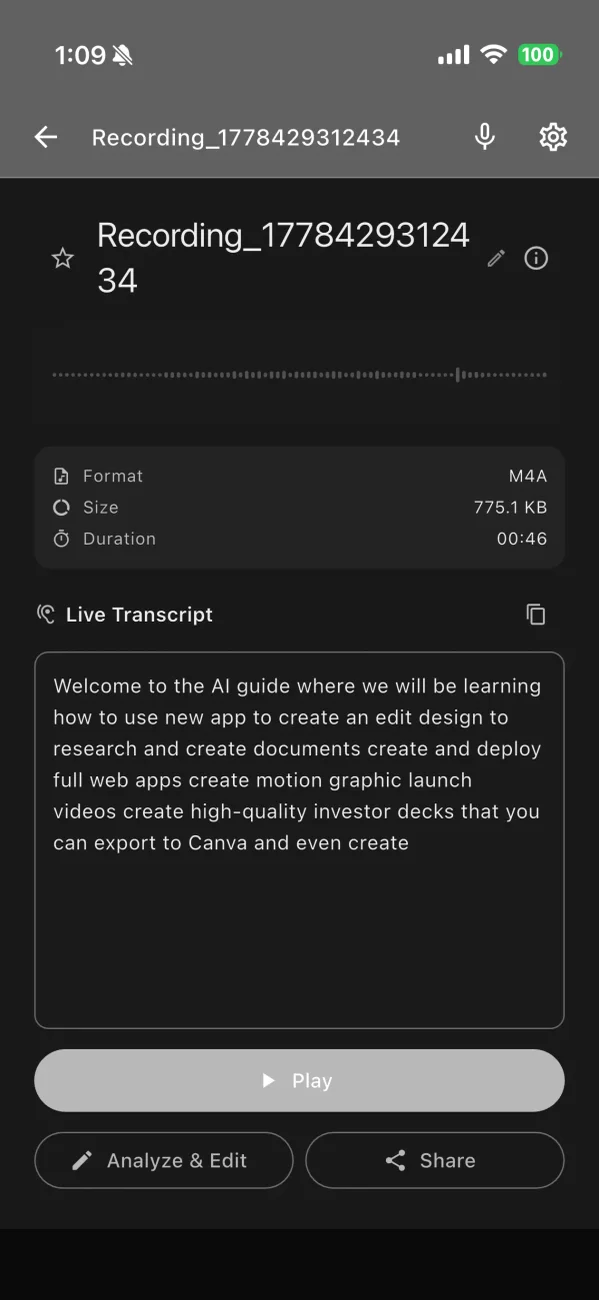
- Real-time live transcription via OS speech engine
- 11 transcription languages supported
- Export transcripts as TXT, SRT, WebVTT, PDF, DOCX, or JSON
AI SUMMARY (Pro):
- Auto-generate structured summaries from transcripts
- Title, overview, key points, decisions, action items
- Export as Markdown, plain text, or JSON
- Clean up transcripts, suggest chapter markers, draft follow-ups, and review audio edit ideas
MEETING MODE:
- Meeting title, participants, and agenda tracking
- Action items with assignees and timestamps
- Meeting minutes export (Markdown / text)
EDITING:
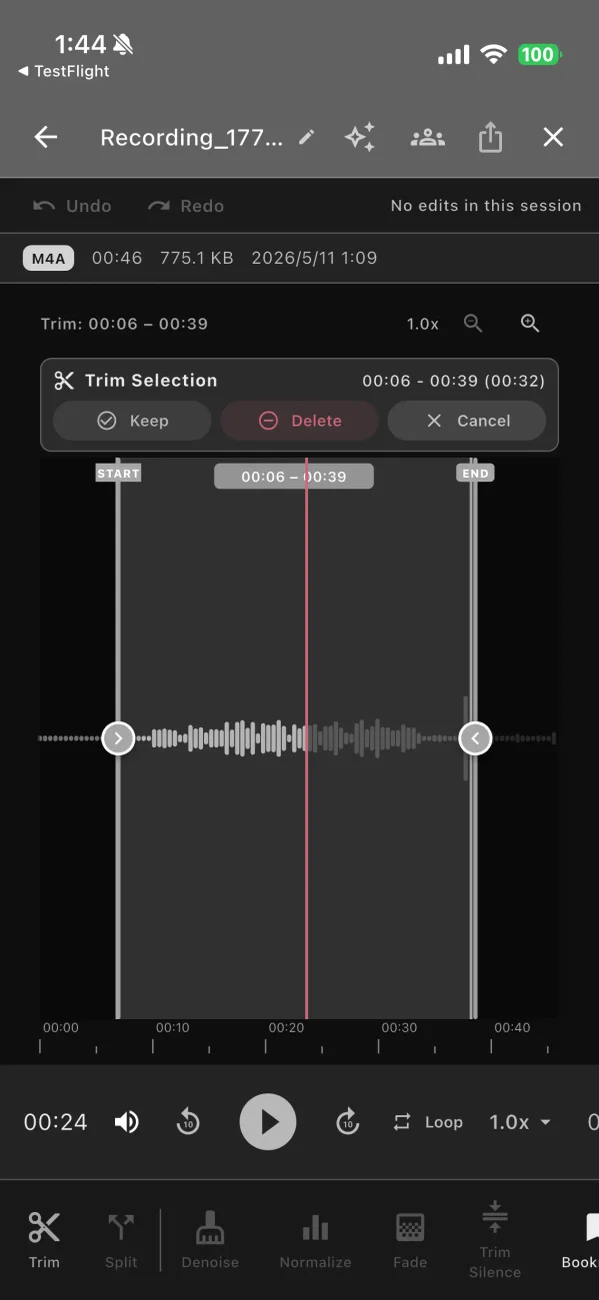
- Trim with visual waveform and preview
- Delete ranges, split recordings, normalize volume, add fades, trim silence, and convert to MP3/WAV
- Save edits as new recordings with Restore Original history
- Noise reduction via FFmpeg filters
- Audio bookmarks with labels
- Playback speed control
- Undo system (up to 5 levels)
CLOUD & STORAGE:
- Dropbox, Google Drive, OneDrive integration
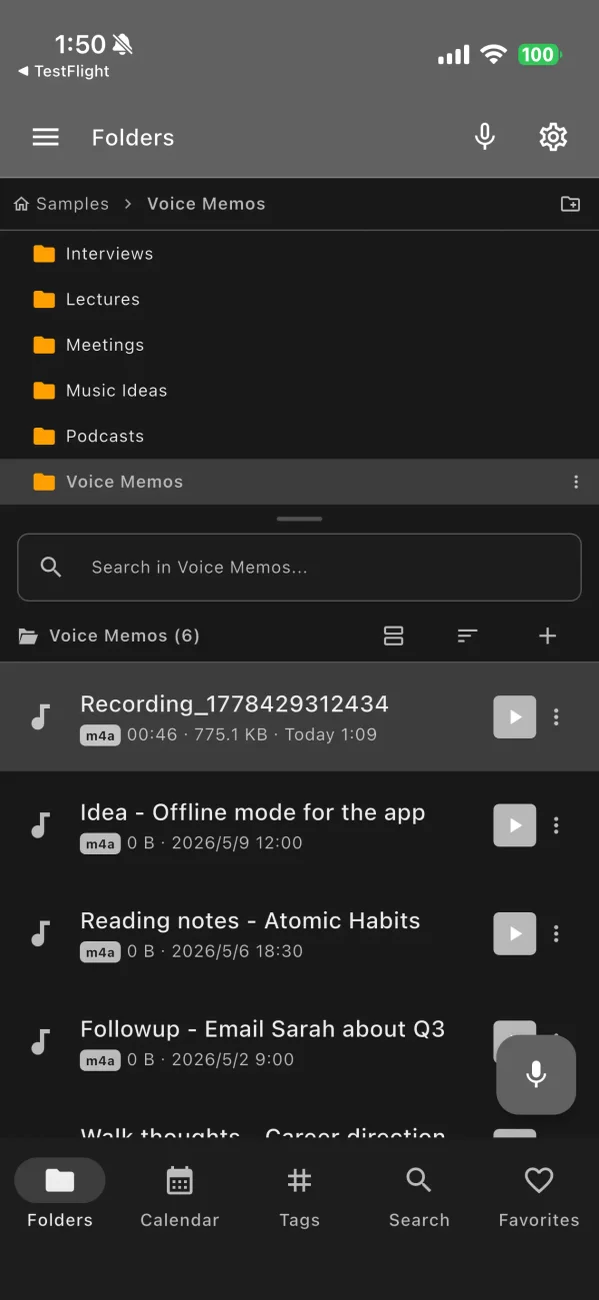
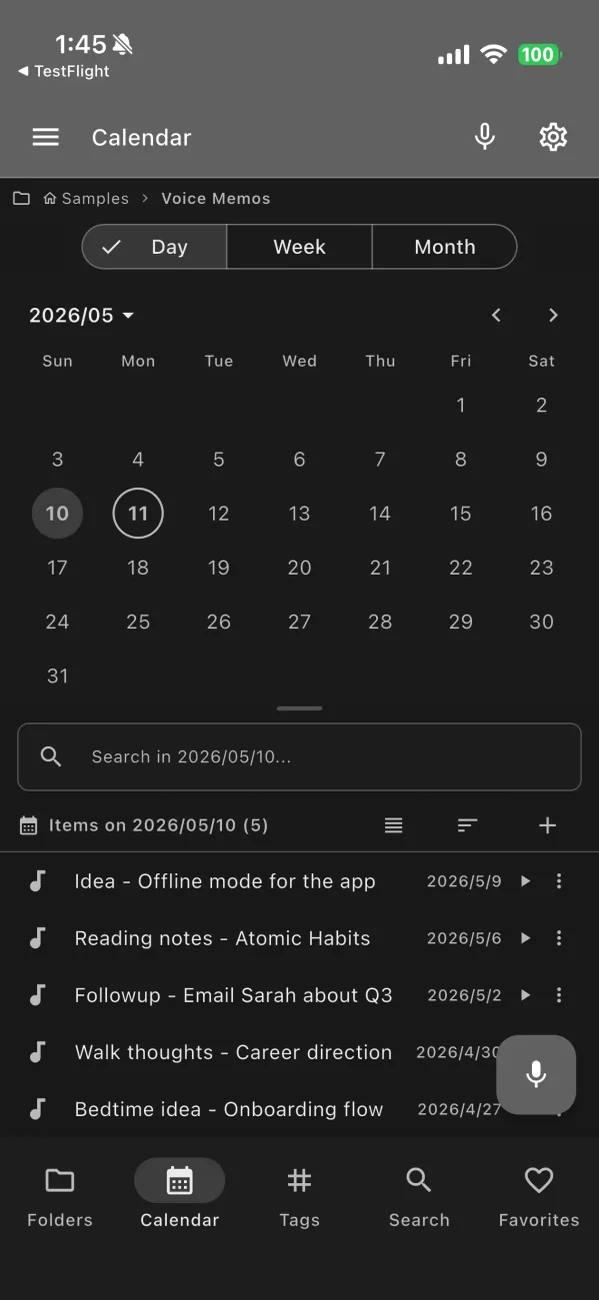
- Multiple workspace and folder management
- Full-text search across titles, tags, and saved transcripts
- Tags, favorites, Trash restore, and derived recording history
- Export and share recordings and transcripts
CUSTOMIZATION:
- 20+ theme colors with dark/light mode
- Customizable keyboard shortcuts
- Responsive layout for mobile, tablet, and desktop
QuickRecorder Pro unlocks:
- AI-powered summaries
- Ad-free experience
- Advanced transcription features
- Priority support
Terms of Use: https://kakitiro.com/quickapps/quickrecorder/terms/
What’s new
Version 5.3.27 · Aug 25, 2026
• Fixed Google Drive sign-in after upgrading from an earlier version.
• Added Google Drive, OneDrive, and Dropbox as selectable Library Locations.
• Existing Auto Publish destinations now appear in Library Locations.
• Improved Dropbox upload verification and cloud storage reliability.
App privacy
What KAZUHIRO KAKIMOTO declares on the App Store about how this app handles data.
-
Data linked to you
May be collected and linked to your identity.
- Location
- Identifiers
- Usage data
-
Data not linked to you
May be collected but is not linked to your identity.
- Diagnostics
Privacy practices may vary, for example with the features you use or your age.
Information
- Seller
- KAZUHIRO KAKIMOTO
- Category
- Utilities
- Version
- 5.3.27
- Updated
- Aug 25, 2026
- Released
- Jun 7, 2018
- Size
- 77.0 MB
- Requires
- iOS 13.0 or later
- Age rating
- 4+
- Price
- Free
- In-app purchases
- Yes
- Languages
- English
- Copyright
- © kakitiro.com
You might also like
-
 Voice Memos (Recorder)Voice-Text-Image Recorder,Tag
-
 Recorder - Voice & AudioFast mobile phone recorder
-
 Voice & Audio Recorder: MemosRecord Lectures & Meetings
-
 RecVoice:Audio Editor RecorderVoice memos, Audio Recorder HD
-
 Voice Note Taker - Memo AITranscribe voice to text
-
 Simple Voice Recorder ChanVoice Memo
-
 VoxLeaf: Voice to TextRecord, transcribe, summarize
-
 Microphone - record voice memoscene sound effects recorder
-
 Voice Recorder Pro for iPhoneEasy Recording & Editing Audio
-
 Simple Voice Recorder AI NotesTranscribe meetings & lectures