QuickScan - Document & QR code
Scan docs, extract text, QR
Designed for iPhone, iPad
- Age rating4+
- CategoryUtilities
- DeveloperSourav Mishra
- LanguagesEnglish
- Size11.2 MB
Links to the official App Store page
Download.org hosts no file of QuickScan - Document & QR code. The button opens its official App Store page, published by Sourav Mishra. Listing last checked on Nov 10, 2026.
Screenshots



About
QuickScan turns your iPhone into a fast, private document scanner. Point your camera at a receipt, note, or ID — QuickScan detects the edges, straightens the perspective, and saves a clean scan in seconds. No sign-up, no cloud upload, no subscription. Everything runs on your device.
WHAT YOU CAN DO
• Scan documents with automatic edge detection and perspective correction
• Import existing photos and turn them into scans
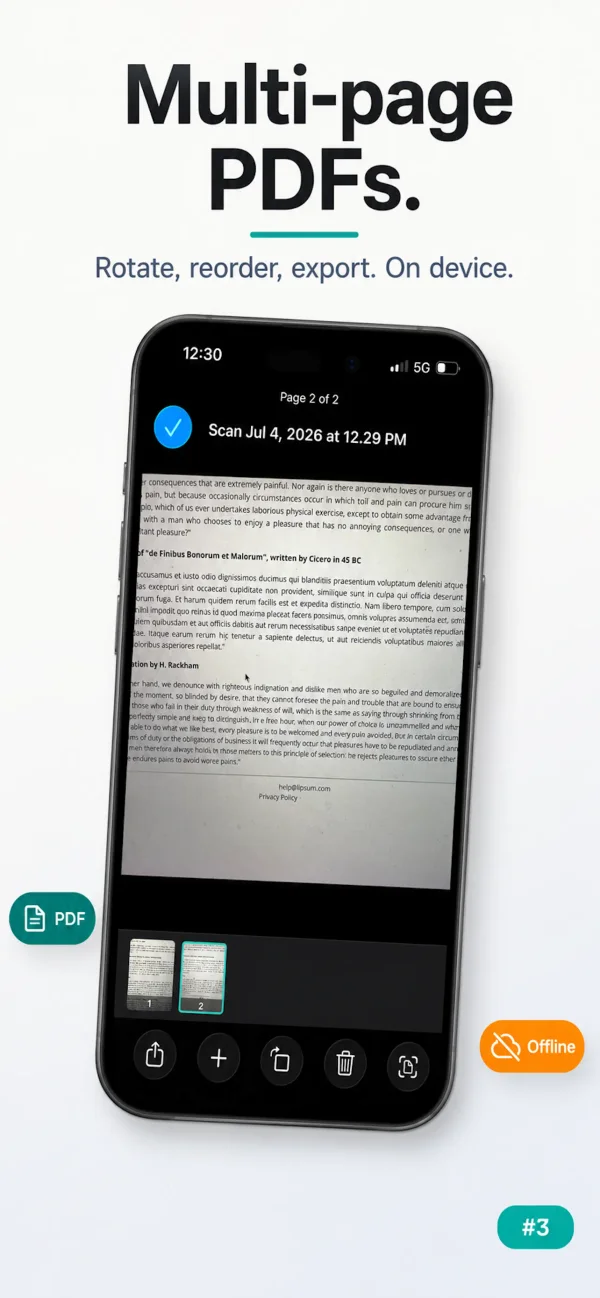
• Build multi-page documents — reorder, rotate, and delete pages
• Export as multi-page PDFs
• Extract text with on-device OCR (works offline)
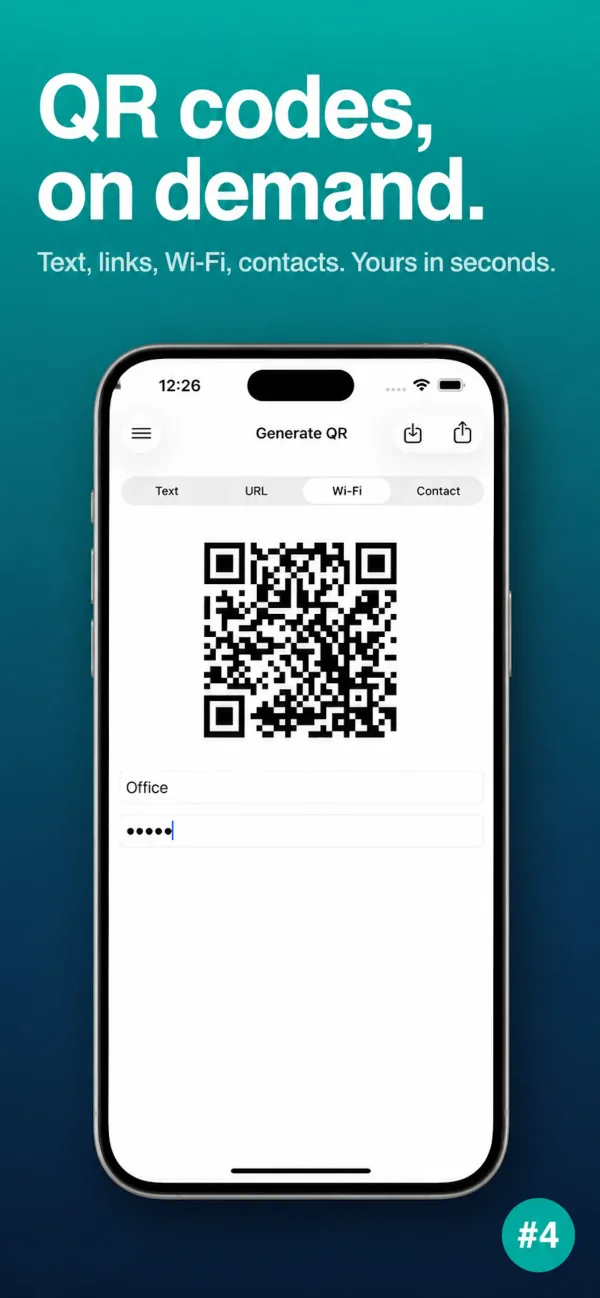
• Scan QR codes with smart shortcuts — open URLs, join Wi-Fi, add contacts, dial numbers
• Generate your own QR codes for text, links, Wi-Fi, or contact cards
• Organize scans with categories and search
• Sync your documents across devices with iCloud Drive
PRIVACY BY DEFAULT
Your scans stay on your device or in your own iCloud — never on our servers. OCR text extraction happens locally with Apple's Vision framework. We don't collect your data.
FREE, HONESTLY
QuickScan is free to use, supported by ads. Watch one short video ad from Settings to hide ads for an hour.
FEATURES AT A GLANCE
• Automatic edge detection
• Multi-page PDF export
• On-device OCR
• QR scanner + QR generator
• Categories, search, and sort
• iCloud Drive sync
• Rotate and reorder pages
• Long-press for quick actions
Made with care for people who scan a lot and hate friction.
What’s new
Version 1.1.0 · Aug 11, 2026
• Home Screen Widget with category filter
• Multi-select: share, categorize, or delete in bulk
• Search inside your scans, not just titles
• Sign documents with the new Signature tool
• Password-protect PDFs and save straight to Files
• Auto-blur credit cards, SSNs, emails, and phone numbers before you share
• Turn business cards into contacts
• "Hey Siri, scan with QuickScan"
• Now reads UPC, EAN, PDF417, DataMatrix, and more barcodes
• Sharper edge-to-edge PDFs
App privacy
What Sourav Mishra declares on the App Store about how this app handles data.
-
Data used to track you
May be used to track you across apps and websites owned by other companies.
- Location
- Identifiers
- Usage data
-
Data not linked to you
May be collected but is not linked to your identity.
- Location
- Identifiers
- Usage data
Privacy practices may vary, for example with the features you use or your age.
Information
- Seller
- Sourav Mishra
- Category
- Utilities
- Version
- 1.1.0
- Updated
- Aug 11, 2026
- Released
- Jul 8, 2026
- Size
- 11.2 MB
- Requires
- iOS 17.0 or later
- Age rating
- 4+
- Languages
- English
- Copyright
- © 2026 Sourav Mishra
You might also like
-
 Find in CameraSearch printed text instantly
-
 QuickScan Document ScannerFast offline PDF scans
-
 Window Seat GPSPassenger Offline Flight Info
-
 PDF2MDPDF to MarkDown
-
 HumanMeter - AI ScannerVideo, Photo, Audio & Text
-
 Audio & Video ConverterTrim, Merge, Extract Audio
-
 ComfyLinkRun ComfyUI workflow on mobile
-
 Silver IdentifierAI Hallmark Scanner & Detector
-
 BookletPro: PDF to BookletBulletins, zines & programs
-
 QR Code Reader: Barcode MakerScanner, Generator & Creator