
QuickVideo - Cam & Edit
Pro Camera, AI Edit & Export
Designed for iPhone, iPad, Mac, iPod touch
Free · In-app purchases
- Age rating4+
- CategoryPhoto & Video
- DeveloperKAZUHIRO KAKIMOTO
- LanguagesEnglish
- Size142.6 MB
Links to the official App Store page
Download.org hosts no file of QuickVideo - Cam & Edit. The button opens its official App Store page, published by KAZUHIRO KAKIMOTO. Listing last checked on Nov 18, 2026.
Screenshots
About
QuickVideo is a powerful, all-in-one video recorder and editor designed for modern creators on iOS and macOS. Whether you're producing YouTube vlogs, TikTok Shorts, Instagram Reels, or professional presentations, QuickVideo combines pro camera controls, AI-powered automatic captions, and non-destructive editing workflows to speed up your creative process.
RECORDING & PRO CAMERA:
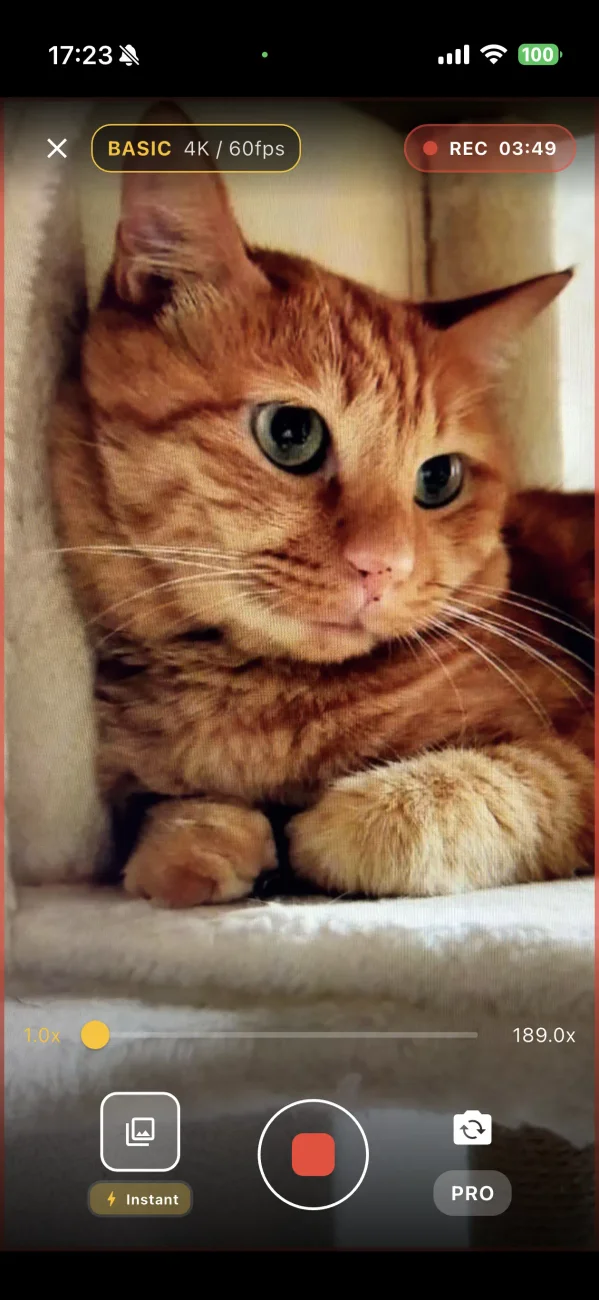
- Quality presets: Cinematic (4K/60fps), Story (1080p/30fps), Quick Share (720p/30fps).
- Pro manual controls (Pro): Adjust ISO (50–6400), shutter speed, white balance, and exposure compensation (EV -2.0 to +2.0).
- Live histogram, zebra overlay, and grid for perfect composition.
- Real-time face detection, subject segmentation, and dual camera support with fast switching.
- Zoom control with level indicators, countdown, and instant start modes.
POWERFUL NON-DESTRUCTIVE EDITING:
- Auto-saved edit drafts: Return later and keep your text, labels, captions, music, trim, and color work perfectly intact.
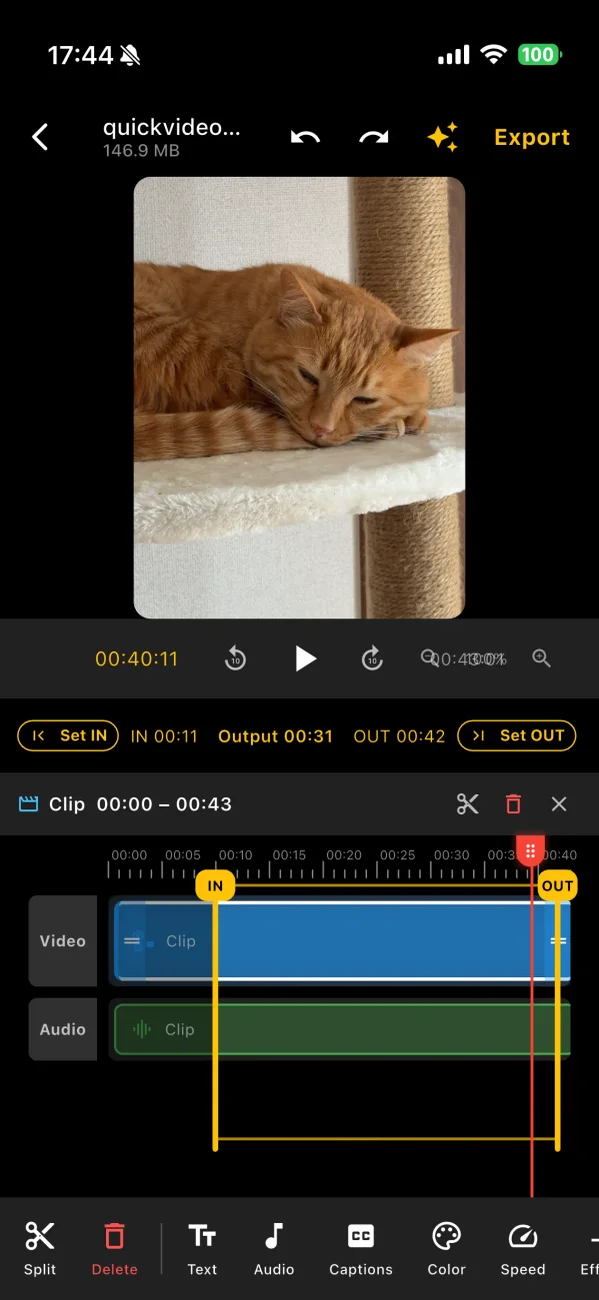
- Frame-by-frame trimming with a visual timeline and multi-segment clip editing.
- Color Correction & Looks: Apply global or selected-clip color correction and subtle creative looks such as Warm, Cool, Rose, Blue, and Sepia, alongside brightness, contrast, and saturation adjustments.
- Text stamp overlays with opacity and color control.
- Transitions: Crossfade and dip-to-black.
- 100-level undo/redo history and reusable edit presets.
ADVANCED AUDIO & MUSIC:
- Multi-track audio: Add multiple Music and SFX clips to your timeline.
- Adjust individual clip ranges and volume levels with ease.
- Voice-priority ducking: Automatically lower background music volume for clearer voice narration.
AI CAPTIONS & SMART EDIT:
- 100% Local Auto Captions: On-device Whisper AI (Base, Small, Medium, Large models) ensures your data never leaves your device.
- SRT file import and comprehensive caption track with timing controls.
- AI Smart Edit (Pro): Automatic scene detection, highlight extraction, and voice/audio activity analysis with one-tap smart application to your timeline.
EXPORT & YOUTUBE PUBLISHING:
- YouTube Studio handoff: Instantly opens the YouTube upload page and reveals the exported video in your file manager for fast drag-and-drop publishing.
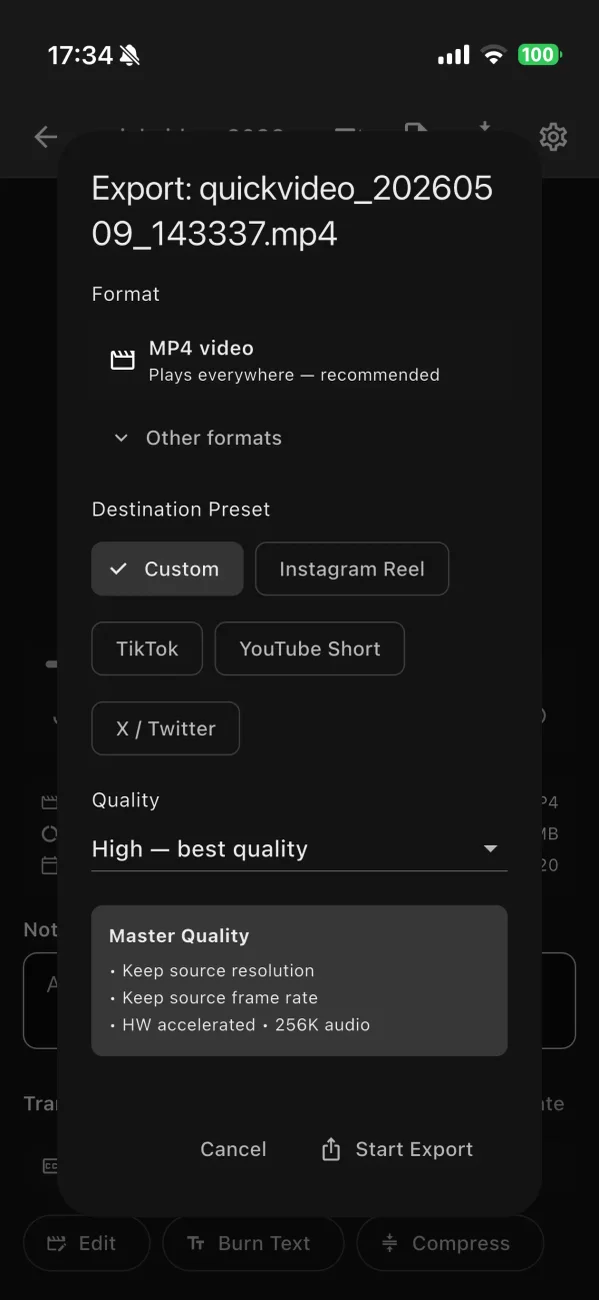
- Multi-format Export: MP4 (H.264), HEVC (H.265), GIF, or MP3 (audio only).
- Quality presets: Master, Balanced, Fast Social.
- 9:16 vertical framing optimized for Stories and Reels.
- Real-time export progress with cancel option.
LIBRARY & WORKFLOW:
- Traceable lineage: Original, Draft, and Exported views make it easy to trace each video back to its source and continue editing.
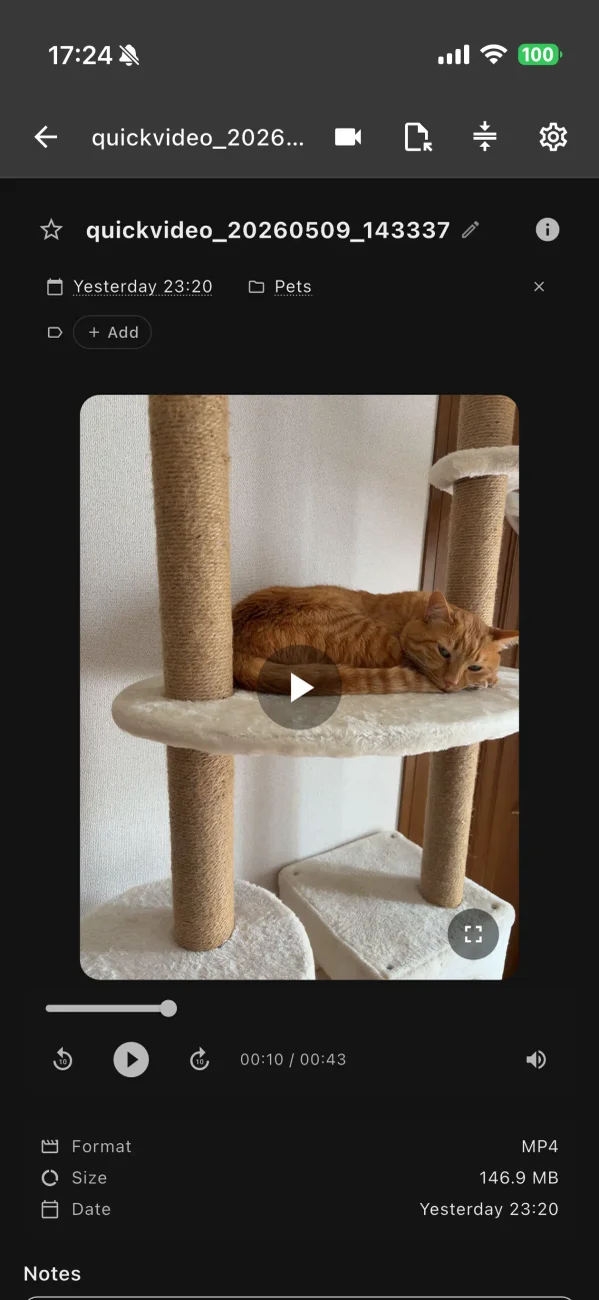
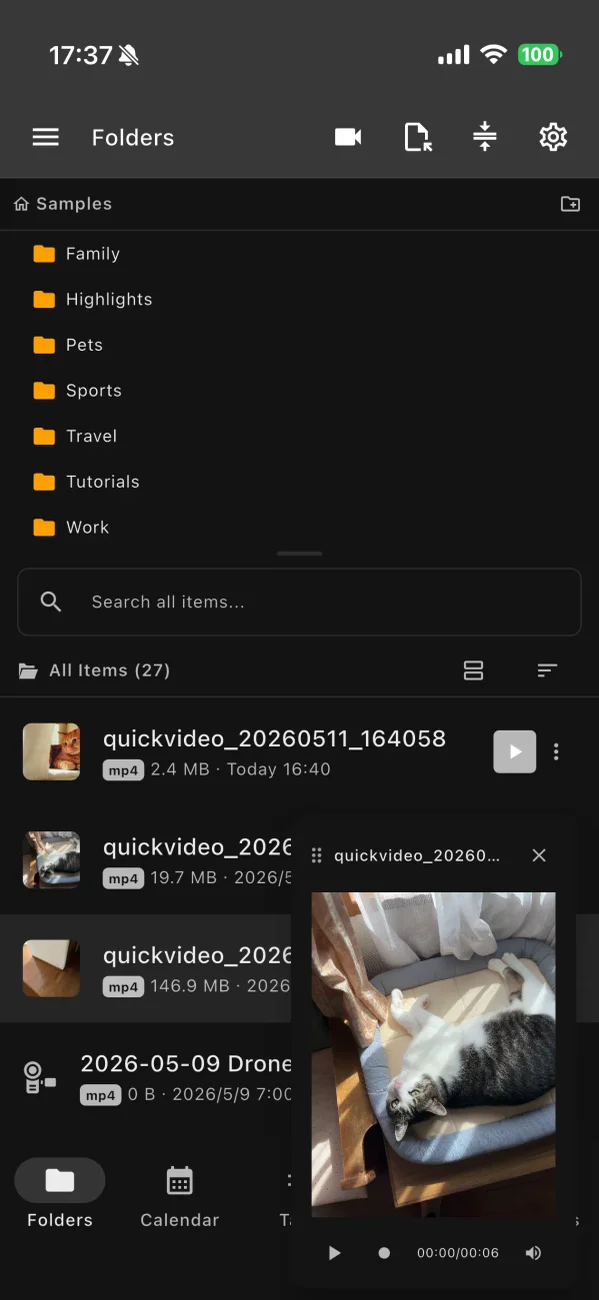
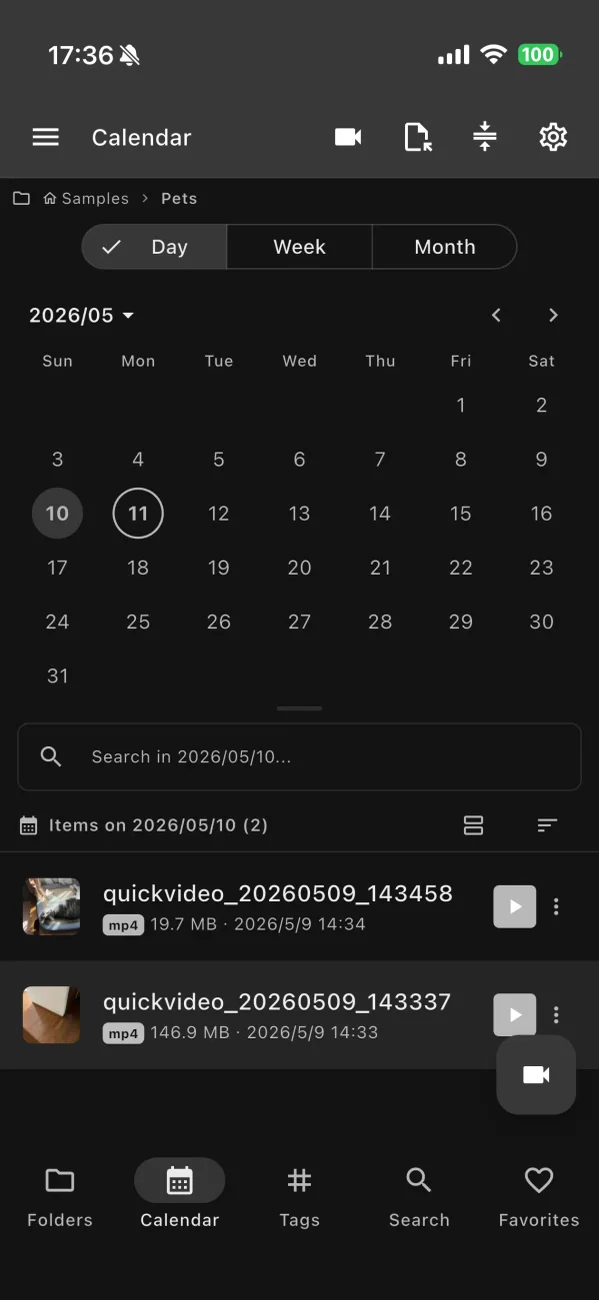
- Folder browsing with video thumbnails, favorites, tags, and per-video notes.
- Broad format support: MP4, MOV, M4V, MKV, AVI, WebM.
CLOUD & CUSTOMIZATION:
- Seamless integration with Dropbox, Google Drive, OneDrive, and SMB/NAS.
- Remote streaming with local caching (configurable 256–8192 MB).
- 20+ theme colors, dark/light mode, floating preview panel, and customizable keyboard shortcuts.
- Responsive layout designed for mobile, tablet, and desktop environments.
QUICKVIDEO PRO UNLOCKS:
- Pro camera manual controls
- AI Smart Edit and highlight extraction
- All export formats and quality presets
- Ad-free experience
- Priority customer support
Terms of Use: https://kakitiro.com/quickapps/quickvideo/terms/
What’s new
Version 5.3.13 · Aug 25, 2026
• Fixed Google Drive sign-in after upgrading from an earlier version.
• Improved Dropbox upload verification.
• Improved cloud storage reliability and status messages.
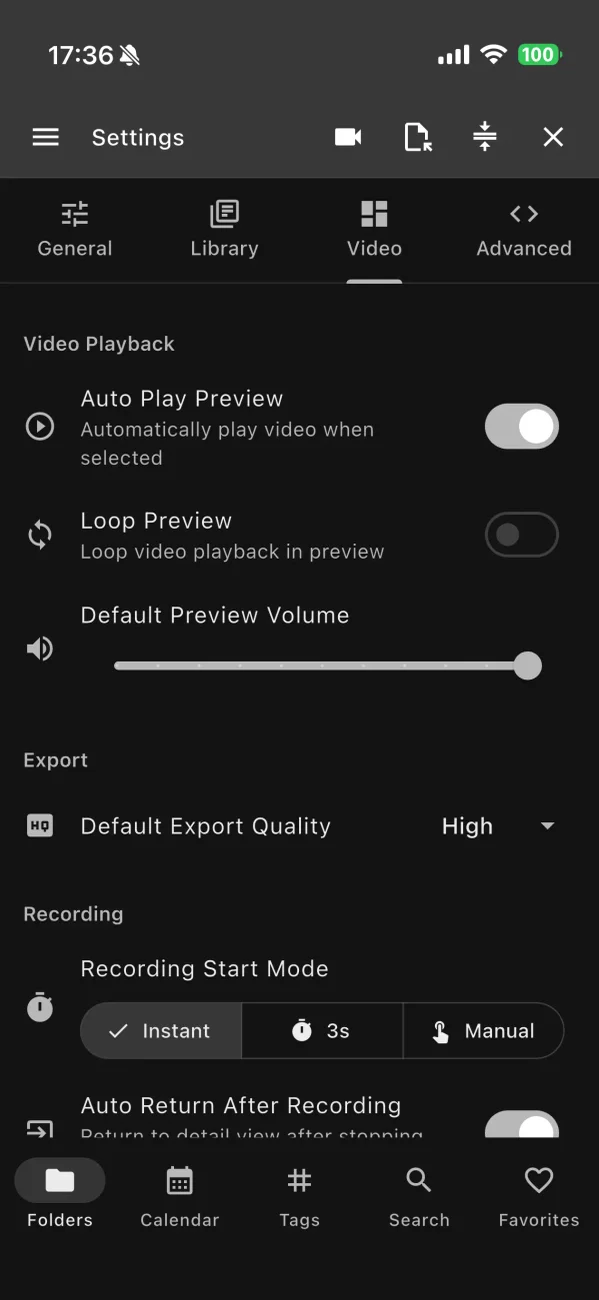
• Added camera menu options for the after-recording action and Instant, Countdown, or Manual start.
App privacy
What KAZUHIRO KAKIMOTO declares on the App Store about how this app handles data.
-
Data linked to you
May be collected and linked to your identity.
- Location
- Identifiers
- Usage data
-
Data not linked to you
May be collected but is not linked to your identity.
- Diagnostics
Privacy practices may vary, for example with the features you use or your age.
Information
- Seller
- KAZUHIRO KAKIMOTO
- Category
- Photo & Video
- Version
- 5.3.13
- Updated
- Aug 25, 2026
- Released
- Jul 4, 2018
- Size
- 142.6 MB
- Requires
- iOS 15.5 or later
- Age rating
- 4+
- Price
- Free
- In-app purchases
- Yes
- Languages
- English
- Copyright
- © kakitiro.com
You might also like
-
 QuickCam CameraPatented Special FX camera app
-
 Quick Shot CameraDon't miss your shot!
-
 LockCam - Lock Secret AlbumsProtect private photos videos
-
 InviCam: Black Screen CameraHidden Spy & Secret Recorder
-
 Old Camera 2006CAM2000s Retro Vintage Cam
-
 Discreet - Black screen cameraCapture without attention
-
 Vintage Film Camera: Retro ArtYour video, time-slipped
-
 Super 16 | 16mm Film Camerafilmmaker's cinematic vintage
-
 Mideo: Record Video With MusicPlay music while recording
-
 VHS Cam: Vintage Video CameraRetro Camcorder, 90s & 8mm FX