QuicorDay
Voice memos, on your calendar
Designed for iPhone, iPod touch
Free · In-app purchases
- Age rating4+
- CategoryProductivity
- DeveloperHomin Kim
- LanguagesEnglish+ 4 more
- Size12.3 MB
Links to the official App Store page
Download.org hosts no file of QuicorDay. The button opens its official App Store page, published by Homin Kim. Listing last checked on Nov 20, 2026.
Screenshots


About
QuicorDay is a local-first voice recorder for the thoughts you need to catch now and organize later.
Record in one tap
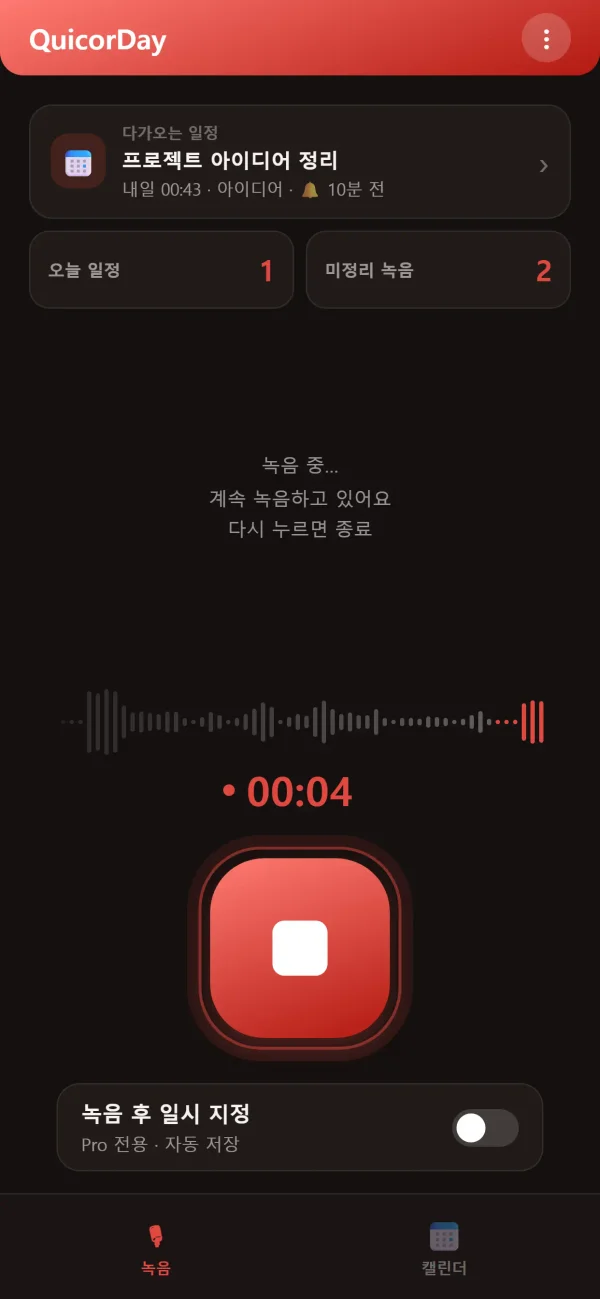
Tap the record button and you are recording. Tap again to stop, or press and hold to record only while you hold. No title, no folder, nothing to set up before you speak.
Put it on your calendar
Recordings land in an unorganized list. When you have a moment, give one a date and time, or drag the card straight onto the calendar and the daily timeline. It's free, with no limit.
Themes
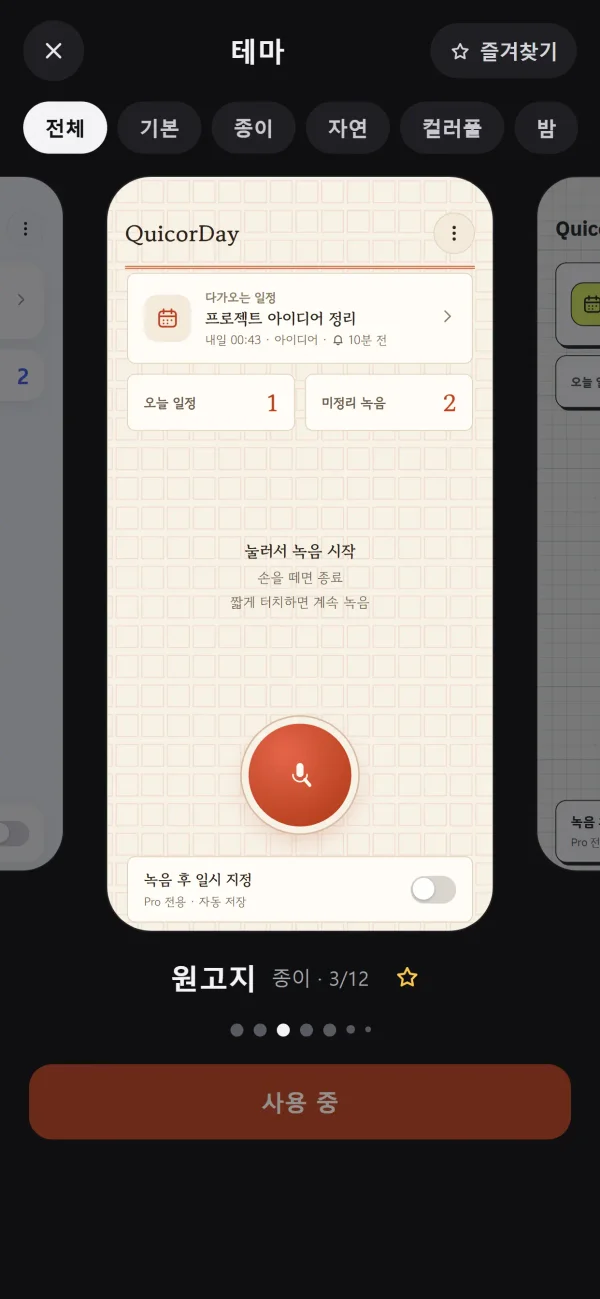
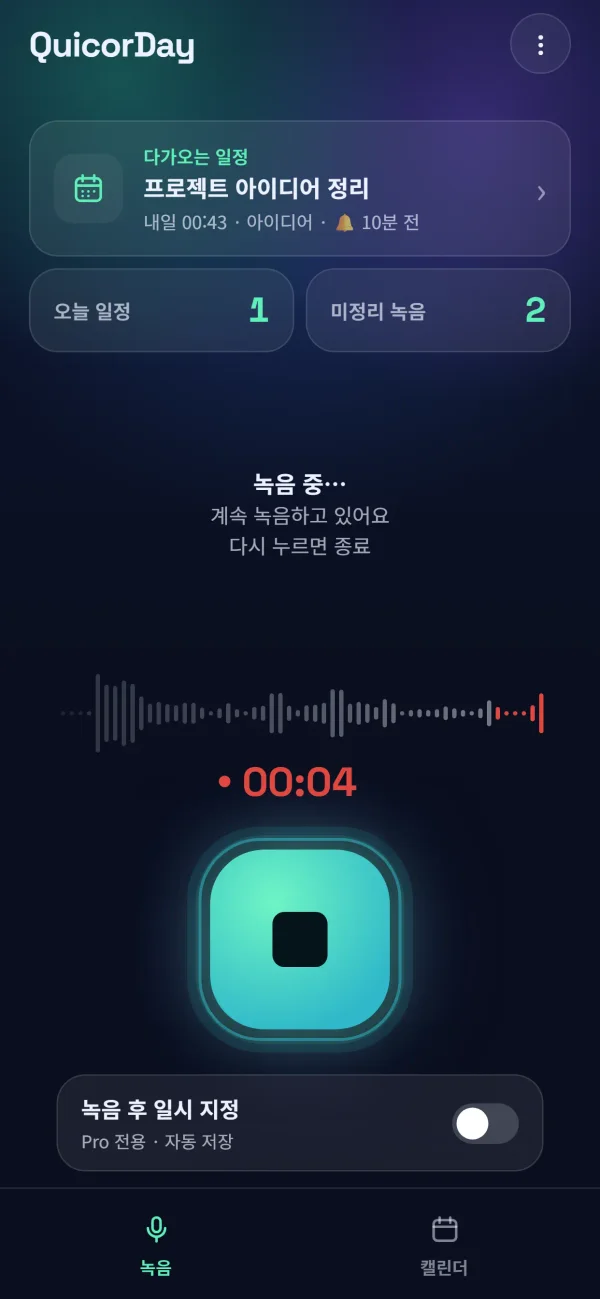
Classic plus Manuscript, Graph Note, Kraft, Morning Moss, Tide, Peach Soda, Cassette, Night FM, Aurora and Ink & Gold: 11 free themes. A theme changes the recording screen, the calendar and the menus together. The Modern theme comes with Pro.
Reminders and a daily view
Any scheduled recording can carry a reminder. The dashboard on the record screen shows what is coming up, how many recordings are placed today, and how many are still unorganized.
Choose your audio quality
Standard 96 kbps and High 160 kbps are free. Pro adds Maximum 256 kbps.
QuicorDay Pro - one purchase, no subscription
Pro unlocks organizing several recordings at once, Schedule after recording, Secret Calendar, waveform editing, Maximum 256 kbps recording, 8 premium colors for the Classic theme, and the Modern theme. Secret Calendar protects access to the app screen; it does not encrypt the audio files themselves. Features that would need servers, cloud, or AI may be offered separately in future.
Apple Watch
Record on Apple Watch and send it to your paired iPhone to finish organizing in QuicorDay.
Privacy
Your recordings and calendar data are never sent to a developer server. The app has no ads and no ad SDK, does not ask for tracking permission and does not use the advertising identifier. Purchases and restores use Apple’s payment system.
Contact: support@sequencewave.com
Privacy Policy: https://hominute.github.io/qrecorday-privacy-policy/
What’s new
Version 1.0.5 · Nov 12, 2026
- The record screen got a tidy-up. The waveform now fills the card, and the newest sound shows in red.
- The ring around the record button grows as you speak. Each theme has its own ring.
- The timer is bigger, and nothing on the screen shifts when you start recording.
- With Reduce Motion on, the ring stays the same size and the recording dot doesn't blink.
App privacy
What Homin Kim declares on the App Store about how this app handles data.
-
Data not collected
The developer does not collect any data from this app.
Privacy practices may vary, for example with the features you use or your age.
Information
- Seller
- Homin Kim
- Category
- Productivity
- Version
- 1.0.5
- Updated
- Nov 12, 2026
- Released
- Sep 16, 2026
- Size
- 12.3 MB
- Requires
- iOS 15.0 or later
- Age rating
- 4+
- Price
- Free
- In-app purchases
- Yes
- Languages
- English, Japanese, Korean, Simplified Chinese, Traditional Chinese
- Copyright
- © 2026 Sequence Wave
You might also like
-
 Echo - AI Voice RemindersVoice to calendar and to-dos
-
 Voice Planner - AI ToDoリストProductivity
-
 Reminders MaxCalendar planner & organizer
-
 SlashpageProductivity
-
 Echo - AI Note TakerMeeting Recorder & Transcribe
-
 Paseo - Remote Coding AgentsCodex, OpenCode, Pi, Claude
-
 해피 파킹 - 스마트 방문 차량 예약 앱Productivity
-
 Easy Caller IDSpam Blocker for Unknown Calls
-
 MyRoutine: Organize your dayBuilt around your real life