
- Age rating4+
- CategoryEducation
- Developerdenis moskalenko
- LanguagesEnglish
- Size20.9 MB
Links to the official App Store page
Download.org hosts no file of Quobby. The button opens its official App Store page, published by denis moskalenko. Listing last checked on Nov 20, 2026.
Screenshots

About
Quobby is the all-in-one study companion that makes learning fun and effective. Create flashcards with spaced repetition, scan documents, take handwritten notes, build habits, block distracting apps on a schedule, and challenge friends in real-time study sessions.
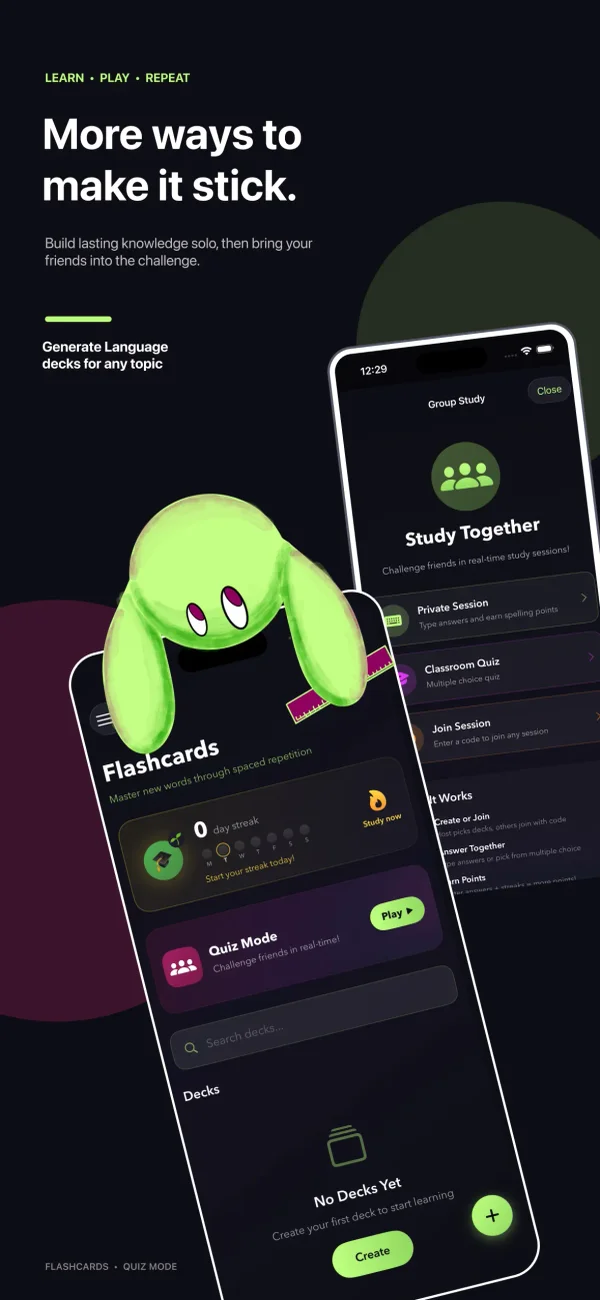
Flashcards & Spaced Repetition Master any subject with smart flashcards that adapt to your learning pace. Add text, images, voice recordings, and example sentences. Study with classic flip cards, multiple-choice quizzes, or typing practice. Track your mastery with clear progress stages: New, Learning, Mastered, and Relearning.
Language Learning & Auto-Translation Learn vocabulary in 21+ languages with AI-powered card generation. Enable auto-translate on any deck to get instant, editable translations as you type. Add example sentences in one language and the other fills in automatically. Hear correct pronunciations with built-in text-to-speech.
Smart Vocabulary Generation Generate flashcards from web sources, choose vocabulary level, and focus on specific topics with tags.
Qurator, interactively learn from tutorials made by the community or create your own! Earn your keep create paid tutorials for what you teach!
Community Decks Browse, download, and share flashcard decks with learners worldwide. Rate and review community decks. Publish your own with full moderation and content filtering.
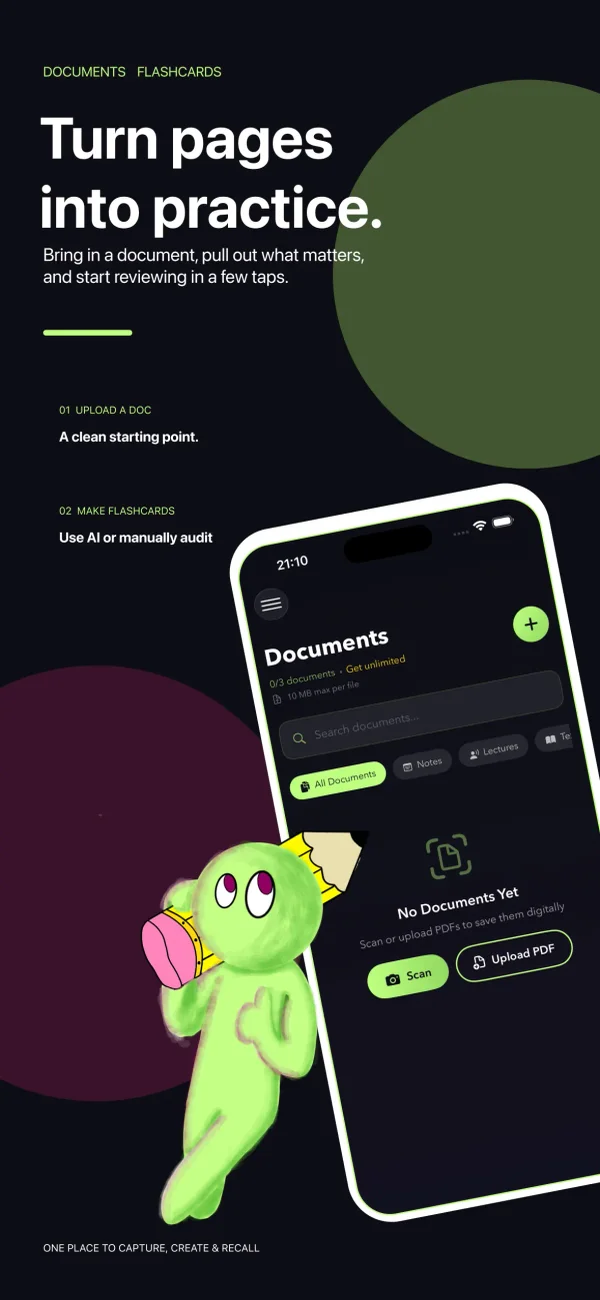
Document Scanner Scan textbooks, worksheets, and lecture notes. Extract text for editing and highlighting. Organise documents by category. Free users can upload files up to 10 MB; Premium users get 50 MB uploads. Documents sync to the cloud and can be re-downloaded on any device with a single tap.
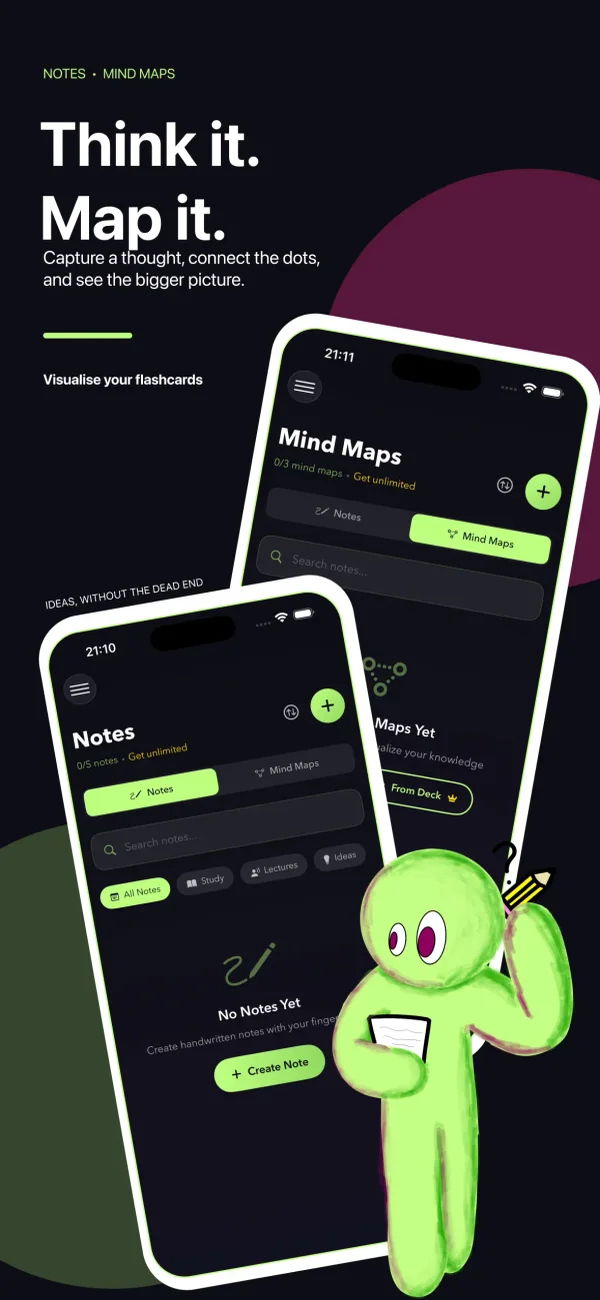
Handwritten Notes Create beautiful notes with pen, pencil, marker, and highlighter tools. Use templates, shapes, rulers, and themed backgrounds. Export as image or PDF.
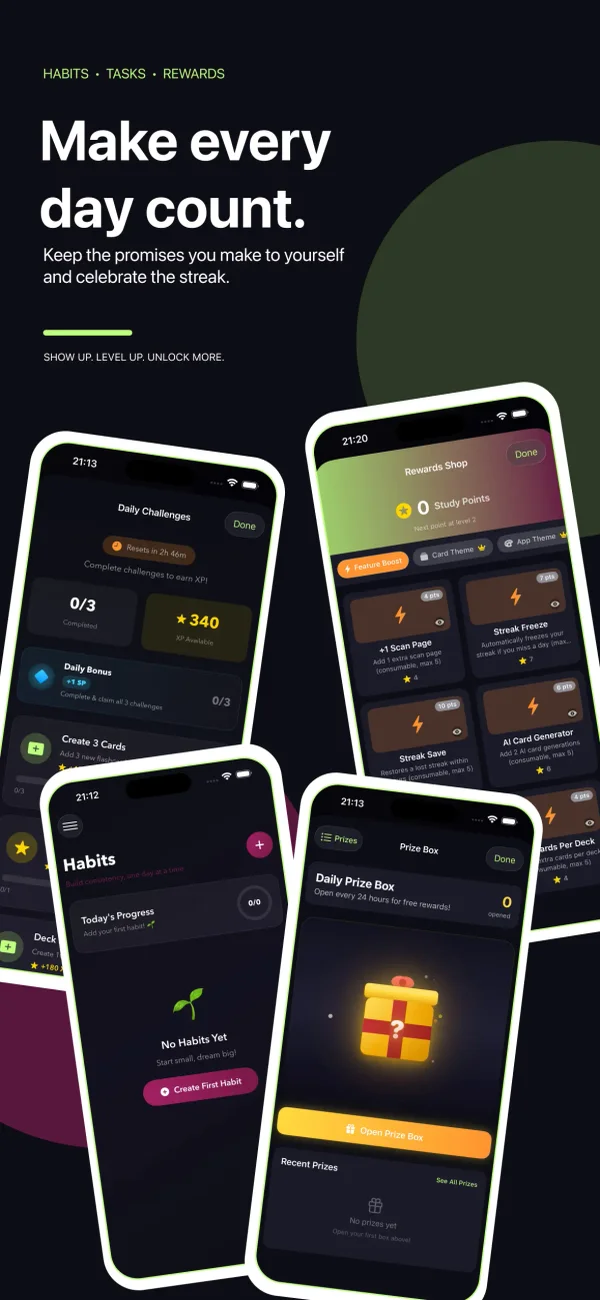
Habit Tracker Build consistent study habits with daily tracking, streaks, and calendar views. Set reminders, monitor your progress over time, and check off habits directly from your Home Screen widget.
Cloud Sync & Cross-Device Access Your flashcards, documents, handwritten notes, and habits sync seamlessly across all your devices via the cloud. Open a document on your iPhone that you scanned on your iPad -- Quobby downloads it automatically. Metadata syncs even when the original file isn't on your device, so your edits are never lost. Powered by secure, per-user storage with end-to-end path isolation.
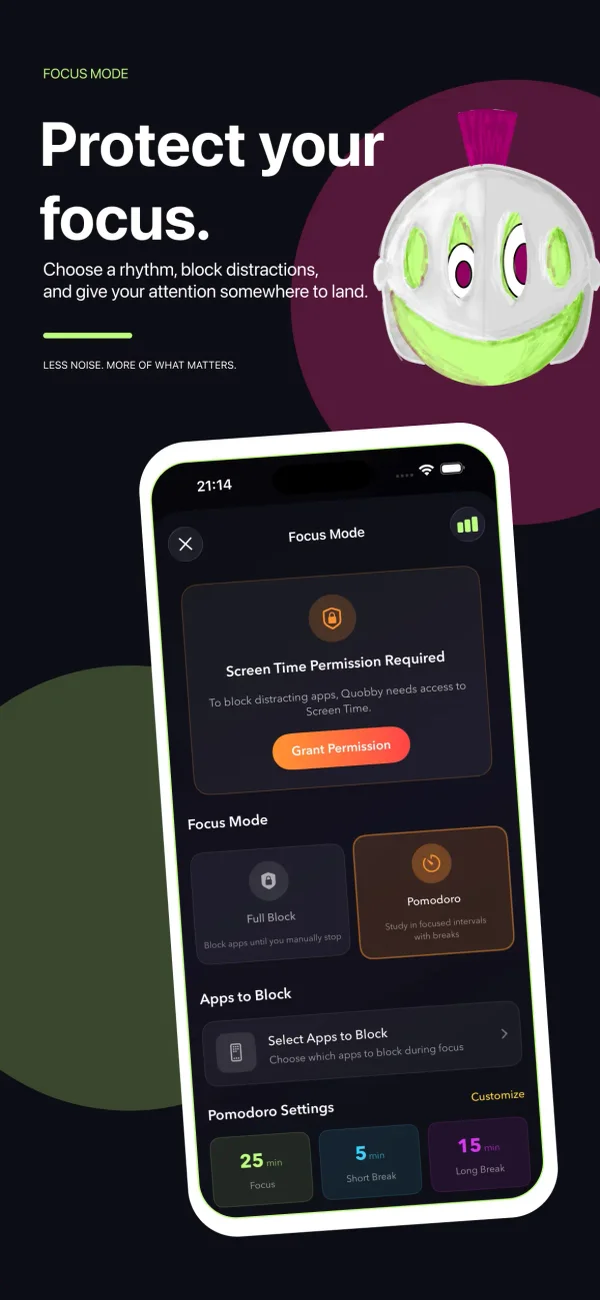
Focus Timer & Scheduled Blocks Block distracting apps during study sessions with Pomodoro or Full Block mode. Schedule automatic focus blocks for specific days and times — Quobby enforces your routine in the background with system-level app blocking. Track your focus time with session history and statistics.
Home Screen Widgets Add fully localised widgets to your Home Screen for streaks, due cards, habit tracking, and Quick Quiz. Widgets sync in real-time and display in your chosen language. Answer flashcards and complete habits without opening the app.
Gamification & Rewards Earn XP, level up, and unlock 25+ achievements. Compete on global and friends leaderboards. Complete daily challenges for bonus rewards. Open daily prize boxes with visual previews of themes, avatars, frames, and boosts.
Group Study Challenge friends in real-time study sessions with a 6-digit code. Choose Private Sessions or Classroom Quizzes with live leaderboards. Teachers can use Teacher Mode to control the quiz.
Available in 7 Languages English, Chinese, French, German, Spanish, Polish, and Ukrainian. Full app and widget localisation with 1,700+ strings per language. Notifications, widgets, Live Activities, and all UI elements fully translated.
Premium Features Cloud sync across devices, unlimited decks and cards, unlimited vocabulary generation, document scanning with 50 MB uploads, community deck publishing, scheduled focus blocks, profile customisation and 3 Streak Saves and 3 Streak Shields as a welcome bonus.
What’s new
Version 3.07 · Nov 16, 2026
Letter Ledger letter coloring fixed + additional features
spaced repetition Bug FIx
prize box Bug Fix
App privacy
What denis moskalenko declares on the App Store about how this app handles data.
-
Data linked to you
May be collected and linked to your identity.
- Purchases
- Contact info
- User content
- Identifiers
- Usage data
- Diagnostics
Privacy practices may vary, for example with the features you use or your age.
Information
- Seller
- denis moskalenko
- Category
- Education
- Version
- 3.07
- Updated
- Nov 16, 2026
- Released
- Feb 5, 2026
- Size
- 20.9 MB
- Requires
- iOS 17.0 or later
- Age rating
- 4+
- In-app purchases
- Yes
- Languages
- English
- Copyright
- © 2026 Quobby
You might also like
-
 Raccoon VocabularyAI powered in-context learning
-
 SAP-C02 Solutions ArchitectCloud Cert Mock Test & Study
-
 TypeWords: Vocab TypingEnglish vocabulary by typing
-
 Flashie: AI Flashcard MakerQuiz, Notes & Exam Prep Study
-
 Testory — Tests & Exam PrepEasily create or import tests.
-
 EnLingo - AI Vocabulary DrillsAI word book, daily drills
-
 Spaced Repetition — FlashCardsLearn faster, remember more!
-
 Nazoru: Read JapaneseTap a word, keep the sentence
-
 Flipset: Flashcard ManagerEducation
-
 Write Arabic AlphabetHandwriting and Letter Tracing