
Quote: Book Highlight & Notes
1-Sec Page Scan & Quote Cards
Designed for iPhone, iPad, iPod touch
Free · In-app purchases
- Age rating4+
- CategoryBooks
- Developerjinyong park
- LanguagesEnglish
- Size14.4 MB
Links to the official App Store page
Download.org hosts no file of Quote: Book Highlight & Notes. The button opens its official App Store page, published by jinyong park. Listing last checked on Nov 24, 2026.
Screenshots



About
Bring back the lines you underlined and forgot.
Quote helps you capture memorable passages from paper books and e-readers in a single snap, organize them cleanly by book, and revisit what moved you.
■ Scan pages in one second
· Snap up to 10 pages at once or pick photos from your library—Quote recognizes text right on your device.
· Tap only the exact sentences you want to keep instead of typing everything by hand.
■ Custom quote cards with your own pacing
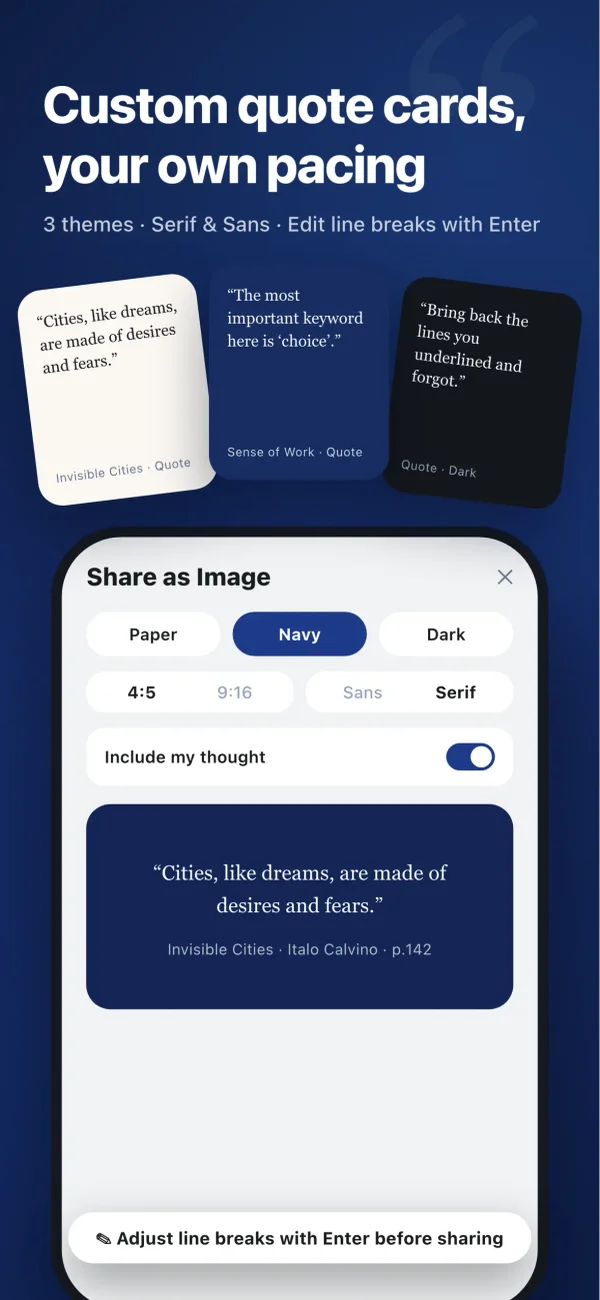
· Turn any passage into a crisp 1080px image card in Paper, Navy, or Dark theme (Sans or Serif, 4:5 or 9:16).
· Adjust line breaks directly with Enter before sharing so your card flows the exact way you want.
■ Rediscover a line every day
· Set a daily reminder time to receive one of your saved passages on your lock screen.
· Shuffle "Quote of the Day" on Home whenever you want a fresh spark.
■ Automatic book covers & calm archive
· Search books by title as you type to auto-fill covers and authors.
· Keep optional page numbers, personal thoughts, and favorites organized per book.
■ Bring your e-book highlights & export anytime
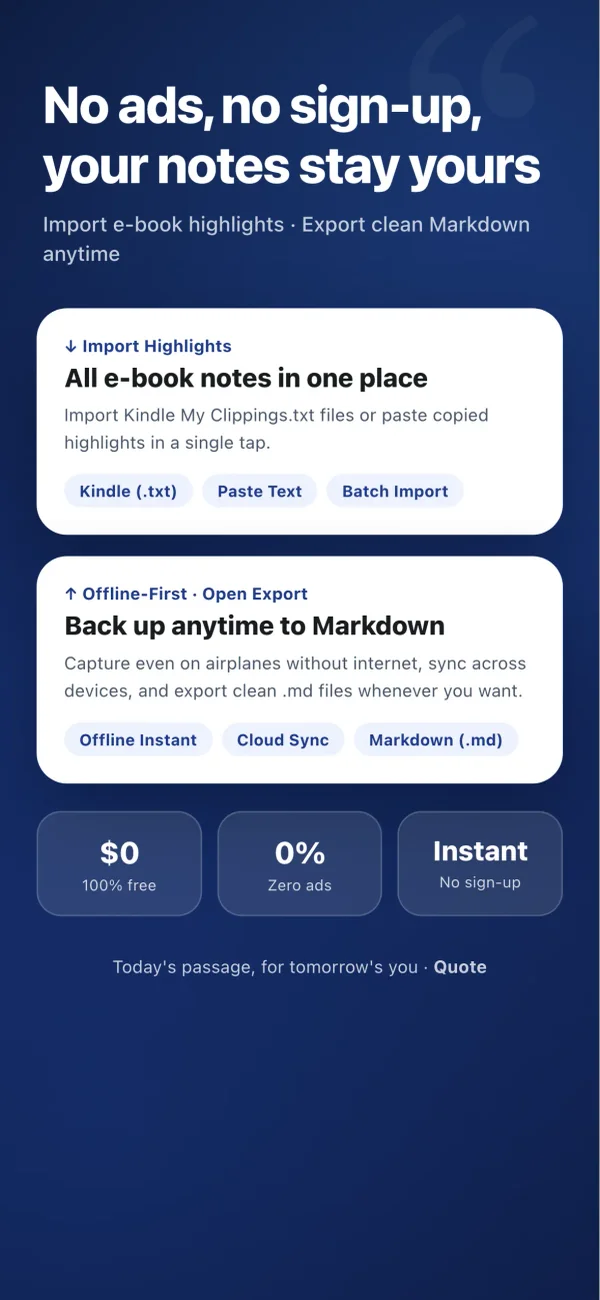
· Import copied highlights or Kindle My Clippings.txt files in one go.
· Works offline first, syncs when signed in, and exports to clean Markdown whenever you want.
■ No ads, no forced sign-up, completely free
· Start capturing immediately without creating an account.
· Zero ads and zero paywalls across every feature.
What’s new
Version 1.1.0 · Nov 23, 2026
We’ve made major improvements to help you collect items more smoothly and organize them more neatly.
· Enhanced book search autocomplete: Just enter the title, and the book search will quickly and accurately fill in the cover and author information.
· Directly edit line breaks in share cards: Before sharing an image card, you can use the Enter key to adjust line breaks at your desired locations, then save and share it.
· Daily “Quote of the Day” notification: You can receive a notification with one quote you’ve saved at a time you specify.
· Import up to 10 consecutive pages via OCR & e-books: Scan multiple pages at once and import all highlights from Ridi, Milli, and Kindle in one go.
· Share directly from the Home screen & select pages as needed: Create a card with a single tap from “Today’s Quote” or “Recent History,” and select specific pages only when needed.
App privacy
What jinyong park declares on the App Store about how this app handles data.
-
Data linked to you
May be collected and linked to your identity.
- Purchases
- Contact info
- User content
- Identifiers
Privacy practices may vary, for example with the features you use or your age.
Information
- Seller
- jinyong park
- Category
- Books
- Version
- 1.1.0
- Updated
- Nov 23, 2026
- Released
- Jul 21, 2026
- Size
- 14.4 MB
- Requires
- iOS 15.0 or later
- Age rating
- 4+
- Price
- Free
- In-app purchases
- Yes
- Languages
- English
- Copyright
- © 2026 park jinyong
You might also like
-
 Bible and Bible - Audio BibleBible translations, bookmark
-
 Quollect: Reading NotesInstantly capture book quotes
-
 NEW 알라딘 전자도서관Books
-
 See: 서울시교육청 전자도서관 for iPadBooks
-
 이씨오 범용뷰어 3.0Books
-
 알라딘 전자도서관(구독형)Books
-
See: 서울시교육청 전자도서관 for mobileBooks
-
 국회 전자도서관Books
-
 사락 - 예스24 독서 커뮤니티Books
-
 스마트 성경과찬송가 - 원어성경, 피아노반주, 개역개정Books