- Age rating4+
- CategoryMusic
- DeveloperMarko Krueger
- LanguagesEnglish
- Size5.2 MB
Links to the official App Store page
Download.org hosts no file of R-KONTROL. The button opens its official App Store page, published by Marko Krueger. Listing last checked on Nov 17, 2026.
Screenshots


About
R-KONTROL is the hands-on remote for Bitwig Studio. Mix, launch clips, ride faders, tweak remote controls, and shape grooves from your iPad or iPhone. Wireless, immediate, and built for the way you actually work.
R-KONTROL puts the parts of Bitwig you actually touch right under your fingers, anywhere in your studio. No MIDI workarounds, no controller learning curves. Install the free R-KONTROL Connector extension in Bitwig, open the app, and you're connected.
WHAT YOU CAN CONTROL
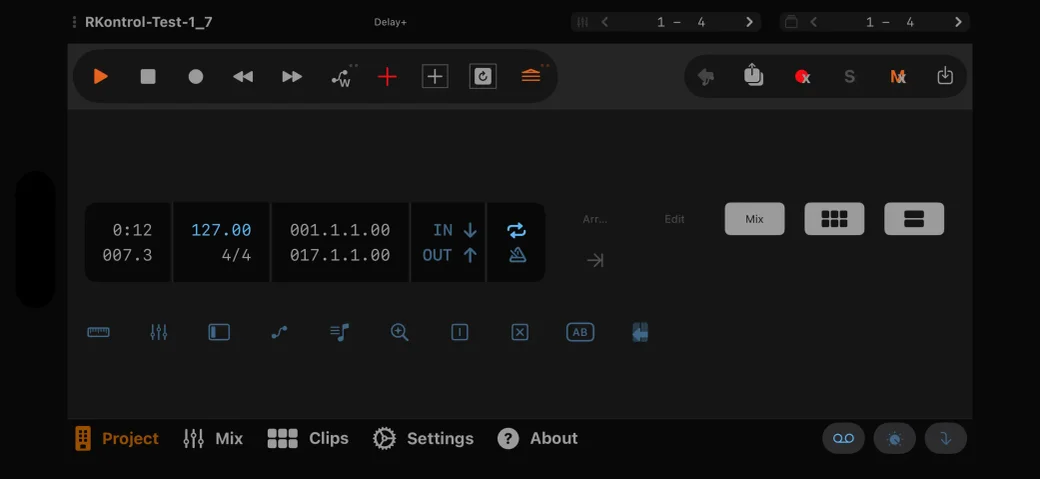
Transport: Play, stop, record, loop, punch in/out, scrub the timeline, toggle the metronome, manage automation, jump between cue markers.
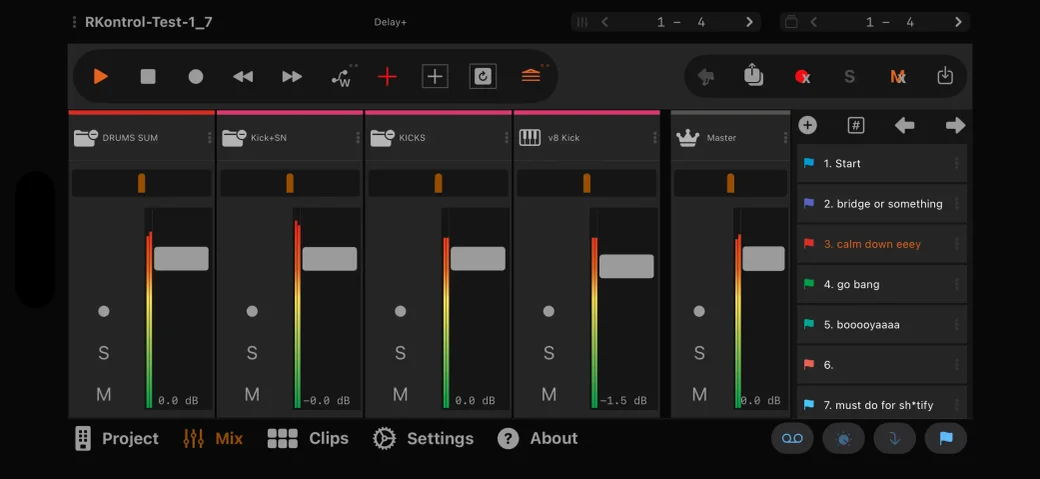
Mixer: Volume, pan, sends and crossfader on every track. Mute, solo, arm. Stereo VU metering. Main and effect tracks share one unified bank, always visible. No bank switching.
Clip Launcher: Launch and stop clips, fire scenes, retrigger all playing clips with a single button. Tap a selected clip launcher track again to reveal pan, volume, mute, solo and arm, with no detour through the mixer.
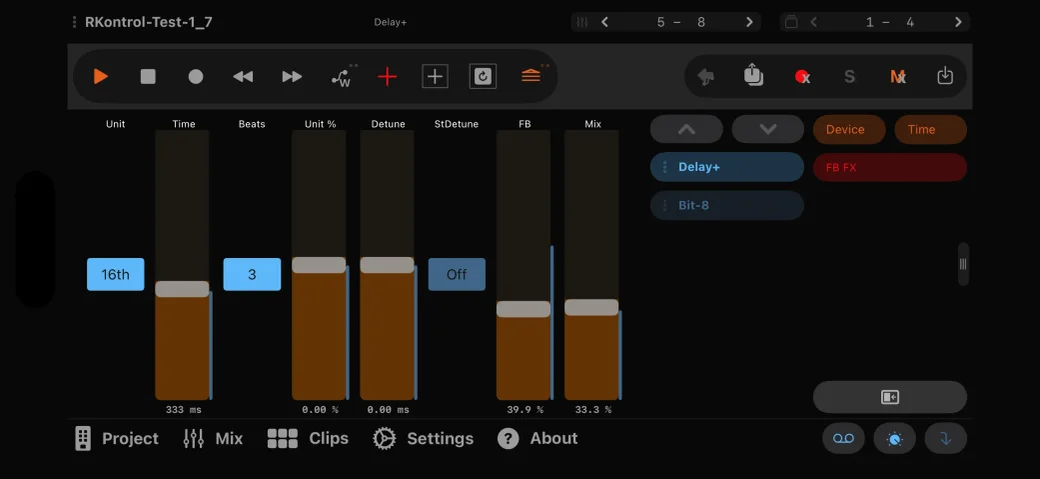
Remote Controls: Eight touch-friendly faders per page for the selected device or track. Two-value parameters toggle on tap. Page through parameter pages and the device chain without leaving the view.
Groove: Shuffle and Accent with Amount, Phase and Rate, right where you need them.
Scenes & Cue Markers: Trigger scenes, jump between markers, page forward and back.
Devices: Browse and select devices in the current track's chain. See what's selected at a glance.
HOW IT CONNECTS
R-KONTROL talks to Bitwig over your local Wi-Fi network using OSC. Install the free R-KONTROL Connector extension in Bitwig, launch the app, and it finds your machine automatically. A shared secret keeps the connection yours.
UNDER THE HOOD
GPU-accelerated VU metering and animation. Native SwiftUI. Built for landscape use on iPad and iPhone, with a dark interface that gets out of the way.
REQUIREMENTS
• Bitwig Studio (with the free R-KONTROL Connector extension installed)
• iPad or iPhone on the same local network as your Bitwig machine
What’s new
Version 1.7.1 · Jun 2, 2026
This update brings two fixes:
The master track A/B fader now correctly reflects the current state when switched via the A/B buttons.
Track levels are no longer hidden after swiping left while already on the first page of the track bank.
App privacy
What Marko Krueger declares on the App Store about how this app handles data.
-
Data not collected
The developer does not collect any data from this app.
Privacy practices may vary, for example with the features you use or your age.
Information
- Seller
- Marko Krueger
- Category
- Music
- Version
- 1.7.1
- Updated
- Jun 2, 2026
- Released
- Oct 20, 2022
- Size
- 5.2 MB
- Requires
- iOS 17.6 or later
- Age rating
- 4+
- Price
- $9.99
- Languages
- English
- Copyright
- © 2022 Marko Krüger
You might also like
-
 Prism MIDI SequencerControl • Play • Perform
-
 MIDI Tape RecorderPerfect MIDI recording
-
 FuncBud Math Sequencer & SynthGenerative AUv3 MIDI
-
 RingsFXPhysical Modelling Resonator
-
 Kebarp AUv3 MIDI ArpeggiatorSimple, Fun and Tasty Arp
-
 Fugue Machine RubatoTime-bending MIDI sequencer
-
 EG NodesClip based Host/MIDI Sequencer
-
 Elastic MelodyCreate melodies easily
-
 BAM - Beat Maker & Music MakerMusic Production Studio
-
 Salome - MPE Audio SamplerRecord, Import, Play