
- Age rating4+
- CategoryUtilities
- DeveloperXinyang He
- LanguagesEnglish+ 8 more
- Size5.6 MB
Links to the official App Store page
Download.org hosts no file of RandList. The button opens its official App Store page, published by Xinyang He. Listing last checked on Nov 18, 2026.
Screenshots

About
Redesigned with Liquid Glass — RandList is a beautifully designed random list generator for Apple devices, built for speed, simplicity, and customization. Now keep your History and Favorites in sync with iCloud.
# iCloud Sync
Keep your generation history and favorite templates available across Apple devices using the same iCloud account.
• Sync History and Favorites independently with two separate controls, both enabled by default.
• Keep additions, deletions, and undo actions in sync across devices.
• View the last successful sync time for History and Favorites separately.
• Continue using RandList offline. Local changes merge when syncing resumes.
• Turn off either sync option while keeping your local data.
# Four Modes
• Simple — Generate random numbers from any range.
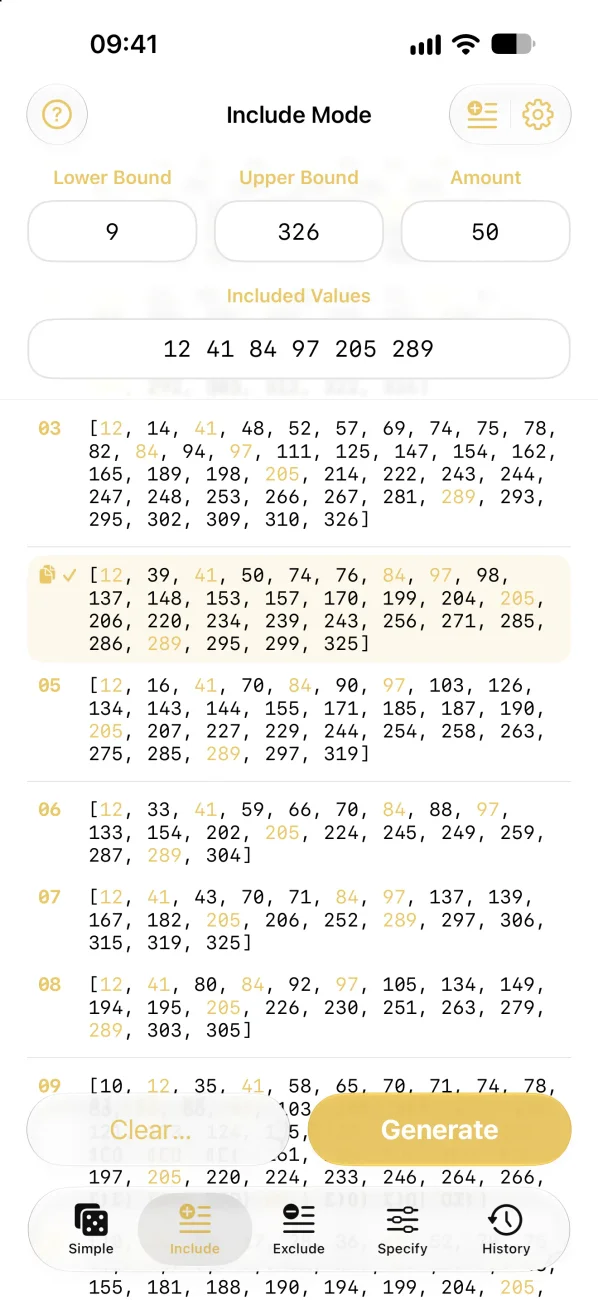
• Include — Guarantee selected values appear in every result.
• Exclude — Remove unwanted values from the pool.
• Specify — Randomize your own custom list of items, not just numbers.
Clear one field or all inputs at once, and undo instantly if you change your mind.
# Smooth and Responsive
Beautiful animations, haptic feedback, and fluid interactions make every generation feel fast and satisfying. RandList also includes initial support for iPhone Duo.
# Deeply Customizable
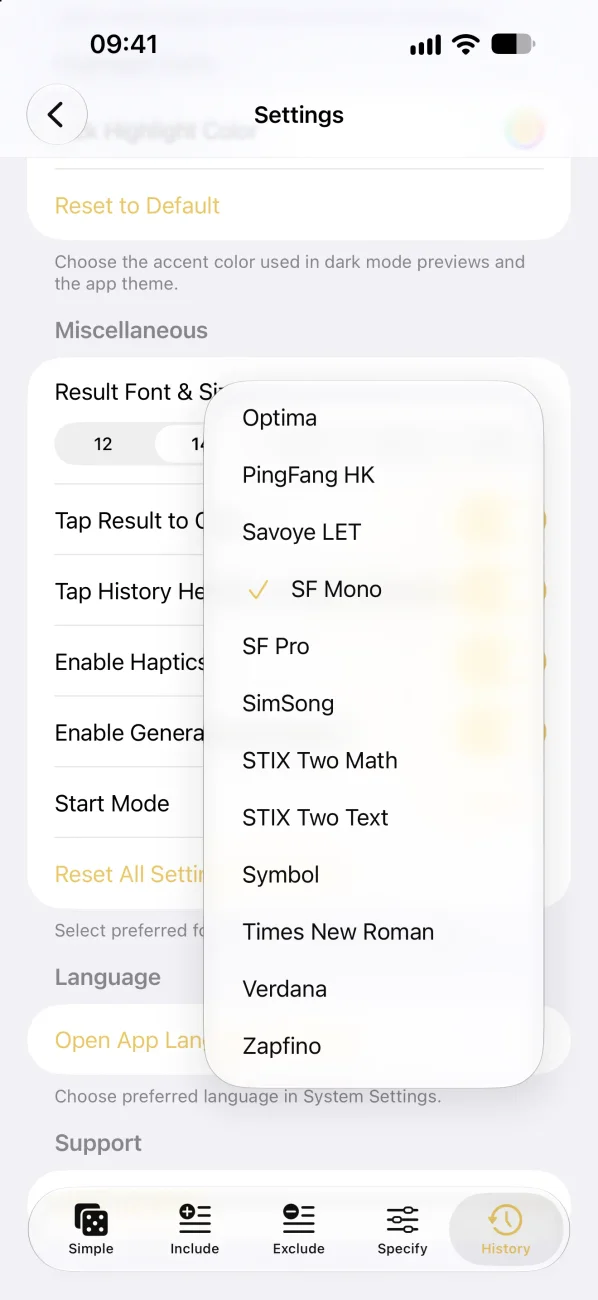
• Choose from 30 built-in fonts, including SF Mono, Zapfino, Baskerville, and more.
• Adjust font size across multiple presets.
• Customize the app with your own accent color.
• Toggle animations, haptics, and tap-to-copy independently.
• Choose between light mode, dark mode, or follow system appearance.
• Restore all settings with a single tap.
# History That Stays Organized
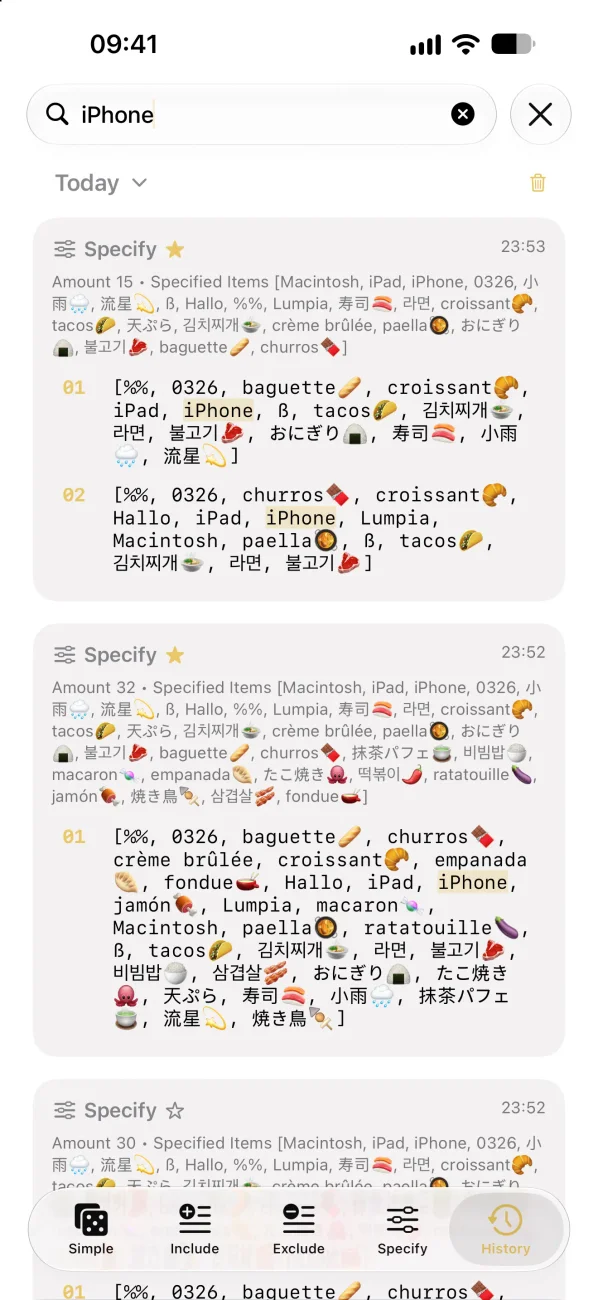
Every generation is automatically saved and grouped by day, mode, and input settings.
• Search History with highlighted matches.
• Collapse records by date, or delete an entire day at once.
• Swipe to delete or tap to copy previous results instantly.
• Undo accidental deletions and Clear All actions.
• Automatically clear iCloud or local History after a time period you choose.
• With iCloud sync enabled, your history stays available across your Apple devices.
# Favorites & Reusable Templates
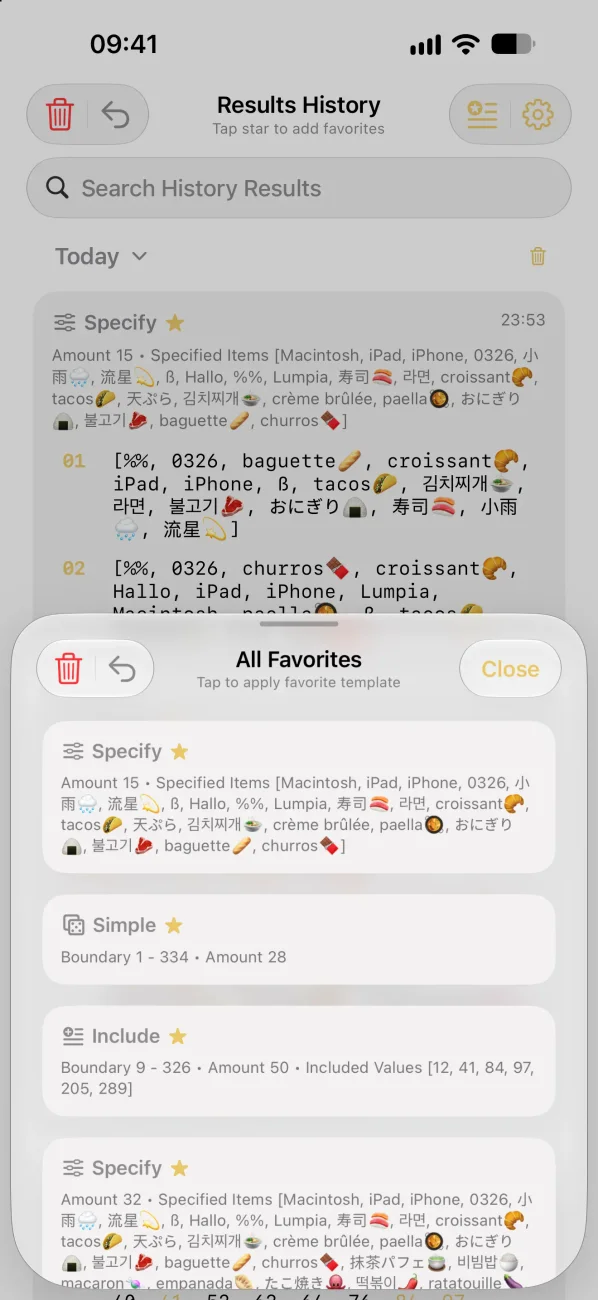
Save your favorite generation settings as reusable templates and apply them with a single tap.
• Favorite your current template directly in each mode, or add favorites from History.
• Browse favorites by generation mode or view them all in one place.
• Instantly restore saved templates without re-entering them.
• Remove individual favorites or clear them all at once.
• Easily undo accidental removals.
• Sync your favorites with iCloud to reuse them across your Apple devices.
# Tap to Copy
Tap any generated result to copy it immediately with subtle visual feedback, or disable tap-to-copy to enable native text selection instead.
# Localized in 9 Languages
English, German, Spanish, French, Japanese, Korean, Brazilian Portuguese, Simplified Chinese, and Traditional Chinese.
# Privacy First
Random generation happens entirely on your device. iCloud is used only to sync History and Favorites through your private iCloud database when enabled. Both sync options can be turned off independently, and RandList remains fully usable offline.
No ads. No analytics. No tracking.
What’s new
Version 3.1.2 · Nov 5, 2026
• You can now favorite current template directly in each mode.
Recent Major Updates:
• Sync all your History and Favorites with iCloud.
• Option to clear iCloud/Local History after a selected time period.
• Save and instantly reuse your favorite generation settings as templates.
• Browse and manage favorites by generation mode or in one place.
• Search History with highlighted matches and organize records by date.
• Undo accidental deletions and Clear All actions.
• Added initial support for iPhone Duo.
• Enjoy smoother animations, faster generation, and improved responsiveness.
App privacy
What Xinyang He declares on the App Store about how this app handles data.
-
Data linked to you
May be collected and linked to your identity.
- User content
Privacy practices may vary, for example with the features you use or your age.
Information
- Seller
- Xinyang He
- Category
- Utilities
- Version
- 3.1.2
- Updated
- Nov 5, 2026
- Released
- May 12, 2026
- Size
- 5.6 MB
- Requires
- iOS 17.0 or later
- Age rating
- 4+
- Price
- Free
- Languages
- English, French, German, Japanese, Korean, Portuguese, Simplified Chinese, Spanish, Traditional Chinese
- Copyright
- © 2026 Xinyang He
You might also like
-
 TickerWaveRandom Number Picker
-
 新建幸运数字Utilities
-
 Random Number Generator KitDice, coins, wheels, teams
-
 HappyRandomUtilities
-
 RandNoUtilities
-
 ListlerGenerate random list shuffles
-
 Pick it! Random Name PickerSpin the wheel, split up teams
-
 Random RoverSurprise to every decision
-
 SortWiseOffline Item Manager
-
 GeneratorLozinkiOn-device password generator