Rapid Cut: Multimedia editor
Edit reels, images, media tool
Designed for iPhone
Free · In-app purchases
- Age rating4+
- CategoryProductivity
- DeveloperDigital Karbs Oy
- LanguagesEnglish
- Size95.3 MB
Links to the official App Store page
Download.org hosts no file of Rapid Cut: Multimedia editor. The button opens its official App Store page, published by Digital Karbs Oy. Listing last checked on Nov 27, 2026.
Screenshots
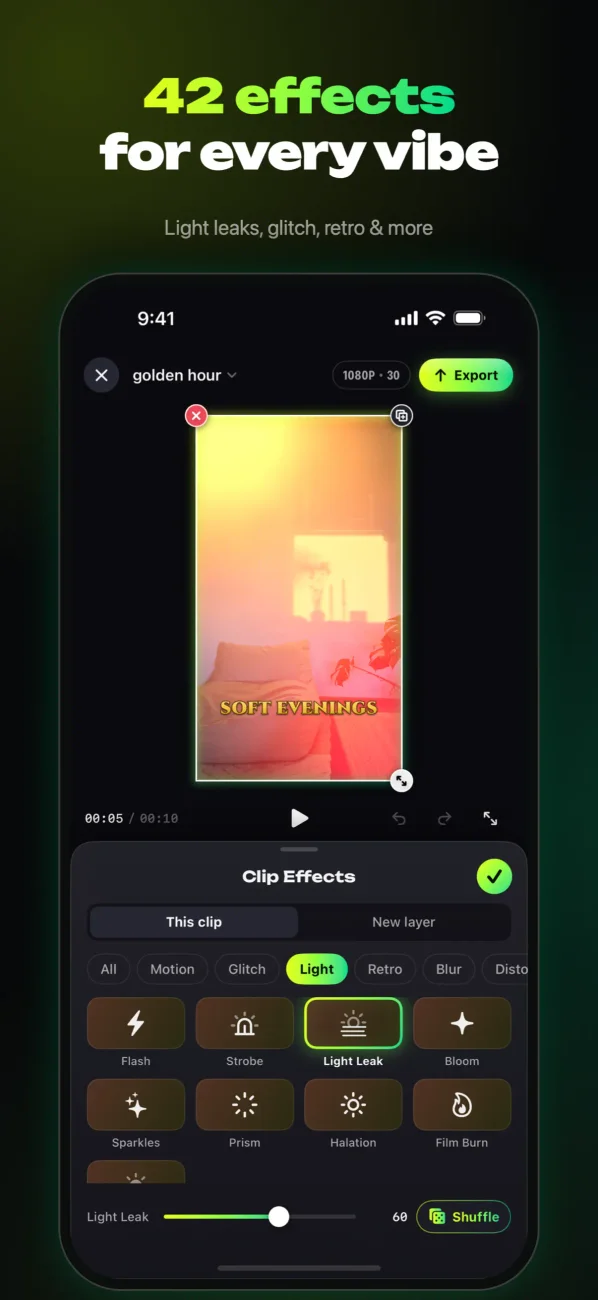
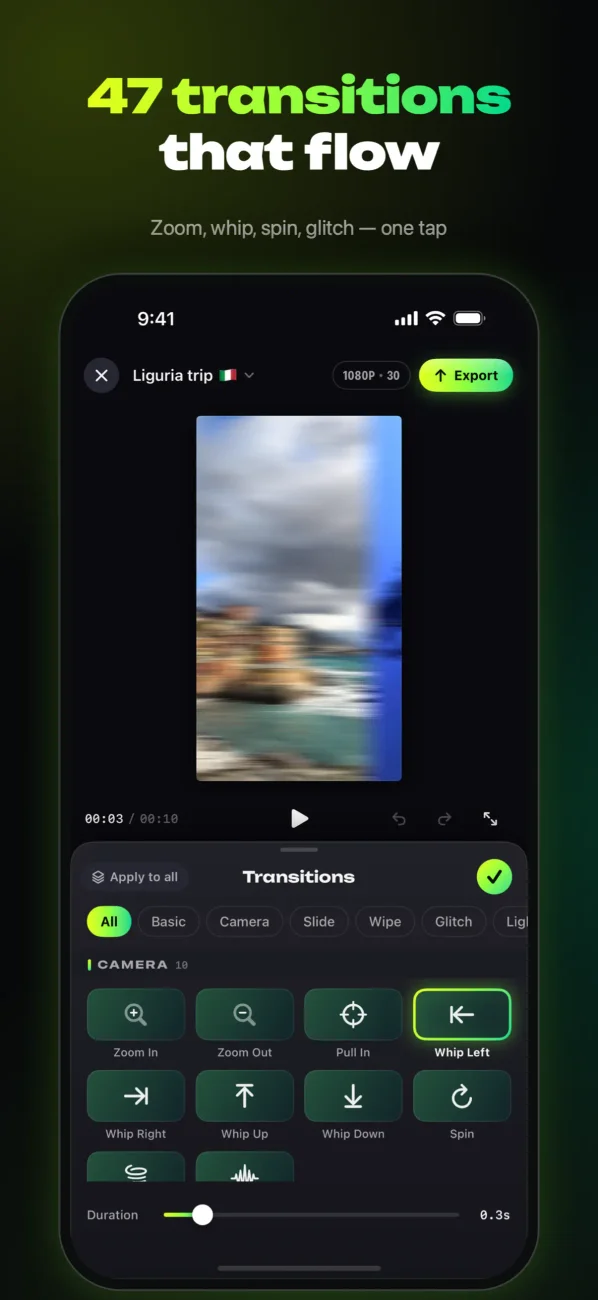
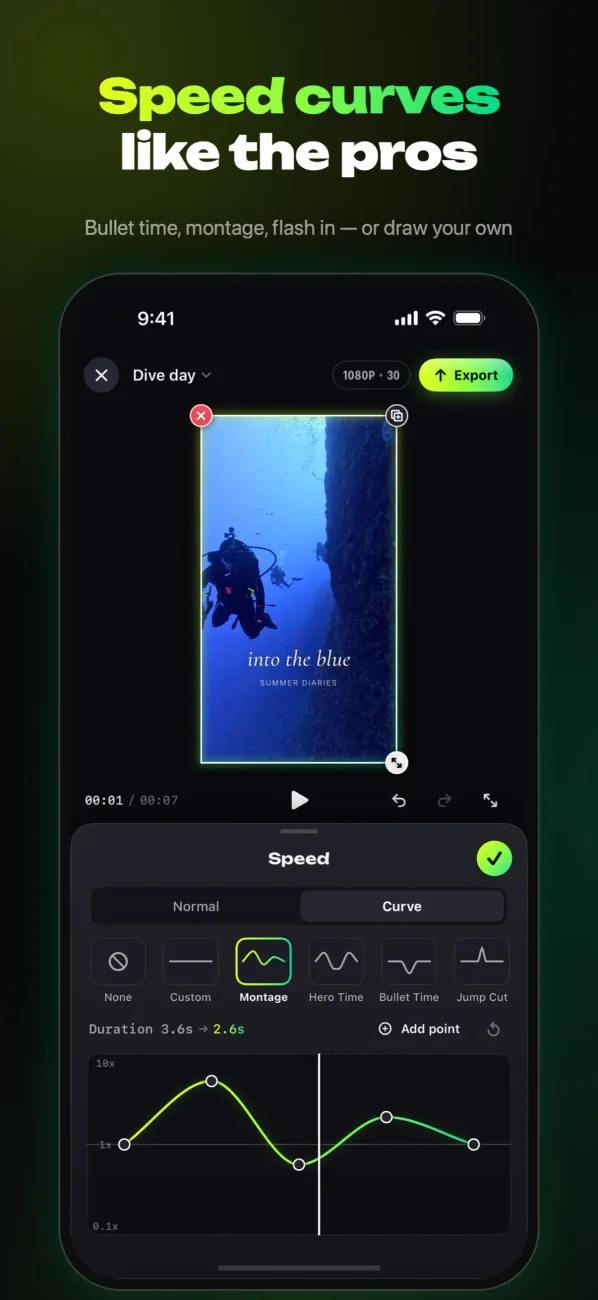
About
Rapid Cut is a fast, powerful editor made for creators. Edit short vertical videos, retouch photos, build collages and design your own stickers, all on your iPhone with pro tools that feel effortless.
EDIT IN SECONDS
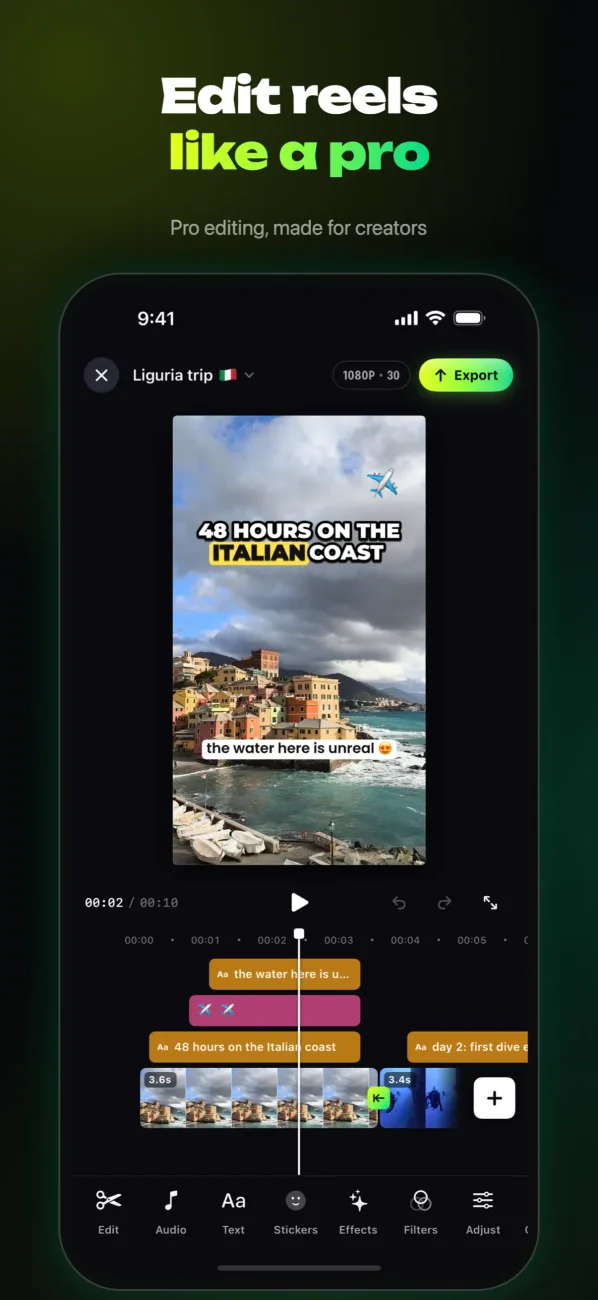
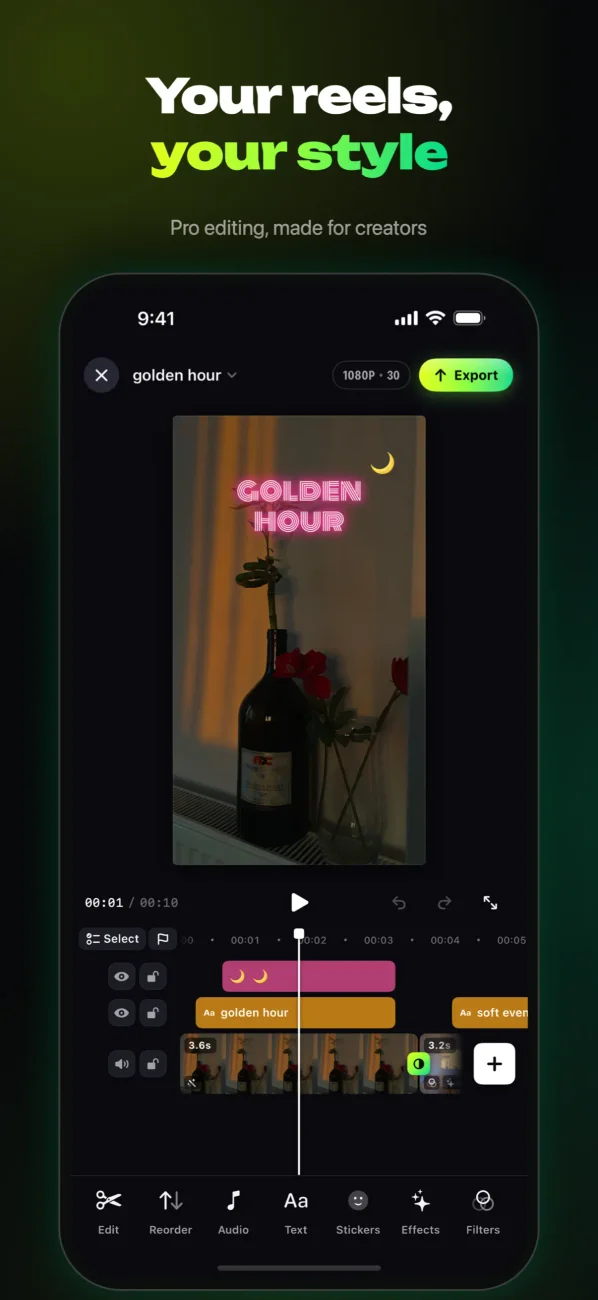
Trim, split, reorder and speed up clips on a smooth timeline that snaps exactly where you need it. Add photos, overlays, music and voiceovers on their own lanes, animate anything with keyframes, and undo with one tap.
SPEED CURVES
Ramp the speed inside a single clip for bullet time, montage, hero and flash effects, or drag your own curve anywhere from 0.1x to 10x. Press play and the clip loops while you fine-tune it.
TEXT THAT POPS
Choose from 32 text styles and 65 free fonts, then bring every word to life with 35 text animations like typewriter, word pop and karaoke. Neon glows, gradients, outlines and caption boxes are all built in.
AUTO CAPTIONS
Generate captions from the speech in your videos, right on your device, with word-by-word highlight styles that keep viewers watching.
47 TRANSITIONS, 42 EFFECTS AND 53 FILTERS
Zoom, whip, spin and glitch between clips. Add light leaks, sparkles, shake, retro and blur effects, and give your footage a cinematic look with hand-tuned filters and full manual adjustments.
PHOTO EDITOR AND COLLAGES
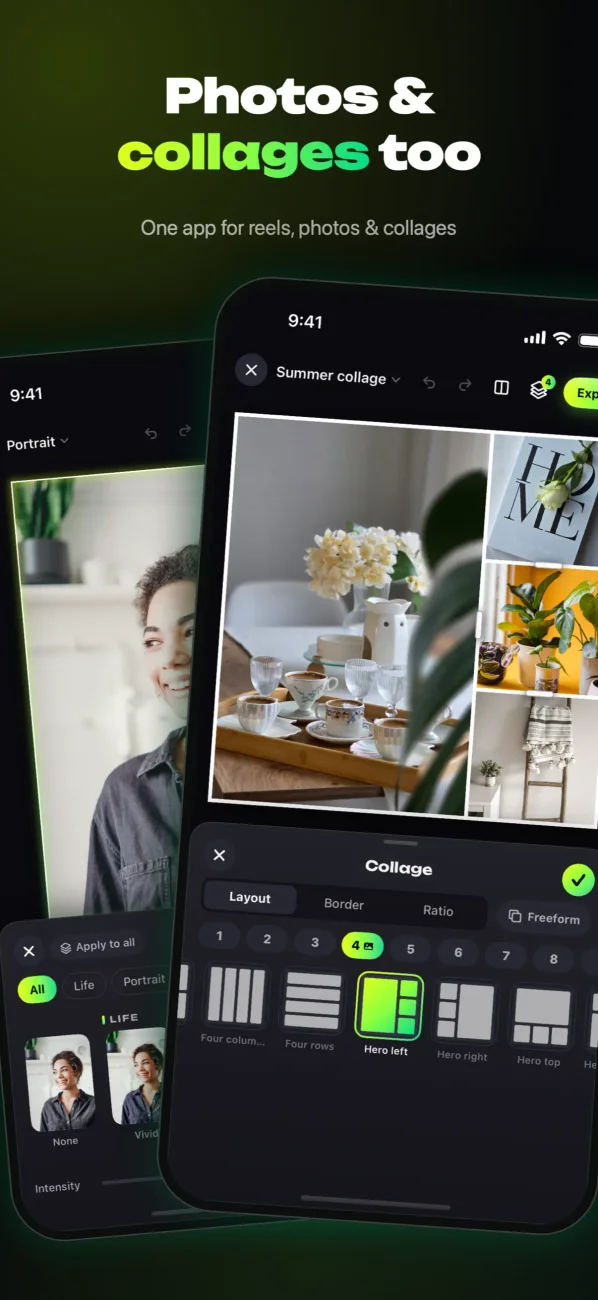
Edit photos with filters, adjustments, curves, retouch and AI erase, compare before and after with a swipe, and build collages from dozens of layouts with borders and ratios.
CAMERA
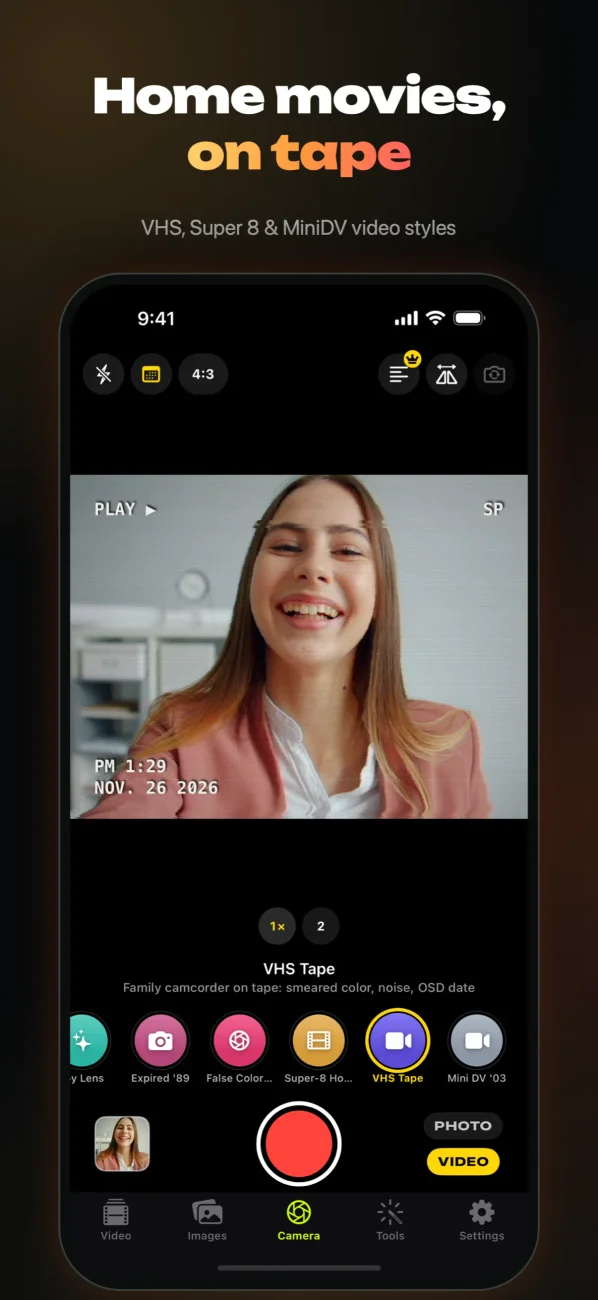
Camera with tons of presets for matching your style!
TELEPROMPTER
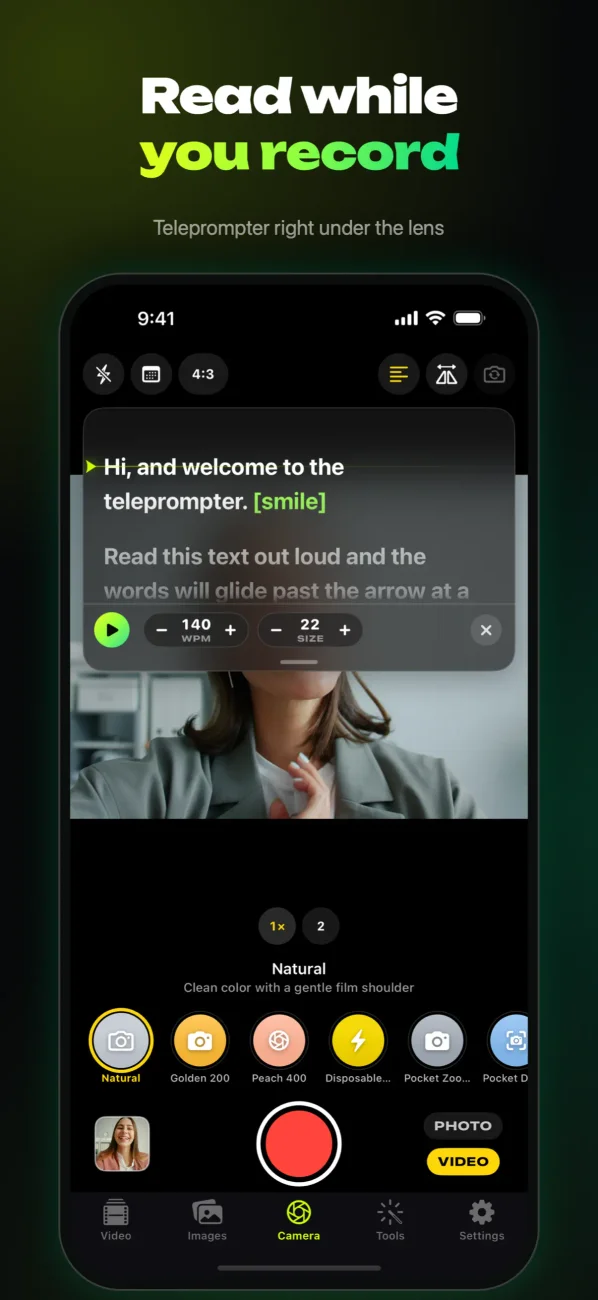
Never miss a beat again, record videos and write or import scripts right into Rapid Cut.
DESIGN YOUR OWN STICKERS
The Design tab is a vector editor in your pocket. Draw with shapes, the pen tool and the pencil, combine shapes, add text, then apply blur, glow and shadow effects. Save your design as a sticker you can use in any video or photo, or export it as SVG or PNG.
STICKERS AND CUTOUTS
Use emoji and graphic stickers, or lift the subject out of any photo, add a bold outline and drop it into your edit.
TOOLS FOR ANY FILE
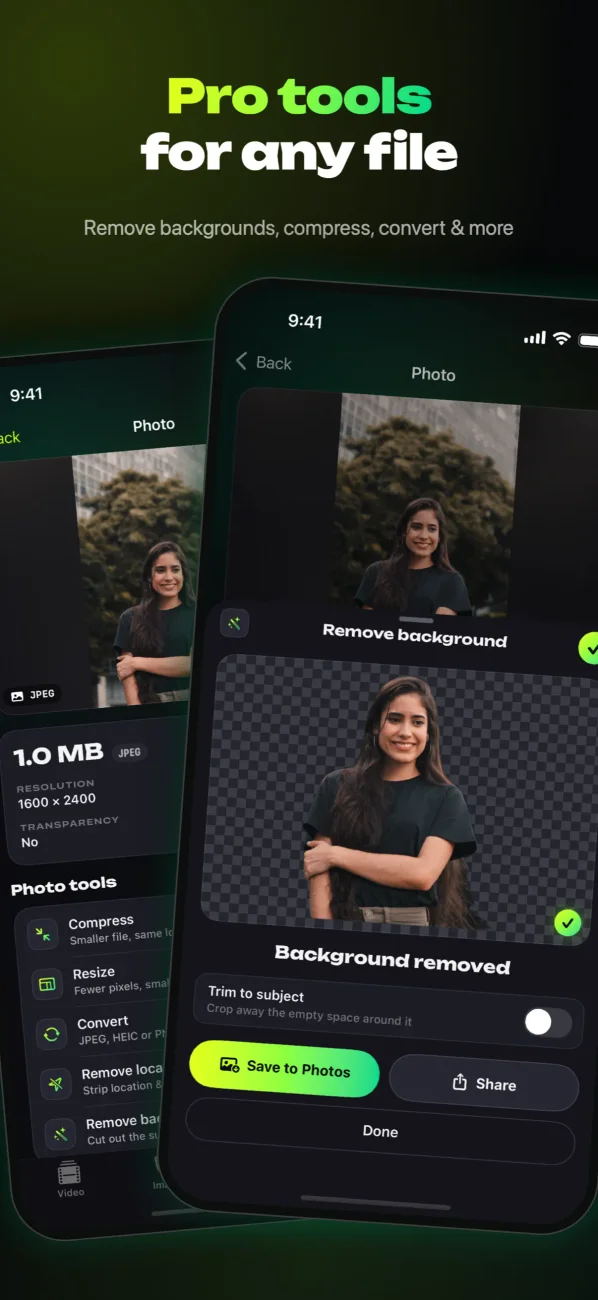
Remove the background from a photo in one tap, compress or resize videos and photos, convert formats, make GIFs, extract audio and strip location data before you share.
SOUND
Import your own music, use the sound from another video, record a voiceover and add sound effects. Auto-ducking lowers the music under speech, and fades and volume keyframes keep everything balanced.
MAKE IT YOUR OWN
Pick one of six app themes, from deep dark looks to bright light ones and soft pink and purple styles.
RECORD AND CREATE
Film a new clip with the camera or start from the videos and photos in your library. Pick the format you need: 9:16, 1:1, 4:5 or 16:9.
EXPORT IN 4K
Export up to 4K at up to 60 fps with no watermark, then save straight to Photos or share anywhere. What you see in the preview is exactly what you get.
PRIVATE BY DESIGN
No account and no ads. Your videos, photos and designs stay on your iPhone and are never uploaded.
Privacy Policy: https://www.karbs.dev/privacy-policy/rapid-cut-pro
Terms of Use: https://www.apple.com/legal/internet-services/itunes/dev/stdeula/
What’s new
Version 1.0.2 · Nov 26, 2026
New: Camera
Shoot on film, right in Rapid Cut. Pick from 22 analog-style cameras, including warm 35mm, instant prints, black & white, disposable flash, '90s point-and-shoot, CCD digicam, VHS, Super 8 and MiniDV. Grain, light leaks, halation, borders and date stamps show live in the viewfinder, and the shot you take looks exactly like the preview. Shoot photos or video, try half-frame diptychs, mirror the picture, and open any shot straight in the editor.
New: Teleprompter
Write your script or import it from Word, PDF or text. Play it fullscreen in portrait or landscape, with speed in words per minute, mirror
mode for teleprompter rigs, a countdown, and Bluetooth remote support. Turn on voice follow and the text scrolls as you speak. With Pro, the
prompter sits right under the lens while you record in the Camera.
New: Light Meter
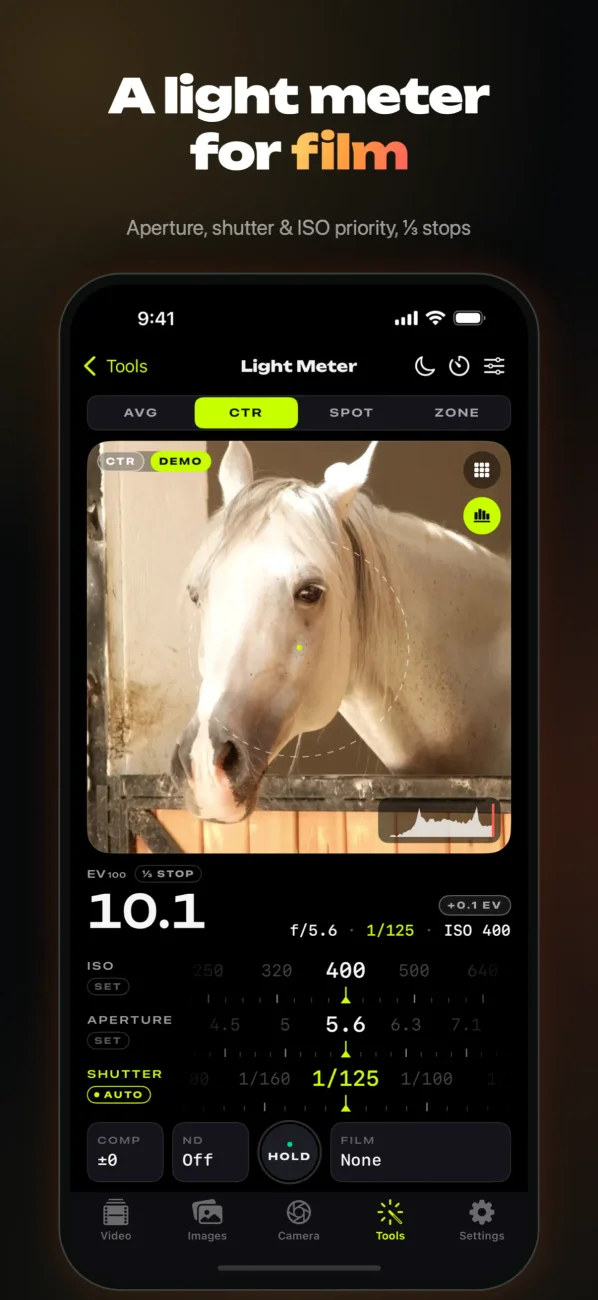
A real exposure meter for film photographers. Use average, center, spot or zone metering, with aperture, shutter or ISO priority in ⅓, ½ or full stops. ND filter and reciprocity corrections for 26 film stocks are built in, plus a Sunny 16 guide, a long-exposure timer and a red night mode.
Tools, reorganised
Tools now opens to a hub: Video tools, Image tools, the Sticker designer (moved here from its own tab), Light Meter and Teleprompter. Every converter now runs free so you can see the result before you save.
App privacy
What Digital Karbs Oy declares on the App Store about how this app handles data.
-
Data not collected
The developer does not collect any data from this app.
Privacy practices may vary, for example with the features you use or your age.
Information
- Seller
- Digital Karbs Oy
- Category
- Productivity
- Version
- 1.0.2
- Updated
- Nov 26, 2026
- Released
- Nov 11, 2026
- Size
- 95.3 MB
- Requires
- iOS 18.0 or later
- Age rating
- 4+
- Price
- Free
- In-app purchases
- Yes
- Languages
- English
- Copyright
- © Digital Karbs Oy 2026
You might also like
-
 Kompass - Reach your GoalsProductivity
-
 Second HomeProductivity
-
 MV Master - Music Video MakerPhoto Status Maker & Saver
-
 Lodgify - Vacation Rental AppAll-in-one rental management
-
 mymind – Extend your mindNever forget anything anymore.
-
 Habit Tracker - HabitKitStreaks & Accountability
-
 2026 Planner & Agenda - FloretYearly Digital Cute Calendar
-
 Proton Pass - Password ManagerPasskeys, 2FA & secure vault
-
 Fotocasa: Houses & ApartmentsBuy and rent your next home